It works in preview and breaks in production, and the gap between those two sentences is where a lot of projects stall. Not because anything is hard, but because nothing is wrong.
The code is the same code. The build is the same build. What changed is a handful of settings that had no effect at all on the machine you wrote it on, because on that machine every answer happened to be right.
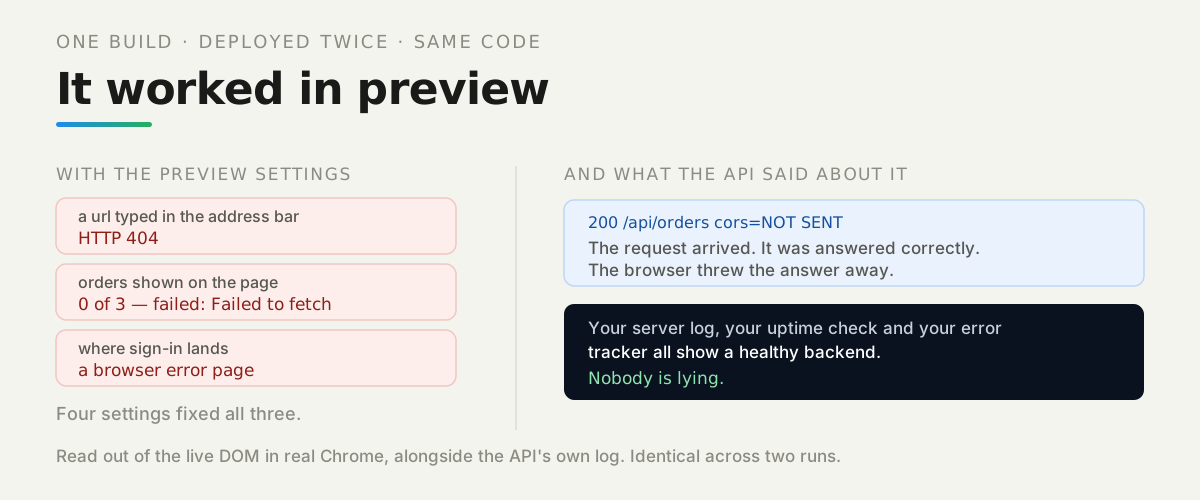
So we took one build, deployed it twice, and had a real browser tell us what a person sees — while reading the API’s own log alongside.
Watch it instead
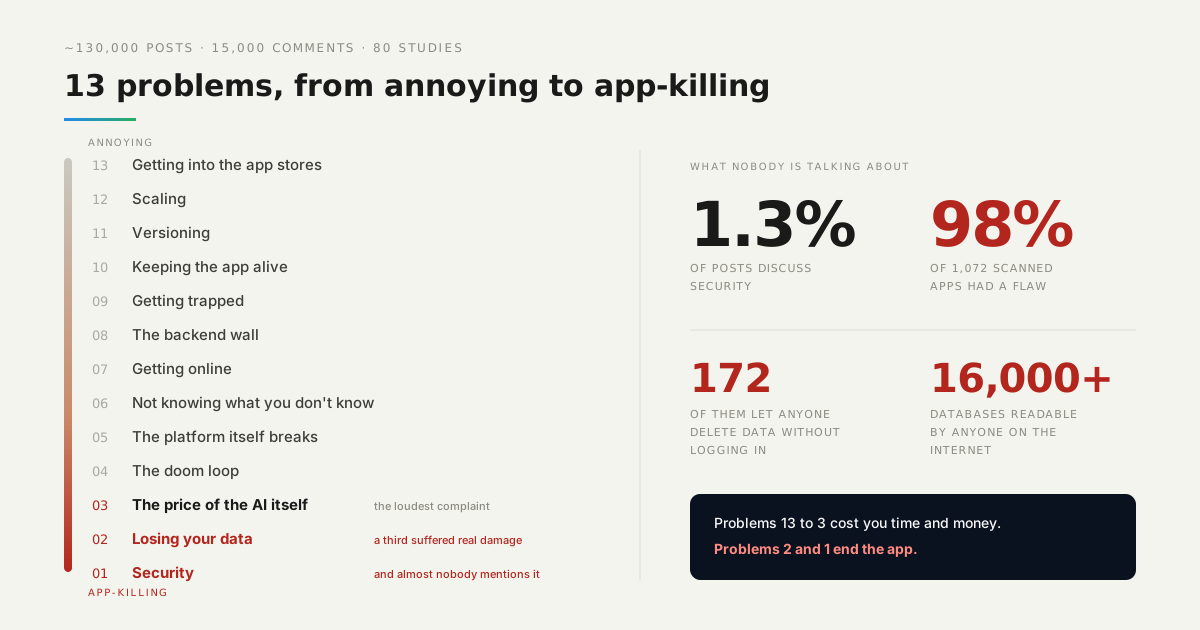
Getting online is number 7 in our countdown of what actually goes wrong for people building with AI.

What actually differs between the two deployments?
Nothing in the code, and everything in what a person sees:
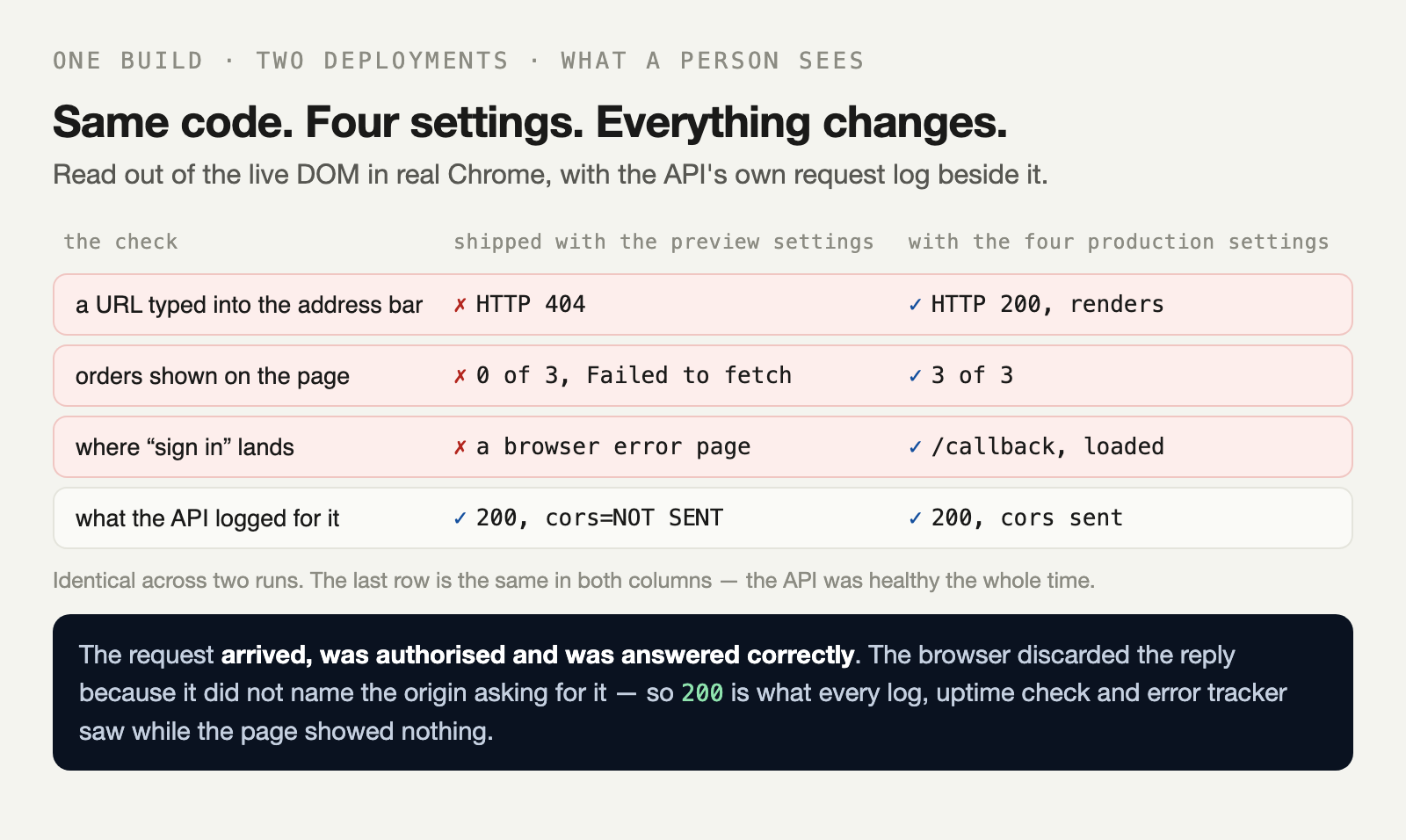
Four separate failures, four separate causes, and one thing in common. Every one of them happens between components that are each behaving correctly.
Why did the API say 200?
Because it was 200. This is the line we kept rereading:
what the api says about that request 200 /api/orders origin=…:7502 cors=NOT SENTThe request arrived. It was answered. The response body contained all three orders. The browser then discarded it, because the reply did not name the origin that had asked for it.
Your server log, your uptime check and your error tracker all show a healthy backend, and the page shows nothing. Nobody is lying.
This is also why the problem survives debugging. Any tool without that rule — curl, Postman, a script on your laptop — sees a perfectly working API, because the rule belongs to the browser.
Why does a typed URL 404?
Because the server went looking for a file. Your app knows what /orders means, but it has to be running first, and it is not running until some HTML arrives.
Click the link inside the app and the browser never asks the server — the app handles it. Type the same URL and the server gets asked for orders, finds no such file, and says so:
/orders typed into the address bar HTTP 404After telling the host to serve index.html for unknown paths, that identical URL returned 200 and the app read the path itself. Nothing else changed.
This is also why the failure is easy to miss. Nobody types URLs while building — they click. The first person to hit it is a user following a shared link, which is the worst time to find out.
Where did sign-in go?
To a machine that is not yours:
where "sign in" lands chrome-error://chromewebdata/ — nothing thereThe redirect was set once, while developing, to the dev server’s address, and nothing updates it on deploy. Sign-in is also the single hardest flow to test by accident, because you are already signed in on the machine where you built it.
The one a setting cannot fix
A variable added after the build is not in the bundle, and no amount of setting it afterwards will put it there.
Front-end builds inline what they can see at the moment they run. We built once without the sign-in URL and the value shipped as an empty string — the dashboard can say anything you like after that, and the file on disk still says nothing.
the bundle shipped with an empty sign-in link, because the variable
did not exist when the bundle was built.
So the rule is simple and worth internalising: changing a variable the front end reads means rebuilding. Changing one the server reads usually just means restarting.
Why does none of your monitoring see this?
Because nothing it watches is broken. The page returned 200. The API returned 200. The container was healthy. The error tracker has nothing to report, because no error was thrown anywhere — the browser declining to hand a response to your code is not an exception in the usual sense.
That is the same shape we measured in your app is down and nothing told you: a monitor answers its own narrow question correctly, and nobody asked whether a person could use the thing.
What should you do first?
Four checks, each a few seconds, on the deployed site rather than the preview:
-
Type a deep URL straight into the address bar and press enter.
-
Open the network tab and look for a request that succeeded but was blocked.
-
Click sign in and read where you land.
-
Search your built bundle — not your config — for a value you expect to be there.
Those four cover everything in this article. Do them once per deploy and the gap between “it worked in preview” and “it works” stops being a mystery.
The lab is in the repo — one build, two deployments, a real browser, and the API’s own log read alongside.