Your page calls your API and the console prints a wall of red that starts with Access to fetch … has been blocked by CORS policy. The response is gone, the error object says nothing, and the first three fixes you paste in change nothing.
A CORS error means the browser received a response and refused to hand it to your code — or refused to send the request at all — because the server’s answer did not name your page’s origin. Which of those two happened matters enormously, and the console does not tell you.
So we built a lab where every failure is one route with exactly one thing wrong, gave every request a server-side id, and captured each case in one pinned browser session on November 3, 2026: the exact console text, the network state, what fetch saw, and — the column that changes the diagnosis — whether the server executed the request.
Get the working code: the companion repo is at github.com/templates-back4app/cors-lab — one button per failure, the server log rendered next to the console verdict, and the full capture record this post quotes.
Where should you look first when the console says CORS?
In the network tab, not the console — and at two lines, not one. The console prints a single sentence for a dozen different failures; the network tab shows the main request and, when there is one, its preflight OPTIONS as a separate line. Observed across all our cells, the request line lands in one of four states:
| What the request line shows | What it meant in these tests | Lab rows |
|---|---|---|
| A real HTTP status (200, 204, 301, 500) | The server answered. The browser may still refuse to let your code read the response | R0, R2-preflight’s OPTIONS, R11 |
CORS error / (failed), status 0 | The response arrived and failed a CORS check, or the preflight’s answer stopped the main request from ever being sent | R2, R3, R4, R5, R12 |
| A failed OPTIONS line with its own error | The preflight itself died — in our run, net::ERR_INVALID_REDIRECT for a preflight answered with a 301 | R6a |
Nothing wrong anywhere, but the code got status 0 and type: 'opaque' | mode: 'no-cors' silenced the failure | R11 |
One tooling note for honesty: our capture harness reads the network log programmatically and renders a blocked request as [FAILED: net::ERR_FAILED] where the DevTools status column displays CORS error. Every network state quoted in this post is verbatim from that harness; the console text is verbatim from the live console.
Your code, meanwhile, sees almost nothing. Every blocked row in our matrix rejected with the identical exception:
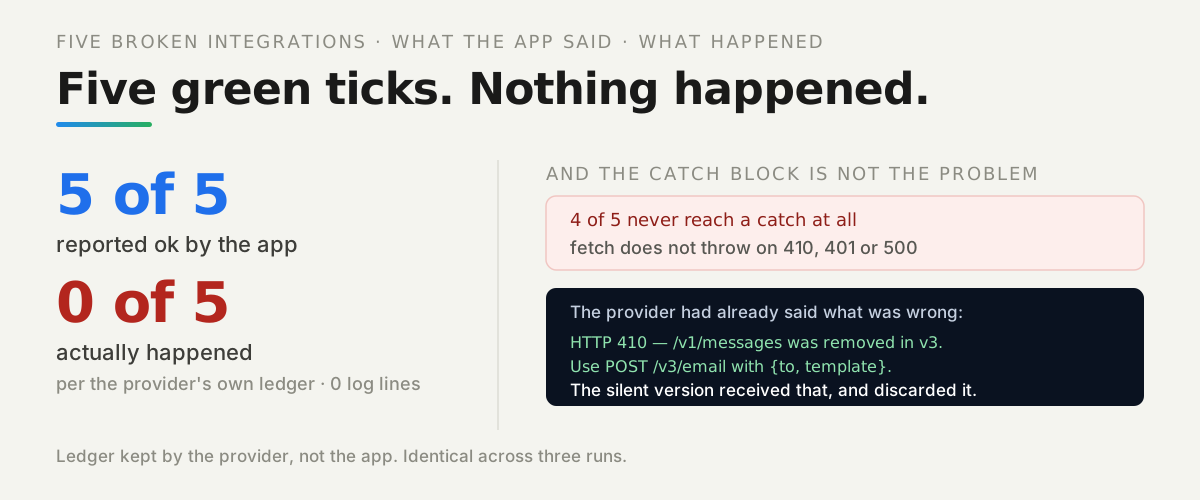
TypeError: Failed to fetchNo status, no headers, no hint. In these tests that exception was indistinguishable from a network outage, which is why the human has to read the network tab — the mirror image of what we measured in the silent-failures post, where fetch refuses to throw on HTTP errors.
Did the server run the request the browser just blocked?
Maybe — and the console cannot tell you. A CORS error does not establish that the server never executed your request. Every route in our lab logs a request id and an executed bit, and the matrix split cleanly into two outcomes that look identical in the console.
Outcome one: the request ran and only the read was blocked. A simple request — a plain GET, a form or text POST — is sent immediately, no preflight. Our simple POST to a route with no CORS handling produced this console line (correlation id elided in the capture record):
Access to fetch at 'http://localhost:1345/r2/no-cors?cid=<R2-simple-POST-…>' from origin 'http://localhost:1346' has been blocked by CORS policy: No 'Access-Control-Allow-Origin' header is present on the requested resource.And this server log line, same request:
req-00005 main POST /r2/no-cors → status 200, handler executed: trueThe POST ran. If it wrote something, it stayed written. The page saw only TypeError: Failed to fetch.
Outcome two: the preflight blocked it and nothing executed. The same route, called with a JSON content type so the browser preflights, logged only the OPTIONS:
req-00006 preflight OPTIONS /r2/no-cors → status 200, handler executed: falseThe console text differs from outcome one by exactly one clause — Response to preflight request doesn't pass access control check: — inserted before the same missing-header sentence. That prefix is the one reliable console signal in our captures that the main request was never sent.
Before you retry a POST the console called blocked, read your server’s log. In these tests, “blocked” meant “executed” as often as it meant “never sent”.
One rule we held throughout: a curl replay is a comparison request. It shows what the server answers to an equivalent request with no browser involved — useful, because it proves the enforcement is in the browser — but it is never proof about what happened to the original browser request. The log is.
Why does the console say CORS when the server actually crashed?
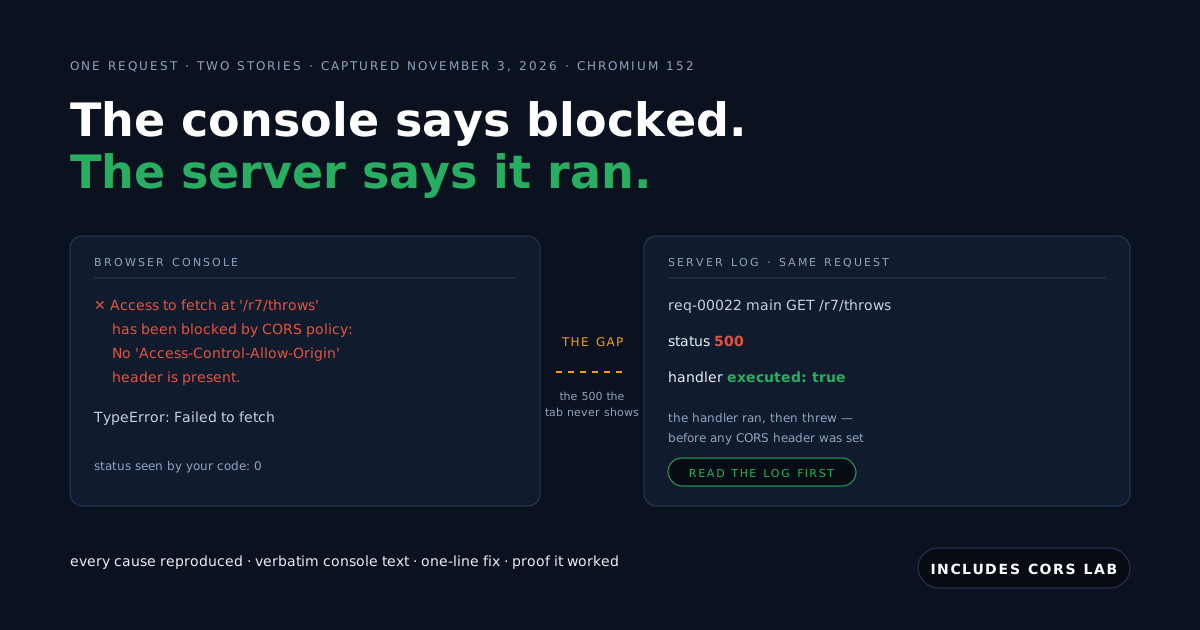
Because error paths skip the CORS headers the happy path sets, and the browser reports the missing header instead of the status. This is the most misleading capture in the whole matrix. Our route /r7/throws answers correctly until you pass boom=1, when the handler runs and throws before any header is set. The console said (id elided in the capture record):
Access to fetch at 'http://localhost:1345/r7/throws?cid=<R7-boom-…>&boom=1' from origin 'http://localhost:1346' has been blocked by CORS policy: No 'Access-Control-Allow-Origin' header is present on the requested resource.The server log for the same request:
req-00022 main GET /r7/throws → status 500, handler executed: true (handler ran, then threw (no CORS headers set))Nothing in the browser surfaced the 500. In our harness the network line showed no status at all for this request; the console named a policy. The real bug was a crash, and the fix was fixing the crash — plus setting CORS headers on error paths too, which is what the standard cors middleware does and our hand-rolled happy path did not.
If you take one sentence from this post: a CORS error on an endpoint that worked yesterday is a server error until the log proves otherwise.
What does “No ‘Access-Control-Allow-Origin’ header is present” actually mean?
It means the response carried no Access-Control-Allow-Origin at all — and in these tests that one sentence covered four different causes: no CORS handling anywhere (R2), an allowlist that omits the calling origin (R8), a redirect target without the header (R6b), and the crashed error path above (R7). The console text is identical in all four; the network tab and the log tell them apart.
The baseline fix is the shape every other fix in this post converges on — echo the exact origin from an allowlist, and vary on it:
// Stack: Node.js 25 | Express 5 | File: api/app.mjs (the /ok route — the lab's positive control)
const matched = (req) => (allowed.includes(req.headers.origin) ? req.headers.origin : null);
function allowOrigin(res, value) {
  if (value) res.set('Access-Control-Allow-Origin', value);
  res.append('Vary', 'Origin');
}
app.options('/ok', (req, res) => preflightOk(req, res)); // 204 + Allow-Origin, Allow-Methods, Allow-Headers
app.get('/ok', (req, res) => { allowOrigin(res, matched(req)); reply(req, res, 'ok'); });
After the fix, the same click resolved with status 200, an empty console, and the response body rendered on the page — we asserted the body, not just the status, for every fix in the matrix.
One finding from building the no-CORS route: when no OPTIONS handler exists, Express 5 answers the preflight itself with a 200 and an Allow: GET, HEAD, POST header — not the 404 we had guessed before measuring. The preflight succeeds as HTTP and still fails as CORS, because Express’s automatic answer carries no CORS headers. A 2xx on the OPTIONS line proves nothing by itself.
Why does the same request fail when the header is there?
Because the browser compares the header’s value to your origin character by character, and in these tests it named the mismatched value in the console. An origin is scheme + host + port, never a path. We broke the value three ways — wrong scheme, wrong port, trailing slash — and got the same sentence with three different culprits:
The 'Access-Control-Allow-Origin' header has a value 'https://localhost:1346' that is not equal to the supplied origin. Have the server send the header with a valid value.The wrong-port cell named 'http://localhost:1399'; the trailing-slash cell named 'http://localhost:1346/'. That last one is the easiest to ship by hand: one slash, pasted from a URL bar into an env var. In all three cells the server log read status 200, handler executed: true — the request ran, the page just never saw the answer.
So when the header exists and it still fails, read the console’s quoted value against your page’s origin in the address bar. In our captures the console did that comparison for us; the fix was correcting one character in the allowlist.
Why does it break on localhost when production works?
Because your API’s allowlist names the production origin and your dev server is a different origin. Running the page from http://localhost:5173 against an API that allows only the lab’s page origin produced the familiar sentence, fully verbatim this time:
Access to fetch at 'http://localhost:1345/ok?cid=R8-mw0o0ahc' from origin 'http://localhost:5173' has been blocked by CORS policy: No 'Access-Control-Allow-Origin' header is present on the requested resource.Note what this implies: an origin that is simply not on the list gets the same console text as an API with no CORS configured at all — observed in these tests, where the API logged executed: true and just omitted the header for the unlisted origin.
The fix is to add the dev origin explicitly — in our lab, an ALLOWED_ORIGINS env var that lists both — never to widen the list to *. This is the everyday twin of the just-deployed case we measured in App Works in Preview but Not in Production, where the missing origin is the deployed one instead.
Why can’t you use * with cookies — and were the cookies already sent?
The spec forbids the wildcard when credentials are included, and the two ways to hit the rule behave differently — we captured them as separate rows because the difference decides whether your server saw the request. The console text is the same core sentence in both:
The value of the 'Access-Control-Allow-Origin' header in the response must not be the wildcard '*' when the request's credentials mode is 'include'.The simple credentialed request reached the server — with the cookies. A plain GET with credentials: 'include' does not trigger a preflight, so the request went out and executed. Only the read was blocked.
The API’s log for the blocked same-site cell recorded every stored cookie attached: cookieNames=fb_session,g_state,lab_unset,lab_lax,lab_strict,lab_none_secure — the first two were pre-existing profile cookies, recorded rather than cleaned.
The preflighted credentialed request never ran. The same wildcard behind a JSON POST failed at the OPTIONS stage — console prefixed with the preflight clause, server log showing the preflight only, main handler never executed.
Which cookies cross at all is its own policy, separate from CORS, and silent. Our seven attribute cells, set top-level on both API names and read back from the blocked request’s own log:
| Cookie attribute | Site relation | Stored? | Sent with the blocked request? |
|---|---|---|---|
| none (unset) | same-site | yes | yes |
SameSite=Lax | same-site | yes | yes |
SameSite=None; Secure | same-site | yes | yes |
SameSite=Lax | cross-site | yes | no — console silent about it |
SameSite=None; Secure | cross-site | yes | yes |
SameSite=Strict | cross-site | yes | no — console silent about it |
SameSite=None without Secure | either | no — rejected at set time, silently | never stored |
The fix pair for a credentialed API is the exact origin plus the credentials header — after which both cells resolved with readable bodies and the cookies confirmed server-side:
// Stack: Node.js 25 | Express 5 | File: api/app.mjs (the credentialed pair done right)
app.get('/r4/fix', (req, res) => {
  allowOrigin(res, matched(req));                      // the exact origin, never '*'
  res.set('Access-Control-Allow-Credentials', 'true');
  reply(req, res, 'r4-fix', { cookieArrived: req.lab.entry.cookieNames.length > 0 });
});
Why did adding one request header break every call?
Because any header the browser does not classify as simple makes the request preflighted, and the preflight’s answer must list that header by name. We added one custom header, X-Client-Version, against a route whose Access-Control-Allow-Headers lists only Content-Type:
Access to fetch at 'http://localhost:1345/r5/missing-allow-header?cid=R5-mw0nxhfd' from origin 'http://localhost:1346' has been blocked by CORS policy: Request header field x-client-version is not allowed by Access-Control-Allow-Headers in preflight response.Two details from the capture worth keeping. The OPTIONS line in the network log showed 204 No Content — a success as HTTP that fails as CORS; and no main GET line appeared at all, because the browser never sent one. The server log confirms: preflight executed, main handler never ran.
The fix is one value in one header of the OPTIONS answer — Access-Control-Allow-Headers: Content-Type, X-Client-Version — after which the same click resolved 200 with a clean console.
When a preflight fails, read the OPTIONS response headers against what the error names; the answer is always in that exchange. (The request-classification rules are in the MDN CORS guide, worth the read.)
What does a redirect do to a preflight?
It kills it: a preflight must be answered directly, never with a redirect. Our route that 301s its OPTIONS produced a distinct console text and a distinct network state — the OPTIONS line itself failed with net::ERR_INVALID_REDIRECT:
Response to preflight request doesn't pass access control check: Redirect is not allowed for a preflight request.The server log shows why this one is sneaky: preflight OPTIONS → status 301, handler executed: true — the server did exactly what it was told, a routing-level redirect (a trailing-slash normalizer, an http-to-https rule) answered before the CORS handler could, and the main POST was never sent.
A redirect on the main request is allowed but moves the goalposts: every hop must carry the headers. Our 301 with correct headers pointing at a target without them was blocked on the target, and the console named both hops:
Access to fetch at 'http://localhost:1345/r6b/target?cid=R6b-mw0nxhs2' (redirected from 'http://localhost:1345/r6b/redirect-main?cid=R6b-mw0nxhs2') from origin 'http://localhost:1346' has been blocked by CORS policy: No 'Access-Control-Allow-Origin' header is present on the requested resource.Both hops executed at the server — status 301 then 200, executed: true twice. The fix is headers on the final target, or no hop at all: call the final URL directly.
Why is mode: ‘no-cors’ worse than the error it hides?
Because it does not fix the failure — it deletes the evidence. We re-ran the no-CORS-handling route with mode: 'no-cors', the fix AI assistants and old forum answers reach for first. The result, in full:
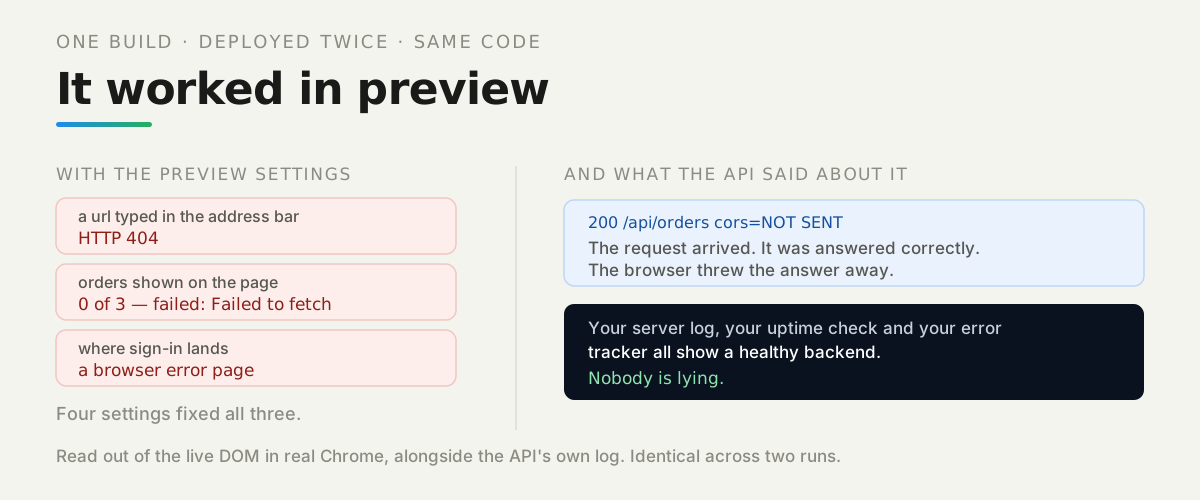
RESOLVED status: 0 ok: false type: opaque redirected: false body: (empty string)The console: nothing. Confirmed empty. No CORS error, no failed-resource line. The network log showed the 200 arriving and the body delivery aborted. The server log: status 200, handler executed: true. The request succeeded, the server did the work, and your code received a sealed envelope — status 0, empty body, ok: false — with no error anywhere to tell you.
mode: 'no-cors' exists for fire-and-forget writes where you never intended to read the answer. As a fix for a CORS error it converts a visible failure into a silent one — the exact failure family we measured in the app that says success while the request failed.
The fix for a CORS error is on the server, in the headers. It is never this flag.
Why do two copies of the correct header fail?
Because the browser requires exactly one Access-Control-Allow-Origin value, and layered fixes love to add a second. Middleware sets it; then someone — or someone’s coding assistant — adds a hand-set header on top. Both values can be individually correct and the result still fails, with its own distinct console text:
Access to fetch at 'http://localhost:1345/r12/duplicate-allow-origin?cid=R12-mw0nxv76' from origin 'http://localhost:1346' has been blocked by CORS policy: The 'Access-Control-Allow-Origin' header contains multiple values 'http://localhost:1346, http://localhost:1346', but only one is allowed. Have the server send the header with a valid value.On the wire this was genuinely two header lines — we asserted it from the raw header list, since joined header views hide the duplication. The server log, once more: status 200, handler executed: true.
The fix is subtraction: set the header in exactly one place. If you see multiple values in a CORS error, you are one grep -r "Access-Control-Allow-Origin" away from the cause — count the layers (middleware, framework config, reverse proxy, hand-set route header) and remove all but one.
How does a shared cache serve one origin’s header to another?
By caching a per-origin response without being told the response varies by origin. Our API reflects the calling origin into Access-Control-Allow-Origin — common middleware behavior — and sits behind a small shared cache. Origin A warmed the cache; origin B requested the same URL and received A’s header. The console named the leak verbatim:
Access to fetch at 'http://localhost:1348/r13/reflect-no-vary?cid=r13-shared-novary' from origin 'http://localhost:5173' has been blocked by CORS policy: The 'Access-Control-Allow-Origin' header has a value 'http://localhost:1346' that is not equal to the supplied origin. Have the server send the header with a valid value.The page on localhost:5173 was shown a header naming localhost:1346 — the wrong origin’s answer, served by the cache. The server-side proof is the part a console can never give you: the API’s log held exactly one entry for that URL, from origin A. The API never saw origin B’s request at all.
The fix is one header: Vary: Origin. With it, the same two-origin sequence produced per-origin cache entries, each origin receiving its own header, and a repeat request served correctly from cache — observed in these tests with the cache’s own hit/miss counters.
If your CORS failures are intermittent and depend on who asked first, suspect a cache between browser and API, and check for Vary: Origin before anything else.
How do you tell CORS from the three failures that look like it?
By symptom, because the console will not separate them for you — two of the four are silent. One capture each, from this campaign where we have one:
| Looks like CORS | What we observed | How to tell |
|---|---|---|
| A real CORS block | Console names the policy and the missing or mismatched header; TypeError in code | The console sentence quotes a header or a preflight |
| A cookie-policy failure | Request succeeds as CORS: 200, readable body, console silent — the cookie is simply absent server-side | Only the server log (or the request’s cookie panel) shows it |
| Mixed content (https page → http API) | Not captured in this campaign — our https page origin was unreachable in the capture browser | Marked not measured; see the box below |
| A local-network permission | Partially captured: on this Chromium 152 build, a localhost page fetched a loopback relay successfully even with the local-network-access permission reported denied — local-to-local was not gated | The public-page-to-local-machine cells need a separate campaign |
The cookie row deserves the emphasis: in our cells, a cross-site SameSite=Lax or Strict cookie just stayed home, with a healthy 200 and an empty console. If “the user is logged out after the redirect” is your symptom, you are probably not looking at CORS at all.
How much does the preflight actually cost?
On our loopback setup: about 5 ms once, and nothing afterwards if you cache it. Three same-session series on November 3, 2026, each summarized from its own CSV (shipped in the repo):
| Series | n timed | p50 | p95 | OPTIONS the API saw |
|---|---|---|---|---|
| Simple GET (baseline) | 100 | 1.10 ms | 18.70 ms | 0 |
Preflighted POST, Access-Control-Max-Age: 600, cache warmed | 100 | 0.60 ms | 1.20 ms | 0 during the 100 timed (1 in the whole 120-request run) |
| Uncached preflight — degraded cold variant | 20 | 5.90 ms | 11.00 ms | 20 of 20 paid a real preflight |
How we measured: browser-side timers around each fetch, 20 discarded warm-ups before the two 100-sample series, OPTIONS counts taken from the API’s own request-id deltas and log tail, one session, November 3, 2026.
Two honesty labels on that table. The cold series is degraded by design and labeled as such: our capture environment could not launch a fresh browser context per sample, so we forced 20 real preflights with 20 unique URLs inside one warm context — the server log confirms 20 of 20 OPTIONS. Those numbers bound only the extra round trip of an uncached preflight, not a true cold start.
And the cached-preflight-versus-simple comparison, 0.60 against 1.10 ms at p50, falls inside our provisional ±2 ms margin: reported as no observed difference, with the caveat that the simple series carries a visible background-throttling noise window. We claim nothing about the browser’s preflight cache beyond this run window.
The practical reading: set Access-Control-Max-Age and the preflight is a first-contact cost. In these tests, “CORS makes my API slow” was not observable after the first request.
Why do browser calls to the managed REST API rarely hit CORS?
Because the platform’s API answers preflights permissively for its own header set — so the CORS errors you actually debug come from your own services. We probed https://parseapi.back4app.com from a local page on November 3, 2026, no keys sent, /health only. A simple cross-origin GET resolved readable (a 401 body — readable is the point). The replay below is a labeled comparison request:
# Stack: curl 8 | Comparison request — what the server answers an equivalent preflight, no browser involved
curl -si -X OPTIONS https://parseapi.back4app.com/health \
  -H "Origin: http://localhost:1346" \
  -H "Access-Control-Request-Method: GET" \
  -H "Access-Control-Request-Headers: x-lab-probe"
HTTP/2 204
access-control-allow-credentials: true
access-control-allow-origin: http://localhost:1346
access-control-allow-methods: GET, HEAD, OPTIONS, POST, PUT, DELETE
access-control-max-age: 1728000(The access-control-allow-headers line is a fixed list of 22 entries — Content-Type plus the X-Parse-* family and a few generics; the full transcript ships in the lab repo.) The origin is reflected back, whatever it is, with credentials allowed and a 20-day preflight cache — observed November 3, 2026.
You do not control that gateway, so this section covers only what the caller controls. Three things, from the captures.
First: stay inside the allowed header set — our probe with one arbitrary header was blocked in preflight, verbatim: Request header field x-lab-probe is not allowed by Access-Control-Allow-Headers in preflight response. The SDK and documented REST headers are all on the list; a hand-added custom header is how you reopen CORS against a gateway you cannot edit.
Second: leave credentials alone. Authentication here lives in headers (X-Parse-Application-Id, session tokens), not cookies, so the default credentials mode is the right one. Third: a CORS pass is not an auth pass — the readable answer our probe got was a 401, whose meaning is the subject of the error-codes guide.
When is opening CORS the wrong fix?
Whenever the browser page was never the right client for the call. CORS is enforcement by the visitor’s browser, not authentication — a non-browser client never sees it, which our comparison requests proved in every single row. Four cases from the captures:
- The call belongs on a server. A Node process POSTed to the exact route the browser was blocked on and got a clean 200 — no origin, no CORS, nothing to fix. If the request carries a secret, opening CORS so a browser can send that secret is solving the wrong problem.
- A same-origin proxy route. The page calls its own origin and a small route forwards to the API. Measured once in-session, labeled exploratory: 4.5 ms direct versus 33.7 ms proxied on loopback, a single observation. The hop is not free; it buys you no CORS, no exposed keys, and one origin.
- A public, cookie-less resource.
Access-Control-Allow-Origin: *with credentials omitted is simply correct — our wildcard counter-case resolved cleanly — and it is simpler and more honest than an allowlist pretending to be security. - Never reflect the Origin with credentials allowed. We shipped this anti-pattern behind an off-by-default flag and measured it once: with the flag on, a page on an origin our allowlist had just rejected read a fully credentialed response, cookies and all. The allowlist was off while looking configured. That is the thing not to ship.
What did this campaign not measure?
Everything above is one pinned environment, and some planned cells did not run in it. We mark them rather than imply them.
None of those gaps touch the mechanics shown here, but the exact console strings and the local-network behavior should be re-verified on your own browser version before you quote them to a teammate.
What should you run against your own app?
The pattern this post demonstrates is worth keeping after the specific errors fade: for every failure the browser reports, there is a second witness — the server’s own log — and the diagnosis is the difference between the two accounts. The console compresses a dozen causes into one sentence; the request line, the OPTIONS line and the executed bit decompress it.
So, next steps, each a few minutes:
-
Add a request id to every response and log it server-side — our whole lab’s trick is one middleware. The works-in-preview failures and half of this matrix become one
grepeach. -
Clone the CORS lab and click through the matrix against the browser your users actually run: every button prints what
fetchsaw next to what the server logged. -
Point the lab’s allowlist at your real page origin and re-run the three bad fixes —
no-cors, the duplicate header, the Vary-less cache — so you recognize them before a deadline does. -
Audit your API’s error paths: does the 500 handler set the CORS headers the 200 path sets? Ours did not, and that one gap produced the most misleading capture of the campaign.
The repo carries the full capture record, the wire matrix, the timing CSVs and every verbatim string this post quoted — reproduce them, then go read your own logs.