You fix one thing, two others break, and a bug you killed last week comes back. Nobody has solved this, and no platform can stop a model from going round in circles.
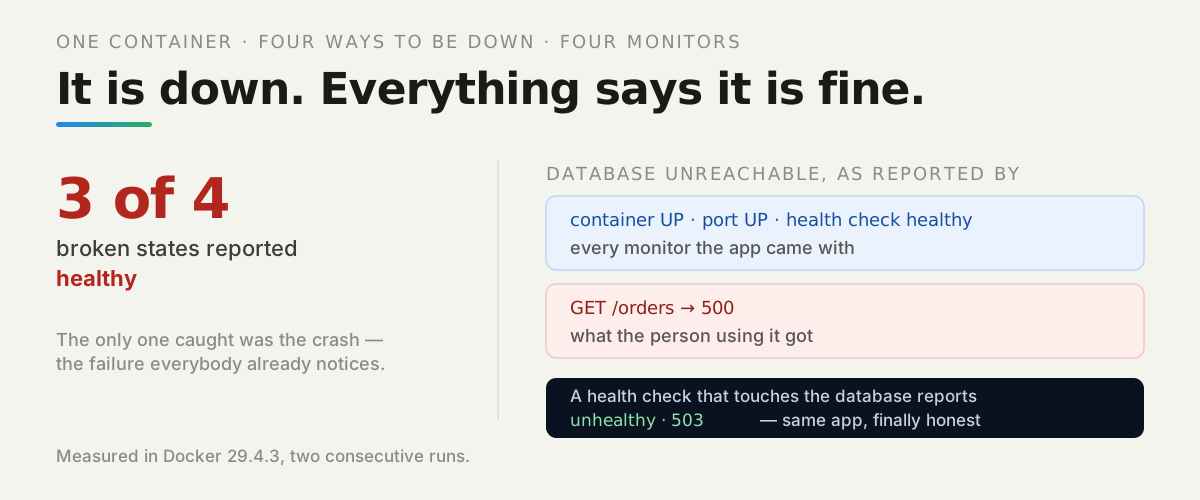
But a loop needs something to converge on, and that is the part you control. If a broken feature reports success, you cannot tell whether the last round of changes helped — so you ask for another round against the same false picture.
The most common failure we hit was not an error at all. It was silence. So we measured how much a generated app’s error handling actually hides.
Watch it instead
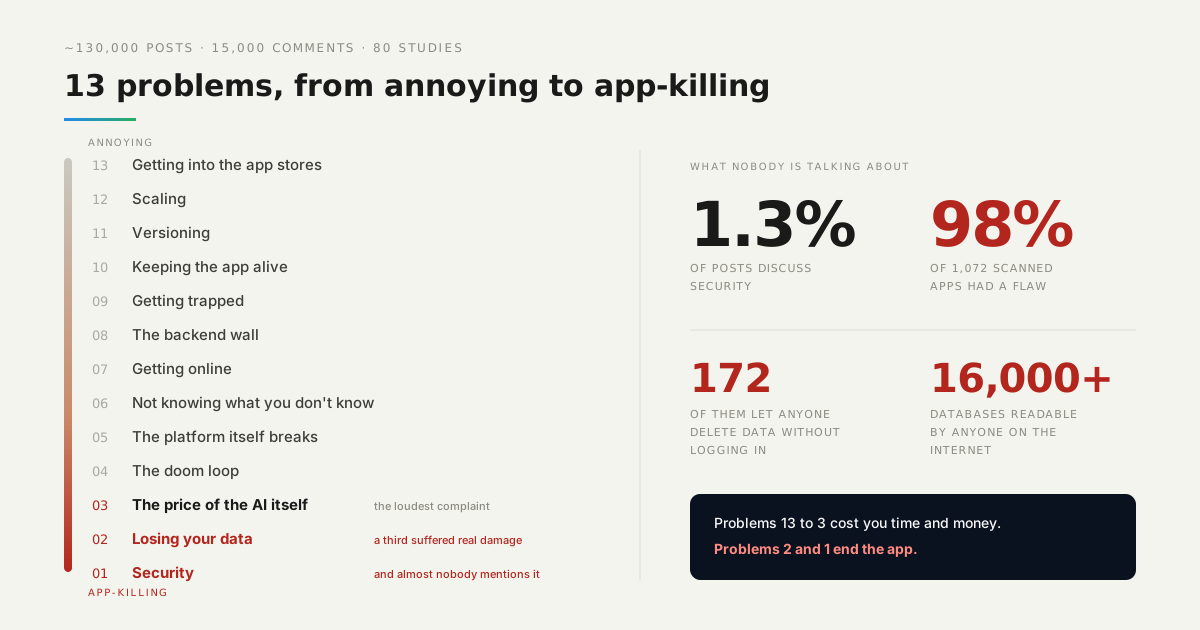
The doom loop is number 4 in our countdown of what actually goes wrong for people building with AI.

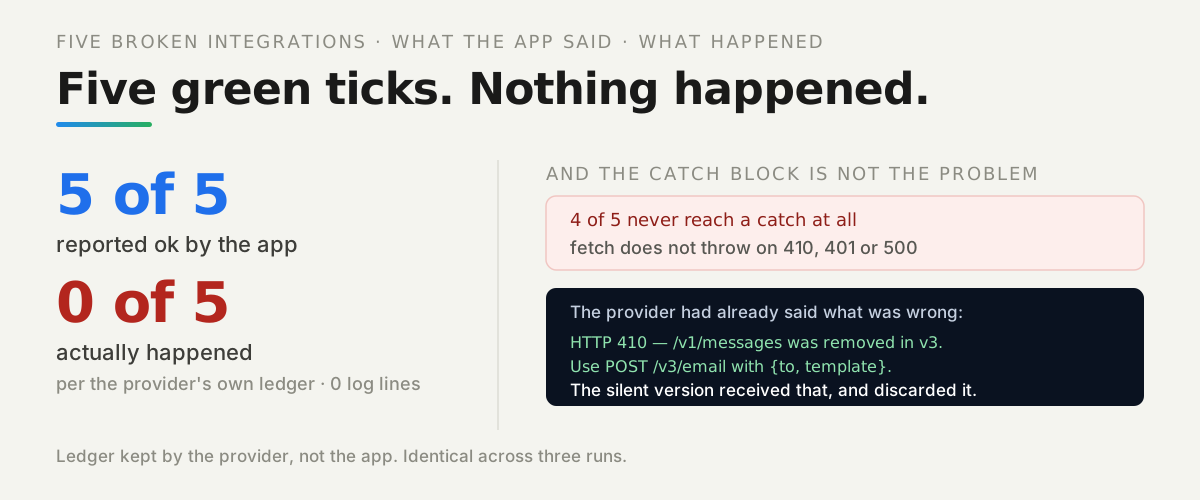
What did the app say, and what actually happened?
Two completely different stories, from the same run:
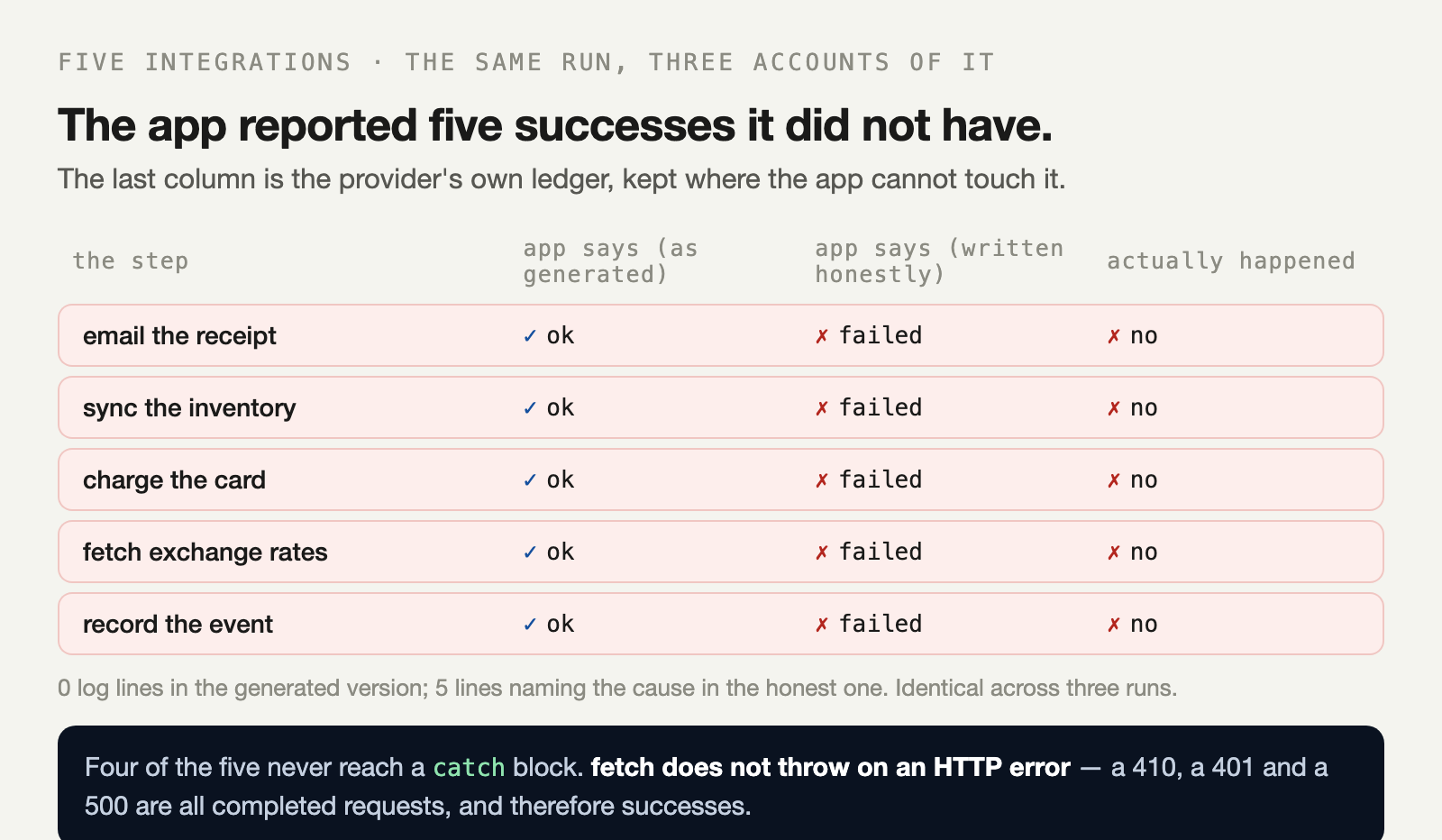
The right-hand column is not the app’s opinion. It is the provider’s own ledger — a count of receipts sent, inventory commits made and cards charged, kept on the other side of the network where the app cannot affect it.
Five features. Five green ticks. Nothing happened.
A green tick is only worth anything if something in the code could ever have produced a red one.
Why didn’t anything get logged?
Because there was nothing to log. This is the shape the code came in:
try {
  await fetch(`${BASE}/v1/messages`, { method: 'POST', body: JSON.stringify({ to: order.email }) });
  return { ok: true };
} catch (e) { console.log('could not send receipt'); return { ok: true }; }
Read it as the computer does. The request is made. A response comes back. Nothing looks at it. { ok: true } is returned because that is the only thing this function can return.
The catch is not even reached — and when it is, it returns { ok: true } anyway.
Does try/catch catch an HTTP error at all?
No, and that is the measurement worth carrying away from this article. We put each failure through a bare call and recorded whether it threw:
the failure             does it throw?  what the code gets back
endpoint removed (410)  no              returned a Response
field renamed (200)     no              returned NaN
key rotated (401)       no              returned a Response
never answers           YES             TimeoutError
ingest down (500)       no              returned a Response
fetch rejects only when the request never completed — DNS failure, connection refused, an abort. A server replying “this endpoint is gone” is a completed request, and therefore a success.
The quietest of the five is the renamed field. Summing a field that no longer exists gives NaN, and NaN > 0 is false, so the next step is skipped. Valid 200, valid JSON, no error anywhere, and the inventory never syncs.
What did the honest version say?
Exactly what was wrong, in five lines, including the remedy:
sendReceipt: HTTP 410 — POST /v1/messages was removed in v3. Use POST /v3/email with {to, template}.
syncInventory: inventory total is not a number — a field name changed
chargeCard: HTTP 401 — This key was rotated on 2026-09-30.
fetchRates: no answer within 3000 ms
logAnalytics: HTTP 500 — ingest_unavailable
Look at the first line again. The provider said the endpoint had moved and named its replacement. That body arrived in the silent run too — identical bytes, same response — and was discarded without being read.
What does this have to do with the loop?
It is the loop’s fuel. Round one asks for a fix, round two reports success, and nothing has changed — so round three is asked against the same false picture, and the model has no more information than it had at the start.
Making failures visible does not stop a model from going round in circles. What it does is let you see which round actually worked, which turns an argument with a machine into a sequence of checkable steps.
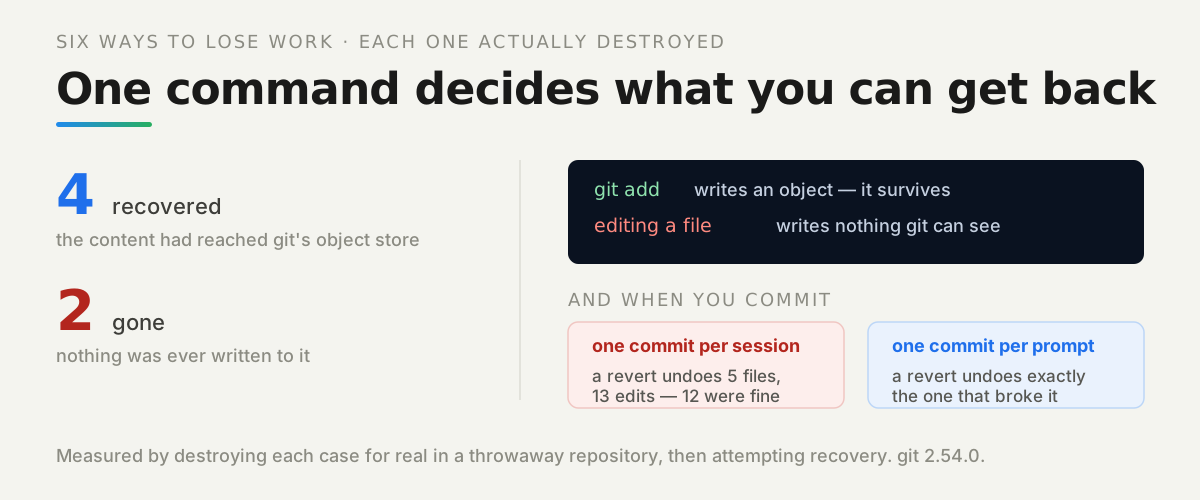
The other half of surviving the loop is being able to step back cleanly, which we measured separately in undoing what an AI assistant broke. Visible failures tell you that a round was bad; versioning lets you leave it behind in one command.
What should you change in the code?
Four things, and they are small. Check response.ok on every call, and put the provider’s status and message into the error you raise — that message is often the entire fix.
Give every outbound call a timeout, because a hang is not an exception and will not be caught by anything. And validate the shape of what came back, not just that something came back, which is the only thing that would have caught the renamed field.
What should you do first?
Search your code for catch and read every one out loud. A catch that logs nothing is a decision, made once, to never find out.
Then take your most important integration and ask what would look different if it silently did nothing. If the honest answer is “nothing visible”, then you do not currently know whether it works — and neither does whatever you are asking to fix it.
The lab is in the repo — five integrations, two ways of writing them, and a provider that keeps score independently of what the app believes.