An hour ago the app worked. Then you asked for one more feature, the assistant rewrote four files, and now nothing runs — and you cannot tell which of the four changes did it.
Most advice at this point is “use version control”, which is true and useless, because the question is not whether you should have. It is what you can get back right now.
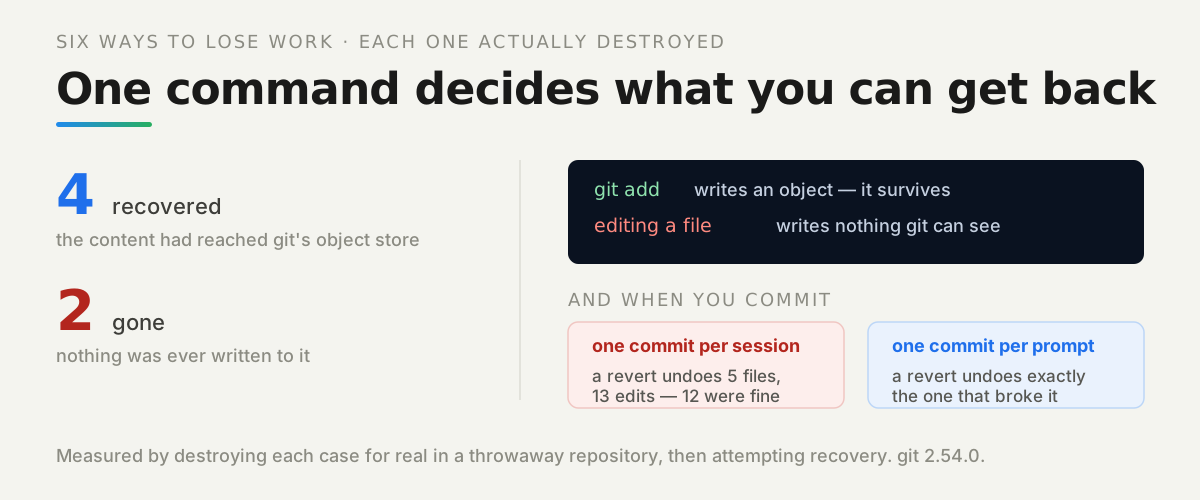
So we took six ways of losing work, carried each one out for real in a throwaway repository, and tried to recover. Four came back. Two did not, and the reason has nothing to do with how careful anyone was.
Watch it instead
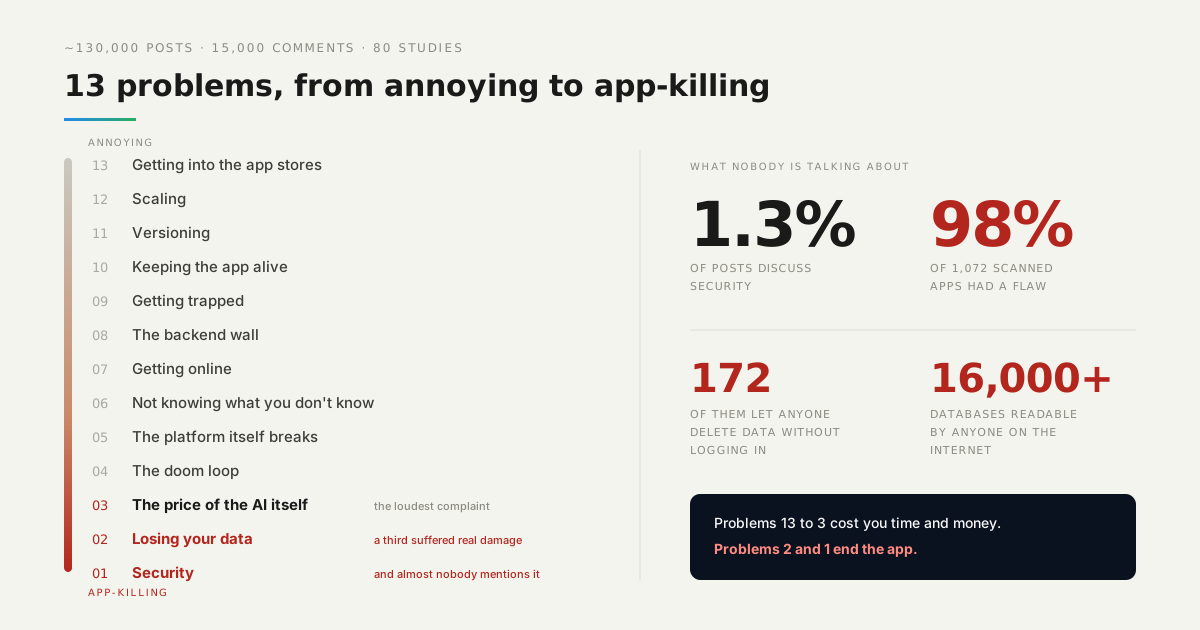
Versioning is number 11 in our countdown of what actually goes wrong for people building with AI.

What actually survives?
Four of the six. Here is the whole result, with the command that brings each one back:
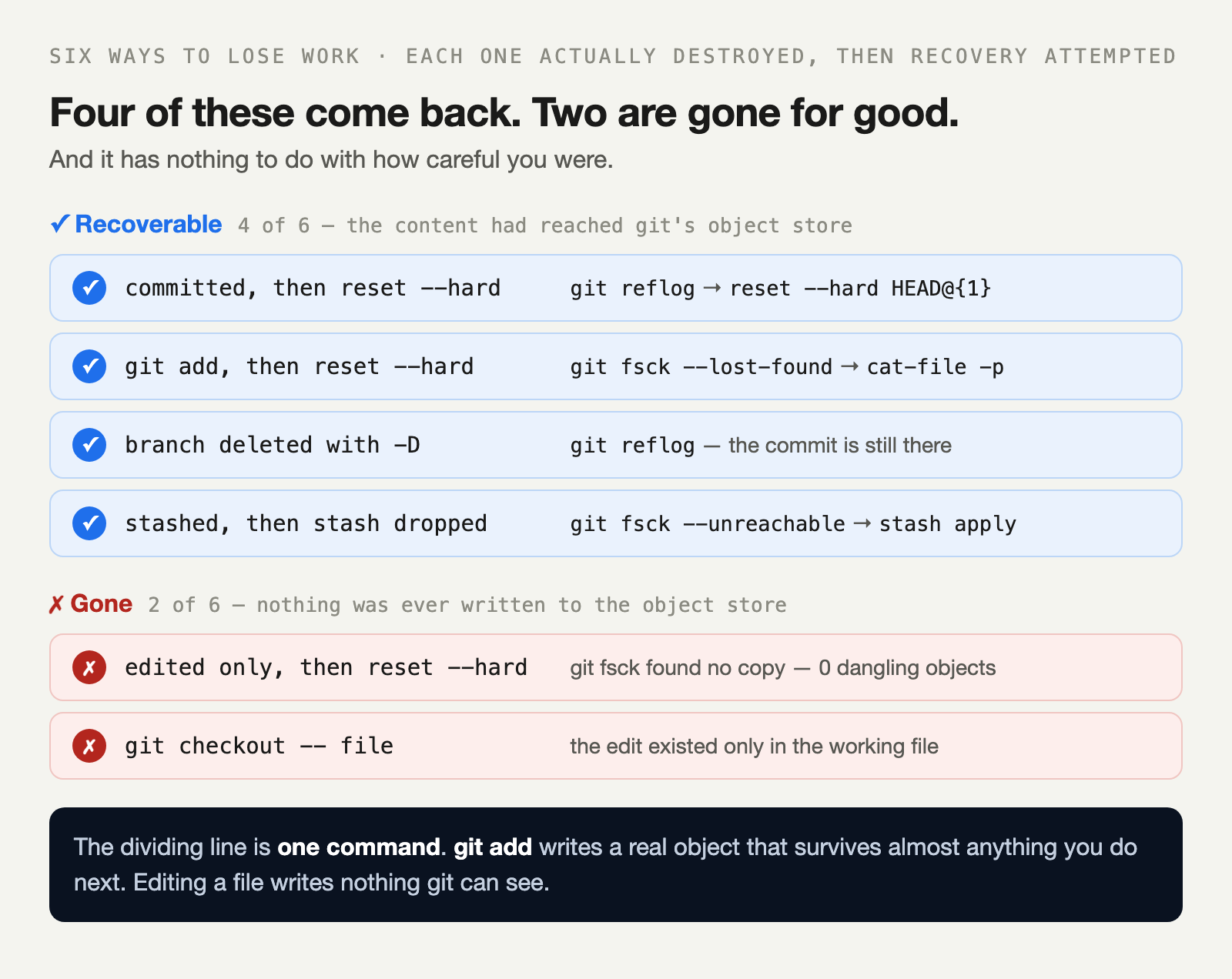
The pattern is not about severity. A force-deleted branch and a dropped stash both come back, while a quiet git checkout -- file — the gentlest-looking command on the list — destroys work permanently.
What separates them is whether the content was ever written into git’s object store. That store is content-addressed and append-only in practice: once something is in it, removing the reference that points at it does not remove the thing.
How we measured: each scenario runs in its own fresh repository with gc.auto disabled, the loss is performed for real, and recovery is attempted and verified by reading the content back. Deterministic across three consecutive runs — the script is in the repo.
What is the one command that decides it?
git add. It is normally described as “staging for the next commit”, which hides what it actually does: it writes your file into the object store immediately, as a permanent object.
That is why this comes back after a hard reset:
git add app.txt          # the content is now an object
git reset --hard HEAD    # the reference is gone, the object is not
git fsck --lost-found    # dangling blob 3f2a...
git cat-file -p 3f2a     # your file, printed
And this does not:
# edited app.txt, never added
git reset --hard HEAD
git fsck --lost-found    # nothing. 0 dangling objects.
A dropped stash comes back. A quiet “discard my edits” does not.
So the habit worth building is not “commit more”, which people resist because a commit feels like a statement. It is add more — a keystroke with no message, no ceremony, and a safety net attached.
How do you undo one bad change out of twenty?
By having committed them separately, which is the part nobody does in the moment.
We ran the same thirteen edits twice. First as one commit at the end of the session, the way most people work:
git revert HEAD → undoes 5 files and 13 edits — including the 12 that were fineThen with a commit before each prompt:
git revert 3c2a682 → undid exactly that change — the other 12 are untouchedSame work, same edits, same tool. The only difference is where the boundaries were, and the boundaries were decided before anyone knew which change would break.
What about the thing that is actually running?
Git protects your source. It does nothing for the version your users are hitting right now, and during an incident that is the one that matters.
This is the second half of versioning, and it has a different shape. You do not want to rebuild the last good version under pressure — you want it to still exist, so that going back is a selection rather than a project.
A platform that keeps every deploy gives you that: the previous build is still there, so a bad release is reversed in the time it takes to pick it. Your source history tells you what changed; the deploy history lets you stop the bleeding first and find out afterwards.
How long do you have?
Less than forever, and the clock is git’s housekeeping rather than the calendar. Unreachable objects survive until garbage collection removes them: by default, reflog entries live 90 days and unreachable objects two weeks.
In practice, recovery is a same-day operation. Anything that triggers a gc — and many ordinary commands do, quietly — reduces what is left to find.
Which is the argument for trying immediately rather than reading about it first. git reflog costs nothing and answers the question in one screen.
What should you do first?
Right now, before the next prompt: git add -A. If something is about to be destroyed, that one command is the difference between a bad afternoon and a lost one.
Then change where your commits fall. One before each prompt, with a throwaway message — wip, the prompt itself, anything. You are not writing history for anyone to read; you are placing boundaries you can revert to.
And if you have already lost something, do not start retyping it. Run git reflog, then git fsck --lost-found. Four times out of six in our test, the work was still there.