If Your AI App Builder Goes Down, Does Your App Go Down Too? We Tested It

An outage in the thing you build with should be your problem, not your users'. Whether it is comes down to one question: does your app still talk to that tool after it is built?

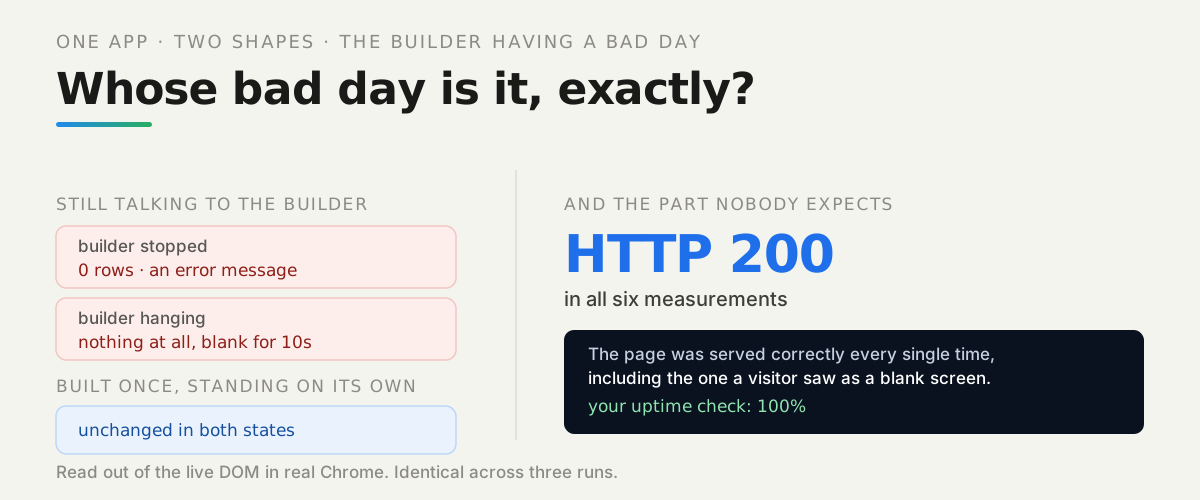
The same app in two shapes during a builder outage: the coupled version shows nothing at all when the builder hangs and no data when it is stopped, while the separated version is unchanged in both, and the page itself returned HTTP 200 in all six measurements

Outages, frozen modes, disabled accounts, support that does not answer. These are ordinary facts about every platform that has ever existed, including the good ones, and none of them is really the problem.

The problem is whether the builder’s bad day is also your users’ bad day. That is not a question about the platform. It is a question about your app, and it has a yes-or-no answer you can test this afternoon.

So we built the same app twice — one still talking to the builder at runtime, one not — and had a real browser tell us what a person sees while the builder is having its worst day.

Watch it instead

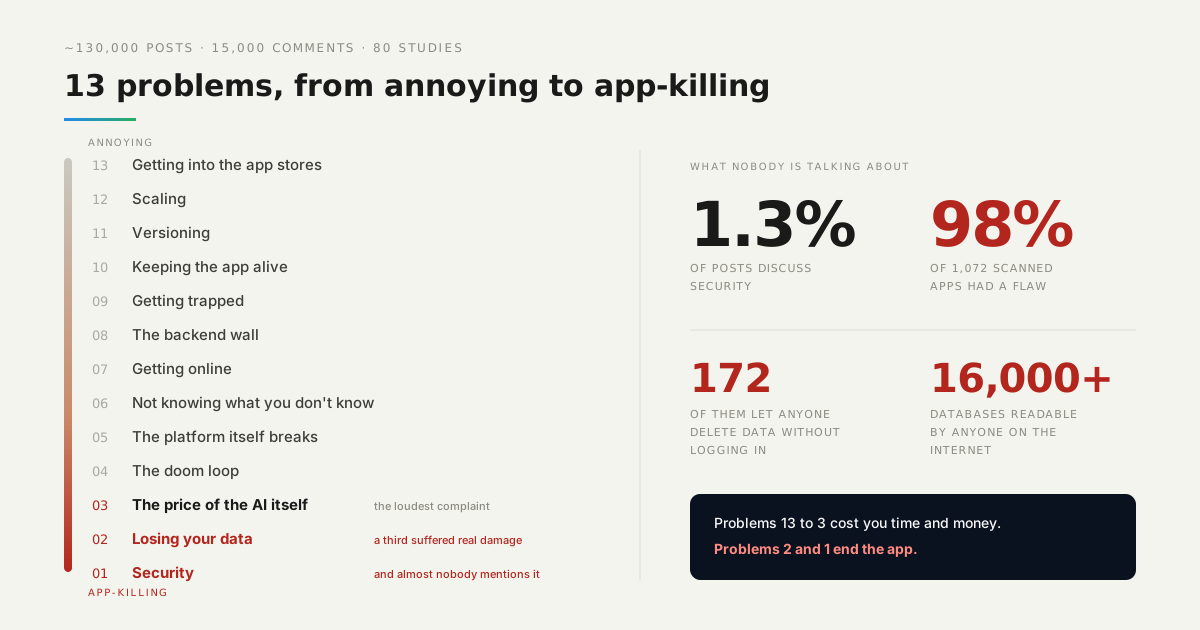
The platform breaking is number 5 in our countdown of what actually goes wrong for people building with AI.

Video: We Analyzed 130,000 Vibe Coder Posts. These Are the Problems That Actually Hurt.
Watch it instead We Analyzed 130,000 Vibe Coder Posts. These Are the Problems That Actually Hurt.
From the Back4app channel. This guide is the long version of its fifth position; the countdown itself is in the companion post. Open on YouTube →

What does a person actually see?

Three different things, depending on one decision made long before the outage:
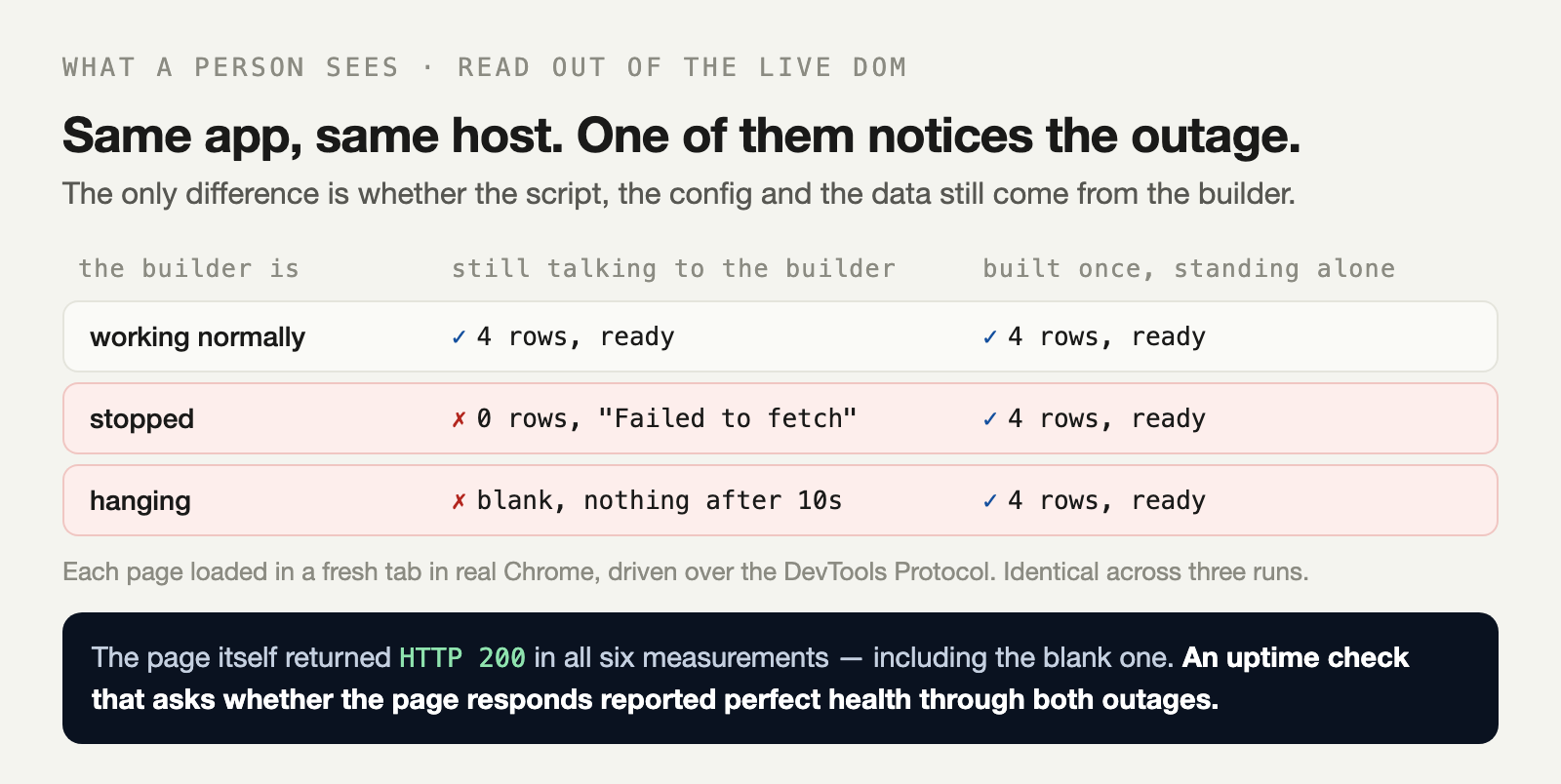
The same app probed in a real browser during a builder outage: with the builder stopped the coupled version renders zero rows and an error, with it hanging the coupled version renders nothing at all after ten seconds, while the separated version is unchanged in all three states and every page returned HTTP 200

Both versions are the same app, served from the same host, with the same markup. The only difference is whether the script, the config and the data come from the builder at runtime or from the app itself.

How we measured: each page loaded in a fresh tab in real Chrome, driven over the DevTools Protocol, with the rendered heading and row count read out of the live DOM rather than inferred from network traffic.

Why is a hanging builder worse than a dead one?

Because failing fast is a feature, and this is where the measurement surprised us. Here are the two outage states next to each other:

builder stopped  coupled  HTTP 200  no brand, 0 rows, "failed: Failed to fetch" in 114 ms
builder hanging  coupled  HTTP 200  nothing at all, still blank after 10s

With the builder stopped, the connection is refused immediately. The page renders, the app discovers it cannot reach anything, and it says so. A visitor sees a broken app, which is bad, but they see something.

With the builder hanging, the connection is accepted and simply never answered. The script tag sits in <head>, so the browser stops parsing and waits. There is no heading, no list, not even the error message — because the error message is further down a document that was never parsed.

A refused connection is a result. A connection that is accepted and never answered is a held breath, and the browser holds it with you.

This is the shape real outages take, too. Platforms rarely go cleanly dark; they get slow first.

Would an uptime monitor have caught it?

No, and this is the detail worth taking away. Look at the status column again:

builder up       coupled    HTTP 200
builder stopped  coupled    HTTP 200
builder hanging  coupled    HTTP 200

Six measurements, six times HTTP 200. The page was served correctly every single time, including the one where a visitor stared at a blank screen for ten seconds.

What does separating them actually involve?

Less than it sounds. The coupled app had the builder in three places, and each one has a one-step answer.

A script tag pointing at the builder becomes a file in your own build:

const r = await fetch('http://builder/widget.js');
await writeFile('./app/widget.js', await r.text());

A config fetched at startup becomes a value written into the build. And data comes from a backend that belongs to your app rather than to the tool you drew it in.

That is the whole change. After it, the builder is something you use — open it, make changes, publish — rather than something your users are quietly connected to.

What a visitor sees during the outage
0 rowscoupled, builder stopped
→
blank for 10scoupled, builder hanging
no changeseparated, in both states
Read out of the live DOM in real Chrome. The document returned HTTP 200 in all six measurements. Identical across three runs.

How do you tell whether this applies to you?

Open your production site and read the network tab. Not the code — the network tab, because that lists what the app actually contacts rather than what you remember putting in it.

Every domain there is a runtime dependency. If one of them belongs to the tool you built the app in, then that tool’s outage is your outage, regardless of how the app was described to you.

Fonts, analytics and component scripts all count. So does a configuration endpoint, which is the easiest one to miss precisely because it is small and fast and works every single day.

What should you do first?

Block the builder’s domain in your browser and reload your production site. That is the entire test, it takes a minute, and it tells you exactly which of the three outcomes above is yours.

If something breaks, move that one dependency into your build and try again. You do not have to fix all of them today — each one you move is one fewer way for somebody else’s bad day to become yours.

The lab is in the repo — one command stands up the builder, both versions of the app, and a real browser that records what a person sees.
Tagsoutageuptimearchitecturedeploymentvibe-codingfrontend

Frequently asked questions

What happens to my app if the platform I built it on goes down?

It depends entirely on whether your app still talks to that platform after it is built. We measured both: with the builder still in the runtime path, the app rendered no data when the builder stopped and nothing at all when it hung. With the same app built once and standing on its own, all three states were indistinguishable.

Why did my site go blank when a third-party script was slow?

Because a script tag in the head blocks the browser from parsing the rest of the page. A refused connection fails in milliseconds and your page carries on; a connection that is accepted and never answered holds the parser open. We measured it — the page was still completely blank after ten seconds, with no error message, because the error message was further down the document.

Is a slow dependency worse than a dead one?

Yes, measurably. When our builder was stopped, the coupled app failed in about a tenth of a second and could display an error. When it was hanging, nothing rendered at all for the full ten seconds we waited. Fast failure is a feature, which is why timeouts matter more than retries.

Would my uptime monitor catch this?

Not the usual kind. The page returned HTTP 200 in all six of our measurements, including the one where a visitor saw a completely blank screen. A check that asks whether the page responds is answering a different question from whether the app works.

How do I separate where I build from where my app runs?

Take whatever the builder gives you once, at build time, and serve it from your own origin. We replaced a script tag pointing at the builder with a one-line build step that copies the file into the app, wrote the config into the build instead of fetching it, and pointed the data at the app's own backend.

How do I tell whether my app depends on the tool I built it in?

Open the network tab on your production site and read every domain it contacts. Anything belonging to the builder is a runtime dependency on the builder, whatever the marketing says. Fonts, analytics, component scripts and config endpoints all count.

Further reading

Reviewed & verified by Back4app Engineering, Editorial review at Back4app

Tested Oct 27, 2026 — Local: Node 22.21.1 on macOS, arm64 · Google Chrome driven over the DevTools Protocol · Three services, no dependencies · Back4app, free plan.

Changelog

  • Nov 5, 2026 — The companion repository is not published yet, so the link to it and the button were removed; they come back when it is.
  • Oct 28, 2026 — The companion repository is published, so the button and the inline link to it are back.

More from Back4app Engineering

Containers · tutorial

Health Check Passes but the App Is Down: How to Monitor a Container for Real

Backend · report

Why Vibe-Coded Apps Break: 13 Problems From 130,000 Posts, Ranked, With the Fix for Each

Containers · tutorial

How to Host a Static Website on Back4app Containers With Docker and nginx [Full Repo]