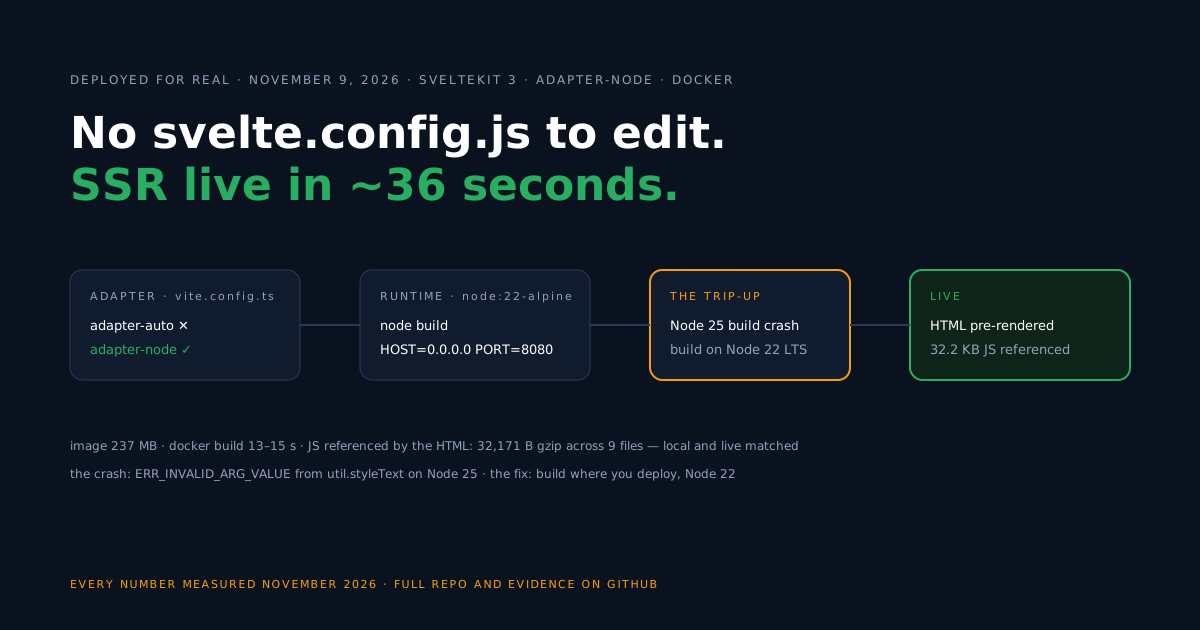
The first surprise in deploying modern SvelteKit is that the file every older tutorial tells you to edit does not exist. The sv CLI’s minimal template writes no svelte.config.js; the adapter — the thing that decides whether your build is a Node server, a static folder or an edge function — now lives in vite.config.ts.
So this guide starts there: swap @sveltejs/adapter-auto for @sveltejs/adapter-node, wrap the result in a two-stage Docker image, and put it on a public HTTPS URL. We ran the whole flow for real on the free plan, and the finished code sits in the companion repo.
Check your starting point
Before any Docker, figure out how your project configures its adapter today — that depends on your SvelteKit version, not on habit.
| Your project | Adapter situation | What to do |
|---|---|---|
| Fresh sv CLI scaffold (SvelteKit 3) | adapter-auto, configured in vite.config.ts | this guide, start to finish |
Earlier SvelteKit major with svelte.config.js | adapter configured in that file | same swap and import — but confirm against your installed @sveltejs/kit version’s docs, since config-file conventions changed between majors |
Already on adapter-node | nothing to swap | jump to the Dockerfile section |
Fully prerendered site on adapter-static | no server at all | a static container is simpler than this guide |
Starting from zero instead? Scaffold with the sv CLI (npx sv create my-app, minimal template), run npm install, and commit the lockfile — the Dockerfile’s npm ci refuses to run without package-lock.json.
Our versions throughout: @sveltejs/kit 3.1.1, @sveltejs/adapter-node 6.0.1, svelte 5.57.3, vite 8.3.6, built on Node 22 LTS.
Configure the Node adapter in vite.config.ts
Install the Node adapter as a dev dependency, then hand it to the sveltekit() plugin where the scaffold had adapter-auto.
npm install -D @sveltejs/adapter-node// vite.config.ts (trimmed to the relevant part — the repo's file
// also keeps the scaffold's compilerOptions block)
import adapter from '@sveltejs/adapter-node';
import { sveltekit } from '@sveltejs/kit/vite';
import { defineConfig } from 'vite';
export default defineConfig({
plugins: [
sveltekit({
adapter: adapter()
})
]
});Now npm run build emits a build/ folder containing a complete Node server. You start it with node build, and its listen address comes from two environment variables: HOST for the interface and PORT for the port.
Those two cover listening, not everything. Depending on what your app does, the adapter-node docs describe further settings — notably how the server learns its public origin, a setting that has moved between Kit versions.
Current docs cover paths.origin (the ORIGIN environment variable is the older form), plus header options for running behind proxies.
The minimal starter needed none of them.
One warning that cost us a build: do this on Node 22 LTS. On Node 25, vite build with this adapter stack crashed outright — the exact error is in the troubleshooting section. Node 22 is also what the production image runs, so building on it locally keeps the two environments identical.
Build the Docker image
The build stage compiles; the runtime stage carries almost nothing, because this adapter’s output is self-contained for a dependency-free app.
# ---- Build stage ----
FROM node:22-alpine AS build
WORKDIR /app
COPY package.json package-lock.json ./
RUN npm ci
COPY . .
RUN npm run build

# ---- Runtime stage ----
FROM node:22-alpine
WORKDIR /app
ENV NODE_ENV=production HOST=0.0.0.0 PORT=8080

# adapter-node output is self-contained for this starter (no runtime deps);
# package.json is still needed for "type": "module".
COPY --from=build /app/build ./build
COPY package.json ./

EXPOSE 8080
HEALTHCHECK --interval=30s --timeout=3s --start-period=5s \
  CMD wget -qO /dev/null http://127.0.0.1:8080/ || exit 1
USER node
CMD ["node", "build"]
Two choices worth naming. HOST=0.0.0.0 makes the server reachable from outside the container — a server bound to localhost inside a container answers nobody. And the runtime stage copies only build/ plus package.json, which must come along for its "type": "module" line.
That lean runtime stage works because the minimal app has zero production dependencies. Real apps usually don’t: per the adapter-node docs, the deployed server needs the build output, package.json, and the production node_modules. If your dependencies block is non-empty, extend the runtime stage like this:
# Runtime stage variant for apps WITH production dependencies
COPY --from=build /app/build ./build
COPY package.json package-lock.json ./
RUN npm ci --omit=dev && npm cache clean --force
Build and test locally with docker build -t my-app . and docker run -p 8091:8080 my-app, then open http://localhost:8091/.
Deploy on Back4app
With the Dockerfile committed and pushed to GitHub, the platform side is three screens.
- Create a New Web Deployment and pick the GitHub repository as the source.
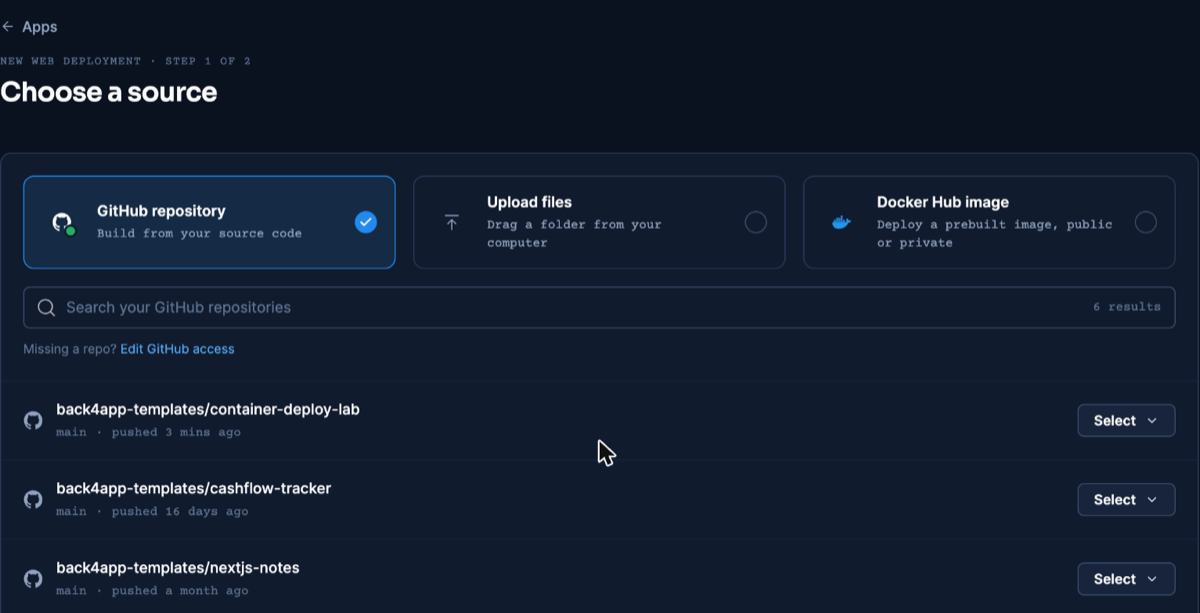
The source screen is identical for every container deploy in this series — dashboard as of November 2026.
- The Dockerfile is detected as the build method. In Build & deploy, type 8080 into the Port field yourself: in our testing the platform did not pick the port up from the Dockerfile’s
EXPOSE, and the React deploy guide documents the launch failure that leaving it on auto produces. Our SvelteKit app had 8080 set at creation and never hit it.
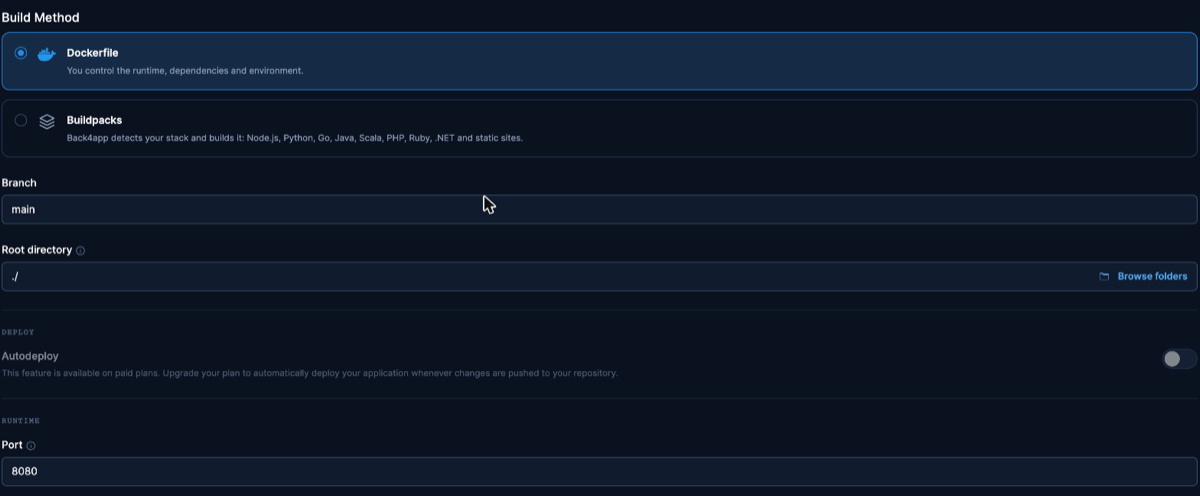
The Port field under Build & deploy — set it explicitly. Dashboard as of November 2026.
- Create the app and watch the first deploy come up on its public HTTPS URL; our creation-to-serving time is in the measurements table.
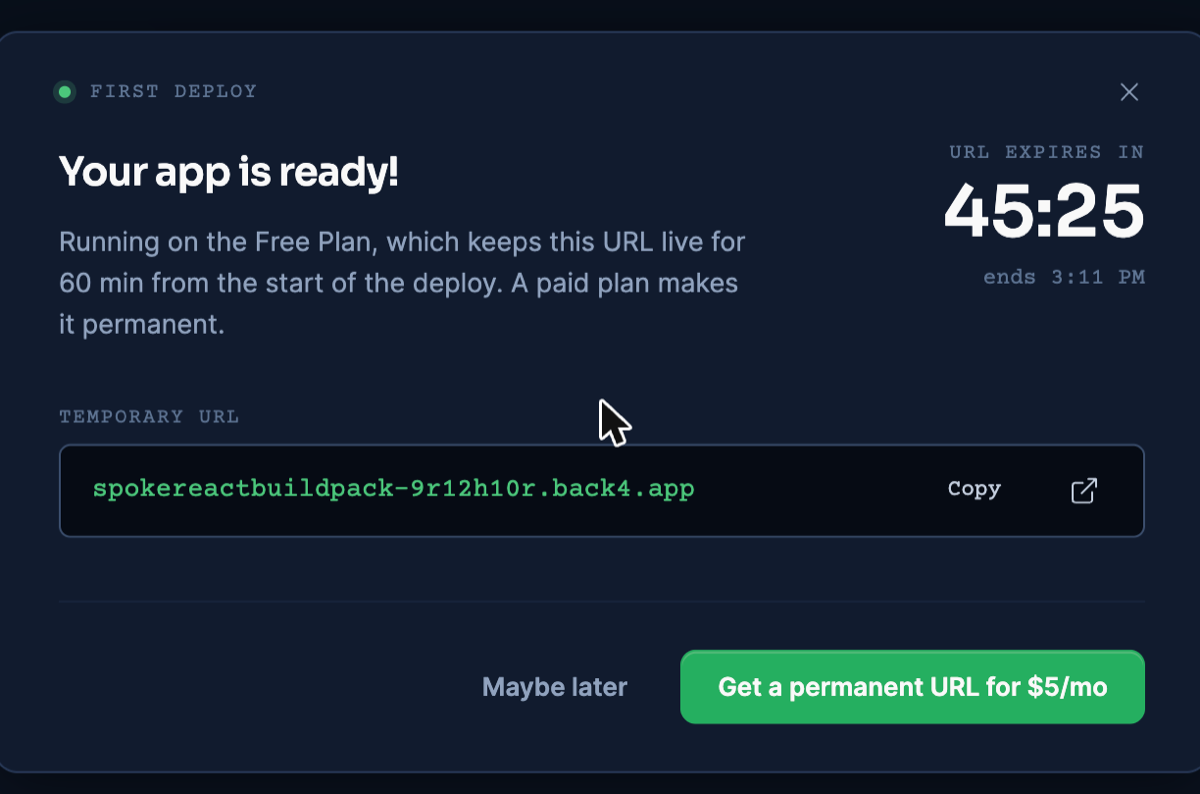
The free plan’s live dialog: a real URL and its countdown. Dashboard as of November 2026.
Verify SSR on the live URL
A SvelteKit page can look identical whether the server rendered it or the client did, so we checked the one thing a browser view hides: the raw response of the home page, /.
On November 9, 2026 that HTML document already contained the page’s rendered content — the <h1> with “Welcome to SvelteKit” was in the response body itself, not injected later by a script. That is server rendering at work on the route we tested, provable with nothing but curl.
The same response also names the JavaScript the client will hydrate with: 9 script files listed via modulepreload links. We summed those referenced files’ gzip transfer on the live URL and got the same bytes we had measured from the local container — exact figures in the measurements table.
To be precise about what this covers: it is the JavaScript referenced by the served HTML, not a browser-recorded capture of all network activity on load.
Deploy from an AI assistant with MCP
An assistant connected to Back4app’s remote MCP server can run this whole deploy from your editor. MCP is only the interface: the image is still built from the Dockerfile above. Setup for each client is on the official MCP page.
For the tool calls behind each step, see How to deploy a web app with MCP and an AI assistant.
In our run on November 10, 2026 (Claude, custom connector, signed in), the assistant called create_upload, ran the returned npx @back4app/cli upload command in the project folder, then create_web_app with port 8080. The app came up with builder: DOCKERFILE and reached READY about 62 seconds after creation.
On the public URL the served HTML carried the rendered heading, and the page referenced the same nine JavaScript files as the dashboard deploy (32,171 B in total).
Two upload behaviors are specific enough to SvelteKit projects to mention:
.npmrcis left out. The CLI skipped it with “Left out, as they may hold secrets”. This starter’s.npmrcholds one line (engine-strict=true) and the build passed without it; a project that needs a private registry line there would not.- The upload ignores
.gitignore. Localbuild/and.svelte-kit/folders went along: 178 files packed against 19 tracked. The Dockerfile build was unaffected because the builder reads.dockerignore.
Details and ids: MCP evidence file.
Update the deployed app
Releasing a change takes a push and one click: push the commit, then App actions → Deploy the latest commit, and the rebuild lands on the URL you already have — we validated that round trip on this deploy’s platform. Paid plans can instead auto-deploy on every push.
Two adjacent facts complete the picture: the free plan requires that manual click per release, and deleting and re-creating the app always works but mints a different URL, so keep re-creation for emergencies. For the full update-flow test and its one caveat about changed branch settings, see the React deploy guide.
Measurements
The live deploy ran the starter at commit ebdb342; local figures were taken November 6, 2026 and live figures November 9, 2026.
Transfer sizes (what crossed the network, gzip) are kept apart from on-disk sizes. Full method and raw output are in the repo’s evidence files.
| What | Value | Where |
|---|---|---|
| JS referenced by the served HTML (transfer) | 32,171 B gzip across 9 files | live URL |
| HTML document on / (transfer) | 2,007 B gzip | live URL |
| App creation → serving | ~36 s | deploy timeline |
| TTFB on / (3 illustrative requests) | 1.075 s · 1.078 s · 3.462 s — the third an outlier, reported as observed | live URL |
| npm ci / npm run build | 2.6–2.8 s / 1.6 s | local |
| docker build (no cache) | 13–15 s | local |
| Image size (on disk) | 237 MB (arm64) | local |
Build output build/ (on disk) | 1.6 MB | local |
The referenced-JS transfer matching between local container and live URL to the byte is the quiet headline: what the adapter precompresses is what the public URL transferred on this date.
Troubleshooting
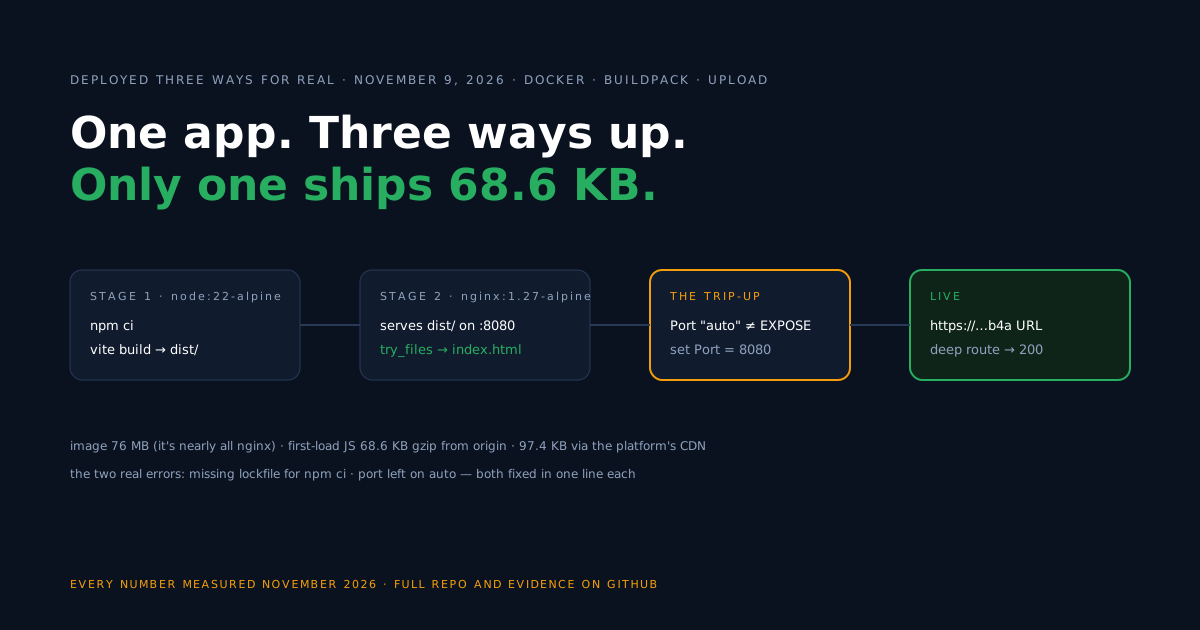
ERR_INVALID_ARG_VALUE mentioning util.styleText and Received 'grey' — you are building on Node 25. This crashed vite build for us with SvelteKit 3.1.1, adapter-node 6.0.1 and Vite 8.3.6; the identical project built cleanly on Node 22 LTS. Switch Node versions, not packages.
Please mention a port in settings to expose — the platform’s Port field is still on auto; it does not read EXPOSE from the Dockerfile. Set 8080 in Build & deploy and redeploy.
The npm ci command can only install with an existing package-lock.json — the lockfile never got committed. npm install once locally, commit package-lock.json, push again.
Limitations of this setup
Honest edges of the flow you just built, so none of them surprises you later.
- Free-plan mechanics: the URL expires 60 minutes after the app’s creation, and each release needs the manual dashboard click — permanence and push-triggered deploys are paid-plan features.
- A long-running process: adapter-node assumes a Node server that stays up; it is not a static export or a per-request serverless function. If every route prerenders,
adapter-staticremoves the server entirely. - Build-environment coupling: the Node version matters — we saw the build itself break on a newer Node than the deploy target. Pin your local and CI builds to the runtime’s version.
- What we verified: server rendering was confirmed for the home route of the minimal app; apps behind proxies or serving multiple origins have extra configuration this starter never exercised (origin configuration per your Kit version is in the adapter docs).
When the app grows users and data, that is a next step, not a flaw: your own server routes can handle auth and persistence, or a managed backend can serve them over REST and GraphQL while the container stays focused on rendering.
What’s next?
Run the swap on your own app: adapter in vite.config.ts, Dockerfile from the companion repo, port set explicitly, and your server-rendered pages get a public HTTPS URL on the free plan (Containers docs).