Your Next.js app renders on the server, and that is the whole point: the HTML arrives complete, with data in it. It also means the app needs somewhere to run that is not a CDN — a process that executes your components per request — and somewhere to keep the data that is not that process.
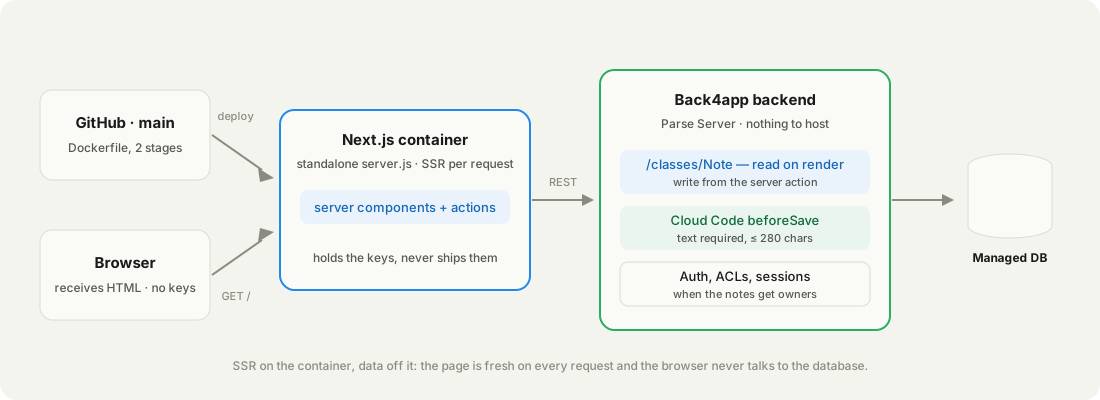
This post is about server-side rendering: a process that runs your components per request, a data source it reads at request time, and keys that stay on the server. A container runs next start for you, behind HTTPS. A backend holds the notes, validates them, and answers a REST call.
The other three shapes have their own posts: Node.js with Docker, FastAPI with Docker, an always-on worker.
We built a notes app — one server component that lists notes, one server action that adds them, 94 lines in total including the Dockerfile — pushed it to GitHub, and had it rendering on a container with the data off it.
The first deploy took 6 minutes 4 seconds, most of it next build. Everything below is from that run, on September 15–16, 2026, including the 500 page our first version showed.
Get the working code: the companion repo is at github.com/templates-back4app/nextjs-notes — app/page.js, app/actions.js, lib/backend.js, Dockerfile, cloud/main.js, and deploy-check.sh, which checks health, server rendering and data on any deployment URL.
What does a server-rendered app need that a static one does not?
A process, and a data source that process can reach. A static export is files on a CDN and needs neither; the moment a page reads data at request time, something has to run your code and something has to hold the data.
| What you need | Why it is not optional | Where it lives in this post |
|---|---|---|
node server.js running | Server components execute per request | Container, section 03 |
| HTTPS on a public URL | Browsers refuse plain HTTP for forms | Container, automatic |
| A database you don’t run | Data outlives the container | Backend, section 04 |
| Validation outside the container | The action is disposable; the rules are not | Backend, section 05 |
| Keys that never reach the browser | Server-only env vars, no NEXT_PUBLIC_ | Container env, section 03 |
Most hosts that run Next.js stop at the first two, and the data is a connection string to something else you pay for and maintain. Back4app is the one we tested because the second half is a product from the same account: a backend app with a managed database and a REST API, called from the container with two headers.
The browser gets HTML. The container gets two environment variables. The backend gets the data. Nobody gets a server.
What does the server-rendered notes app consist of?
A notes page. app/page.js is a server component: it calls the backend, renders the list and a form, and stamps the time it rendered. app/actions.js is a server action: the form posts to it, it creates the note in the backend, and the page re-renders. lib/backend.js is the only file that knows the keys.
The page. Two lines keep it dynamic — without them next build would prerender it once, with whatever the backend held during the build:
// Stack: Next.js 15 App Router | File: app/page.js
import { listNotes } from "../lib/backend";
import { addNote } from "./actions";

export const dynamic = "force-dynamic";           // render per request, never at build time

export default async function Home({ searchParams }) {
  const { error } = await searchParams;
  const notes = await listNotes();
  const renderedAt = new Date().toISOString();
  return (
    <main>
      <h1>Notes</h1>
      <form action={addNote}>
        <input name="text" placeholder="Write a note" required />
        <button>Add</button>
      </form>
      {error && <p role="alert">{error}</p>}
      <ul>{notes.map((n) => <li key={n.objectId}>{n.text}</li>)}</ul>
      <p>{notes.length} notes · rendered on the server at {renderedAt}</p>
    </main>
  );
}
The backend client runs only on the server. cache: "no-store" is the second half of “per request”:
// Stack: Next.js 15 (server only) | File: lib/backend.js
const BASE = process.env.PARSE_SERVER_URL ?? "https://parseapi.back4app.com";
const headers = () => ({
  "X-Parse-Application-Id": process.env.PARSE_APP_ID,
  "X-Parse-REST-API-Key": process.env.PARSE_REST_KEY,
  "Content-Type": "application/json",
});

export async function listNotes() {
  const r = await fetch(`${BASE}/classes/Note?order=-createdAt&limit=50`, { headers: headers(), cache: "no-store" });
  if (!r.ok) throw new Error(`backend ${r.status}: ${await r.text()}`);
  return (await r.json()).results;
}

export async function createNote(text) {
  const r = await fetch(`${BASE}/classes/Note`, { method: "POST", headers: headers(), body: JSON.stringify({ text }) });
  const body = await r.json();
  if (!r.ok) throw new Error(body.error ?? `backend ${r.status}`);
  return body;
}
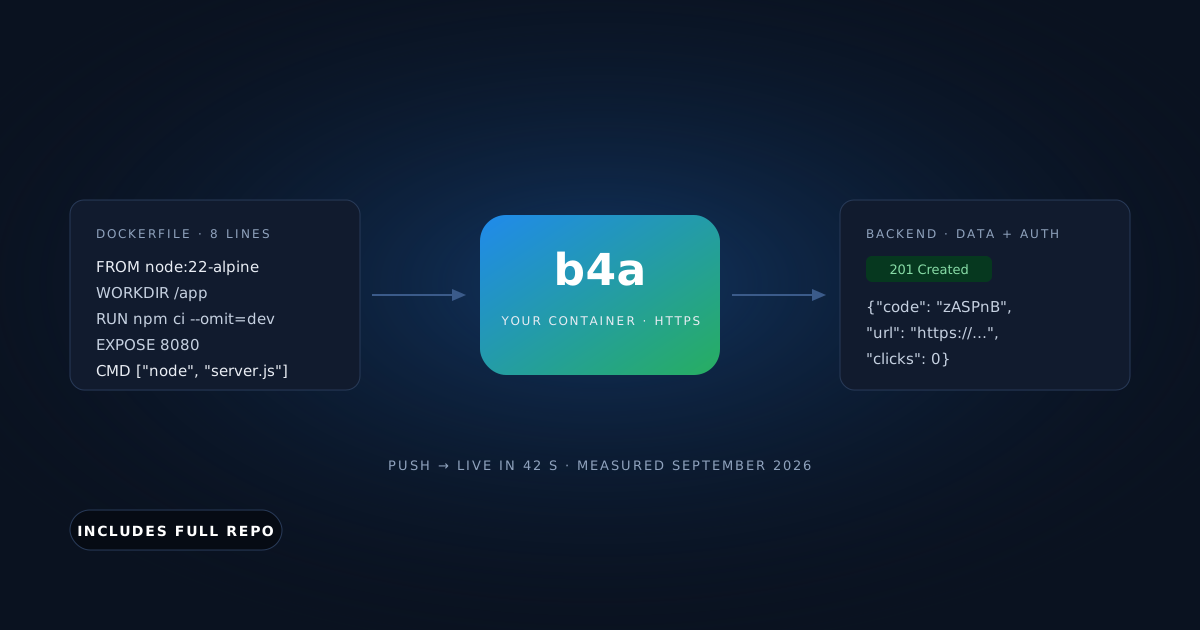
The Dockerfile is two stages. The first runs next build; the second copies only the standalone output, so the image has no node_modules beyond what the server needs:
# Stack: Docker | Node.js 22 (alpine), multi-stage | File: Dockerfile
FROM node:22-alpine AS build
WORKDIR /app
COPY package*.json ./
RUN npm ci
COPY . .
RUN npm run build

FROM node:22-alpine
WORKDIR /app
ENV NODE_ENV=production PORT=8080 HOSTNAME=0.0.0.0
COPY --from=build /app/.next/standalone ./
COPY --from=build /app/.next/static ./.next/static
EXPOSE 8080
CMD ["node", "server.js"]You need a free Back4app account, a GitHub account and curl. No Docker on your machine: the platform builds the image, and this post was produced on a Mac without Docker installed. Node only for running the app locally first.
Where does the data come from?
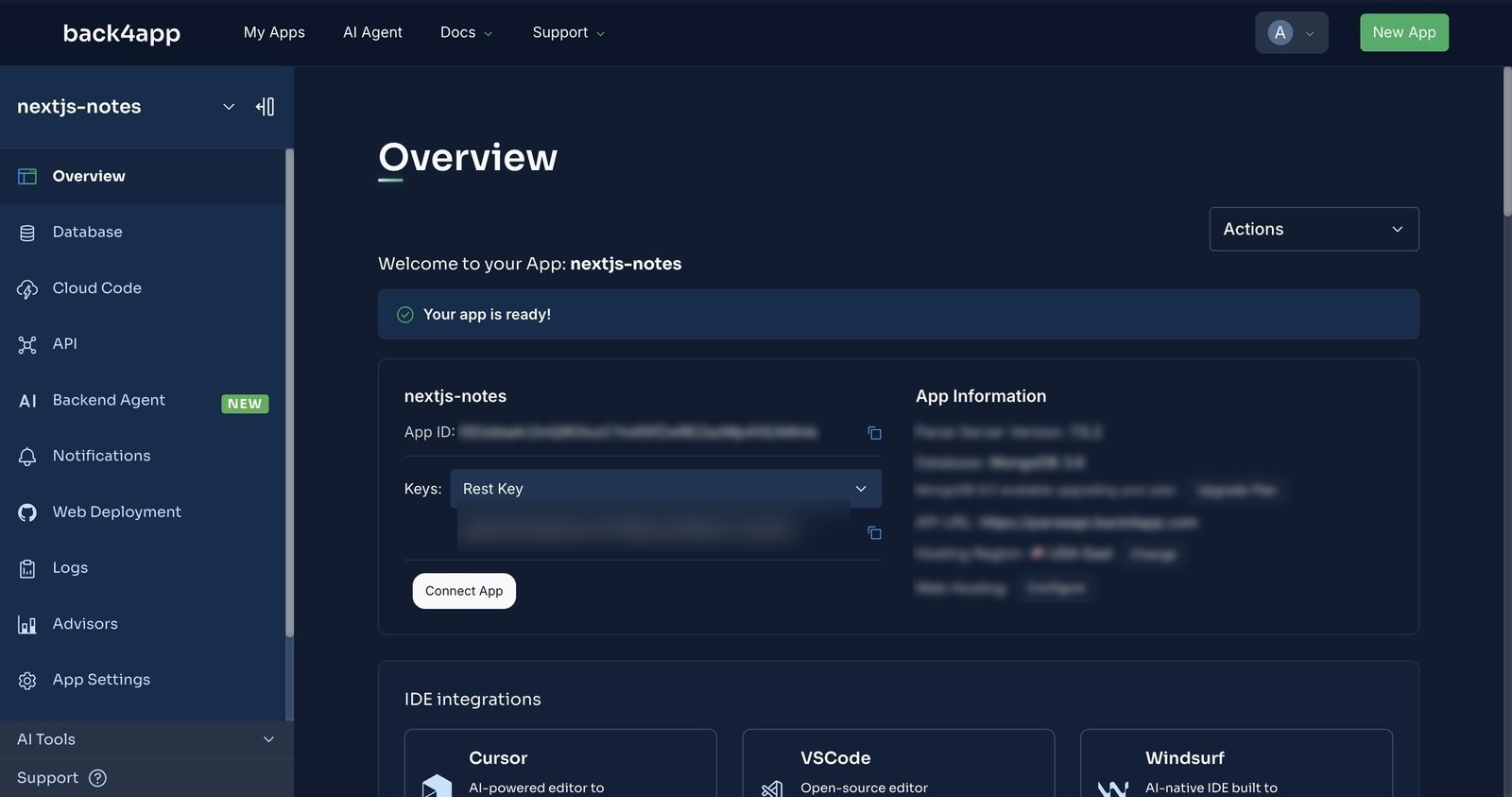
From a backend app — Dashboard → New App → Build your Backend, name it, Create. The Overview page shows the App ID and, under the Keys dropdown, the REST API key. Those two values go into the container’s environment and nowhere else.
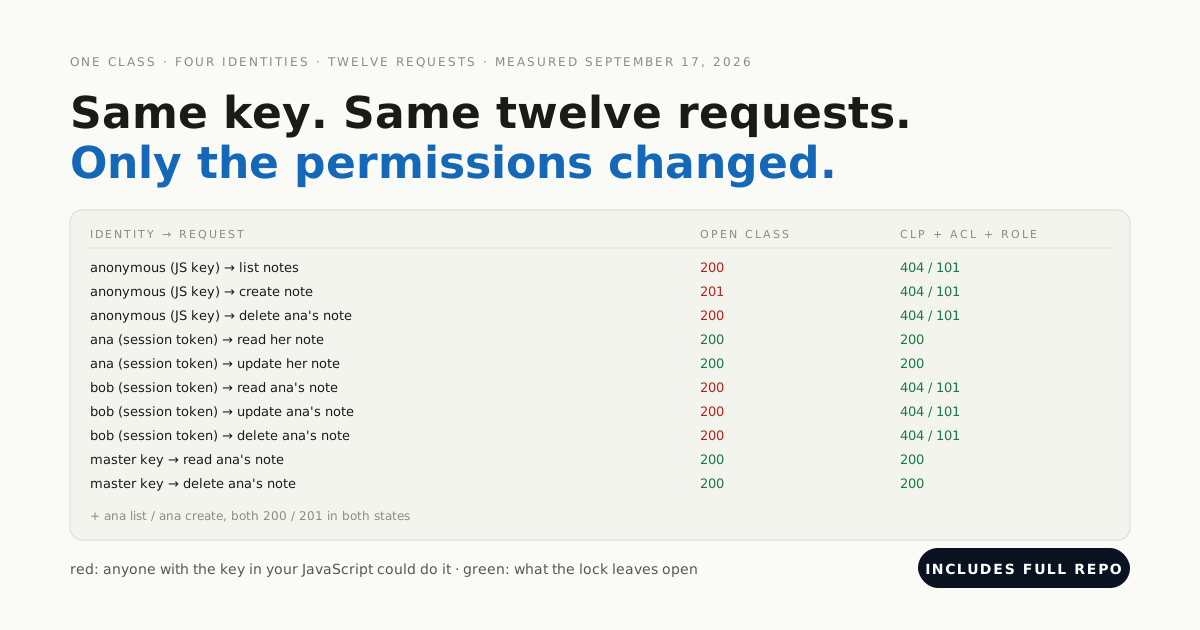
If your frontend called the backend directly instead, the key in the browser would be a client key and the class permissions would do the guarding: that case is its own post.
The Note class was created by the first POST — no schema beforehand (Parse Server 7.5.2, September 2026). Here is that write two ways: the one the server action makes, and the one you can make from your terminal with the same keys. Both showed up on the next page render:
// Stack: Next.js 15 server action | File: app/actions.js
"use server";
import { revalidatePath } from "next/cache";
import { redirect } from "next/navigation";
import { createNote } from "../lib/backend";

export async function addNote(formData) {
  const text = String(formData.get("text") ?? "");
  try {
    await createNote(text);      // the backend's beforeSave decides what a valid note is
  } catch (err) {
    redirect(`/?error=${encodeURIComponent(err.message)}`);
  }
  revalidatePath("/");
  redirect("/");
}
# Stack: bash | Endpoint: POST /classes/Note
curl -X POST \
-H "X-Parse-Application-Id: $APP_ID" \
-H "X-Parse-REST-API-Key: $REST_KEY" \
-H "Content-Type: application/json" \
-d '{"text": "written through the REST API while the container was up"}' \
"$BASE/classes/Note"
# {"objectId":"…","createdAt":"…"} ← HTTP 201, on the page at the next loadSame write, same backend. The page re-renders with either.
Why is the note rule a backend hook and not a server action?
The rule about what a note is. A server action runs only in this container and only for this form; the backend hook runs for the action, for the curl above, and for the next app that writes notes. Ours trims the text, rejects an empty note and caps it at 280 characters:
// Stack: Node.js 22.x | Parse Server 8.x | File: cloud/main.js
Parse.Cloud.beforeSave("Note", (request) => {
  const n = request.object;
  const text = (n.get("text") ?? "").trim();
  if (!text) throw new Parse.Error(Parse.Error.VALIDATION_ERROR, "a note needs some text.");
  if (text.length > 280) throw new Parse.Error(Parse.Error.VALIDATION_ERROR, "keep it under 280 characters.");
  n.set("text", text);
});
Paste it into Cloud Code → cloud/main.js in the backend dashboard, Deploy, and prove it with a request. Ours answered 400 {"code":142,"error":"a note needs some text."} to three spaces and 201 with the text already trimmed to a padded valid one — after the second deploy.
How do you deploy from GitHub?
Push the repo, then New App → Deploy from GitHub on the Containers side. The first time, GitHub asks you to install the Back4app Containers app on the repositories you choose; the list in the dashboard updates the moment you finish.
Configure. Select the repo. The form detected the Dockerfile and offered a Node.js buildpack as the alternative. We kept the Dockerfile, left the port on auto (it reads EXPOSE 8080), added PARSE_APP_ID and PARSE_REST_KEY, and set the health check to /healthz, a four-line route handler in the repo.
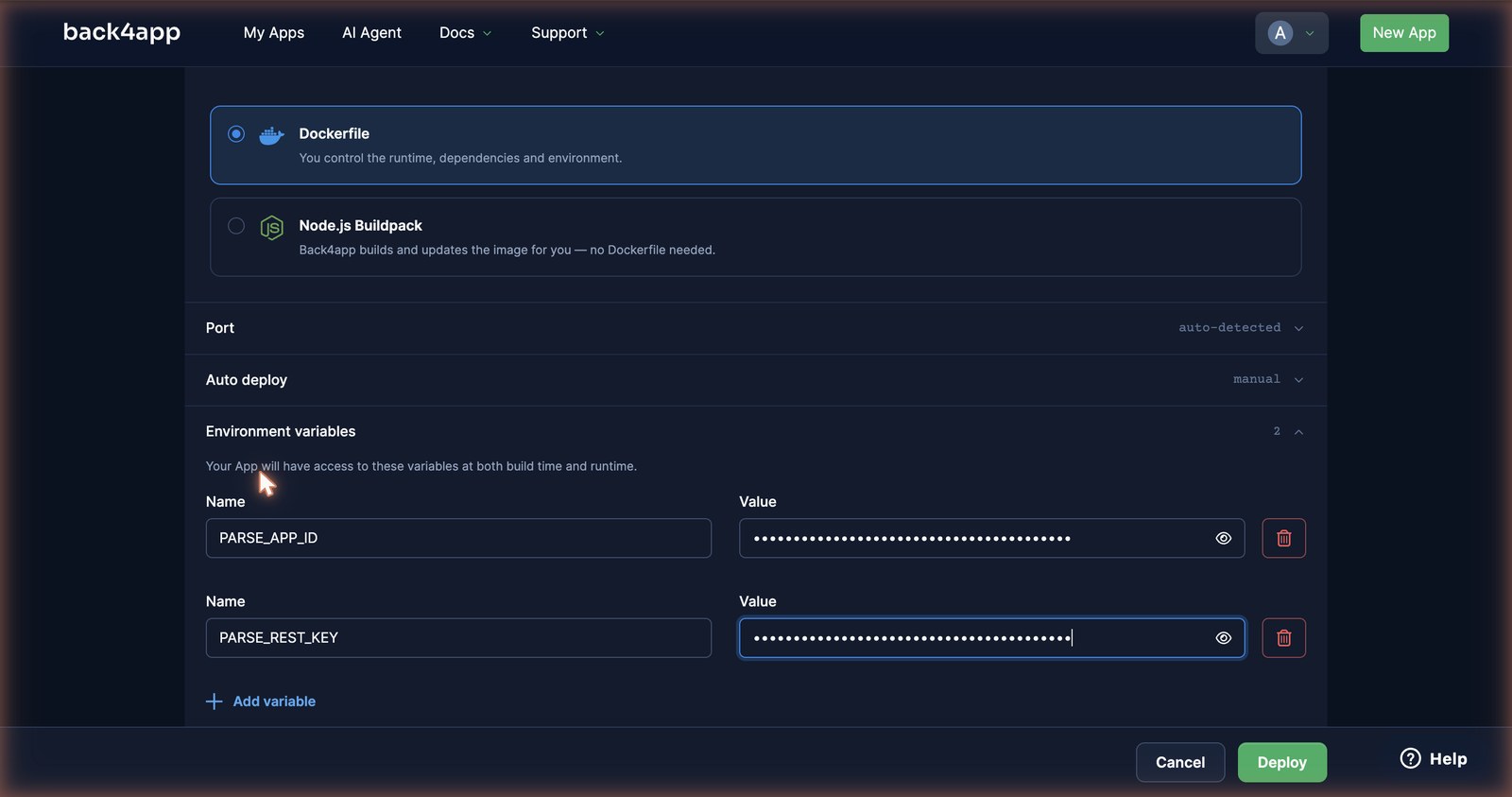
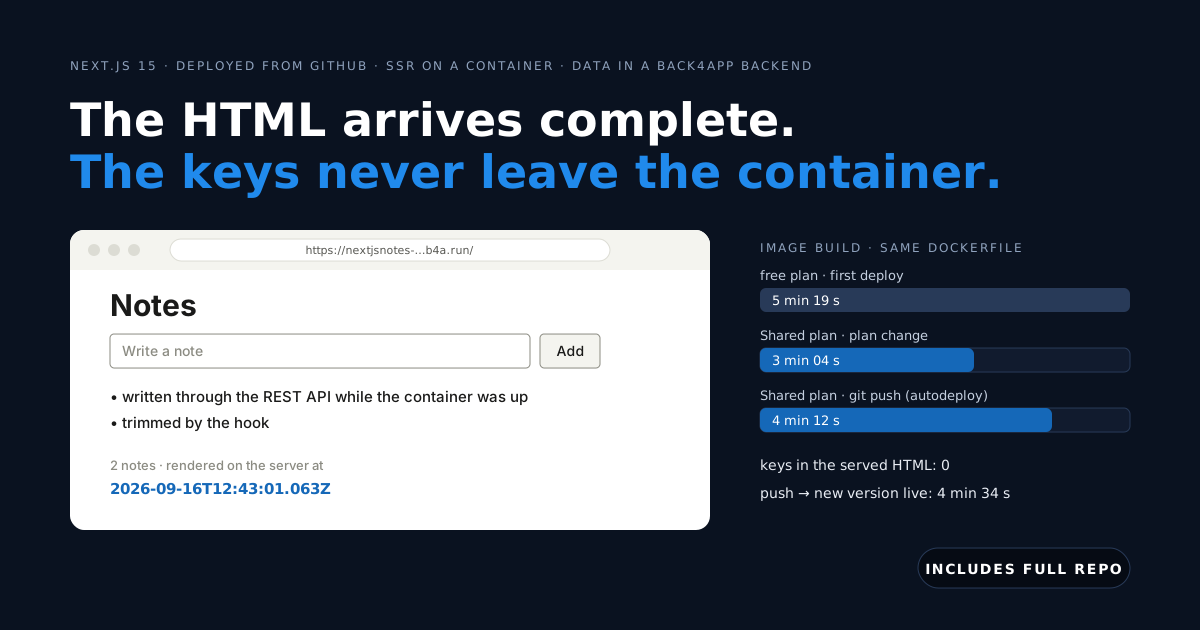
Deploy. We clicked at 15:03:41. The button read “Deploying…” for 37 seconds before the app page appeared; then PREPARING at 15:04:18, BUILDING IMAGE for 5 minutes 19 seconds (npm ci, then next build inside kaniko), LAUNCHING CONTAINER at 15:09:37, DEPLOYMENT READY at 15:09:45.
How we measured: a stopwatch from the Deploy click to DEPLOYMENT READY, free plan, one deploy on September 15, 2026; the three build times are three deploys of the same commit, read from the build log. next build dominates, so a larger app builds slower, and nothing is cached between builds.
deploy-check.sh then hit /healthz, loaded / and looked for rendered on the server at — present, with a timestamp that changed on every request. A note created through the REST API was on the page at the next load; nothing was cached between the two.

Then the form. A headless browser typed a note and clicked Add: the POST to the server action took 368 ms round trip, and the backend held the new row 300 ms after the click. We grepped the served HTML for both keys afterwards: zero matches.

Where do the notes live? The backend behind the page
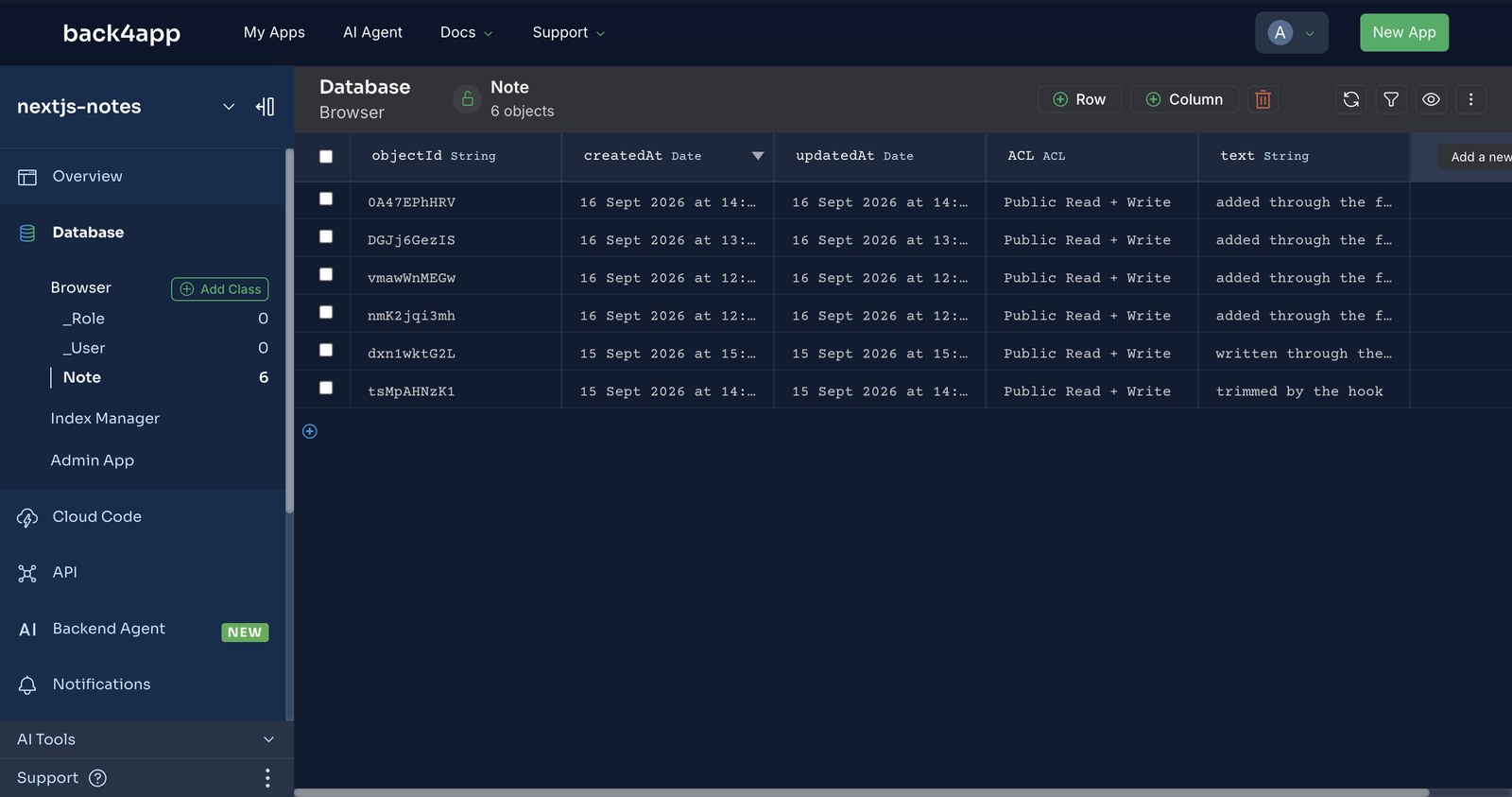
Three screens in the backend dashboard, and every row on them was written by the container above — no seed data, no schema defined by hand.
Overview — where the two variables come from. Dashboard → New App → Build your Backend → Create. The Overview page shows the App ID and, under the Keys dropdown, the REST API key. Those two values go into the container’s environment and are read only by lib/backend.js.
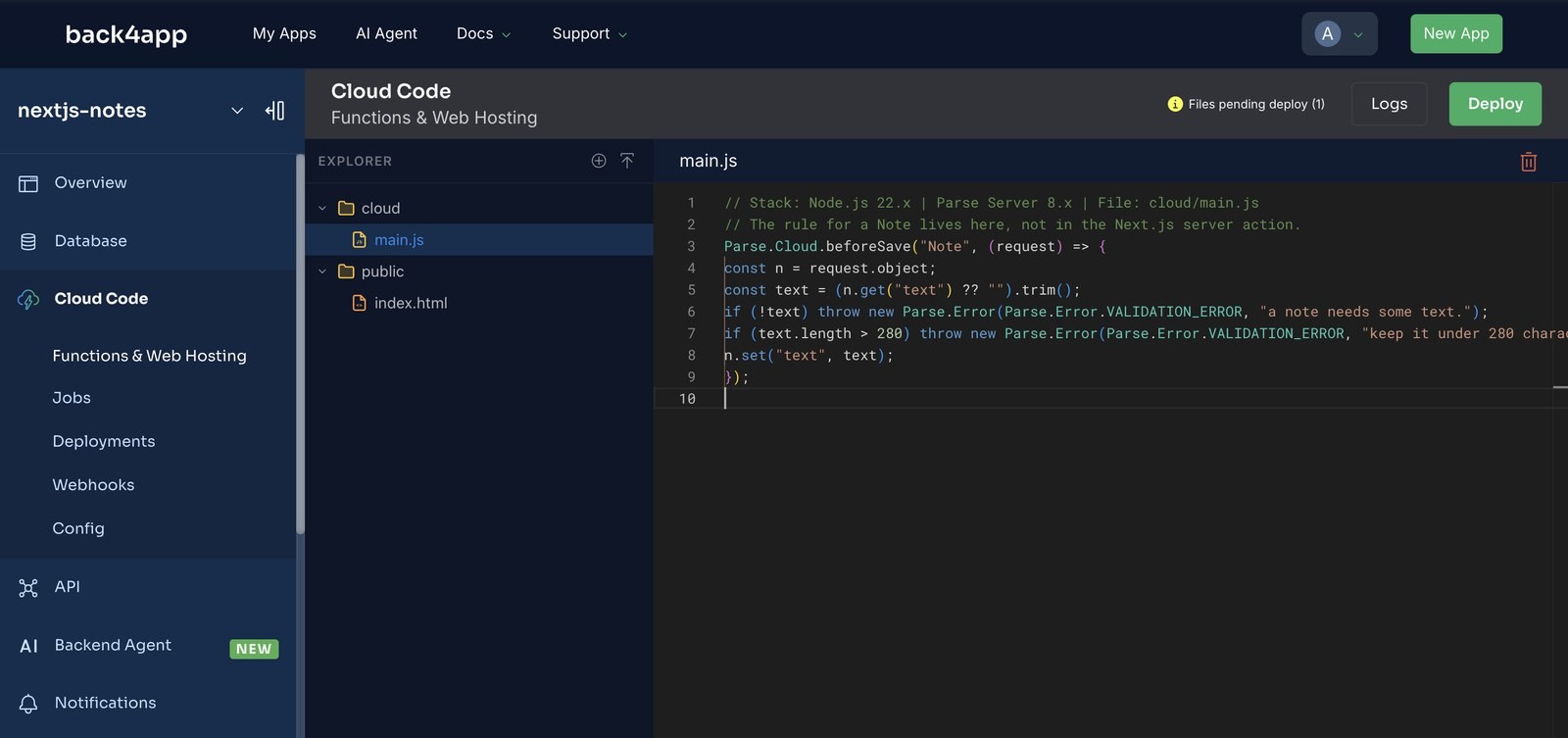
Cloud Code — where the rule lives. cloud/main.js open in the editor with the beforeSave("Note") hook, and the badge Files pending deploy (1) next to the Deploy button. On a fresh backend that badge is the tell: it stays after the first Deploy, which is how you know nothing shipped.
Database Browser — the Note class. Six rows: four added through the form (the server action), one written through the REST API from a terminal, and the first one, trimmed by the hook, which arrived padded with spaces. They are the same rows the page renders — the browser shows HTML, this shows where the HTML came from.
How long does the URL last, and what does a redeploy cost?
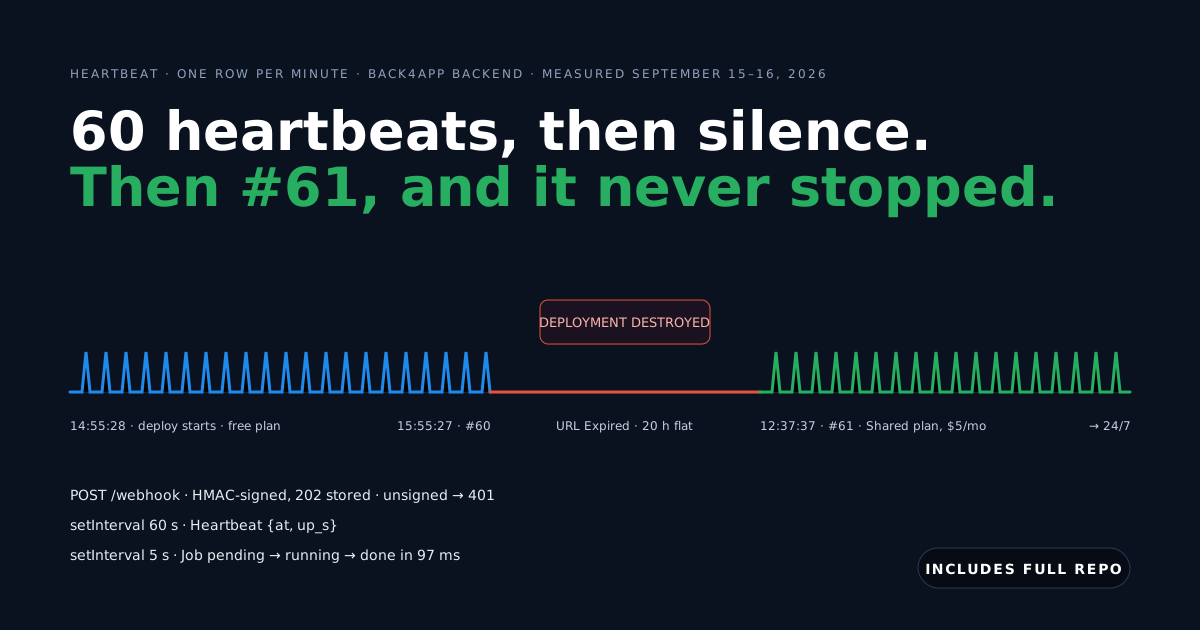
On the free plan the URL and the container live 60 minutes from the moment the deploy starts — and a six-minute build eats six of them. We watched it happen: the log at 16:04:12 read The Back4app custom domain has expired for free plan, then COOLING DOWN…, FINISHING CONTAINER…, DEPLOYMENT DESTROYED at 16:05:14. The dashboard status turned to URL Expired.
The next morning we changed the plan to Shared (0.5 vCPU, 512 MB, $5/month as of September 16, 2026). Without a click on Deploy, the log showed PREPARING DEPLOYMENT at 12:35:42 and DEPLOYMENT READY at 12:38:57 on the same b4a.run URL — 3 minutes 14 seconds, the image build down from 5 min 19 s to 3 min 4 s.
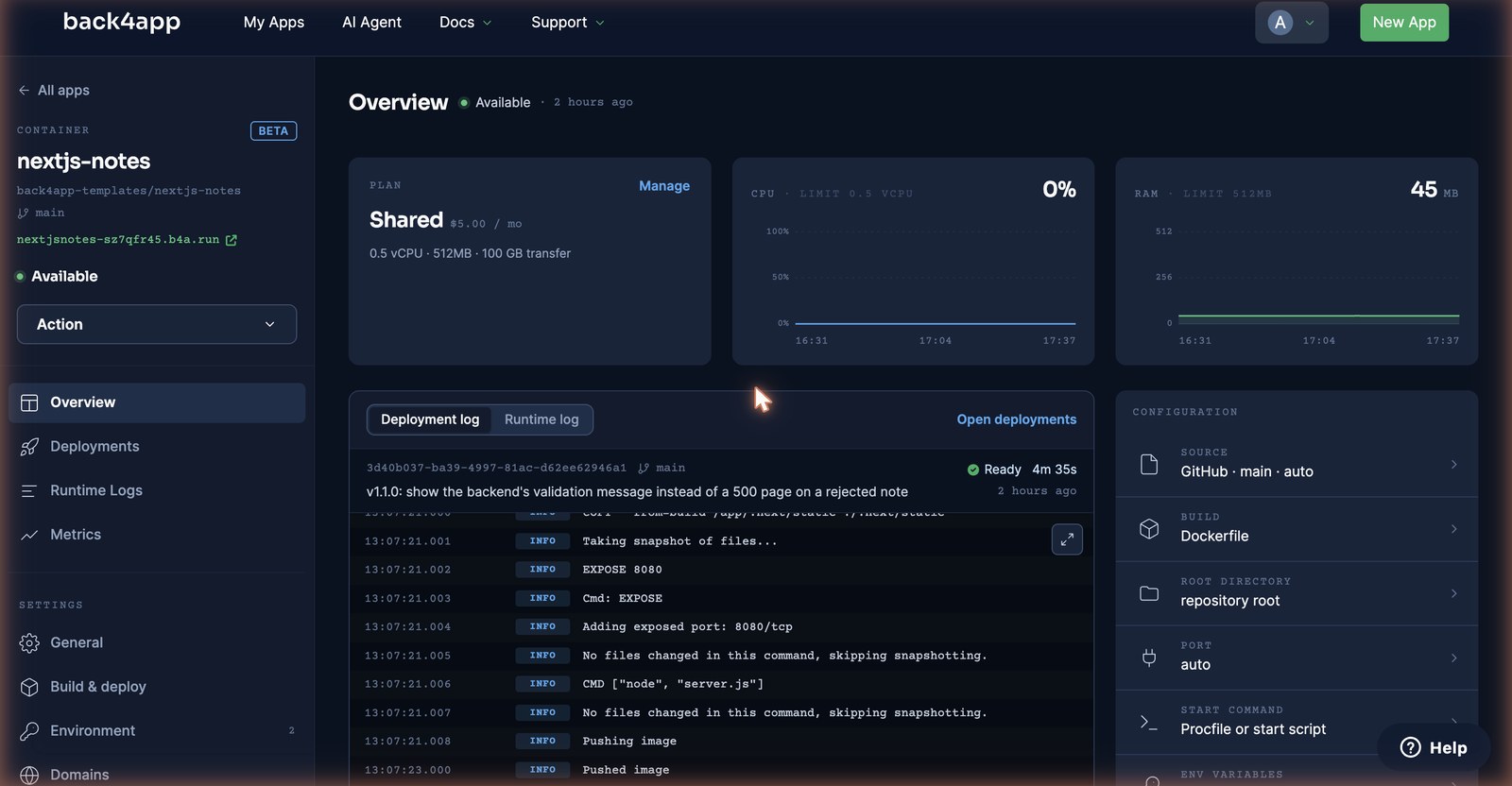
The paid plan also unlocks Autodeploy (Settings → Build & deploy). We turned it on and pushed the version with the error fix below at 13:02:55. PREPARING DEPLOYMENT was logged at 13:02:58 — before the push command had returned — and DEPLOYMENT READY at 13:07:34. The poller saw the new version 4 minutes 34 seconds after the push; the old container answered until the swap.
Why did Next.js show “Application error”, and what else broke?
We broke the app on purpose, and the platform broke it once for us. Each entry starts with what you will actually see.
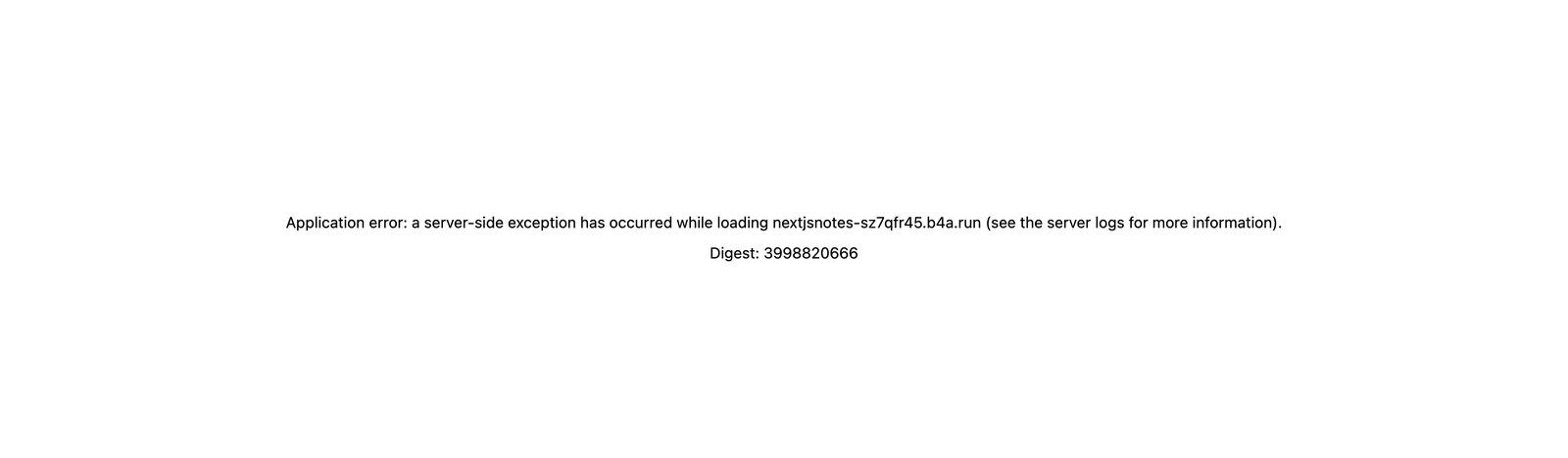
Application error: a server-side exception has occurred while loading … (see the server logs for more information). Digest: 3998820666. Our first version. The backend rejected a blank note, createNote threw, the server action re-threw, and Next.js showed its generic error page — the digest maps to the stack trace in Runtime Logs. Catch the error in the action and redirect("/?error=…"); the page renders the backend’s message next to the form instead.
With the redirect in place (v1.1.0, deployed through autodeploy), the same blank submit answers 303 to /?error=a%20note%20needs%20some%20text. and the page shows the backend’s sentence under the form:

The page shows old notes after a write. The route is being prerendered or the fetch is cached. Both export const dynamic = "force-dynamic" on the page and cache: "no-store" on the fetch are needed; revalidatePath("/") in the action is what makes the redirect land on fresh data.
Every page load is a 500, Runtime Logs say ⨯ Error: backend 403: {"error":"unauthorized"}. A wrong PARSE_REST_KEY — listNotes() throws inside the server component, so the visitor gets the generic error page. /healthz stays green because it does not touch the backend; make it call listNotes() so your monitoring sees the bad key first.
Build takes minutes and the free hour is ticking. The 60 minutes start at PREPARING DEPLOYMENT, before the build. Our six-minute first build left 54 minutes of runtime. Test in that window; run on a paid plan.
Success on deploying your changes! but the hook does nothing. The first Cloud Code deploy on a fresh backend ships no files. Look at Logs → System for main.js not found, edit the file in the editor, deploy again.
When is a container the wrong answer for Next.js?
Per our own manifesto, a post where only the platform wins does not get published — so here is the other column.
- Your pages are static. A blog, a docs site, a marketing page with no per-request data:
output: "export"and a CDN are cheaper, faster and need no process at all. - You need edge rendering or image optimization at the CDN. This is one container in one region; there is no edge runtime and
next/imageoptimization runs on the container’s CPU. - You need Postgres features. Joins, window functions, a schema you migrate — the backend is Parse Server on MongoDB (Postgres on paid plans), queried with
whereJSON, not SQL. - Six-minute builds hurt. Every push rebuilds the image from
npm cion; if you deploy twenty times a day, a host that cachesnode_modulesbetween builds will feel faster.
If none of those describe you, a server-rendered Next.js container in front of a managed backend is the shape we would choose again — and the two headers are the whole integration.
What would you build on the notes app next?
You have a page that renders per request, a form that writes through the server, a database you never provisioned, and keys the browser never sees. From here:
- Give notes owners. Parse’s
Userclass adds signup and login endpoints (measured, with password reset); store the session token in an httpOnly cookie and pass it asX-Parse-Session-Tokenfromlib/backend.js. - Show errors without a redirect.
useActionStatein a client component keeps the form state and the message in place; the redirect version above needs no client JavaScript at all. - Make the health check honest. Have
/healthzcalllistNotes()so a bad key shows up in your monitoring, not at the first visitor — the platform’s own check only needs the port to answer.
All code above is complete and tested — the companion repo includes deploy-check.sh, which runs health, server-render and data checks against any deployment URL you give it.