You have a script that needs to be awake all the time. A bot that waits for messages, a webhook that must answer in under ten seconds, a job that runs every minute. And every hosting page offers you one of two bad fits: a function that dies between requests, or a Linux box you now have to patch.
Here is the distinction that makes the rest of this post make sense. A request handler runs when someone calls it. An always-on process runs because it exists — timers, loops and open sockets need that. The second kind is what people rent a VPS for, and it is the kind a container platform can run for you if it keeps the container alive.
The other three container posts are about request-driven apps (a Node web app, a FastAPI service, a Next.js SSR page); this one is about the process that has to stay up between requests.
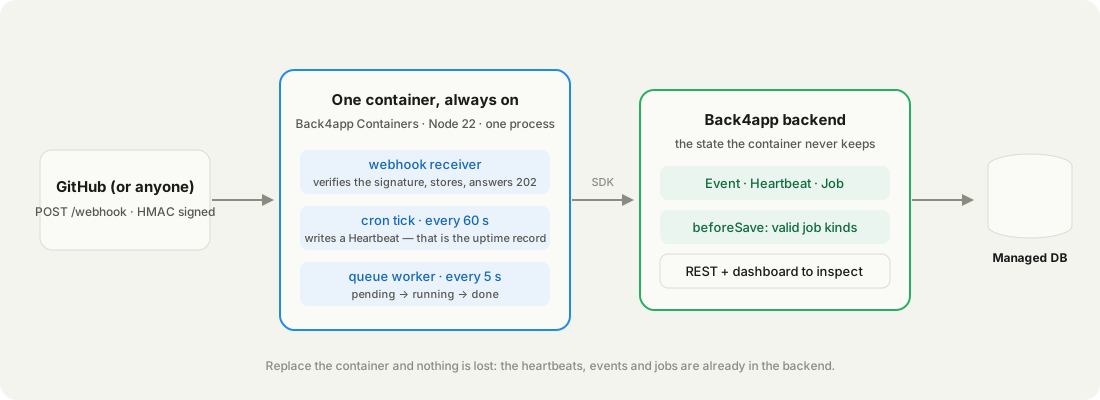
We wrote one 75-line Node process that does all three jobs — a signed GitHub-style webhook receiver, a 60-second cron tick, a 5-second queue worker — with every bit of state in a managed backend.
We deployed it, measured it, watched the free plan kill it after exactly one hour, and moved it to a $5/month plan where it has been writing a heartbeat a minute since. Everything below is from that run, on September 15–16, 2026.
Get the working code: the companion repo is at github.com/templates-back4app/always-on-worker — server.js, Dockerfile, cloud/main.js, and deploy-check.sh, which fires a signed and an unsigned webhook at a deployment and checks both answers.
What does “always on” actually require?
Three things, and most hosting pages only mention the first: a process that is not stopped between requests, a public HTTPS URL for the webhooks to hit, and somewhere for the state to live that is not the process. Miss the third and every restart wipes your queue.
| What the job needs | Why a request handler cannot do it | Where it lives in this post |
|---|---|---|
| A timer that fires every minute | Nothing calls a handler at 03:00 | Container, cron tick |
| A loop that polls a queue every 5 s | Handlers have no “between requests” | Container, worker loop |
| A URL that answers webhooks in seconds | Cold starts eat the delivery timeout | Container, /webhook |
| State that outlives the process | The container is disposable | Backend, three classes |
| A way to know it was really up | “It should be running” is not a metric | Backend, heartbeat count |
The classic answer is a VPS: a $5 box, cron, pm2, and you are now the person who patches OpenSSL. The serverless answer covers the webhook and, with a scheduler, the timer — but not the loop, and not the open socket a bot keeps. A container that a platform keeps alive covers all five rows without the patching.
Back4app is the one we tested because the two halves come from one account: a backend app with a managed database and hooks, and a container app that runs the Dockerfile and, on a paid plan, keeps it running. The rest of this post is the measured walk through both.
A process that must be awake between events is the whole reason people rent servers. That is the only part worth paying for.
What runs inside the always-on container?
One Express process with three jobs that share nothing but the backend. POST /webhook verifies a GitHub-style HMAC signature and stores the event. A setInterval writes a Heartbeat every 60 seconds — count them later and you have the real uptime. A second interval takes the oldest pending Job every 5 seconds and completes it.
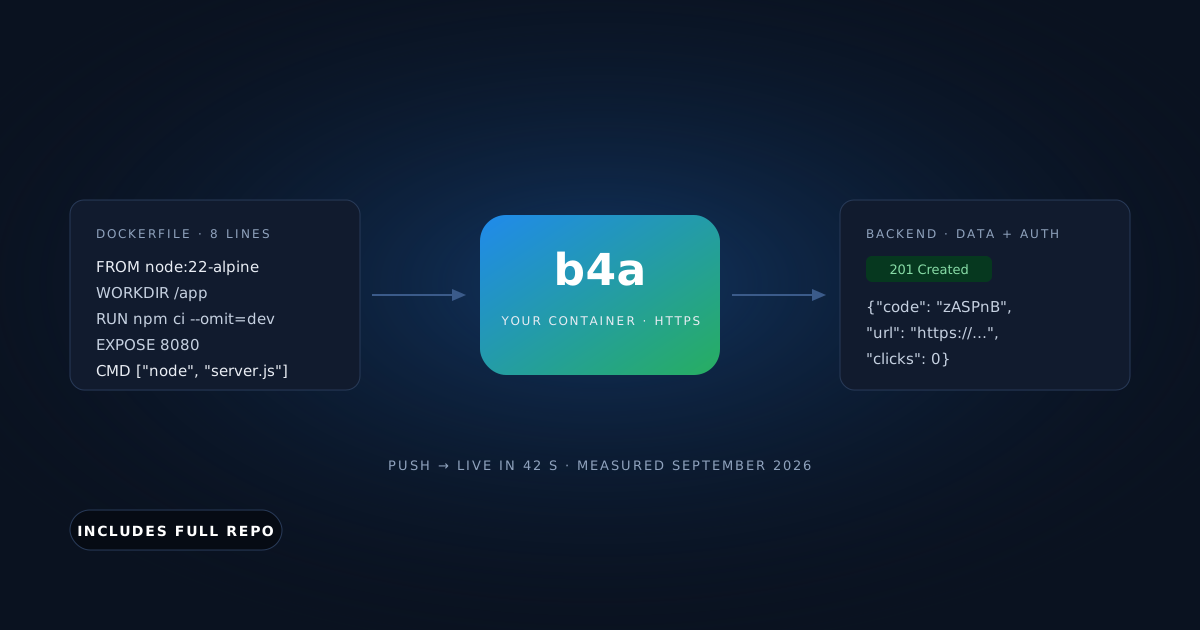
The whole Dockerfile is eight lines. The platform reads the port from EXPOSE:
# Stack: Docker | Node.js 22 (alpine) | File: Dockerfile
FROM node:22-alpine
WORKDIR /app
COPY package*.json ./
RUN npm ci --omit=dev
COPY . .
ENV NODE_ENV=production
EXPOSE 8080
CMD ["node", "server.js"]
The webhook route is the part people get wrong. It needs the raw body for the signature, a constant-time comparison, and a fast answer — store first, do the work later:
// Stack: Node.js 22.x | Express 5.x + Parse JS SDK 8.x | File: server.js (webhook)
app.use(express.json({ verify: (req, _res, buf) => { req.rawBody = buf; } }));

app.post("/webhook", async (req, res) => {
  const sig = req.get("x-hub-signature-256") ?? "";
  const expected = "sha256=" + createHmac("sha256", WEBHOOK_SECRET).update(req.rawBody).digest("hex");
  if (!WEBHOOK_SECRET || sig.length !== expected.length || !timingSafeEqual(Buffer.from(sig), Buffer.from(expected))) {
    return res.status(401).json({ error: "bad signature" });
  }
  const ev = new Parse.Object("Event");
  ev.set("source", req.get("x-github-event") ?? "unknown");
  ev.set("payload", req.body);
  await ev.save();
  res.status(202).json({ stored: ev.id });
});
The cron and the worker are two timers. Neither keeps anything in memory that matters:
// Stack: Node.js 22.x | Express 5.x + Parse JS SDK 8.x | File: server.js (cron + queue)
setInterval(async () => {                       // 1. cron: a heartbeat every minute
  const hb = new Parse.Object("Heartbeat");
  hb.set("at", new Date()); hb.set("up_s", Math.round((Date.now() - startedAt) / 1000));
  await hb.save();
}, 60_000);

setInterval(async () => {                       // 2. queue: oldest pending Job, every 5 s
  const job = await new Parse.Query("Job").equalTo("status", "pending").ascending("createdAt").first();
  if (!job) return;
  job.set("status", "running"); await job.save();
  const t0 = Date.now();
  const result = await runJob(job.get("kind"), job.get("input"));
  job.set("status", "done"); job.set("result", result); job.set("ms", Date.now() - t0);
  await job.save();
}, 5_000);You need a free Back4app account, a GitHub account, curl and openssl. No Docker on your machine: the platform builds the image, and this post was produced on a Mac without Docker installed.
Where does the state go?
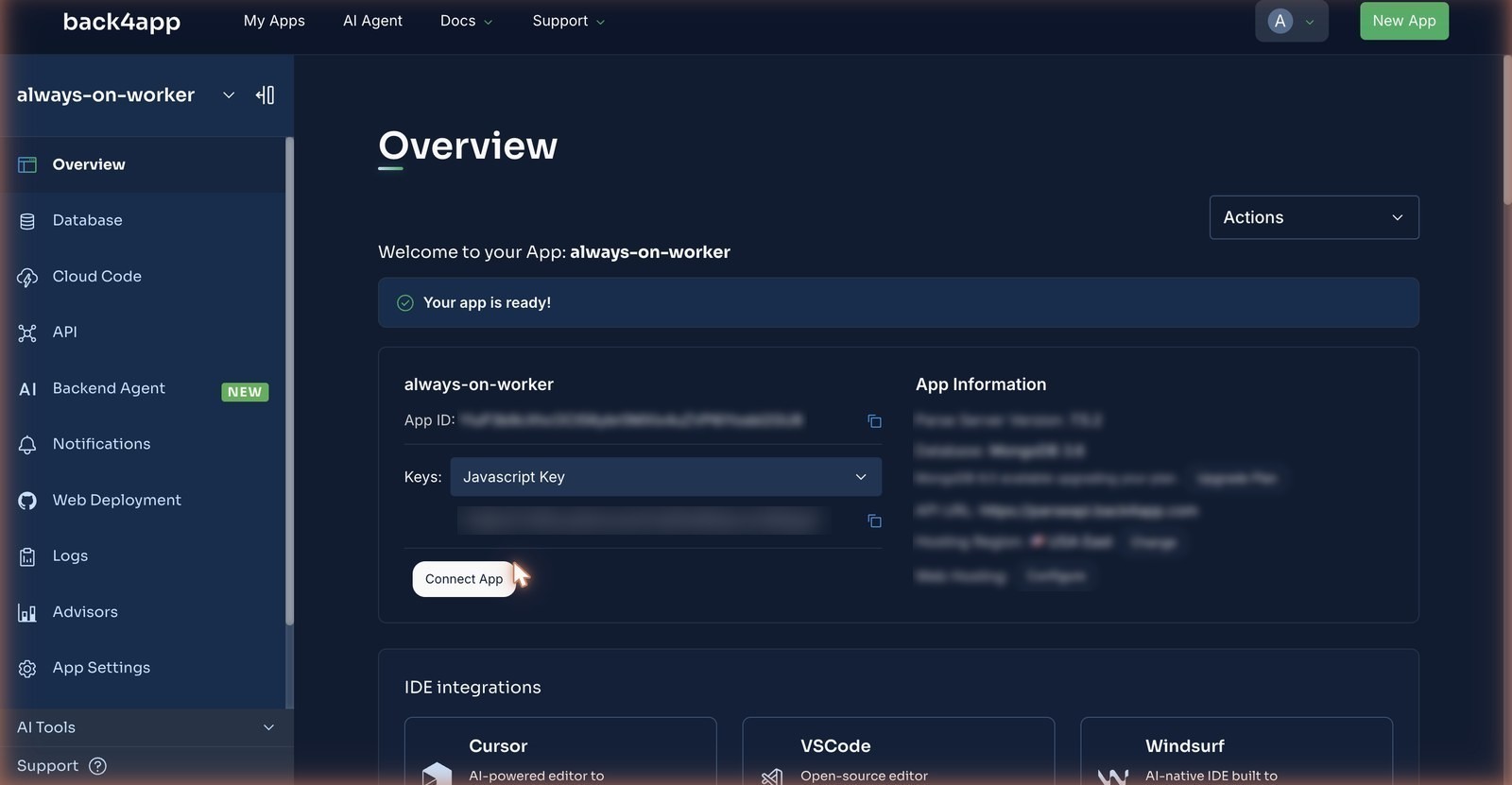
Into a backend app — three classes that the container creates on first write, and one rule that the container cannot bypass. Dashboard → New App → Build your Backend, name it, Create; the Overview page shows the App ID and, under the Keys dropdown, the JavaScript key. Those two values are the only configuration the container needs.
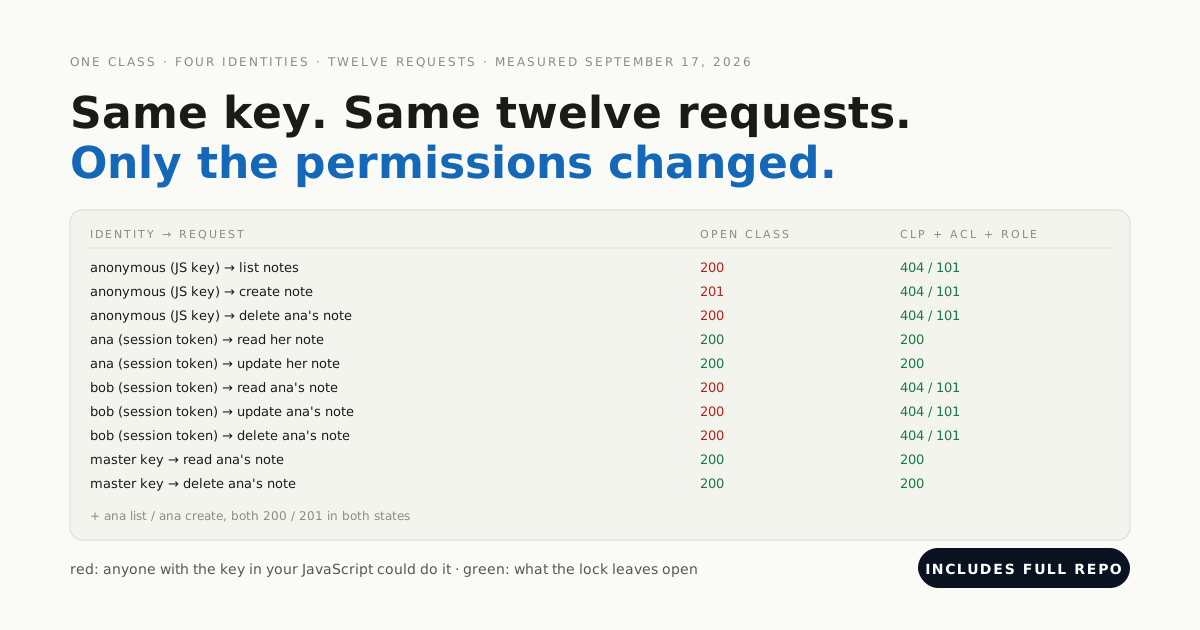
The JavaScript key the container sends is a client key: what it may do is decided by the class permissions, which we measured lock by lock in a separate post.
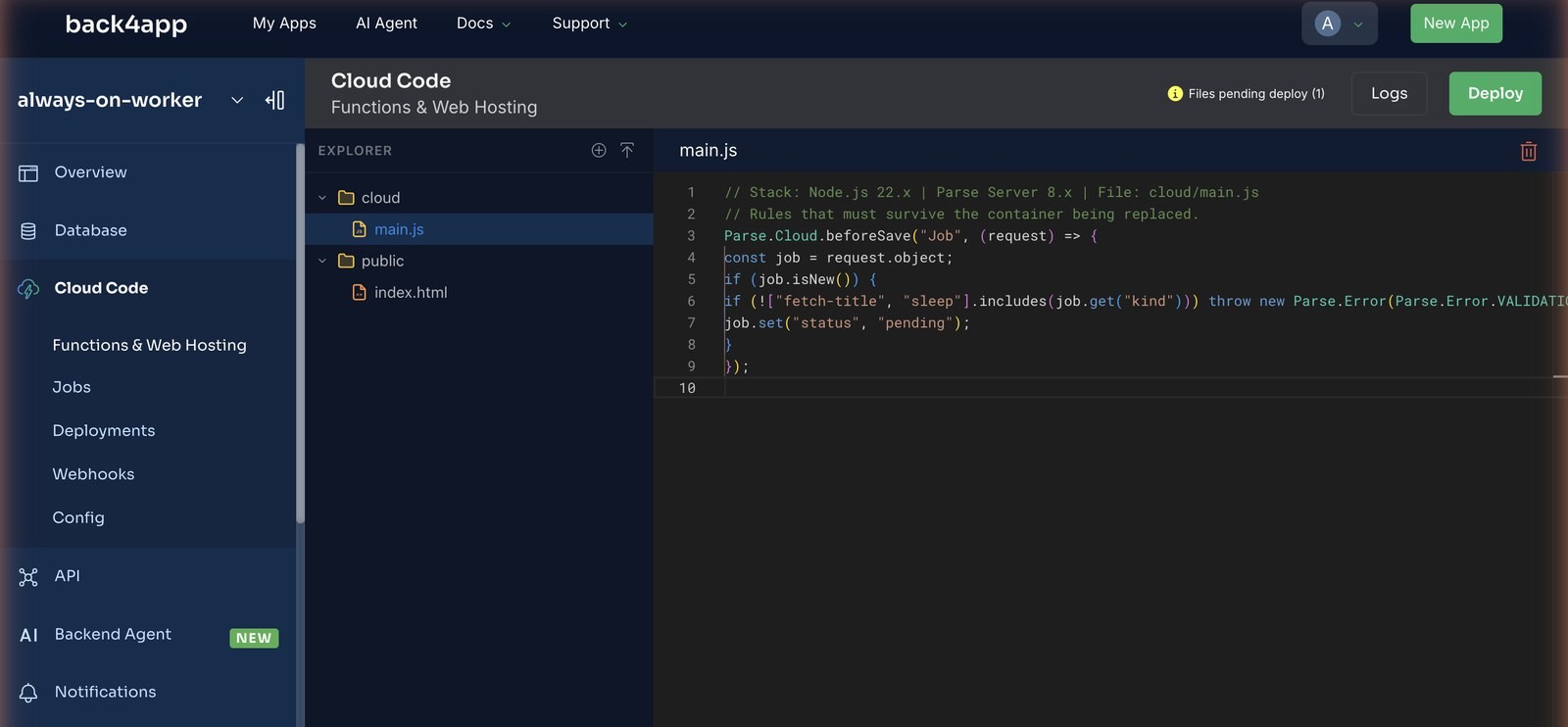
The one rule lives in Cloud Code, inside the backend. Anything can create a Job — a curl, another service, the AI Agent — and the hook decides what a valid job is. A job with a kind the worker does not know never reaches the queue:
// Stack: Node.js 22.x | Parse Server 8.x | File: cloud/main.js
Parse.Cloud.beforeSave("Job", (request) => {
  const job = request.object;
  if (job.isNew()) {
    if (!["fetch-title", "sleep"].includes(job.get("kind")))
      throw new Parse.Error(Parse.Error.VALIDATION_ERROR, "unknown job kind.");
    job.set("status", "pending");
  }
});
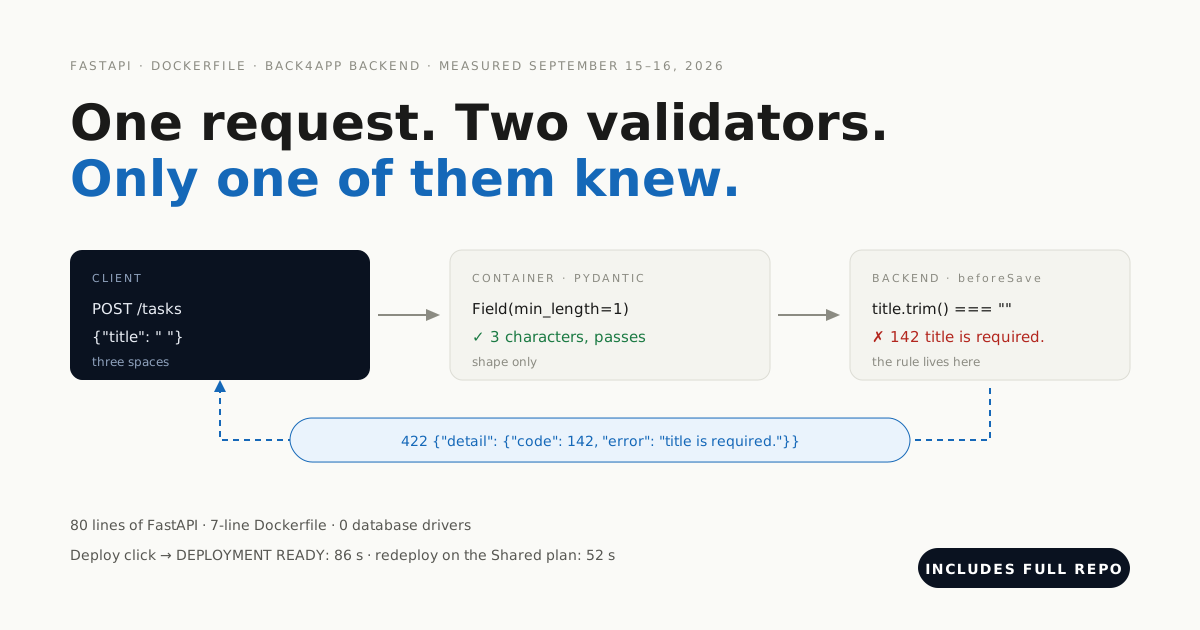
Paste it into Cloud Code → cloud/main.js in the backend dashboard and Deploy. Then prove it with a request — we sent {"kind":"rm-rf"} and got 400 {"code":142,"error":"unknown job kind."}, and {"kind":"sleep","input":{"ms":1500}} came back 201 with status already set to pending by the hook.
Here is a job created two ways. The worker never cares which one made it:
// Stack: Node.js 22.x | Parse JS SDK 8.x | File: any Node process with the App ID and JS key
const job = new Parse.Object("Job");
job.set("kind", "fetch-title");
job.set("input", { url: "https://www.back4app.com/" });
await job.save();               // the hook sets status = "pending"; the worker picks it up within 5 s
# Stack: bash | Endpoint: POST /classes/Job
curl -X POST \
-H "X-Parse-Application-Id: $APP_ID" \
-H "X-Parse-REST-API-Key: $REST_KEY" \
-H "Content-Type: application/json" \
-d '{"kind": "fetch-title", "input": {"url": "https://www.back4app.com/"}}' \
"$BASE/classes/Job"
# {"objectId":"…","createdAt":"…","status":"pending"} ← HTTP 201Same object, same hook. The REST form is what the SDK sends under the hood.
How do you deploy a worker that has no web page?
Push the repo to GitHub, then on the Containers side New App → Deploy from GitHub. The first time, GitHub asks you to install the Back4app Containers app on the repositories you choose; the repo list in the dashboard updates the moment you finish.
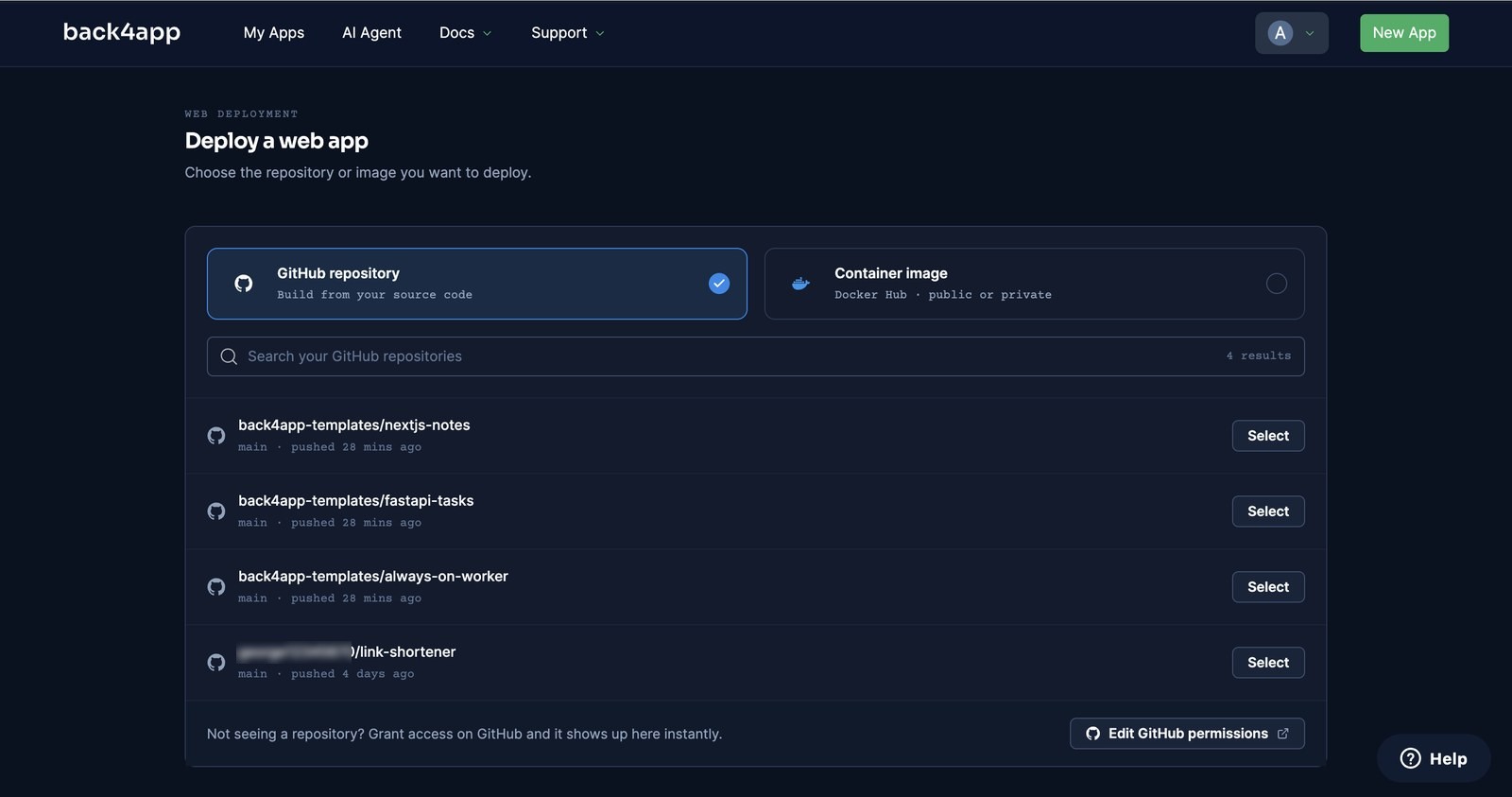
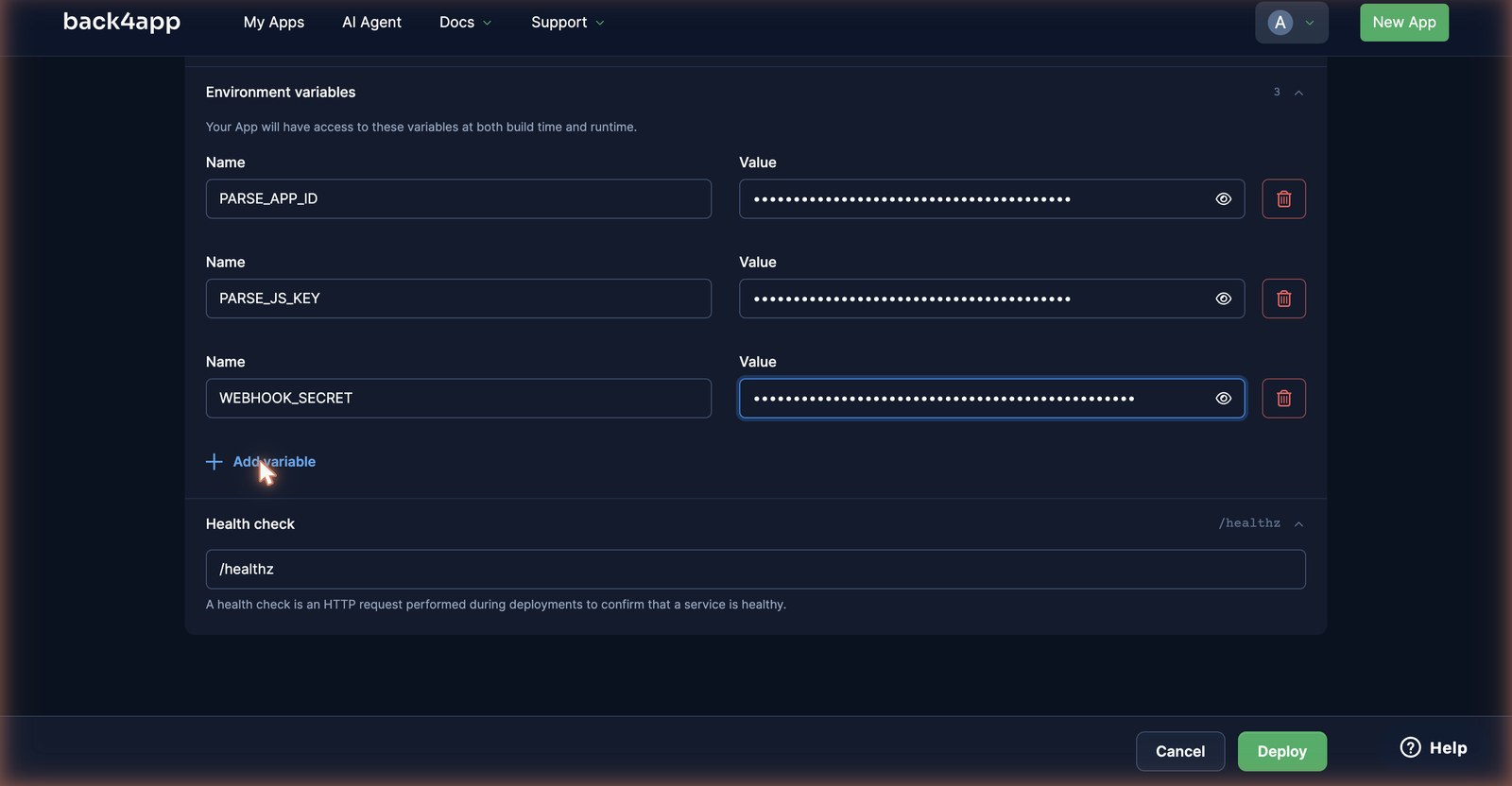
Configure. Select the repo; the form detected the Dockerfile and offered a Node.js buildpack as the alternative. We left the port on auto (it reads EXPOSE 8080), added three environment variables — PARSE_APP_ID, PARSE_JS_KEY, WEBHOOK_SECRET — and changed Health check from / to /healthz.
Deploy. We clicked at 14:55:08. The button read “Deploying…” for 20 seconds before the app page appeared, and then the log ran PREPARING → FETCHING GITHUB REPOSITORY → BUILDING IMAGE → LAUNCHING CONTAINER → CHECKING HEALTH → DEPLOYMENT READY at 14:56:05. By 14:56:11 /healthz was answering with the version number.
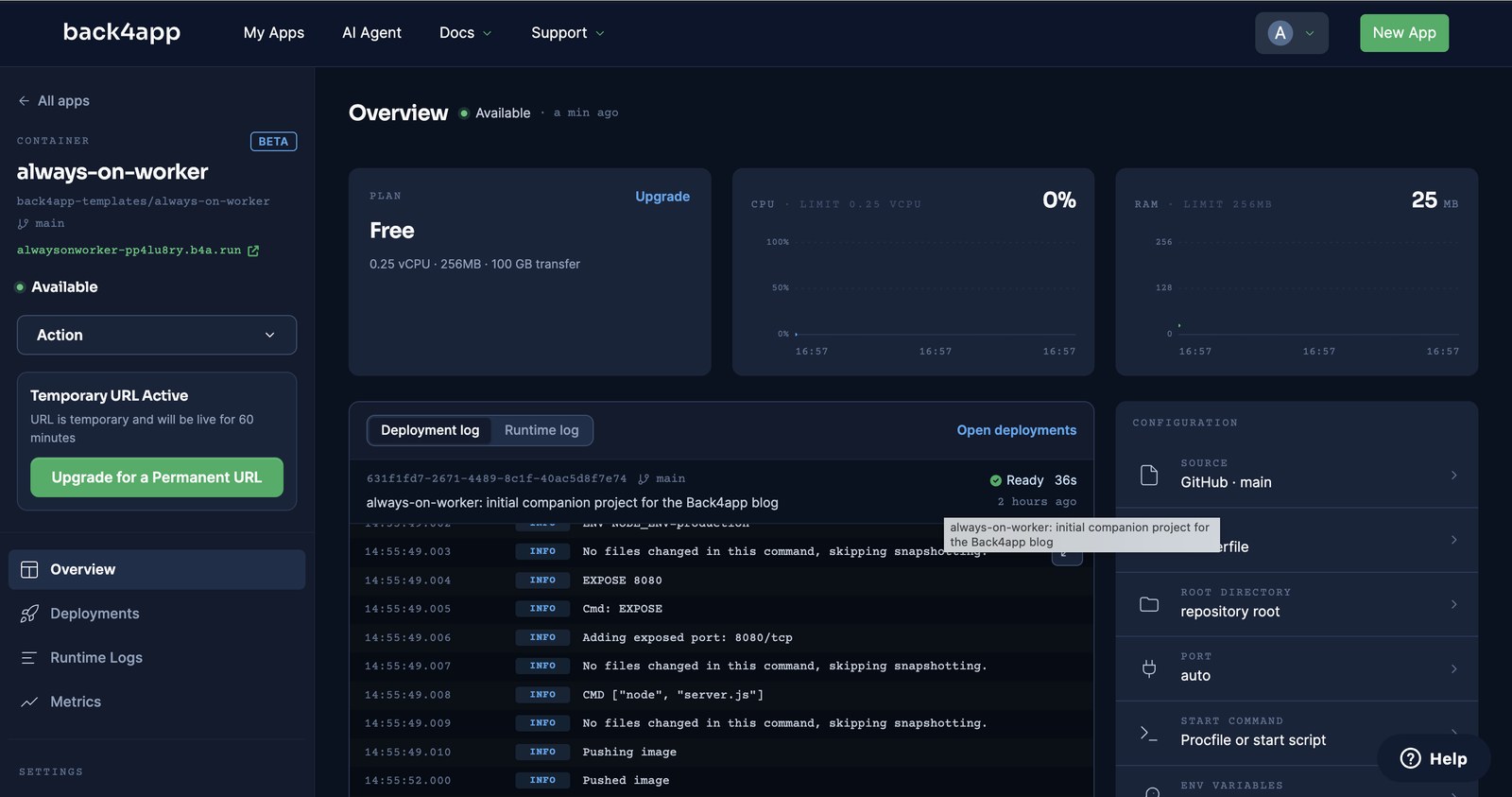
How we measured: a stopwatch from the Deploy click to DEPLOYMENT READY, free plan, one deploy on September 15, 2026. The push-to-live time is one push with autodeploy on, on the Shared plan the next day, watched by a loop polling /healthz for the new version string.
deploy-check.sh in the repo does what you would do by hand: a signed POST /webhook (202 {"stored":"…"}), the same body unsigned (401), then /stats. A Job created through the REST API at 14:56:38.6 was picked up and finished by 14:56:41.4 — the 5-second loop worked on its first tick.
# Stack: bash | File: deploy-check.sh (the signed call)
BODY='{"action":"opened","number":1}'
SIG="sha256=$(printf '%s' "$BODY" | openssl dgst -sha256 -hmac "$WEBHOOK_SECRET" | sed 's/^.* //')"
curl -X POST -H "Content-Type: application/json" -H "X-GitHub-Event: pull_request" \
     -H "X-Hub-Signature-256: $SIG" -d "$BODY" "https://alwaysonworker-<id>.b4a.run/webhook"
# {"stored":"…"}  ← HTTP 202
What do the heartbeats and jobs look like in the database?
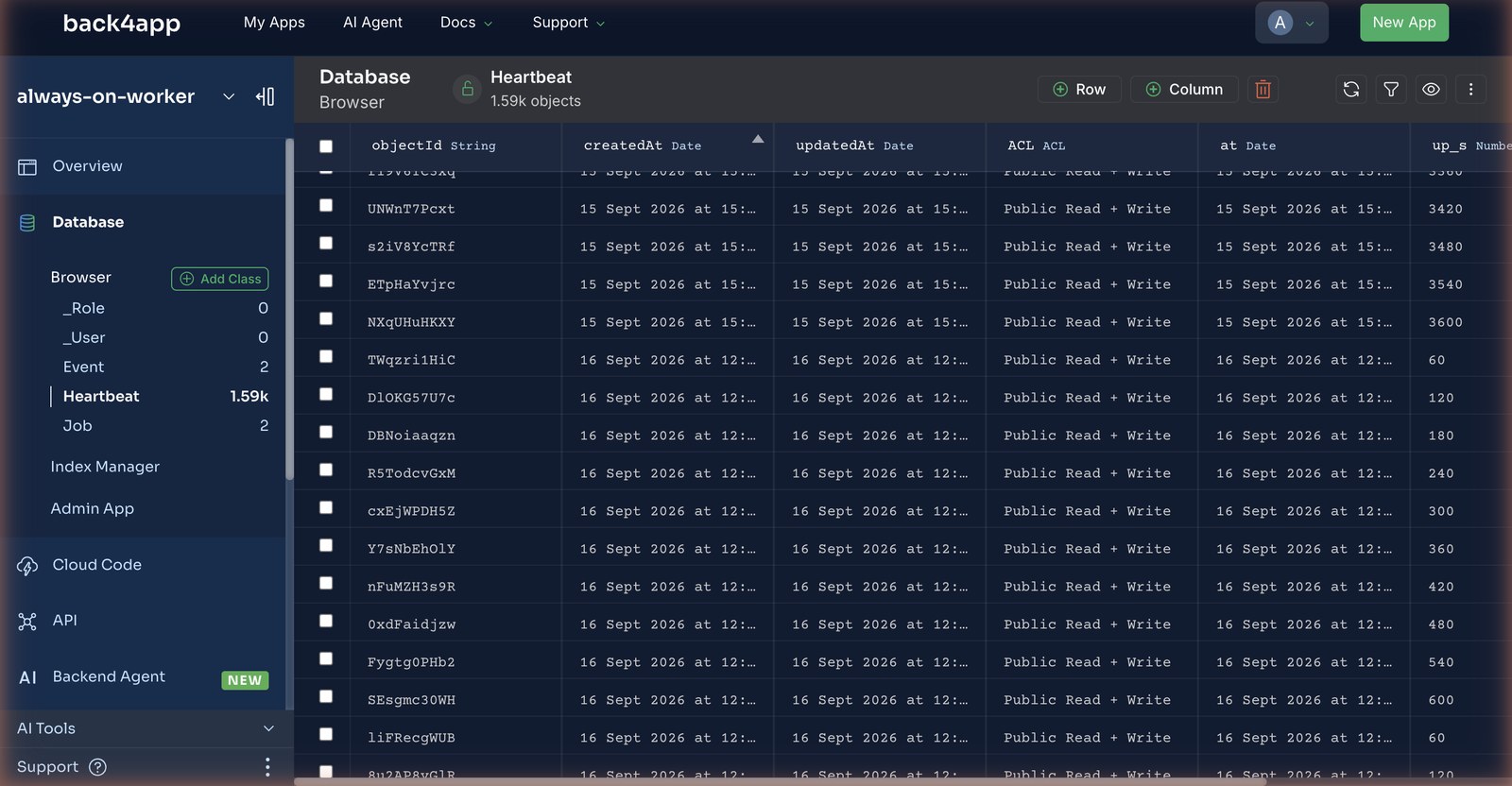
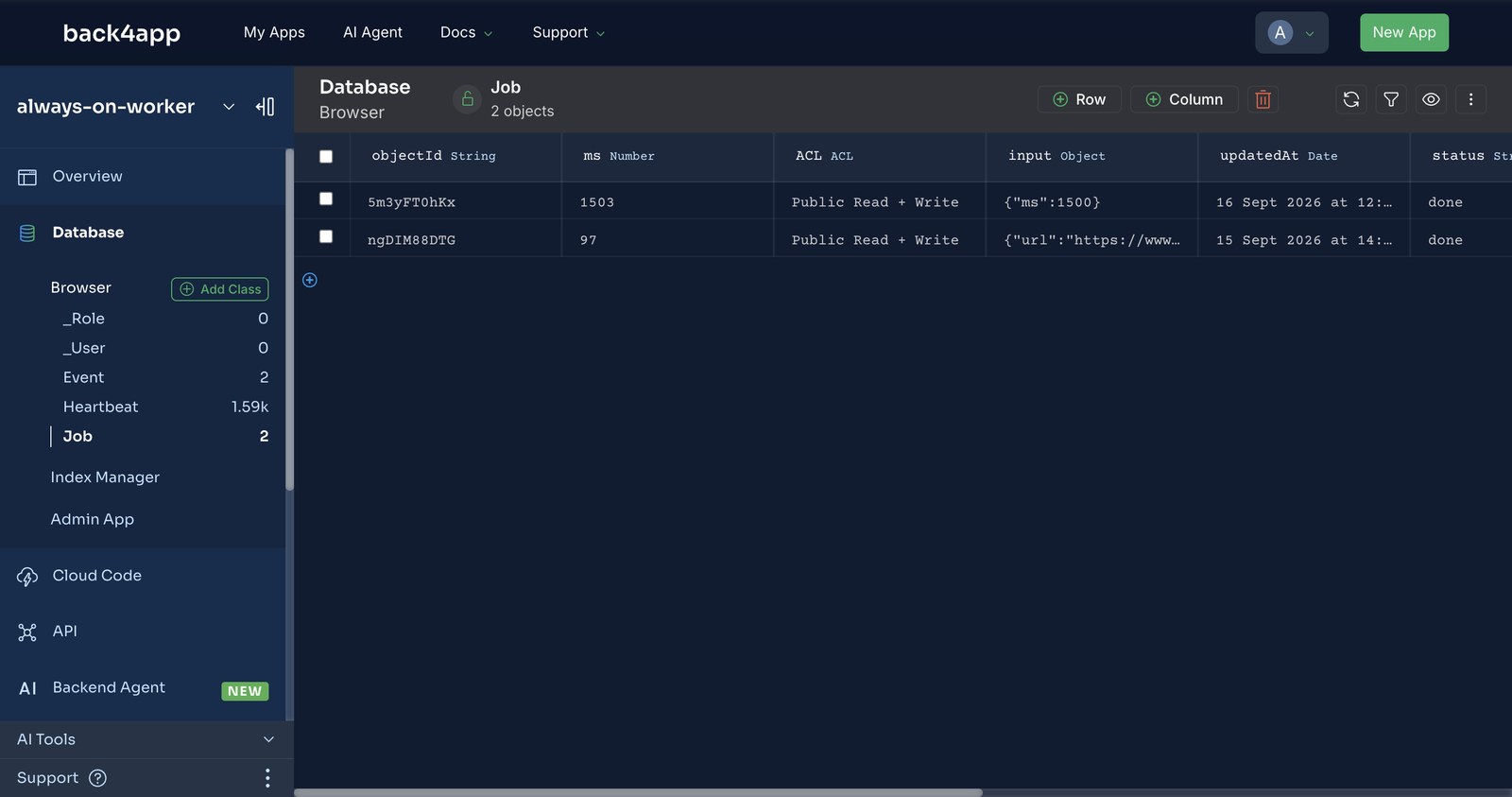
Three screens in the backend dashboard, and every row on them was written by the container above — no seed data, no schema defined by hand. This is the half of “no servers to manage” the container never shows you.
Overview — where the two variables come from. Dashboard → New App → Build your Backend → Create. The Overview page shows the App ID and, under the Keys dropdown, the JavaScript key the worker uses. Those are PARSE_APP_ID and PARSE_JS_KEY in the container form, and nothing else about the database exists on the container side.
Cloud Code — where the rule lives. cloud/main.js open in the editor, with the beforeSave("Job") hook from the previous section. The badge at the top, Files pending deploy (1), is the thing to watch: on a fresh backend it stays at (2) after the first Deploy, which is how you know nothing shipped.
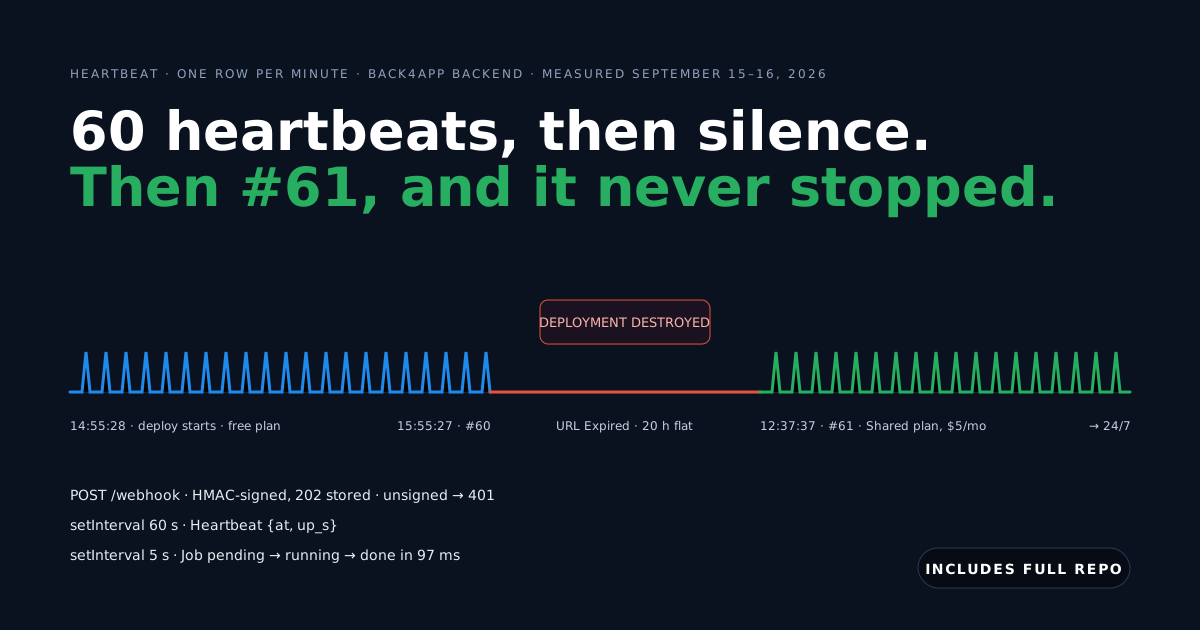
Database Browser — the Heartbeat class, sorted by createdAt. The container created this class with its first save; the at and up_s columns were inferred from the JSON. Rows 60 and 61 sit next to each other: up_s 3600 on September 15, then up_s 60 on September 16 — the 20-hour gap in which the free container did not exist.
Database Browser — the Job class. Two jobs, both done: the fetch-title job the REST call created (ms 97) and a sleep job (ms 1503). The worker wrote status, result and ms; the hook wrote the initial pending; the caller wrote only kind and input.
How long does the free plan keep it running?
Sixty minutes, counted from the moment the deploy starts — and then the container is destroyed, not paused. This is the finding that changes the shape of the post, so here is exactly what we saw on September 15, 2026.
The Overview showed a card the moment the app came up: Temporary URL Active — URL is temporary and will be live for 60 minutes. We had a poller on /healthz and on the heartbeat count in the backend, once a minute.
Deploy started 14:55:28. At 15:55:27 the URL answered 404 not found. The backend held exactly 60 heartbeats and never got a 61st — the timer inside the container had stopped, because the container had.
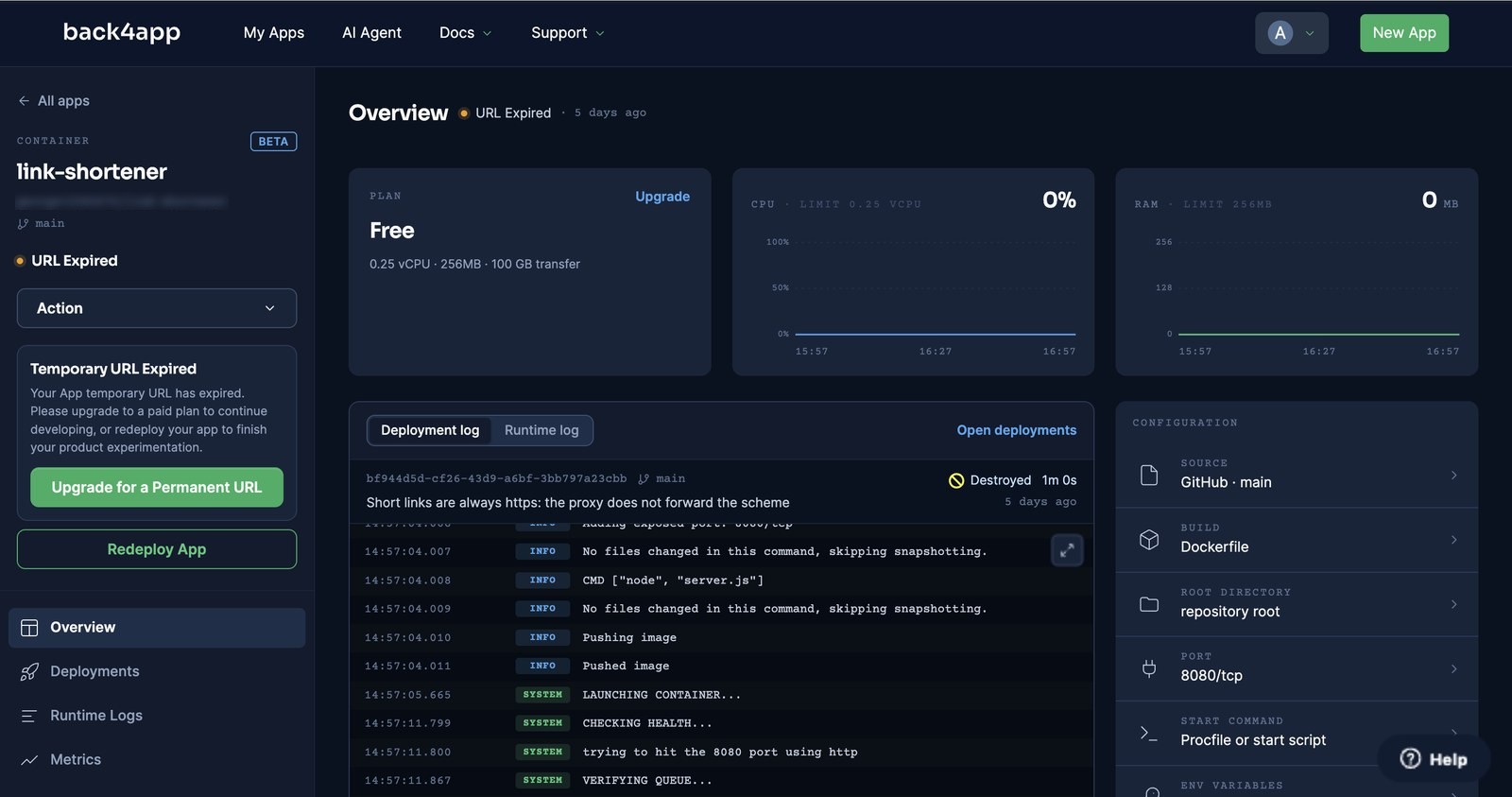
On a second app we caught the log lines: The Back4app custom domain has expired for free plan → COOLING DOWN… → FINISHING CONTAINER… → DEPLOYMENT DESTROYED, one minute apart. The dashboard card then reads Your App temporary URL has expired. Please upgrade to a paid plan to continue developing, or redeploy your app to finish your product experimentation. A redeploy restarts the hour.
What does “24/7” cost, and what changes?
Five dollars a month for the smallest paid plan, and the plan change alone redeployed the app on the same URL. Plan → Upgrade opens the table; Shared 0.5 vCPU / 512 MB / 100 GB transfer is $5/month, Shared 1 vCPU / 1 GB is $15, and dedicated plans start at $50 (all as of September 16, 2026 — check the pricing page rather than this post).
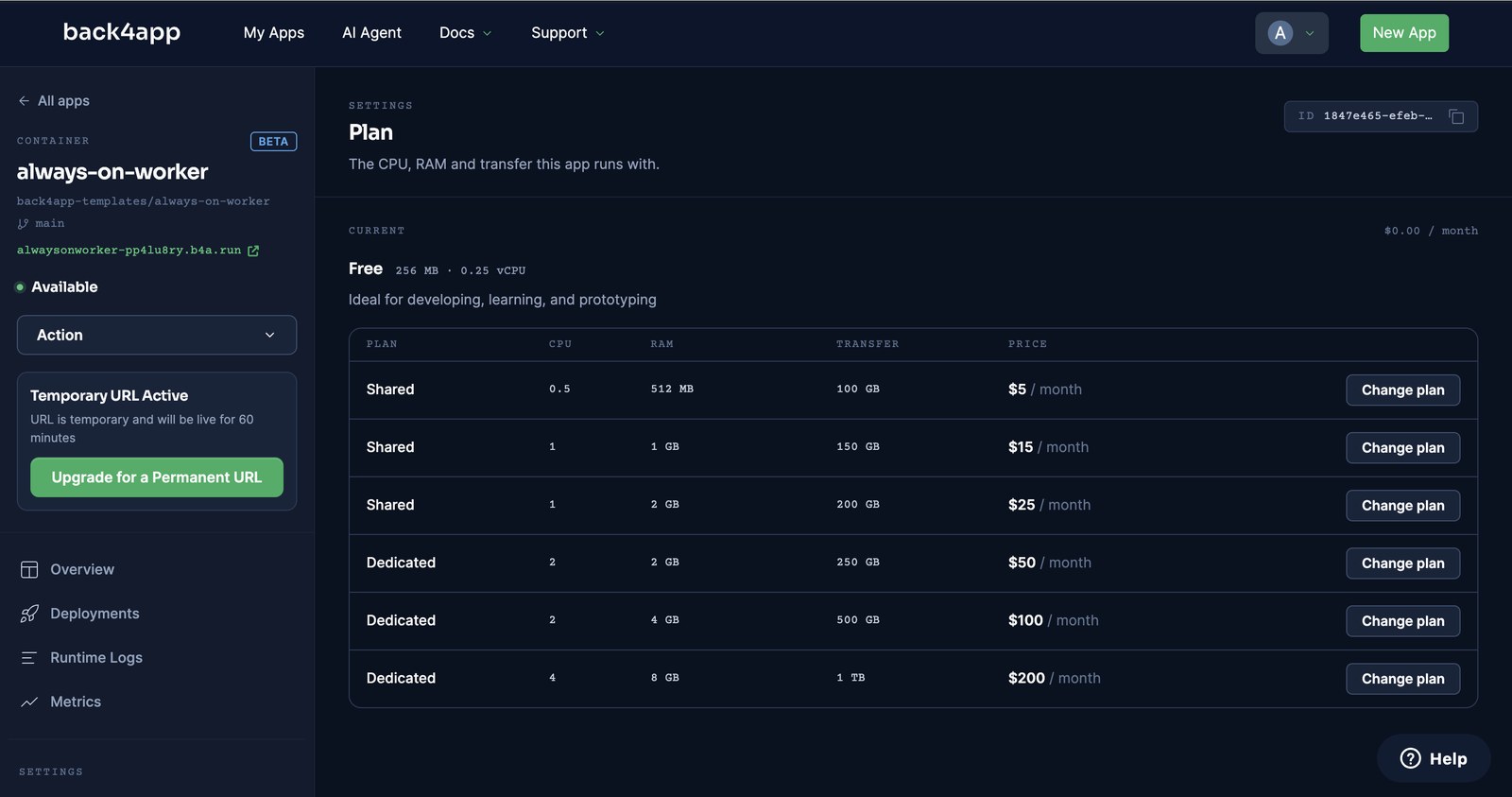
We changed the plan the next morning. Without clicking Deploy, the log showed PREPARING DEPLOYMENT at 12:35:37 and DEPLOYMENT READY at 12:36:41 — 63 seconds — on the same b4a.run URL; the Temporary URL card was gone. At 12:37:37 the container wrote heartbeat #61. Number 60 was from the previous afternoon, and nothing in between was lost, because nothing was in the container.
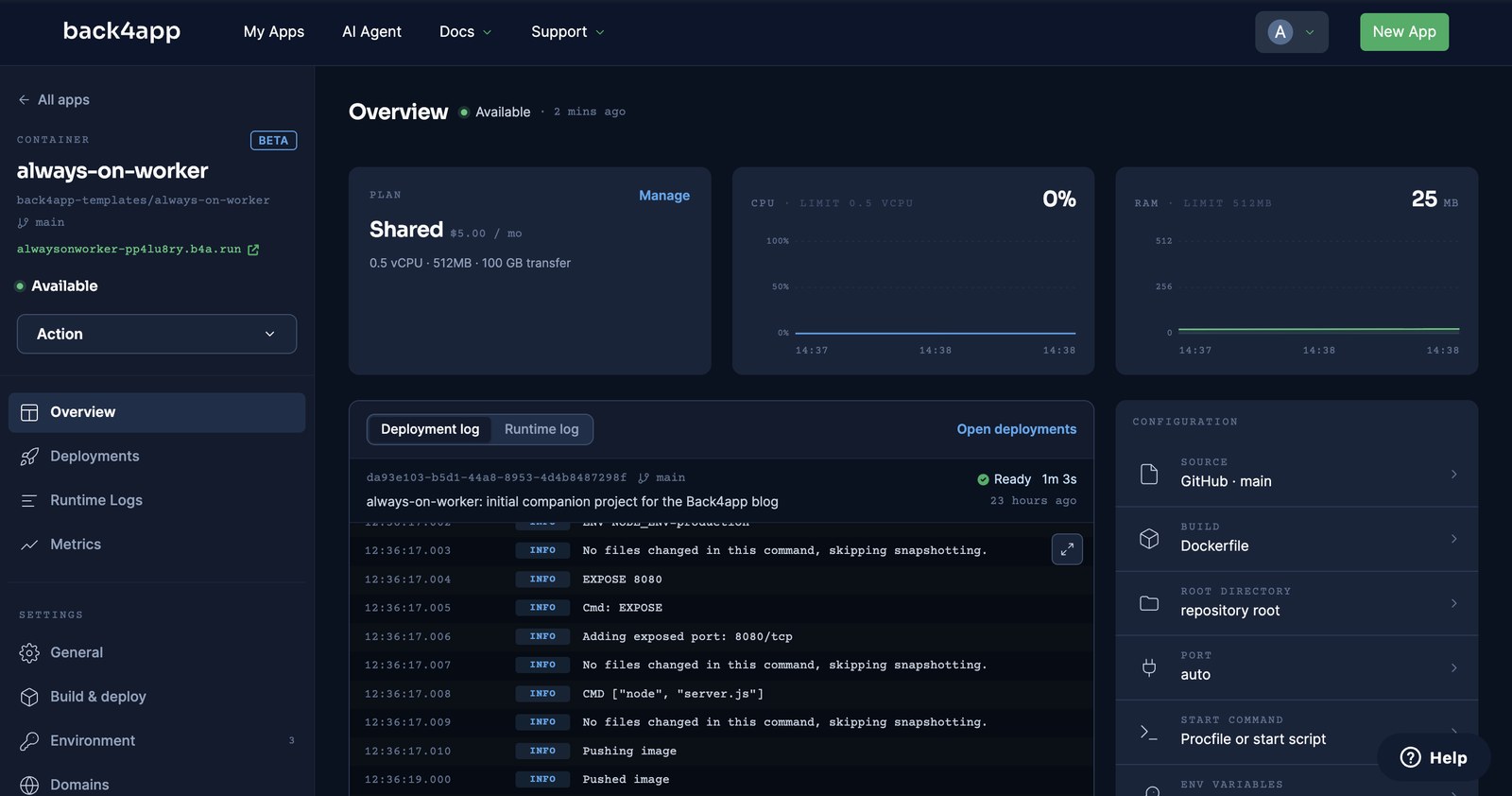
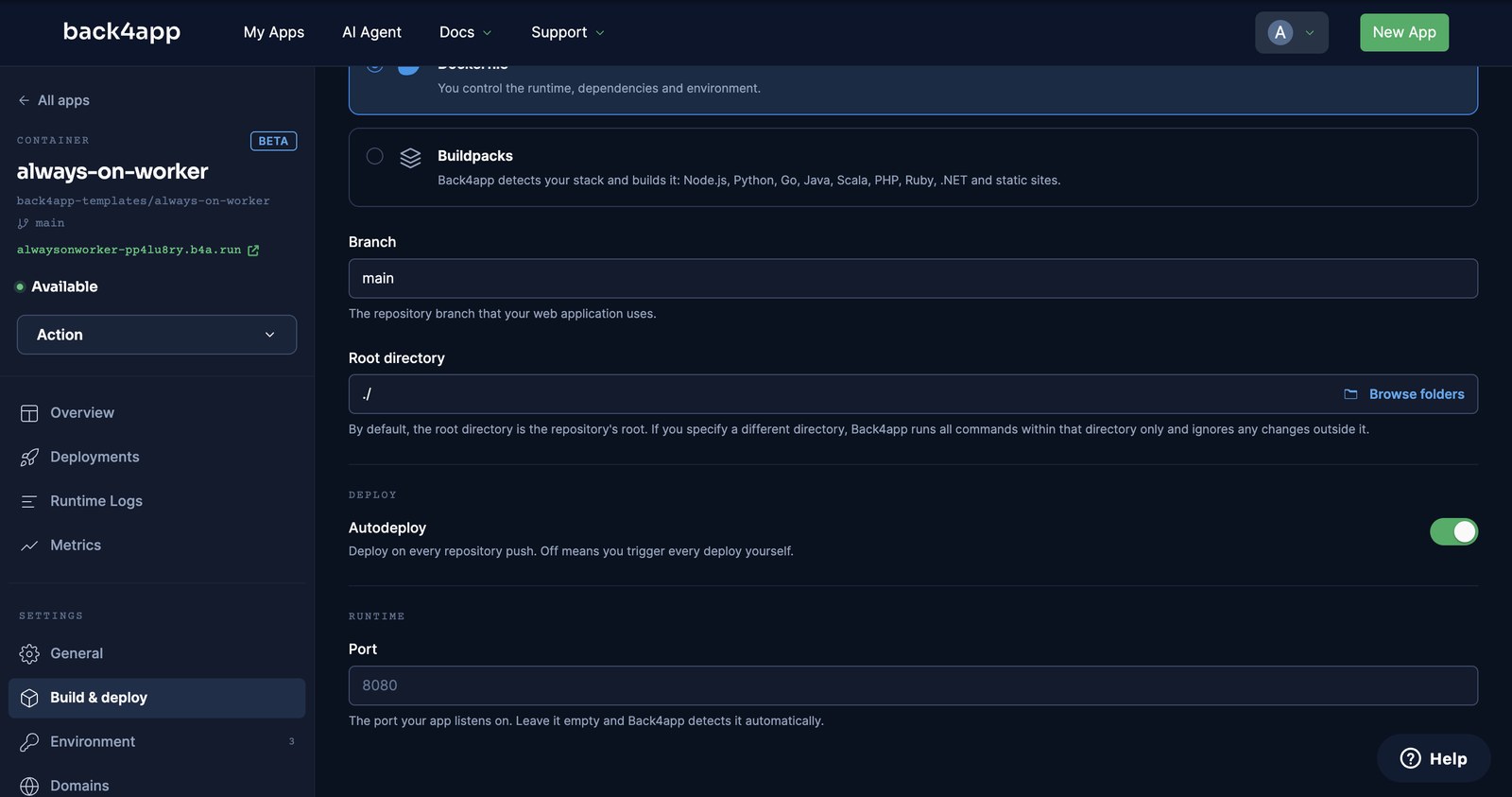
The paid plan also unlocks Autodeploy (Settings → Build & deploy). We turned it on, saved, and pushed a one-line version bump at 12:45:02. GitHub’s webhook reached the platform before our git push command had returned: PREPARING at 12:45:05.
DEPLOYMENT READY came at 12:45:48, and the poller saw the new version 44 seconds after the push. The old container kept answering until the swap — zero failed polls.
Why is the webhook returning 401? Worker errors and their fixes
We broke the worker on purpose, and the platform broke it once for us. Each entry starts with what you will actually see.
401 {"error":"bad signature"} on every webhook. Three causes, in the order we hit them: the secret in the container’s environment differs from the one you signed with; you signed the parsed JSON instead of the raw bytes (key order and whitespace change the hash — capture req.rawBody in the verify callback); or the header is X-Hub-Signature (SHA-1) rather than X-Hub-Signature-256. Test with deploy-check.sh before wiring the real sender.
400 {"code":142,"error":"unknown job kind."} when creating a Job. The backend hook rejected it — working as intended. Add the kind to the list in cloud/main.js, redeploy the Cloud Code, and prove the redeploy with a request; see the finding above about the first deploy shipping nothing.
404 not found on the URL, dashboard says URL Expired. The free hour is over and the container is gone. Redeploy to get another hour, or change the plan; the plan change redeploys on its own.
DEPLOYMENT READY on a container whose routes all fail. The platform’s check only needs the port to answer — a 404 passed it in our test — so a wrong key or a crashed handler is not caught at deploy time. Run deploy-check.sh against the URL after every deploy; that is the health check.
Success on deploying your changes! but the hook does nothing. The first Cloud Code deploy on a fresh backend ships no files. Look at Logs → System for main.js not found, edit the file in the editor, deploy again.
Heartbeats stop but /healthz still answers. The timer’s save() is failing — a revoked key, a paused backend, a Heartbeat class made read-only. The route does not touch the backend, so it stays green. Our /stats route does touch it; poll that one from your uptime monitor.
When is an always-on container the wrong answer?
Per our own manifesto, a post where only the platform wins does not get published — so here is the other column.
- Your “bot” only ever reacts to requests. A webhook that stores and returns, with no timers and no open sockets, is a function’s job. You pay per call and nothing runs at 03:00.
- You need the job to run at exactly 03:00:00.
setIntervaldrifts, and a redeploy resets it — our worker’s first heartbeat after the plan change came 60 seconds after the process started, at 12:37:37, not on the minute. Real schedules belong in a scheduler that calls your route, or in the backend’s own scheduled Cloud Jobs. - The queue needs delivery guarantees. Our loop is one process taking the oldest pending row every 5 seconds; two replicas would race. If you need exactly-once, retries with backoff and dead letters, use a queue service and keep this container as the consumer.
- You need root, a GPU, or more than 8 GB. Then you are in VPS territory, and the patching comes with it.
If none of those describe you, one small container that never sleeps in front of a backend that never forgets is the shape we would choose again — at $5/month, the price of a small VPS, and nobody has to patch it.
What would you add to the worker next?
You have a process that stays up, a webhook that rejects anything unsigned, a cron you can audit by counting rows, and a queue anything can feed. From here:
- Point a real sender at it. GitHub → repository → Settings → Webhooks → your URL + the same secret; the
X-Hub-Signature-256header is exactly what the route verifies. - Add a job kind. One branch in
runJob, one entry in the hook’s list, one push — autodeploy does the rest in under a minute. - Alert on silence. A second, tiny process (or the backend’s scheduled jobs) that checks whether the latest
Heartbeatis older than two minutes is the whole monitoring system.
All code above is complete and tested — the companion repo includes deploy-check.sh, which runs the health, signed, unsigned and stats checks against any deployment URL you give it.