Your app runs on localhost. It has a Dockerfile. And every hosting page you open answers the question “where does my code run?” — but not the one that actually keeps you up at night: “where does my data live, and who is patching that server?”
This post is about the ordinary case: a Node.js web app, Express serving a page and two routes, that needs somewhere to run and somewhere to keep its data. A container platform runs your code. A backend gives you the database, the rules and the auth you did not write. Most apps need both; few platforms ship both.
The same shape has three other posts, one per variant: a Python API with FastAPI, a server-rendered Next.js app and a worker that must never sleep.
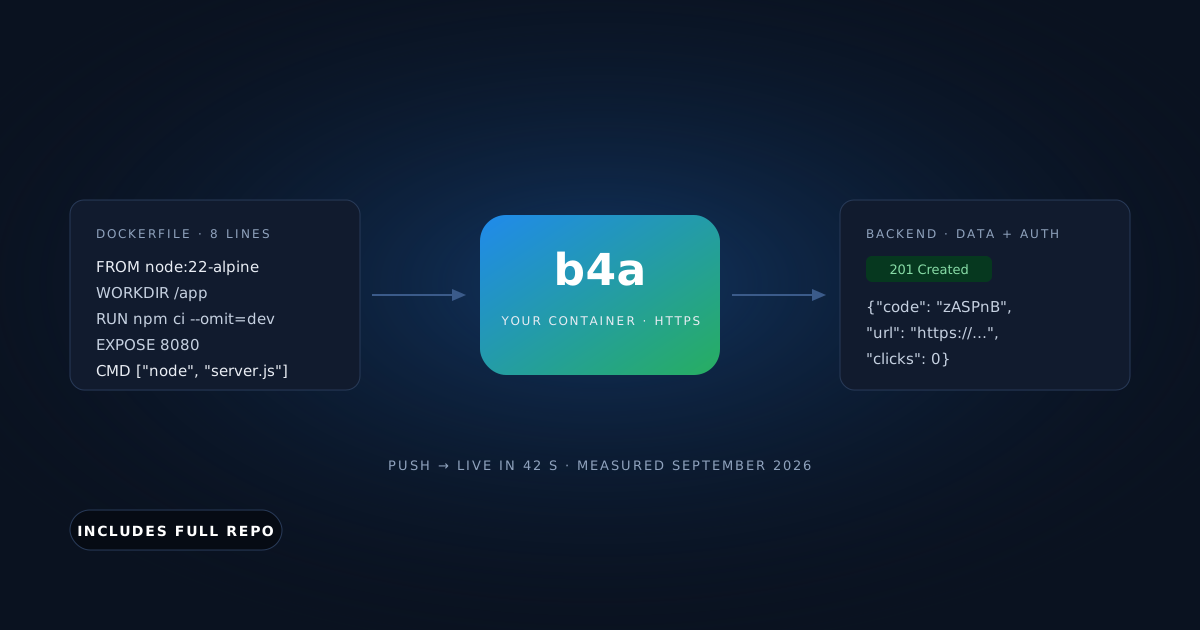
We built a link shortener — 42 lines of Express, an 8-line Dockerfile — pushed it, and had it storing data behind HTTPS without a server to administer. The first deploy took 42 seconds from click to 200. Redeploys took 14 to 33 seconds. Everything below is from that run, on September 10, 2026, including the parts that broke.
Get the working code: the companion repo is at github.com/templates-back4app/link-shortener — server.js, Dockerfile, cloud/main.js, and deploy-check.sh, which verifies a deployment end to end. Clone it, star it, or open an issue when something drifts.
What does “without managing a server” include?
Say the phrase out loud and it sounds like one thing. It is five. A platform can honestly claim it only if it covers the whole list:
| What you need | Why it is not optional | Where it lives in this post |
|---|---|---|
| Your code running | The obvious part | Container, section 03 |
| HTTPS on a public URL | Browsers and app stores refuse plain HTTP | Container, automatic |
| A database you don’t run | Data outlives the container | Backend, section 04 |
| Validation and auth outside the container | The container is disposable; the rules are not | Backend, section 05 |
| Redeploy on change, without downtime | Otherwise you are back to SSH | Section 06 |
Most container hosts stop at the first two: they run the Dockerfile and give you a URL. The database is a separate, separately billed service, and auth is yours to write.
Back4app is the one we tested because it ships the second half as a product: a backend app with a managed database, auth, REST and Cloud Code, that a container app talks to over the network. Two apps, one account, and the rest of this post is the measured walk through both.
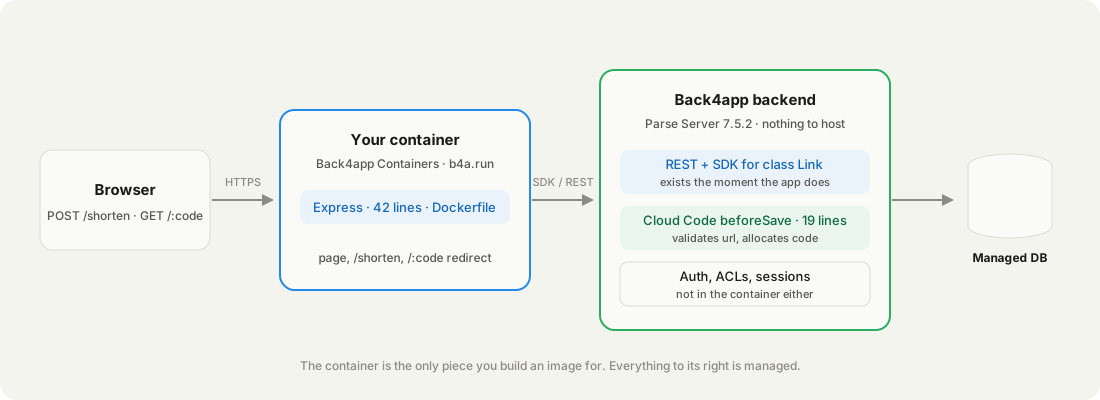
The container is the only piece you build an image for. Everything to its right is managed.
What does the link shortener look like, file by file?
A link shortener — the smallest app that exercises both halves. The container serves a page and two routes: POST /shorten creates a Link object in the backend, GET /:code looks it up and redirects. The backend owns the data and the rules.
Four files matter. The whole Dockerfile:
# Stack: Docker | Node.js 22 (alpine) | File: Dockerfile
FROM node:22-alpine
WORKDIR /app
COPY package*.json ./
RUN npm ci --omit=dev
COPY . .
ENV NODE_ENV=production
EXPOSE 8080
CMD ["node", "server.js"]
The container reads its configuration from the environment — nothing else is baked into the image:
// Stack: Node.js 22.x | Express 5.x + Parse JS SDK 8.x | File: server.js (excerpt)
const { PORT = 8080, PARSE_APP_ID, PARSE_JS_KEY,
        PARSE_SERVER_URL = "https://parseapi.back4app.com" } = process.env;

Parse.initialize(PARSE_APP_ID, PARSE_JS_KEY);
Parse.serverURL = PARSE_SERVER_URL;

app.post("/shorten", async (req, res) => {
  const link = new Parse.Object("Link");
  link.set("url", String(req.body.url ?? ""));
  const saved = await link.save(); // the backend validates and assigns the code
  const short = `https://${req.get("host")}/${saved.get("code")}`;
  res.status(201).json({ code: saved.get("code"), short, url: saved.get("url") });
});You need a free Back4app account, a GitHub account (the container deploys from a repository), and curl. No Docker on your machine: this whole post was produced on a Mac without Docker installed, because the platform builds the image.
How do you deploy a Node.js Dockerfile from GitHub?
Two things have to exist first: the backend the container will talk to, and a GitHub repository the platform can read. We did the backend first so its keys were ready.
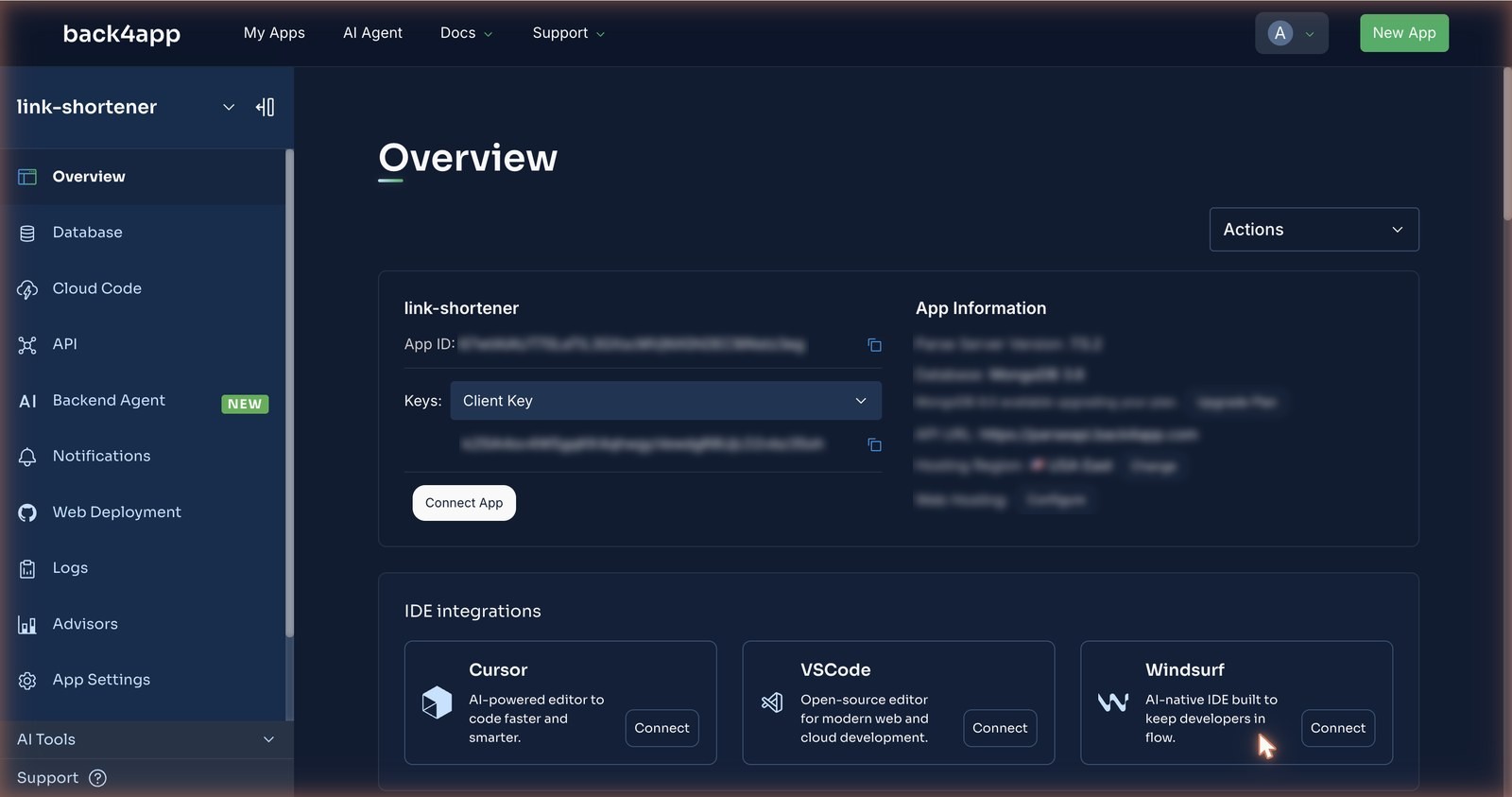
Backend. Dashboard → New App → Build your Backend, name it, Create. Eighty seconds later the Overview page shows the App ID and, under the Keys dropdown, the JavaScript key — the two values the container needs.
Repository. Push the four files to GitHub. Then, on the Containers side, New App → Deploy from GitHub → Import GitHub Repo. This opens GitHub’s install page for the Back4App Containers app: pick Only select repositories, choose the repo, Install & Authorize. Sixteen seconds after that click the repo was listed in the dashboard.
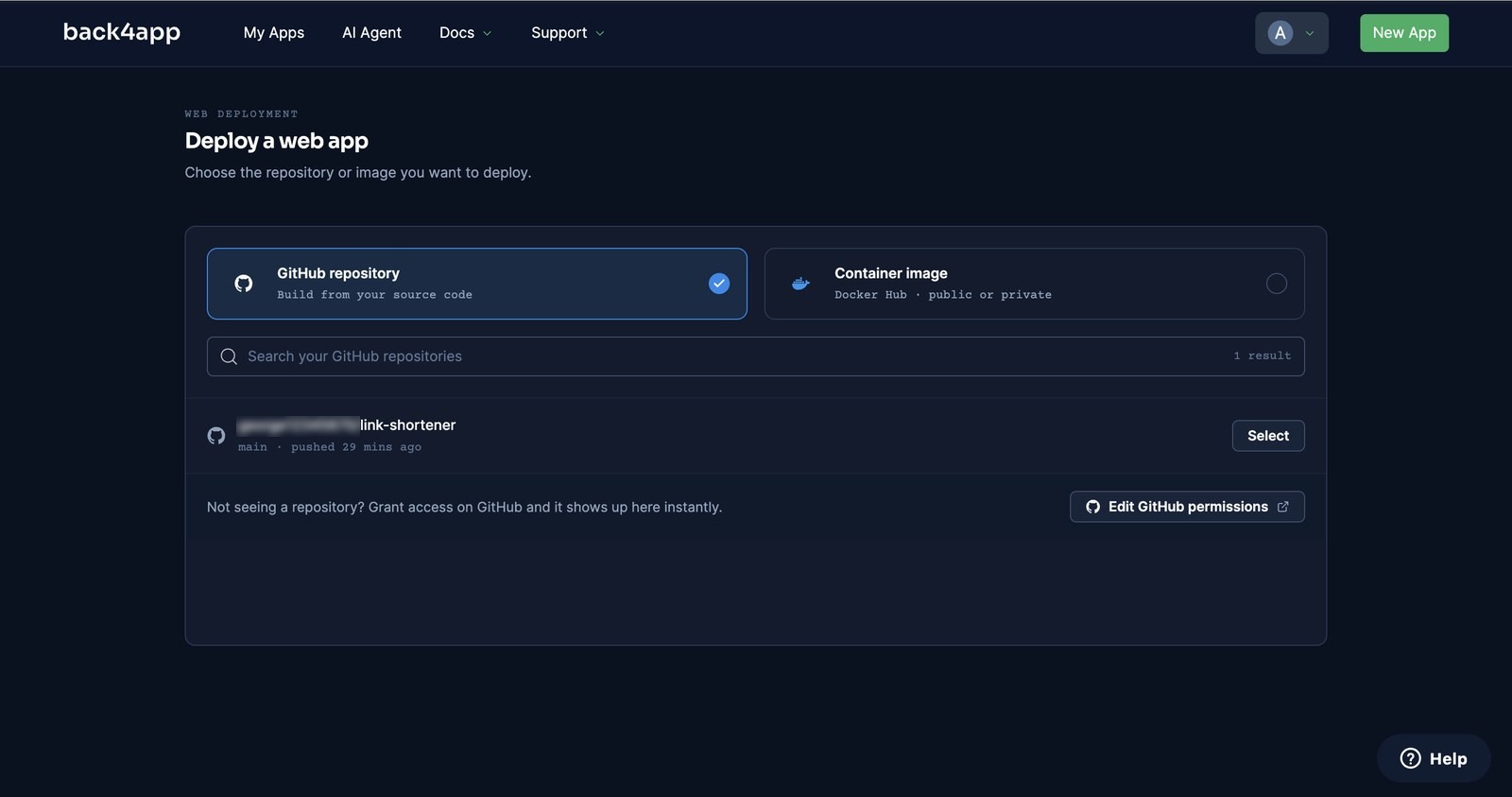
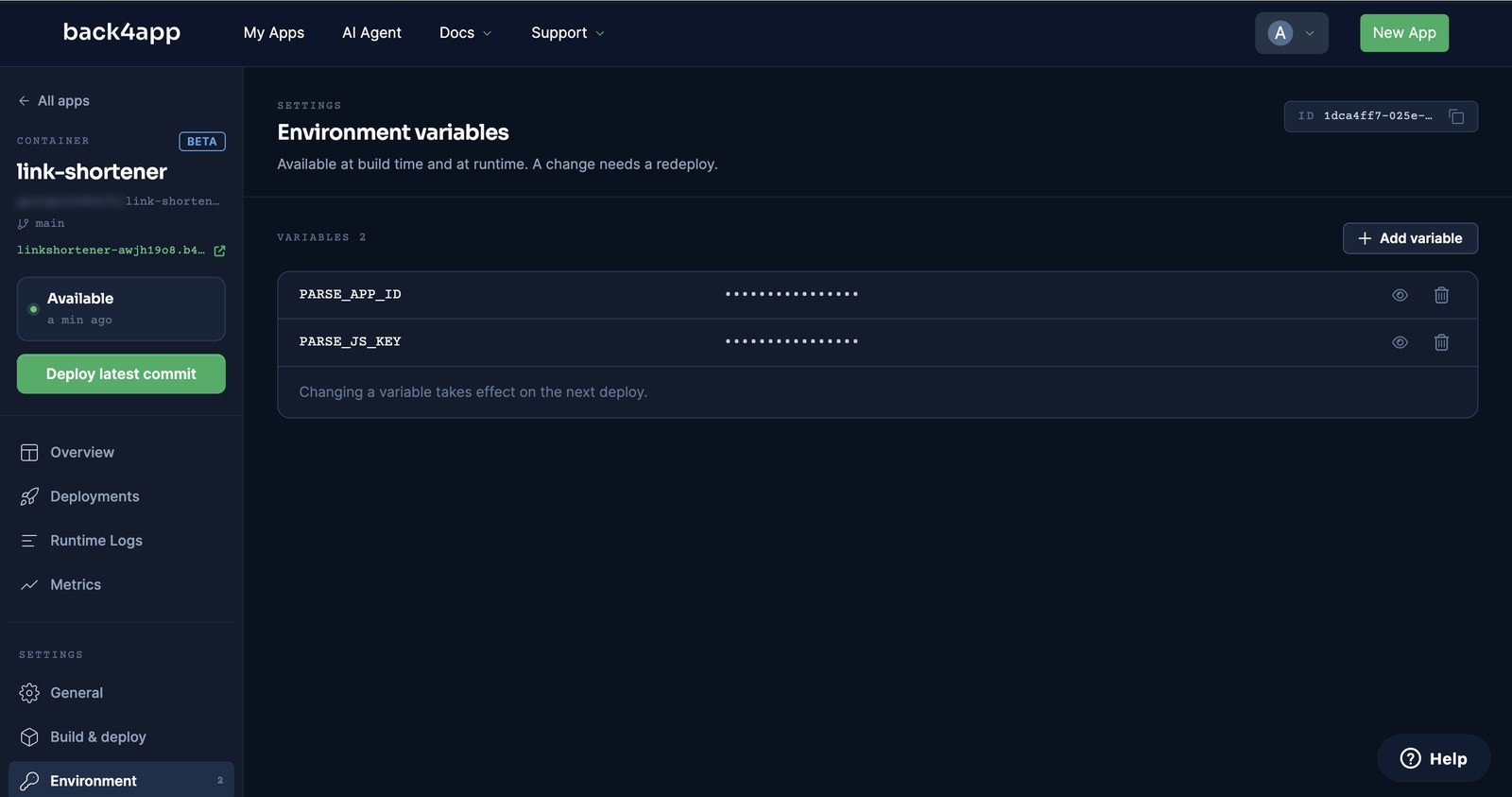
Configure and deploy. Select the repo and the form asks for a name, the branch, and a build method — it detected the Dockerfile. We left the port empty (the platform reads EXPOSE), set the health check to /healthz, and added two environment variables: PARSE_APP_ID and PARSE_JS_KEY. Then Deploy.
We clicked at 11:12:45. The log went PREPARING → FETCHING GITHUB REPOSITORY → BUILDING IMAGE → Pushed image → LAUNCHING CONTAINER → CHECKING HEALTH → DEPLOYMENT READY, and /healthz answered 200 at 11:13:27.
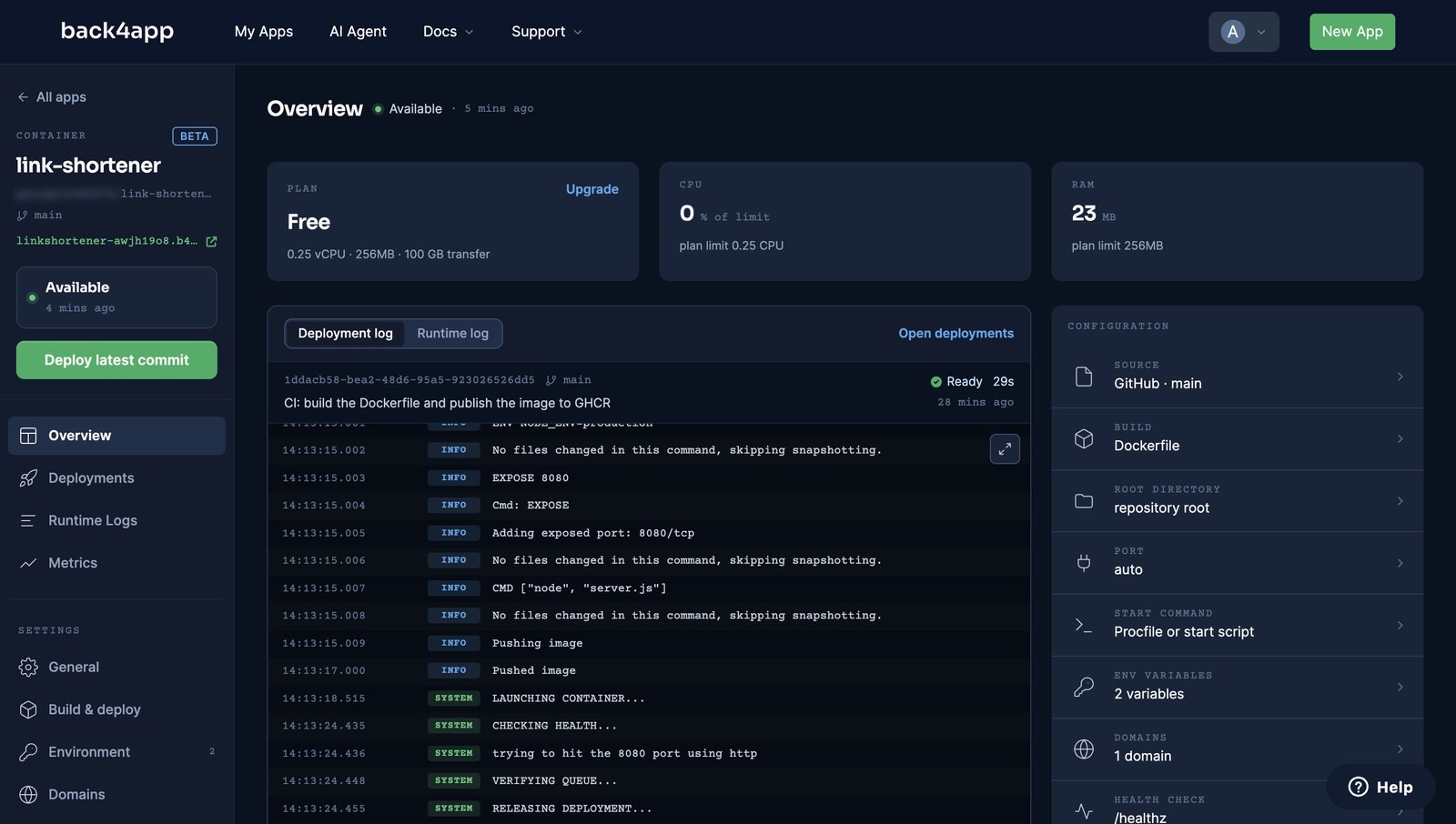
How we measured: a stopwatch from the Deploy click to the first 200 from the public URL, on the free plan (0.25 vCPU, 256 MB), one deploy on September 10, 2026. The redeploy times are four separate pushes the same day. Your build time moves with image size and registry speed; the numbers here are a reference, not a promise.
The URL is https://linkshortener-<id>.b4a.run — HTTPS included, no certificate to request. The free container gets 0.25 vCPU, 256 MB and 100 GB of transfer.
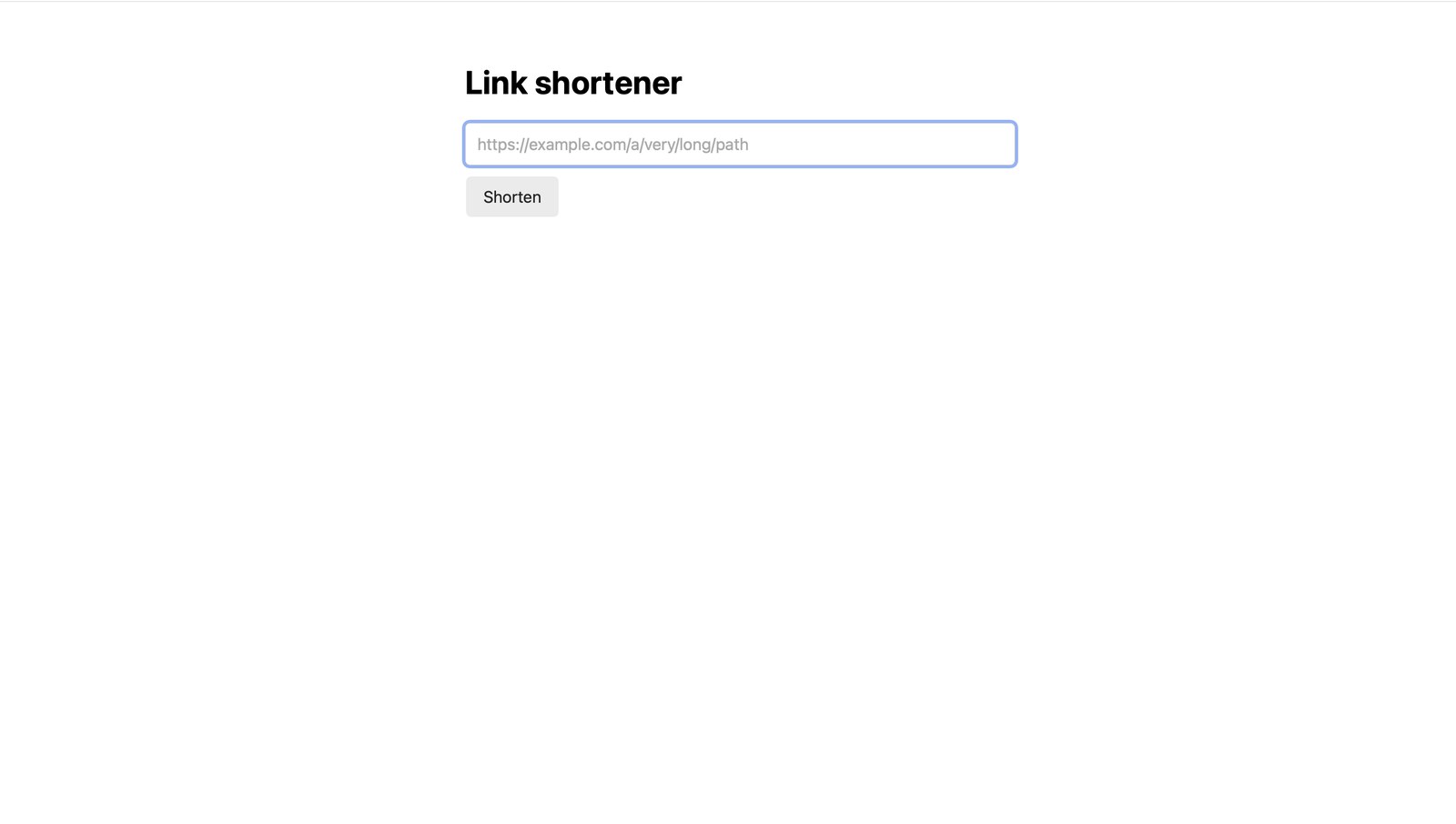
How do you store data without a database?
You already did, in the code above: link.save() sends the object to the backend over HTTPS, using the App ID and key from the environment. There is no connection string, no pool, and no database process inside the container.
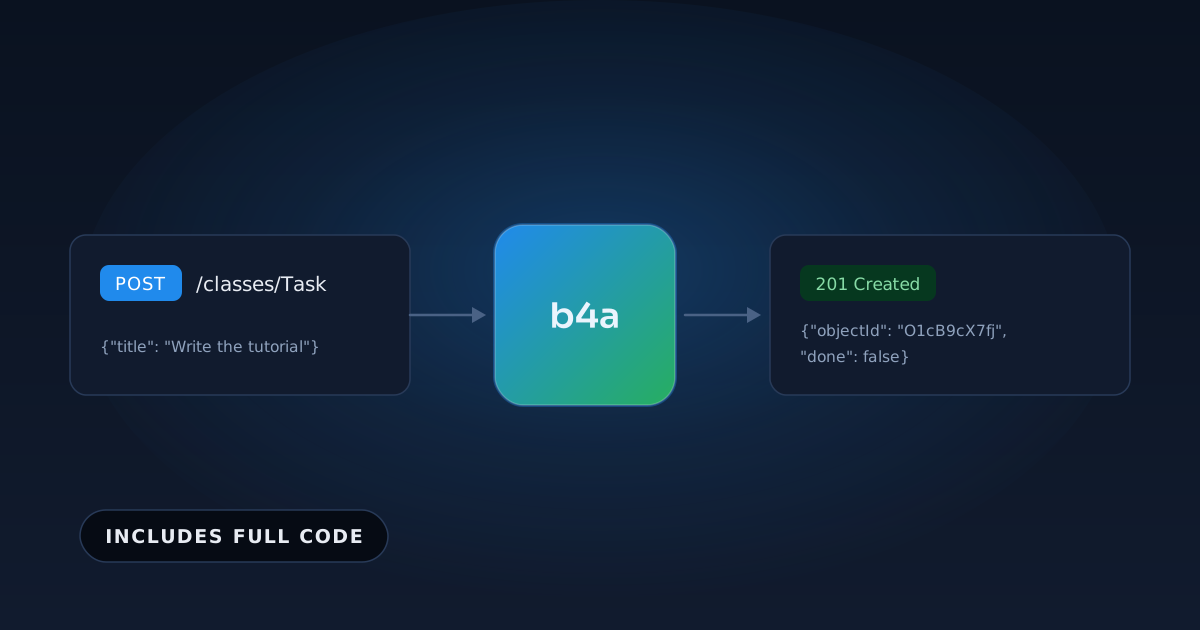
Here is the same write two ways. The container uses the SDK; the REST form is what the SDK sends, and it works from anywhere — including your terminal, with your own keys:
// Stack: Node.js 22.x | Parse JS SDK 8.x | File: server.js (the write)
const link = new Parse.Object("Link");
link.set("url", "https://www.back4app.com/docs/");
const saved = await link.save();
console.log(saved.get("code")); // assigned by the backend hook, e.g. "zASPnB"
# Stack: bash | Endpoint: POST /classes/Link
curl -X POST \
-H "X-Parse-Application-Id: $APP_ID" \
-H "X-Parse-REST-API-Key: $REST_KEY" \
-H "Content-Type: application/json" \
-d '{"url": "https://www.back4app.com/docs/"}' \
"$BASE/classes/Link"
# {"objectId":"…","createdAt":"…","code":"zASPnB"} ← HTTP 201Same write, same backend. The REST form is what the SDK sends under the hood.
The first save from the container created the Link class on its own — no schema was defined beforehand (Parse Server 7.5.2 on Back4app, September 2026). Seconds later the objects were visible in the dashboard’s Database Browser, with url, code and clicks columns inferred from what the container wrote.
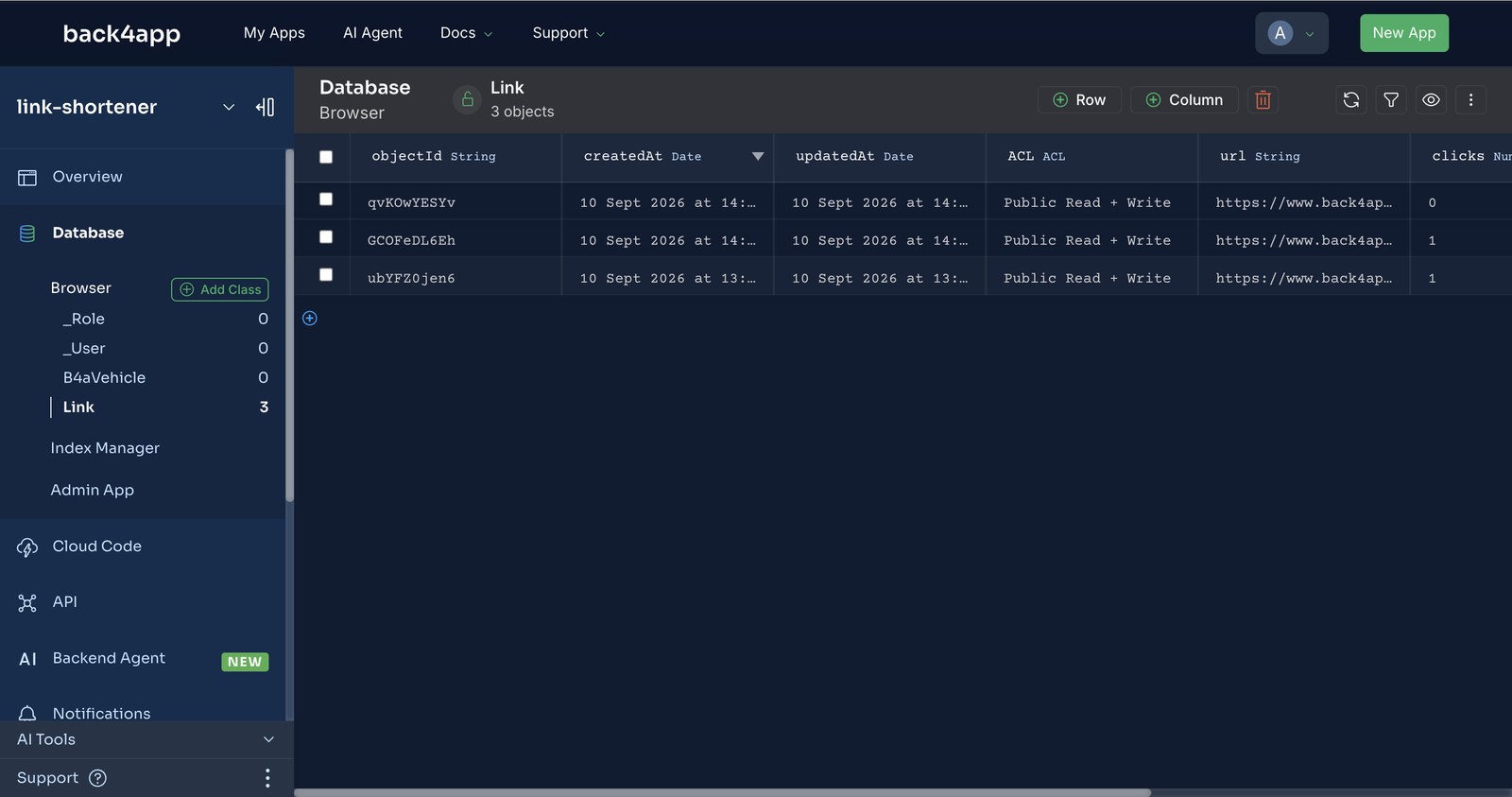
Latency, measured from a laptop at UTC−3 with 10 samples each: a write that goes through the container to the backend took a median of 205 ms end to end; the same write sent directly to the backend took 440 ms. The container and the backend sit in the same region (USA East), so the hop between them is the cheap part of the trip.
Where do validation and short-code generation live?
Everything that has to survive the container being replaced: the rules about your data, the keys, and the users. On our first run the backend accepted a Link whose url was the string not a url, and returned no short code — because nothing had told it what a valid Link is. That is the moment to add the hook.
cloud/main.js runs inside the backend, not in the container. It rejects bad URLs, sets clicks to 0, and allocates a code that no other Link uses:
// Stack: Node.js 22.x | Parse Server 8.x | File: cloud/main.js
const ALPHABET = "abcdefghijkmnpqrstuvwxyzABCDEFGHJKLMNPQRSTUVWXYZ23456789";
const code = () => Array.from({ length: 6 }, () => ALPHABET[Math.floor(Math.random() * ALPHABET.length)]).join("");

Parse.Cloud.beforeSave("Link", async (request) => {
  const link = request.object;
  if (!link.isNew()) return; // updates (click counts) pass through untouched

  let url;
  try { url = new URL(link.get("url")); } catch { url = null; }
  if (!url || !["http:", "https:"].includes(url.protocol)) {
    throw new Parse.Error(Parse.Error.VALIDATION_ERROR, "url must be an http(s) URL.");
  }
  link.set("url", url.toString());
  link.set("clicks", 0);

  // assign a short code that no other Link uses
  for (let attempt = 0; attempt < 5; attempt++) {
    const candidate = code();
    const taken = await new Parse.Query("Link").equalTo("code", candidate).first({ useMasterKey: true });
    if (!taken) { link.set("code", candidate); return; }
  }
  throw new Parse.Error(Parse.Error.INTERNAL_SERVER_ERROR, "could not allocate a short code.");
});
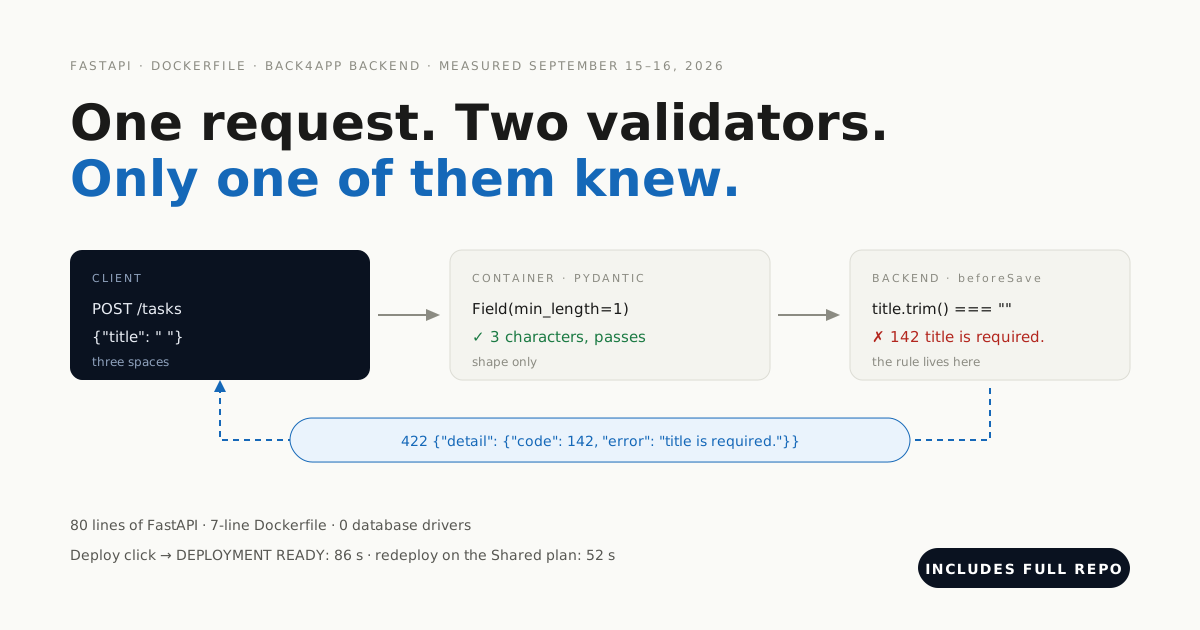
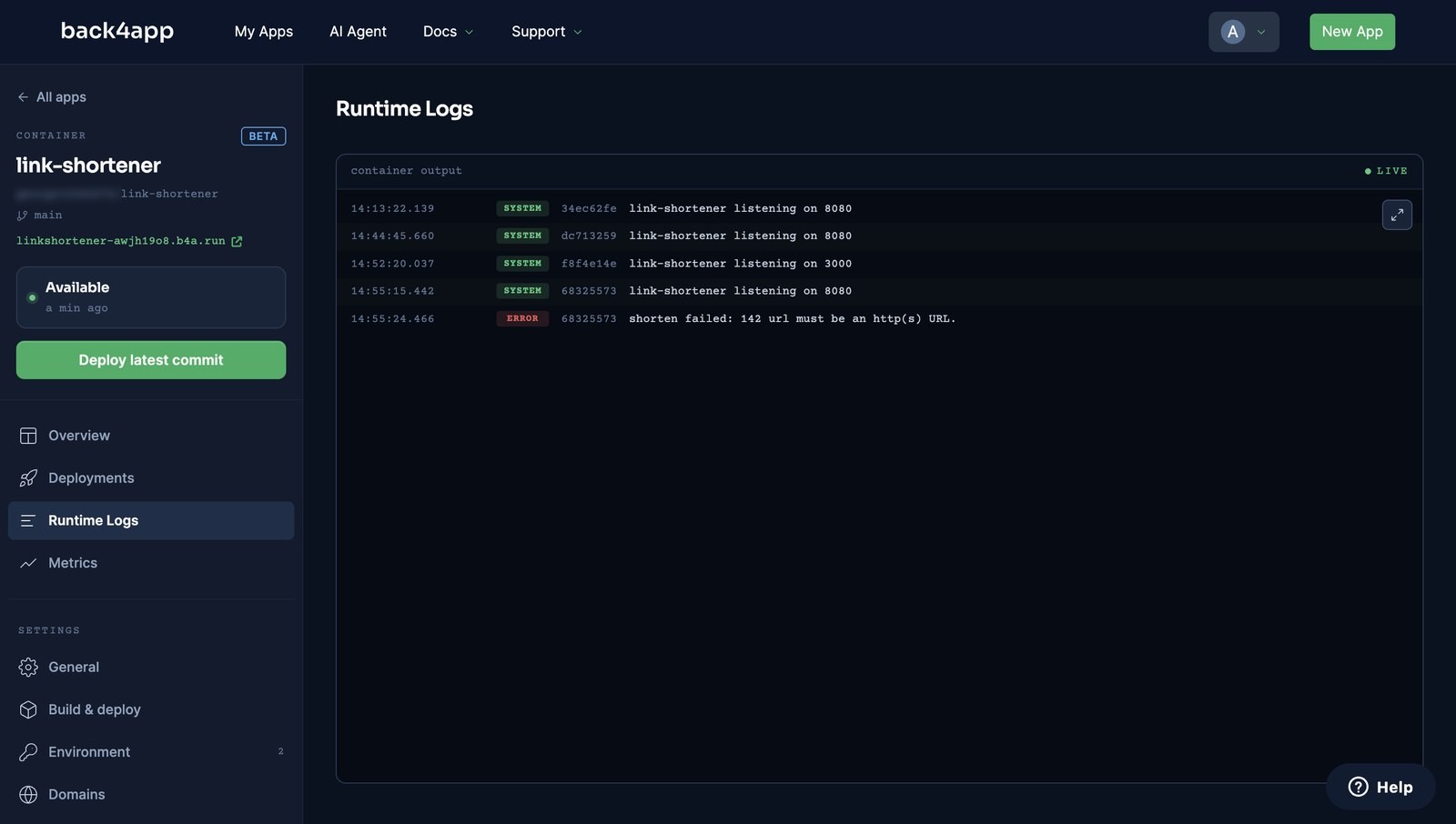
Paste it into Cloud Code → cloud/main.js in the backend dashboard and Deploy. Our hook was answering 21 seconds after the click. From then on the container’s POST /shorten returned a code, and not a url came back as 400 {"code":142,"error":"url must be an http(s) URL."} — the container’s code did not change at all.
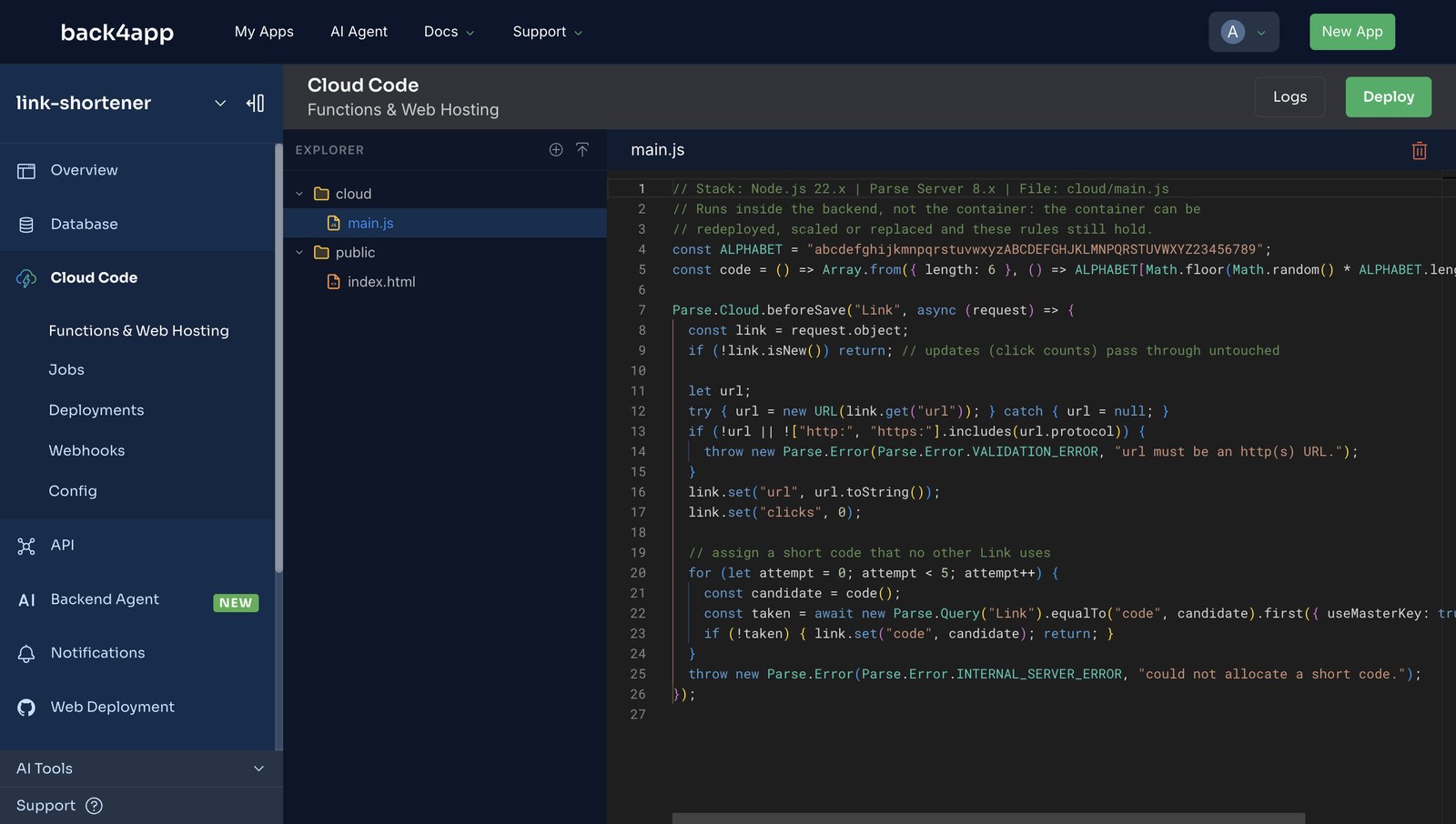
The same rule applies to keys and users. The container holds the JavaScript key, which is a client key — it can do exactly what a browser could. The master key never leaves the backend, and Parse’s User class, sessions and ACLs are there when the shortener grows owners.
What happens when you redeploy?
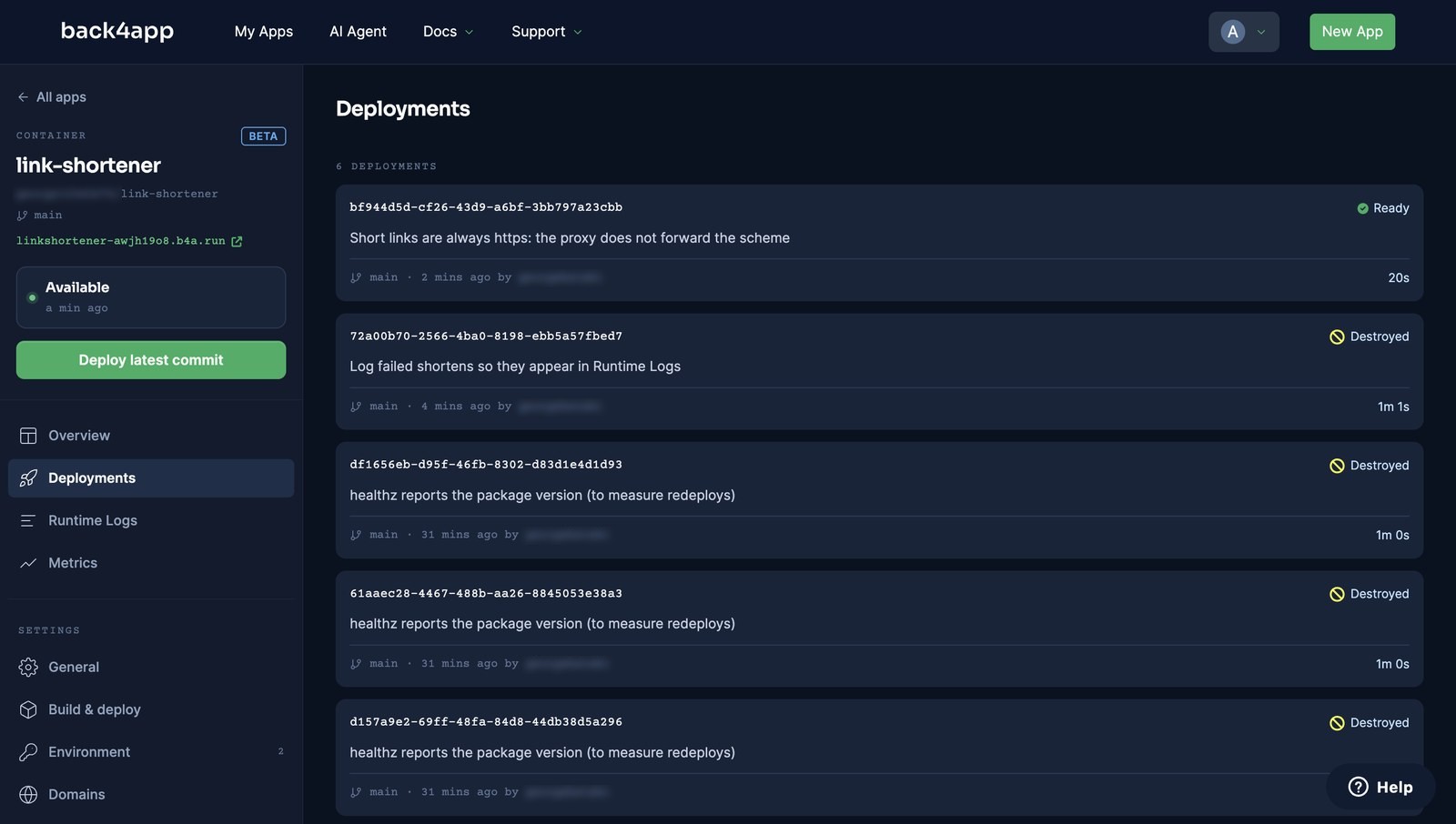
Auto deploy is off for free containers — the toggle is rendered disabled — so a git push alone changes nothing on the live URL. We pushed a one-line change at 11:26 and the site kept serving the old version until we deployed by hand.
Deploy latest commit does not deploy immediately. It first opens a Finish your setup review: the platform had read the repo as “Docker / Node.js / Express · Node.js 22 Alpine” and suggested node server.js and port 8080. Nothing is required; Deploy without changes starts the build.
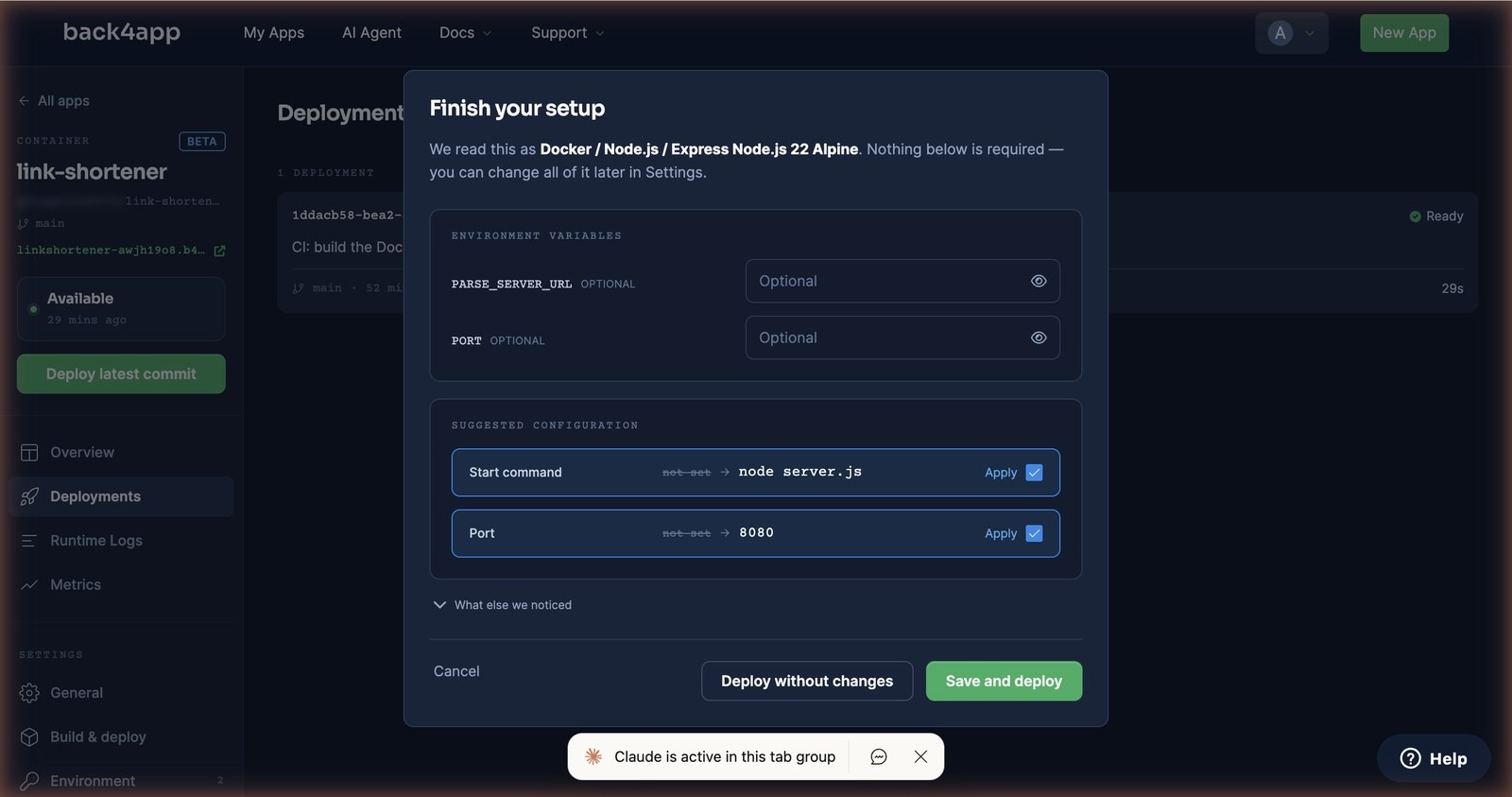
We measured four redeploys. A cached build with a one-line change went from click to the new version answering in 14 s; the others took 20, 32 and 20 s. During every one of them a request every five seconds never saw anything but 200: the deployments list shows the old container as Destroying only after the new one is Ready.
Environment variables get the same treatment: change one under Settings → Environment, and the dashboard says “Settings saved — deploy now with the settings you just saved?” A key rotation is a redeploy, not an SSH session.
Which errors did the Node.js deploy throw, and what fixed them?
We broke the deployment on purpose three times. Two of the three did not behave the way error guides usually promise.
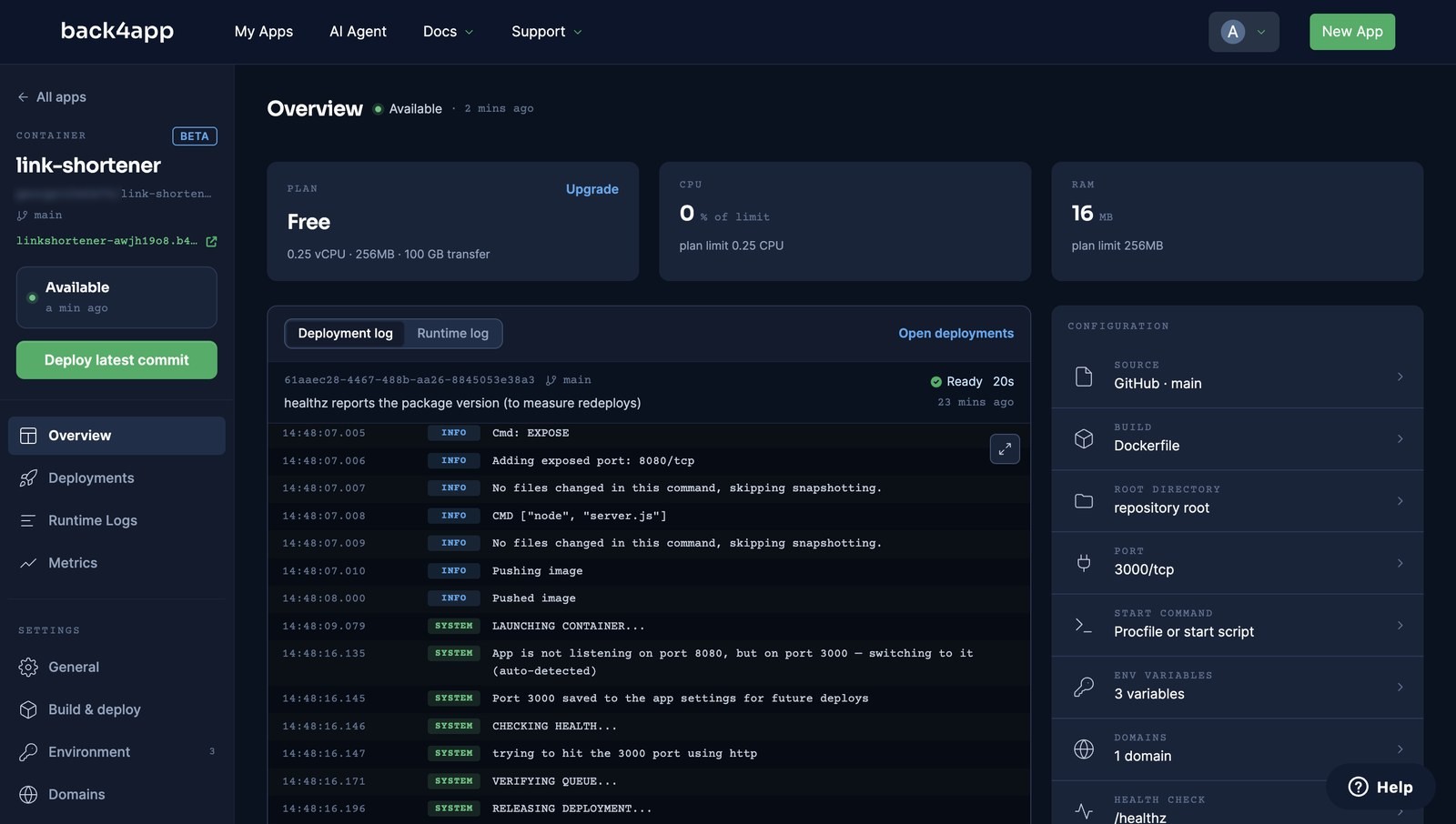
App is not listening on port 8080, but on port 3000 — switching to it (auto-detected). We set PORT=3000 so the app would ignore the EXPOSE 8080 line. Expected: a failed health check. Actual: the platform probed, found 3000, logged the line above, saved 3000 to the app settings and reported DEPLOYMENT READY in 20 s. Removing the variable switched it back the same way. A port mismatch is not a failure here.
{"error":"unauthorized"} with HTTP 502 on /shorten, but the deploy said Ready. We deployed with a wrong PARSE_JS_KEY. The health check hits /healthz, which never touches the backend, so the broken container passed and went live; the failure only surfaced on the first real request. Fix the key under Settings → Environment and deploy. Better: make your health check exercise the backend.
http://… short links although the site is HTTPS. The platform terminates TLS and — as of September 2026 — does not forward the scheme, so Express’s req.protocol is http even with trust proxy on. Build public URLs with https:// explicitly, as server.js now does.
Runtime Logs show nothing after a failure. Runtime Logs show your container’s stdout and stderr, tagged with the container id — console.log lines as SYSTEM, console.error as ERROR. Our first version swallowed the unauthorized error and left no trace. Log your failures; then the logs page is the first place to look.
Website blocked — known phishing site when you open your b4a.run URL. Our fresh URL was blocked by NordVPN’s Threat Protection in Chrome while curl reached it fine. The shared domain carries the reputation of every app on it. Verify with curl -I first, and put a custom domain on anything you show to users.
Nothing here, yet! after installing the GitHub App. The authorization callback landed in a browser that was not logged into the dashboard. Uninstall the app on GitHub (Settings → Applications), then redo Import GitHub Repo from the dashboard in the same browser.
Success on deploying your changes! but Cloud Code does nothing. Check Logs → System for main.js not found; make the edit in the editor itself so “Files pending deploy” appears, then deploy again.
When is a container the wrong answer?
Per our own manifesto, comparisons where only the platform wins don’t get published — so here is the other column.
- Your app is CRUD and nothing else. Then you don’t need a container at all: the backend’s REST layer already is the API. Our REST API post builds one in 24 lines and zero containers.
- You need a specific database engine or extension. The backend is Parse Server on MongoDB (Postgres on paid plans). If your app is PostGIS or ClickHouse, the data half of this post does not apply.
- You need the URL to outlive an hour, auto deploy, or more than 0.25 vCPU. All three are paid features here as of September 15, 2026 (Shared plans start at $5/month); check the pricing page rather than this post for current numbers.
- You want to build images locally and push them. The image route accepts Docker Hub only — our image on GitHub Container Registry was rejected at the form.
If none of those describe you, the shape in the diagram — a disposable container in front of a managed backend — is the one we would choose again.
Where do you take the link shortener from here?
You have a container that redeploys in under half a minute, a database you never provisioned, and validation that survives the container being replaced. From here:
- Give links owners. Parse’s
Userclass adds signup and login endpoints with no container code (measured, with password reset); abeforeSavecan stamp the creating user on each Link and an ACL only they can edit (how the locks behave). - Put a domain on it. Settings → Domains on the container — the fix for the reputation problem above.
- Make the health check honest. Have
/healthzrun a cheap query against the backend so a bad key fails the deploy instead of the first user.
All code above is complete and tested — the companion repo includes deploy-check.sh, which runs health → shorten → redirect against any URL and exits non-zero if anything is off.