Every REST API tutorial starts the same way: npm install express.
Almost none of them tell you what you just signed up for. Routing, validation, connection handling, error shapes — and a server that is yours to patch for as long as the API lives.
We built the same API both ways and counted: 105 lines of Express that get you to localhost, or 24 lines on Back4app that get you to production.
This post walks the 24-line route — our timed run took under 4 minutes of actual steps (August 2026); the 15 in the title is the budget with reading. And we close with the case for taking the 105-line route instead.
Get the full working code: download the companion project — Cloud Code, local harness, test suite, and the Express baseline we measured against.
Every file is also complete and copy-pasteable below.
Should you even use a BaaS for this?
Here is the comparison nobody publishes, because it requires building the thing twice. We did — same endpoints, same validation, same error shapes, both suites passing (August 2026):
| Concern | Raw Express + MongoDB | Back4app |
|---|---|---|
| CRUD routing | 5 handlers you write | generated from your schema |
| Validation | ~12 lines (you) | ~12 lines (you) — the only real code either way |
| DB provisioning + connection | yours: cluster, URI, pooling, indexes | managed |
| Error shapes / status codes | yours to design and keep consistent | Parse’s standard codes |
| Hosting, TLS, keys, scaling | not included in the 105 lines | included |
| Code you own | 105 lines | 24 lines |
| Packages installed | 108 | 0 |
Flip between the two — it is the same endpoint with the same validation, and both versions are the ones we ran:
// Stack: Node.js 22.x | Express 5.x + MongoDB 6.x | File: server.js (create endpoint)
function validateTask(body) {
  const title = body.title;
  if (typeof title !== "string" || !title.trim()) {
    return { error: { code: 142, error: "Task title is required." } };
  }
  return {
    value: {
      title: title.trim(),
      done: body.done === undefined ? false : Boolean(body.done),
    },
  };
}

app.post("/classes/Task", async (req, res, next) => {
  try {
    const { error, value } = validateTask(req.body);
    if (error) return res.status(400).json(error);
    const now = new Date();
    const doc = { ...value, createdAt: now, updatedAt: now };
    const { insertedId } = await tasks.insertOne(doc);
    res.status(201).json({ objectId: insertedId.toString(), createdAt: now, done: doc.done });
  } catch (err) { next(err); }
});
// Stack: Node.js 22.x | Parse Server 8.x | File: cloud/main.js (validation hook)
// There is no route to write — POST /classes/Task already exists.
Parse.Cloud.beforeSave("Task", (request) => {
const title = request.object.get("title");
if (!title || !title.trim()) {
throw new Parse.Error(Parse.Error.VALIDATION_ERROR, "Task title is required.");
}
request.object.set("title", title.trim());
if (request.object.get("done") === undefined) {
request.object.set("done", false);
}
});Create endpoint only. The full files — 105 and 24 lines — are in the download.
Read that table honestly and the pattern jumps out: the 12 lines of validation — the only code with business value — are identical in both columns. Everything else in the Express column is infrastructure re-typed from memory.
A BaaS doesn’t delete difficulty. It deletes ownership.
An experienced Node developer writes those 105 lines without thinking — but the 105 lines end up in production, and production is where they start costing.
What are we building?
A task-tracker API with CRUD endpoints for a Task resource, server-side validation (empty titles rejected, whitespace trimmed), and one custom endpoint — taskStats — that computes open/done counts on the server.
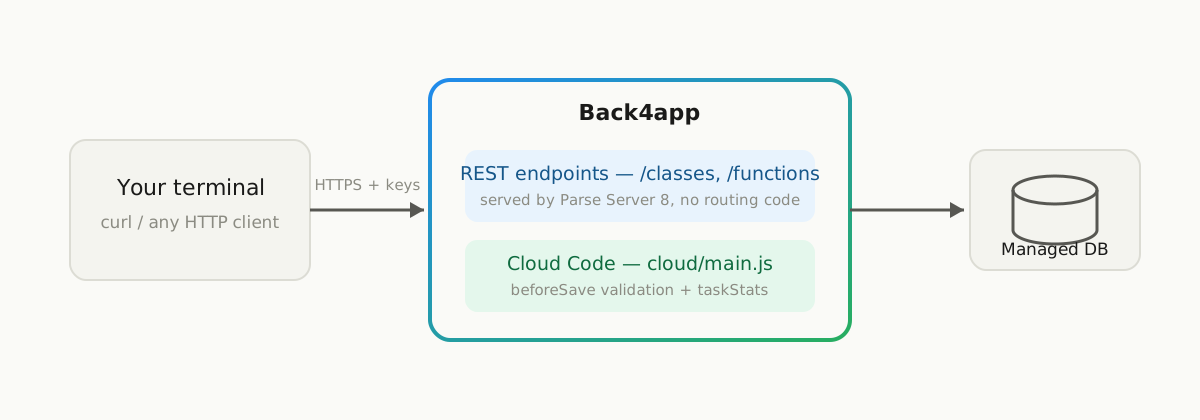
Back4app runs Parse Server under the hood. The REST layer already exists the moment your app does; you write only what is genuinely yours.
What do you need before starting?
- A free Back4app account (sign up) — no card required as of August 2026
curl(preinstalled on macOS/Linux; PowerShell 7+ or WSL on Windows)- 15 minutes (our measured run: under 4)
Node.js is only needed for the optional local harness in the companion project.
How do you create the app on Back4app?
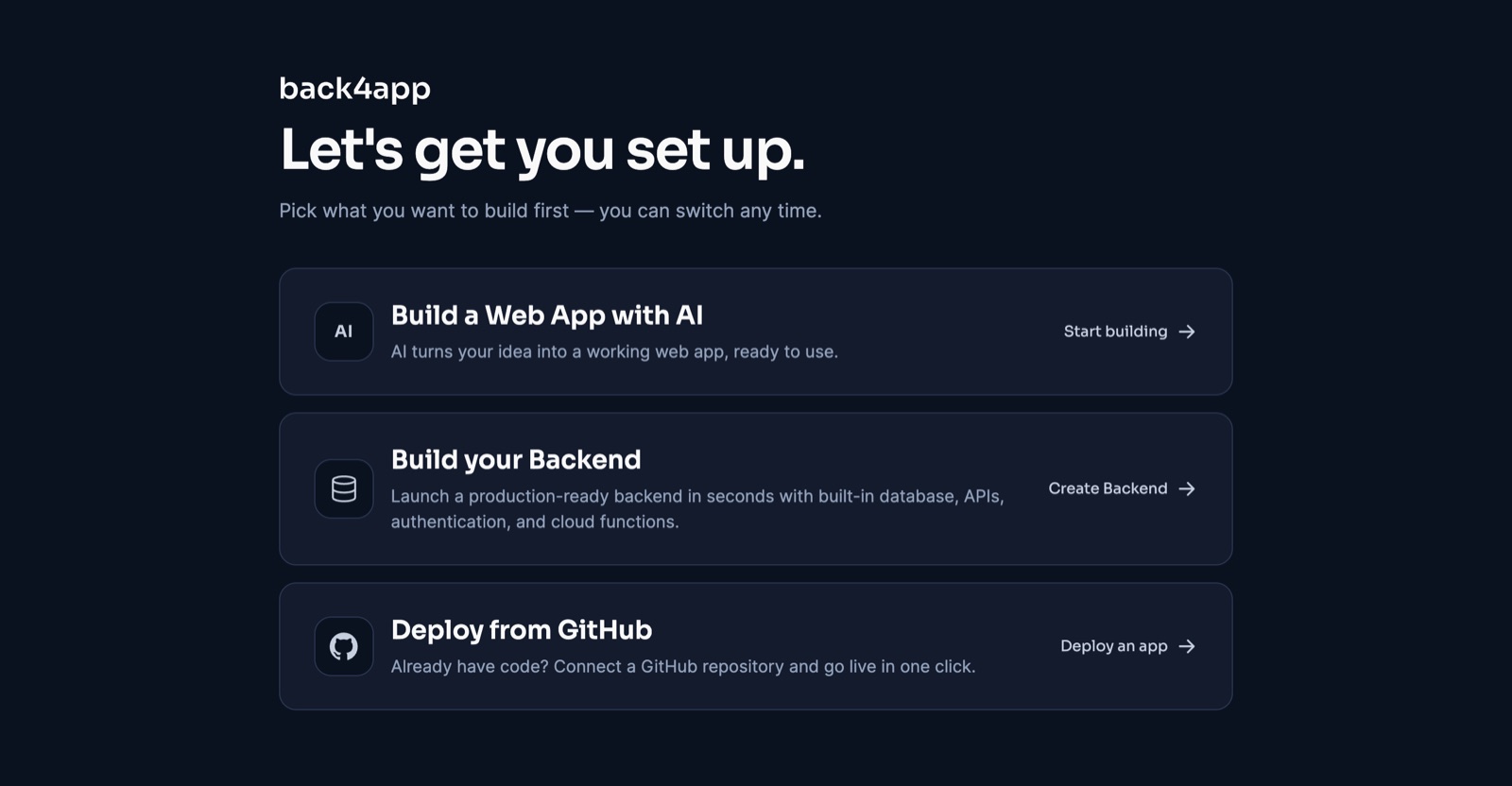
Log in and click New App. The dashboard offers three paths (the headline itself is A/B-tested) — pick Build your Backend → Create Backend, name it rest-api-tutorial, and click Create.
Our timed run: 80 seconds from that click to a provisioned app answering API calls (August 2026). The Overview page confirms the stack: Parse Server 7.5.2, MongoDB 3.6 (free-plan default; 8.0 on paid plans), API URL https://parseapi.back4app.com.
Your credentials are right on the Overview page — App ID, and the REST Key under the Keys dropdown. Export them so every command below is copy-paste:
# Stack: bash | replace with your values from Security & Keys
export APP_ID="YOUR_APP_ID_HERE"
export REST_KEY="YOUR_REST_KEY_HERE"
export BASE="https://parseapi.back4app.com"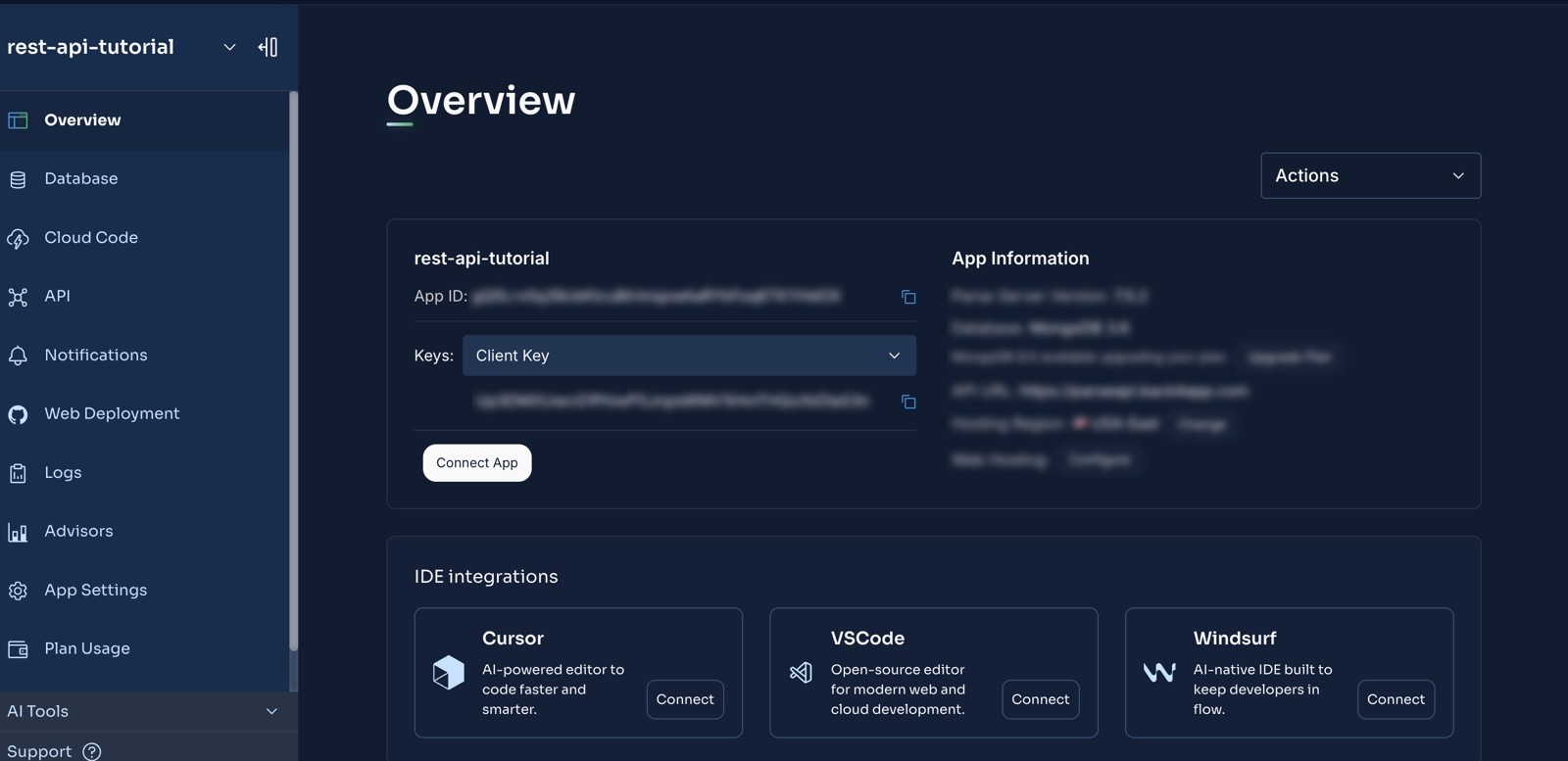
Do you need to define the data model first?
No — and we verified this the honest way, by firing the first request at a brand-new app with no schema at all:
# Stack: bash | First request against an empty app — no class, no schema
curl -X POST \
  -H "X-Parse-Application-Id: $APP_ID" \
  -H "X-Parse-REST-API-Key: $REST_KEY" \
  -H "Content-Type: application/json" \
  -d '{"title": "Write the tutorial"}' \
  "$BASE/classes/Task"
# {"objectId":"FJQOVtAoi1","createdAt":"2026-08-28T13:53:46.269Z"}  ← HTTP 201
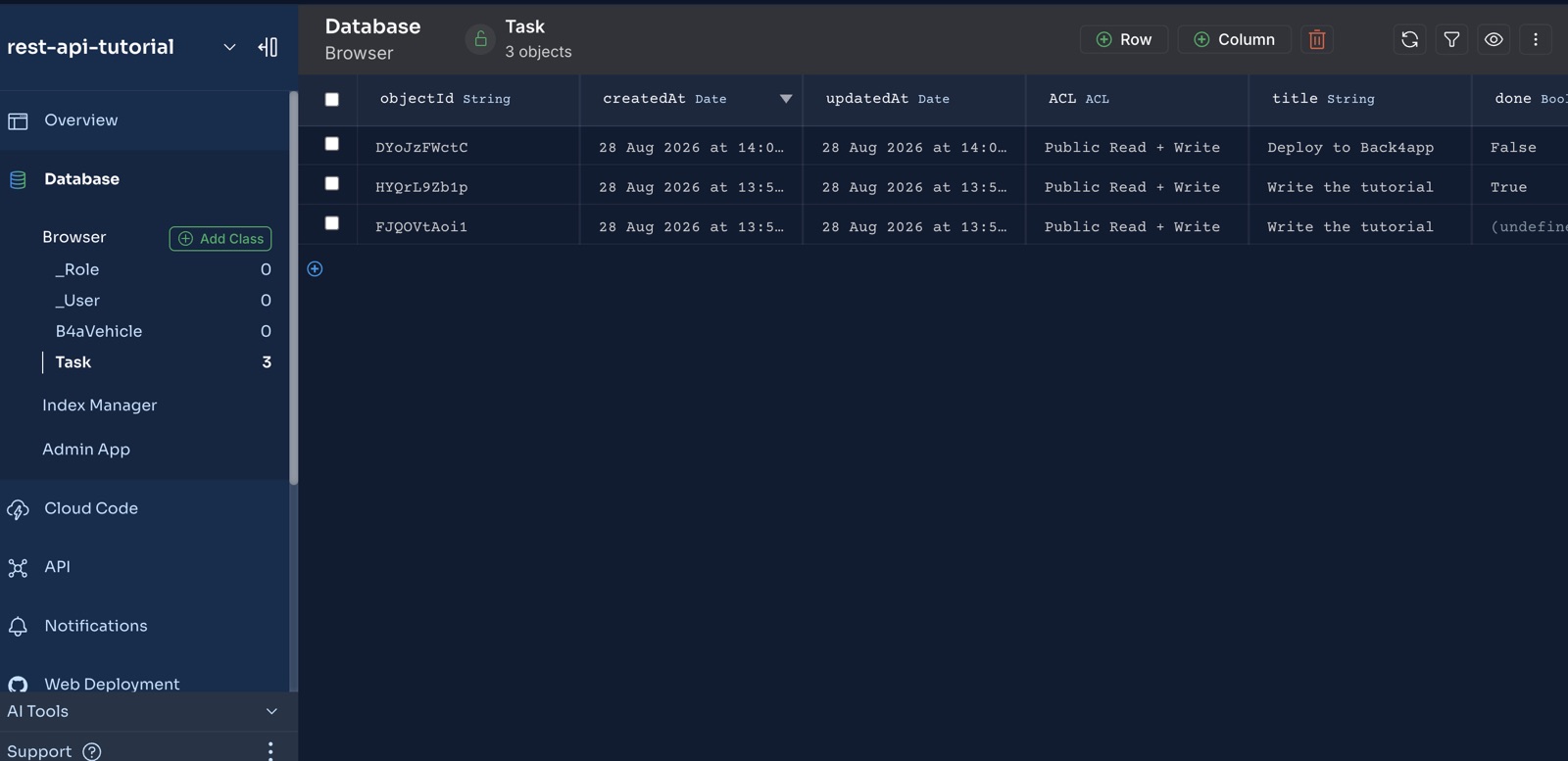
The Task class created itself — title column inferred, object visible in the dashboard’s Database browser seconds later.
That’s Back4app’s managed Parse (7.5.2) with client class creation enabled.
Here is the trap this saves you from: run the identical curl against a default self-hosted Parse Server 8 and it fails with {"code":119,"error":"Permission denied"} — allowClientClassCreation flipped to false in v8.
We hit exactly that on our local harness while testing this post. Same request, opposite outcome, one version apart.
For production you’ll still want explicit schema and Class-Level Permissions — auto-creation is a prototyping convenience, not a security model.
How do you call the REST API?
You already can — that’s the point. Create a task:
# Stack: bash | Parse Server 8.x REST API | Endpoint: POST /classes/Task
curl -X POST \
  -H "X-Parse-Application-Id: $APP_ID" \
  -H "X-Parse-REST-API-Key: $REST_KEY" \
  -H "Content-Type: application/json" \
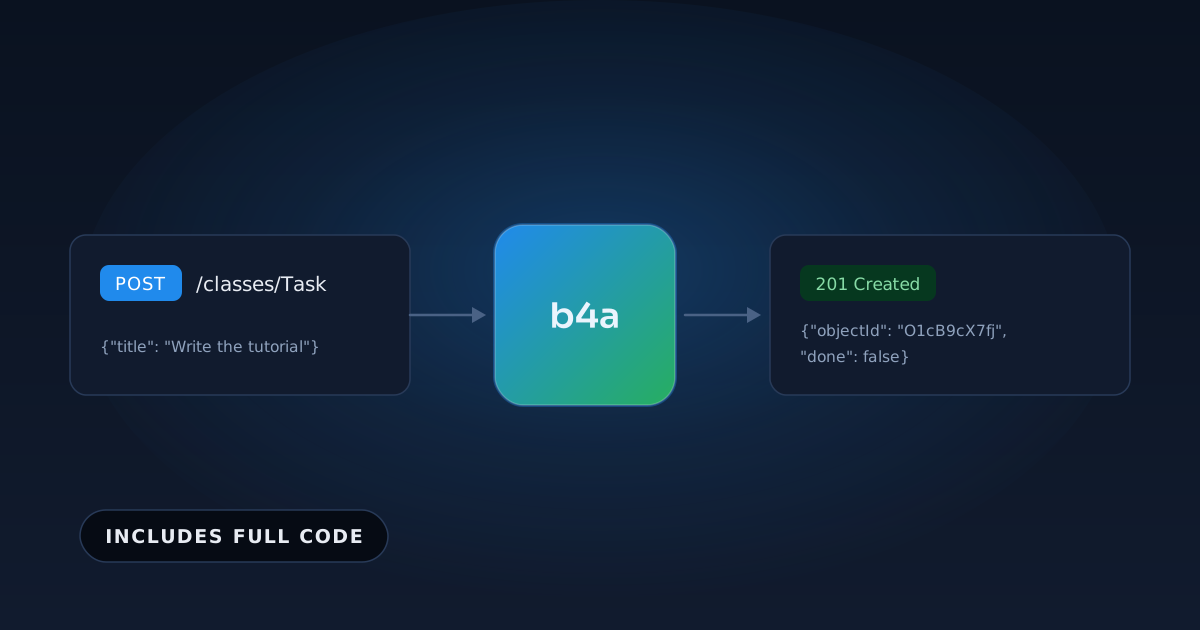
  -d '{"title": "Write the tutorial"}' \
  "$BASE/classes/Task"
Verified response (August 2026):
{"objectId":"O1cB9cX7fj","createdAt":"2026-08-28T13:21:17.441Z","done":false}Read, filter, update, delete — same pattern, no routing written:
# Stack: bash | Endpoints: GET, PUT, DELETE
curl -H "X-Parse-Application-Id: $APP_ID" -H "X-Parse-REST-API-Key: $REST_KEY" \
     "$BASE/classes/Task?order=-createdAt"

curl -G -H "X-Parse-Application-Id: $APP_ID" -H "X-Parse-REST-API-Key: $REST_KEY" \
  --data-urlencode 'where={"done":false}' "$BASE/classes/Task"

curl -X PUT -H "X-Parse-Application-Id: $APP_ID" -H "X-Parse-REST-API-Key: $REST_KEY" \
  -H "Content-Type: application/json" -d '{"done": true}' "$BASE/classes/Task/O1cB9cX7fj"

curl -X DELETE -H "X-Parse-Application-Id: $APP_ID" -H "X-Parse-REST-API-Key: $REST_KEY" \
  "$BASE/classes/Task/O1cB9cX7fj"
In the Express column of our comparison, this section is 60 of the 105 lines.
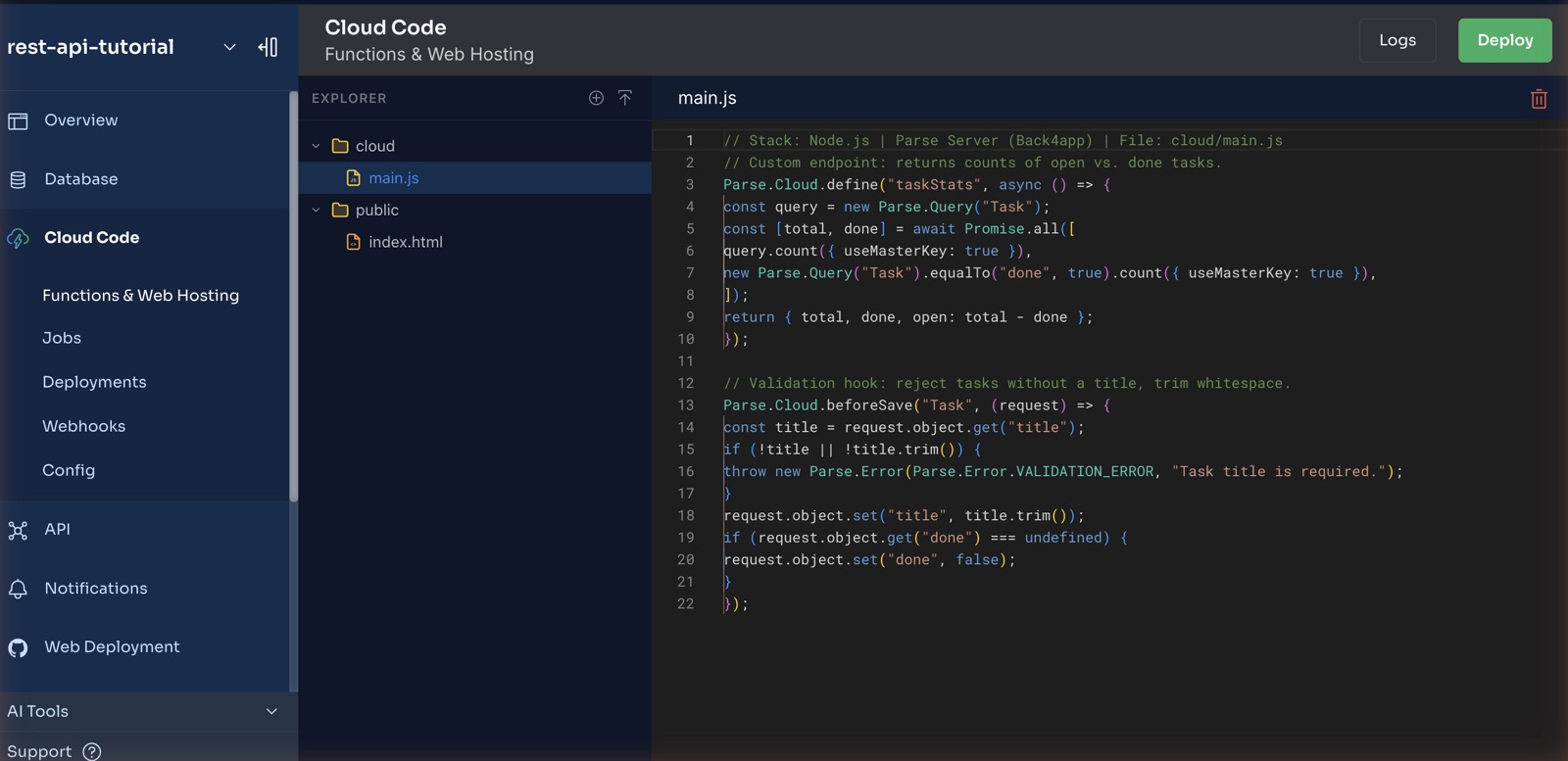
How do you add the 24 lines that matter?
Validation and a computed endpoint — the only code with business value in either implementation. Cloud Code → cloud/main.js → paste → Deploy:
// Stack: Node.js 22.x | Parse Server 8.x | File: cloud/main.js
// Custom endpoint: returns counts of open vs. done tasks.
Parse.Cloud.define("taskStats", async () => {
  const query = new Parse.Query("Task");
  const [total, done] = await Promise.all([
    query.count({ useMasterKey: true }),
    new Parse.Query("Task").equalTo("done", true).count({ useMasterKey: true }),
  ]);
  return { total, done, open: total - done };
});

// Validation hook: reject tasks without a title, trim whitespace.
Parse.Cloud.beforeSave("Task", (request) => {
  const title = request.object.get("title");
  if (!title || !title.trim()) {
    throw new Parse.Error(Parse.Error.VALIDATION_ERROR, "Task title is required.");
  }
  request.object.set("title", title.trim());
  if (request.object.get("done") === undefined) {
    request.object.set("done", false);
  }
});
Test both behaviors — verified output shown:
# Empty title → the hook rejects it server-side
curl -X POST -H "X-Parse-Application-Id: $APP_ID" -H "X-Parse-REST-API-Key: $REST_KEY" \
  -H "Content-Type: application/json" -d '{"title": "   "}' "$BASE/classes/Task"
# {"code":142,"error":"Task title is required."}

# Custom endpoint (Parse calls functions via POST)
curl -X POST -H "X-Parse-Application-Id: $APP_ID" -H "X-Parse-REST-API-Key: $REST_KEY" \
  "$BASE/functions/taskStats"
# {"result":{"total":4,"done":2,"open":2}}   ← live response, 2026-08-28
How do you verify everything works?
The companion project ships test-api.sh — create, validate, read, update, stats, delete, ending in All checks passed.
It runs against your live app or the local harness. It is also the same suite we ran against the Express baseline, to keep the comparison honest.
Which errors does the REST API return, and what do they mean?
{"code":119,"error":"Permission denied"} on your first POST. You’re not on Back4app — you’re on a self-hosted Parse Server 8, where client-side class creation is off by default (as of August 2026).
Either create the class first, or set allowClientClassCreation: true for development. On Back4app the same request just works — we verified both sides of this while testing.
{"code":141,"error":"Invalid function: \"taskStats\""} after deploying. Your main.js didn’t actually deploy — the success dialog appears either way (we hit this).
Check Logs → System: a Warning: main.js not found confirms the deploy shipped without your file. Open the editor, confirm your code is there, make any edit so the “Files pending deploy” badge appears, and Deploy again. Functions answered within a minute once the file genuinely shipped.
{"code":142,"error":"Task title is required."} Not a bug — your validation hook working. Send a non-empty title.
{"code":101,"error":"Object not found."} Wrong or deleted objectId.
unauthorized (HTTP 403). Check both key headers against App Settings → Security & Keys.
Cloud Code changes don’t take effect. You didn’t click Deploy, or it’s still propagating. Redeploy, wait a few seconds.
When is Express the right answer?
Per our own manifesto, comparisons where only we win don’t get published — so here is the other column’s case. Write the 105 lines when:
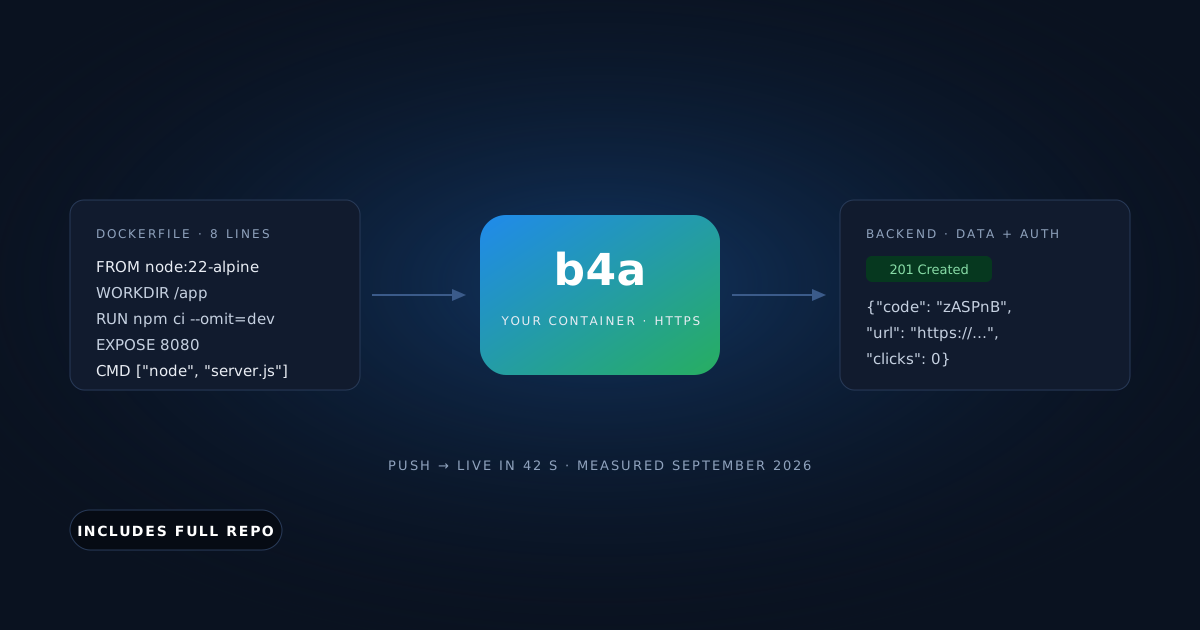
- The HTTP layer is your product. WebSockets, server-sent events, streaming uploads, custom middleware chains — Parse’s REST surface won’t bend that far. Then a container is the right home for those 105 lines: deploying a Node.js app with Docker.
- You need every millisecond. A hand-tuned Express route on your own metal will beat a managed generic layer on latency.
- Lock-in costs you sleep. Parse Server is open source and self-hostable — a real exit hatch — but migrating is still a project, not a weekend.
If none of those describe you, the 81 lines you didn’t write are pure profit.
Zoom out and this tutorial is one instance of a pattern: every CRUD API is about 12 lines of business rules wearing 90 lines of infrastructure.
Wherever you spot that ratio in your own stack, a managed layer is trying to exist. The same lens applies to auth, file storage, and push notifications — and it is how we would decide again.
Where do you take the REST API from here?
You have a live, validated REST API, wrote 24 lines, and spent about 4 measured minutes. From here:
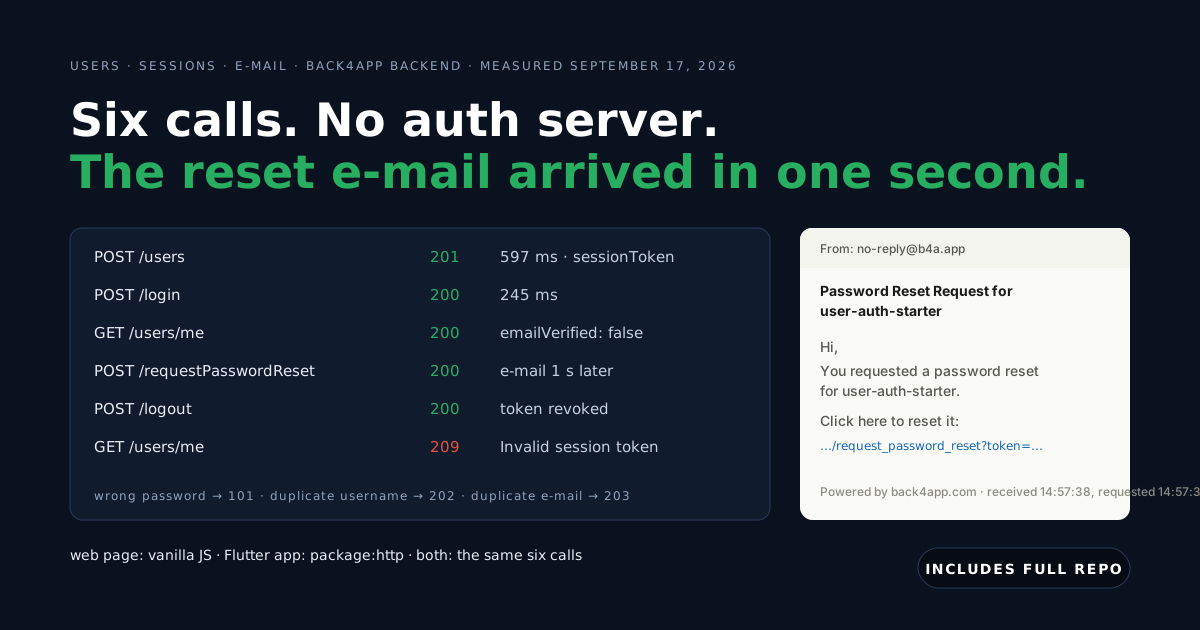
- Authentication: Parse’s User class gives you signup/login endpoints the same way — no code. We measured the whole flow, password reset included, from a web page and a Flutter app: add authentication without an auth server.
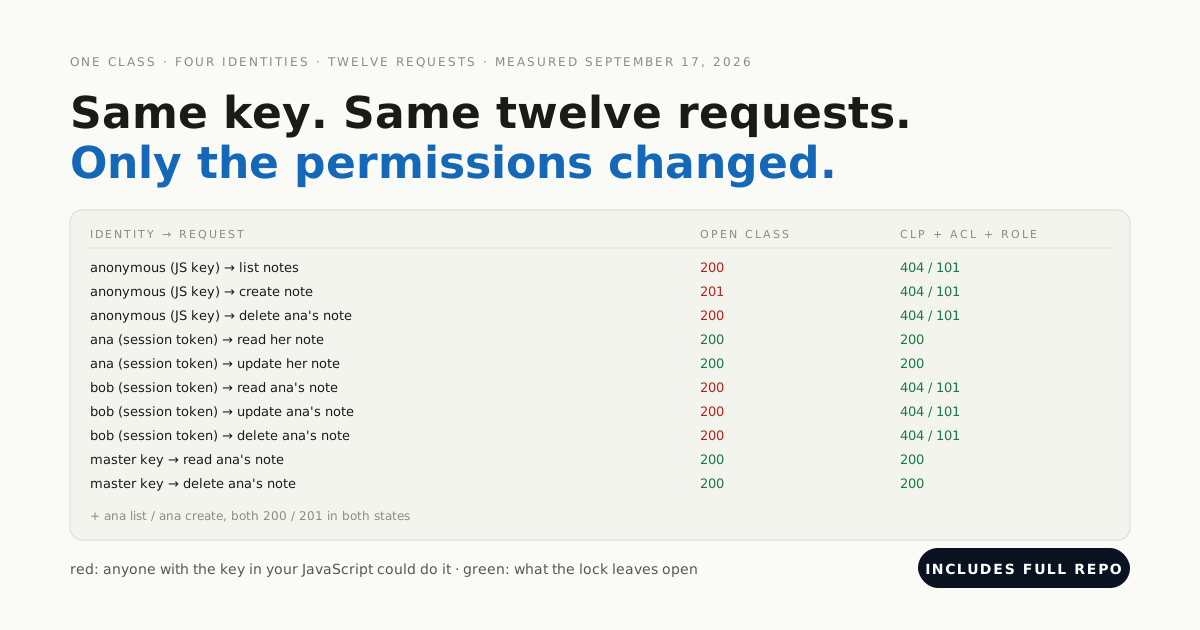
- Lock it down: Class-Level Permissions so only authenticated users write, then owner ACLs from a hook. Twelve requests, four identities, before and after: lock down a backend your frontend talks to.
All code above is complete and tested — and the companion download includes the Express baseline we measured against.