This is the finding every scanner reports and nobody acts on. Your app is missing security headers, your CORS is open to everything, and the report is four pages long.
Headers are last on every list because none of them fixes a bug. They decide what happens afterwards, when a bug you did not know about is already in your app. Which is the normal state of an app.
So we built an app with a real vulnerability in it, left the vulnerability exactly where it was, and changed nothing but the headers.
Watch it instead
Missing headers and open CORS is number 10 in our countdown of the security holes that turn up most often in apps built with AI.

What changed when only the headers changed?
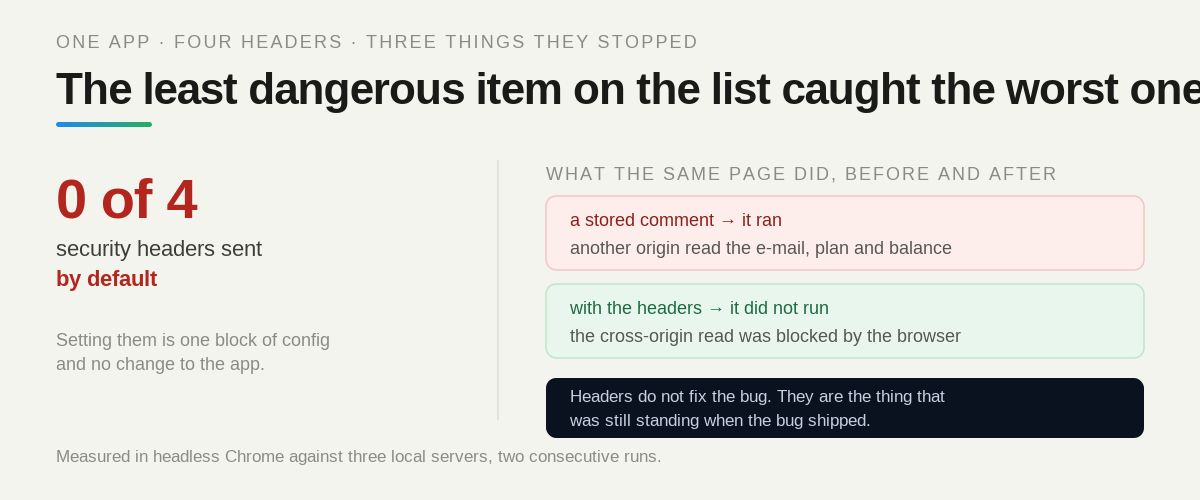
Three attacks stopped working, on an app that is still exactly as broken as it was:
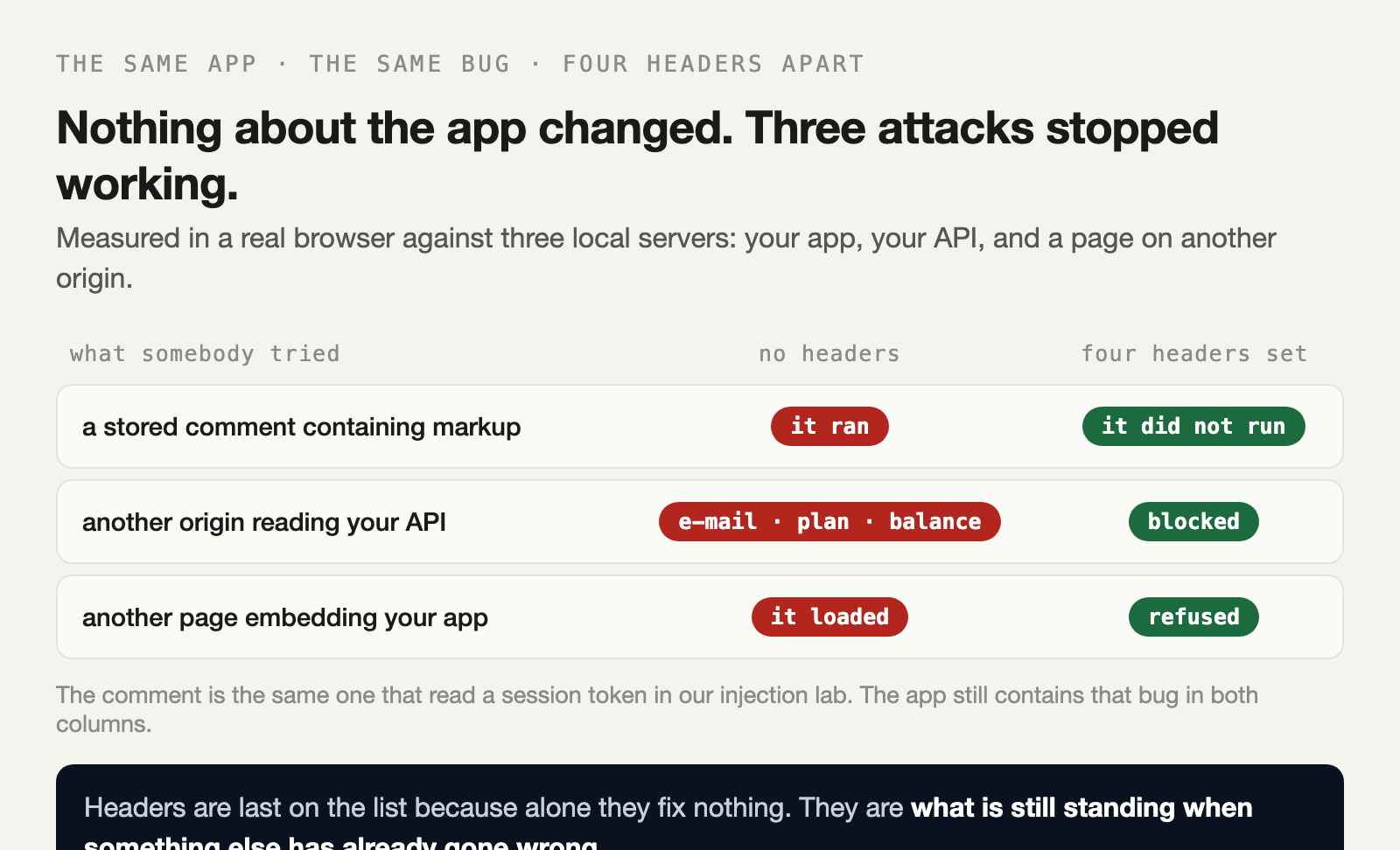
The comment in that first row is the same one that read a session token out of local storage in our injection lab. The page that renders it unsafely is unchanged in both columns.
How we measured: three local Node servers — your app, your API, and a page on a different origin — opened in headless Chrome, with every answer read back out of the resulting DOM. Identical across two clean runs — the lab is in the repo.
What does a Content Security Policy actually block?
The execution, not the bug. Our page still builds its comment list with innerHTML, still stores markup, still hands the browser a tag with an event handler on it:
  no headers        a stored comment on the page:   the comment ran
  four headers set  a stored comment on the page:   the comment did not run
The policy is one line, and script-src 'self' is the part doing the work: an event handler written into the markup is not a script from your own origin, so it does not run.
content-security-policy: default-src 'self'; script-src 'self'; frame-ancestors 'none'The header did not fix the vulnerability. It was the thing still standing when the vulnerability shipped.
That is the honest case for headers, and it is a better case than the usual one. They are not a fix and they are not a formality — they are the layer that assumes you were wrong about something.
Why is a reflected CORS origin worse than an asterisk?
Because a wildcard cannot carry credentials and a reflection can. This is what a configuration written to make the error message go away looks like:
// Stack: Node 22 | File: server.mjs — the version that leaks
h['access-control-allow-origin'] = origin || '*';   // whatever asked
h['access-control-allow-credentials'] = 'true';
A page on an entirely different origin then fetched our API with the visitor’s credentials and read the answer:
another origin reading your API: read: {"email":"[email protected]","plan":"pro","balanceCents":128400}Replacing the reflection with one explicit origin changed that to blocked by the browser, with no change to the API’s logic. The data was never protected by the API; it was protected by nothing, and then by a list.
How do you test whether framing is blocked?
Not with the iframe’s load event, which was wrong in our first run and would have published a wrong number. A frame that the headers refused still fires load, because the browser loads an error page in it.
The reliable check is whether the embedded page’s own script runs:
// Stack: browser JavaScript | File: server.mjs
if (window.parent !== window) window.parent.postMessage('app-loaded-in-a-frame', '*');
A blocked frame never executes that line, so no message arrives. With that fix, the result flipped from “the app loaded inside this page” to “not framed” once X-Frame-Options: DENY was set — and our first, wrong version had reported success in both columns.
Where do you set them?
Wherever the response is produced, which is the practical difference between hosting options. If a server of yours is serving the files — a container, a Node process, a reverse proxy — the headers go in one block of configuration and apply to everything it serves from then on.
On a static host the mechanism varies: a headers file, a dashboard section, an edge configuration. All of them work, and all of them share one failure mode, which is that the setting exists and the response does not carry it.
So the step that matters is the last one: request your own page afterwards and read the headers that came back. The configuration is a claim; the response is the evidence.
When is a strict policy the wrong move?
When it breaks your app at the worst possible moment, which a tight Content Security Policy will do on a page that uses inline scripts, an analytics snippet, an embedded video or a font from somewhere else. Each of those needs a deliberate exception, and a policy shipped without testing those paths takes the site down for everybody.
The sensible order is to deploy the policy in report-only mode first, read what it would have blocked, and then enforce. That turns a risky change into a boring one, and it is the difference between a policy you keep and a policy you revert on the first support ticket.
Open CORS has a legitimate version too. A genuinely public, unauthenticated API — a price list, a status endpoint, public documentation — is reasonably readable from anywhere, and locking it down buys nothing. What is never reasonable is the combination of any origin and credentials, because that is not a public API, it is a private one with the door held open.
What should you check before your next deploy?
Request your own homepage and look at the response headers. Four lines tell you where you stand, and most apps send none of them.
Then make the same request to your API with an Origin header naming somebody else’s site. If the answer comes back with that origin reflected and credentials allowed, you have found the one in this post that leaks real data rather than merely allowing an attack to be easier.