flutter build web gives you a folder. That is the whole output: an index.html, a pile of hashed JavaScript, some fonts and icons. Nothing in it says where it should live.
That last part is the work. The folder needs a web server that understands client-side routing, a machine to run it, a URL, and a way to get a new build there when you change something — and none of it is Flutter’s job.
This guide does that in one pass: a two-stage Dockerfile that compiles the build and serves it from nginx, a GitHub repository, and a deploy on the free plan. Everything below was measured on 23 September 2026.
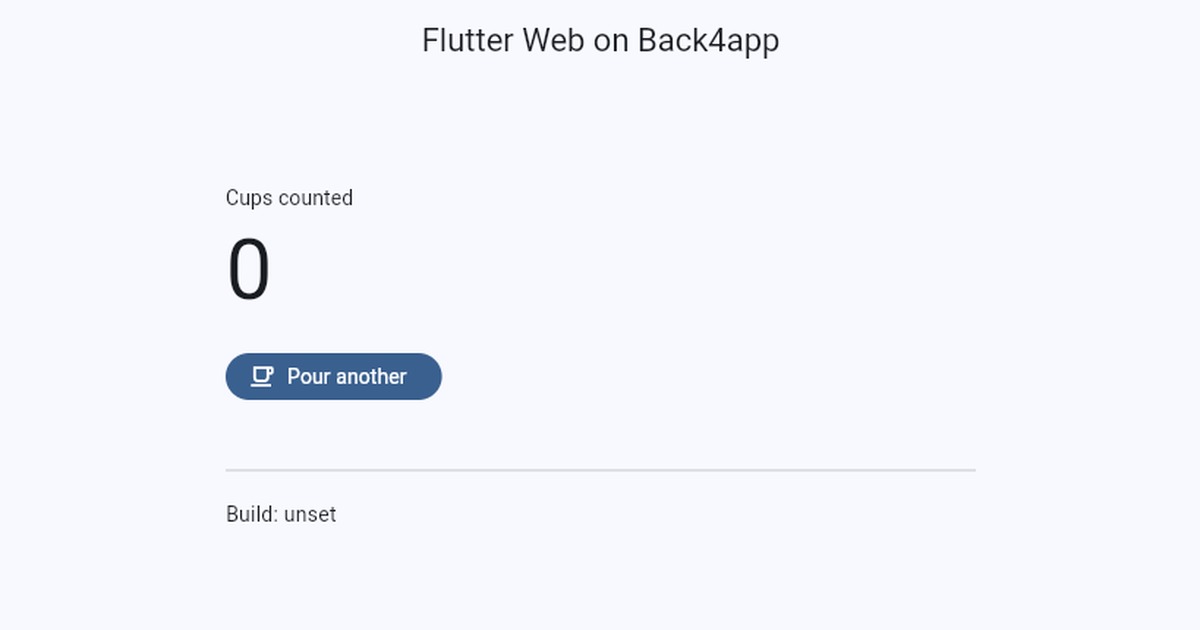
Get the working code: the companion repo is at github.com/templates-back4app/flutter-web-on-back4app — the app, the Dockerfile, the nginx config and two passing widget tests. Fork it and you can deploy without writing anything.
Watch the older method instead
Back4app’s own walkthrough from 2021 shows a different route: activate a hosting subdomain in the dashboard, then push the build with the b4a command line tool.

Has the old hosting route changed?
Yes, in two ways that matter before you start. The menu path moved, and the feature left the free plan.
In the video, web hosting lives under App Settings → Server Settings → Web Hosting and Custom Domains. Today it is a Configure link on the app Overview that opens Domain Settings, and on a free app that page carries a single message: “Please upgrade your plan to activate your web hosting.”
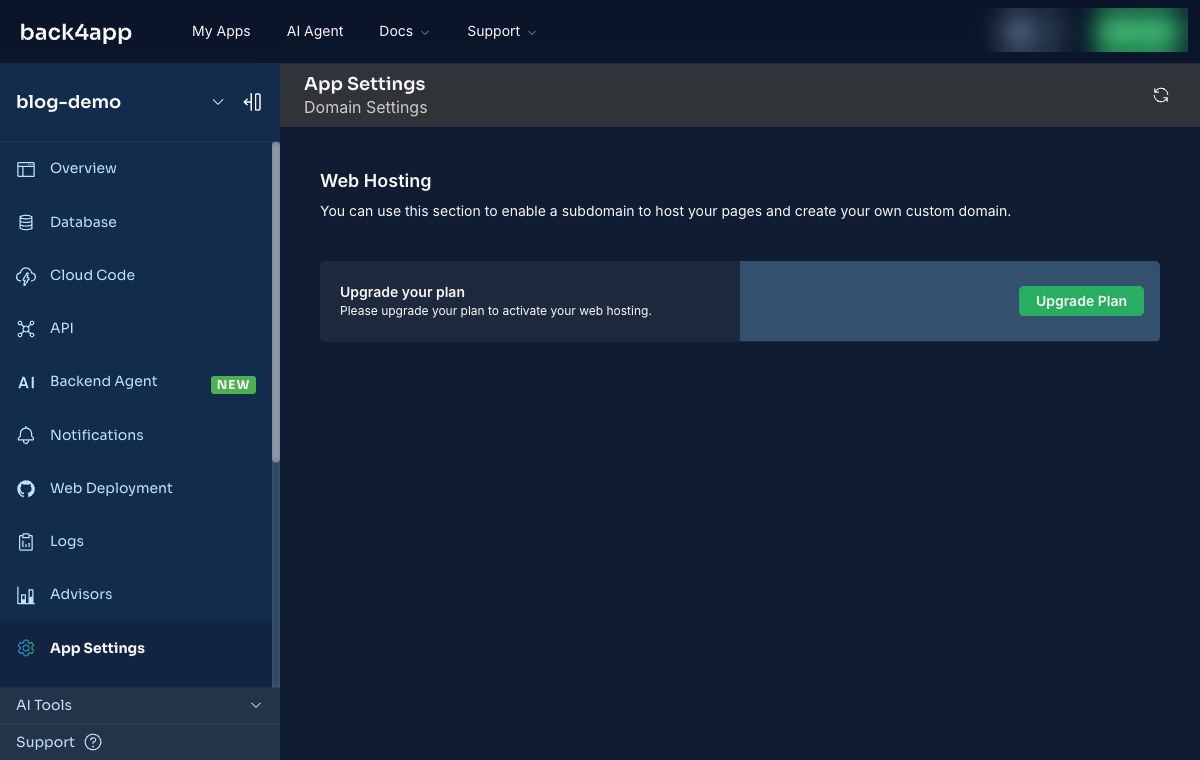
The free route today is the Web Deployment entry in the app sidebar, which opens Back4app Containers and asks for a GitHub repository or a Docker Hub image. That is the path this guide takes.
The 2021 tutorial uploads a folder. The 2026 one hands over a repository and lets the platform build the image. What you write changes accordingly: a Dockerfile, not a copy step.
What goes in the Dockerfile?
Two stages. The first compiles the Flutter build; the second serves it. Keeping them apart is what stops a 4 GB SDK riding along into the image that runs your site.
# Stack: Flutter 3.47.5 (web) + nginx 1.27 | File: Dockerfile
FROM debian:bookworm-slim AS build
ARG FLUTTER_VERSION=3.47.5
ENV PATH="/opt/flutter/bin:${PATH}"
RUN apt-get update && apt-get install -y --no-install-recommends \
      curl ca-certificates git unzip xz-utils \
 && rm -rf /var/lib/apt/lists/*
RUN curl -fsSL "https://storage.googleapis.com/flutter_infra_release/releases/stable/linux/flutter_linux_${FLUTTER_VERSION}-stable.tar.xz" \
      -o /tmp/flutter.tar.xz \
 && tar xf /tmp/flutter.tar.xz -C /opt \
 && git config --global --add safe.directory /opt/flutter
WORKDIR /app
COPY pubspec.yaml pubspec.lock ./
RUN flutter pub get
COPY . .
RUN flutter build web --release --dart-define=BUILD_STAMP="$(date -u +%Y-%m-%dT%H:%M:%SZ)"

FROM nginx:1.27-alpine
COPY --from=build /app/build/web /usr/share/nginx/html
COPY nginx.conf /etc/nginx/conf.d/default.conf
EXPOSE 80
The SDK is pinned to an exact version and pulled from Google’s own release storage, rather than a community image. Prebuilt Flutter images exist, but the one most guides reach for was four minor versions behind stable on the day we tested, which quietly means your container compiles with a different Flutter than your laptop.
Copying pubspec.yaml before the rest of the source is the one optimisation worth keeping: dependency resolution is then a cached layer, and editing lib/ does not repeat it.
What does nginx need to know?
That your routes are not files. Flutter resolves paths in the browser, so a request for /settings has nothing behind it on disk, and a default nginx returns 404 for every deep link and refresh.
# Stack: nginx 1.27 | File: nginx.conf
server {
  listen 80;
  root /usr/share/nginx/html;
  index index.html;

  location / {
    try_files $uri $uri/ /index.html;
  }

  location = /index.html {
    add_header Cache-Control "no-store, must-revalidate";
  }

  location ~* \.(js|wasm|json|png|svg|ttf|otf|woff2?)$ {
    expires 30d;
    add_header Cache-Control "public, immutable";
  }
}
The two cache rules are a pair. Flutter’s output carries content hashes in its filenames, so those files can cache hard and for a long time; index.html is the one file whose name never changes, and caching it is how a deploy ships and nobody sees it.
How do you deploy it?
Push the project to GitHub, then point Back4app Containers at the repository. In the app sidebar, Web Deployment → Deploy a Web App → GitHub repository.
Pick the repository, leave the branch and the root directory as they are, and the configuration step fills itself in. Ours detected the Dockerfile and set the runtime from it, with the port on auto: nothing to type.
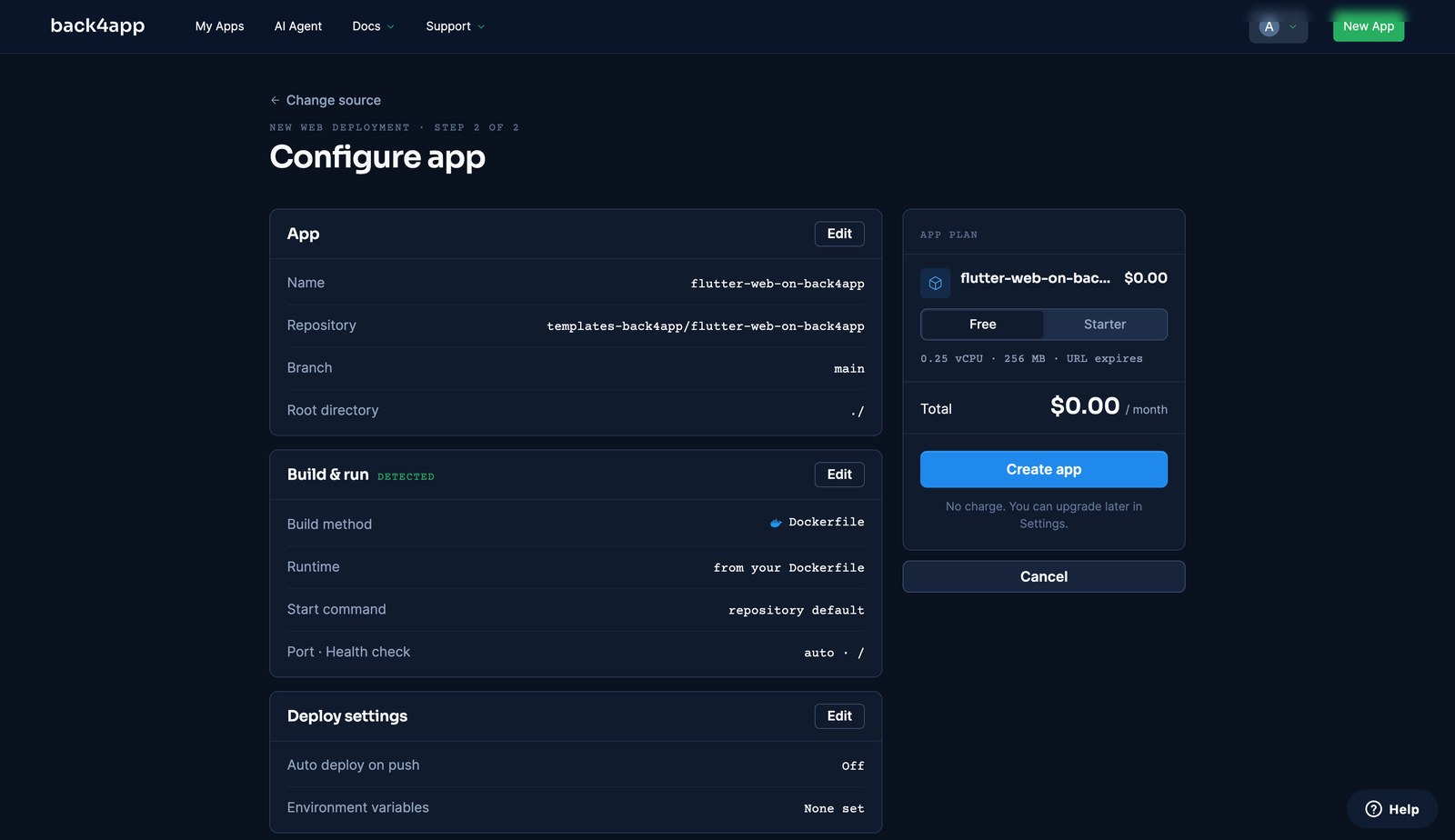
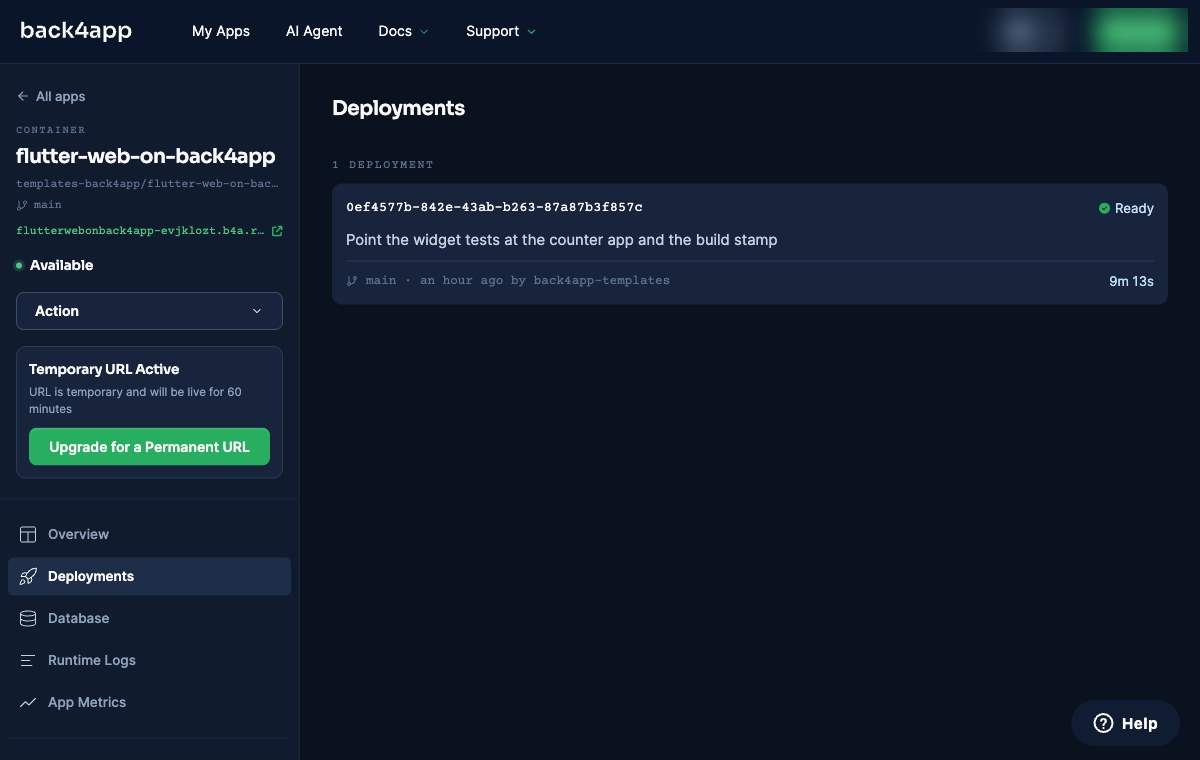
Then wait. The first build has no cached layers, so it downloads the SDK and compiles from scratch — ours took 9 minutes 13 seconds and ended on Ready, with the app marked Available on a b4a.run URL.
Did it actually work?
Check the headers, not just the page. A Flutter app renders into a canvas, so “it looks right” tells you less than usual, and the nginx rules are the part most likely to be wrong.
| Check | Result |
|---|---|
GET / | 200, server: nginx/1.27.5 |
GET /some-route-that-does-not-exist | 200 — the SPA fallback works |
index.html | cache-control: no-store, must-revalidate |
flutter_bootstrap.js | cache-control: max-age=2592000, public, immutable |
How we measured: one run on 23 September 2026, curl -sI against the deployed URL immediately after the deploy reported Ready; the build duration is the figure the Deployments page shows for that deployment.
What does the free plan not do?
Three things worth knowing before you plan around it, all stated in the dashboard rather than inferred.
The URL lasts an hour. The sidebar reads “URL is temporary and will be live for 60 minutes”, beside an upgrade button. That is enough to check your work, and not enough to send to a client.
Autodeploy on push is paid. Build and deploy says so where the setting would be, so on the free plan every new build is a manual action from the dashboard.
There is no field for Docker build arguments. Build and deploy offers the build method, the branch, the root directory and the port — nothing else. Environment variables exist, but they are runtime values handed to the running container, not to the build.
When is a container the wrong home for a Flutter build?
When the output is genuinely static and nothing else. A folder of files does not need a container runtime, and a plain static host or CDN bucket will serve it with less to go wrong and no cold start.
When you need the URL to be permanent and free. This route gives you a permanent URL on a paid plan; the free tier is for checking that the build works.
And when your app needs a backend anyway. If the Flutter app talks to a database, the interesting decisions are on that side, and where the static files sit is the smaller half of the problem.
What should you do next?
Fork the repo and deploy it once, before you point the flow at your own app. It takes one prompt-free pass through the dashboard and tells you whether the GitHub App, the plan and the build all behave on your account.
Then swap in your own lib/. The Dockerfile and the nginx config do not change — that is the point of putting them in the repository rather than in a dashboard field.
The habit worth keeping is the header check. A Flutter web deploy fails quietly: the page loads, the routes break only on refresh, and a cached index.html hides your newest build for as long as the browser feels like it. Four curl -sI calls catch all three.