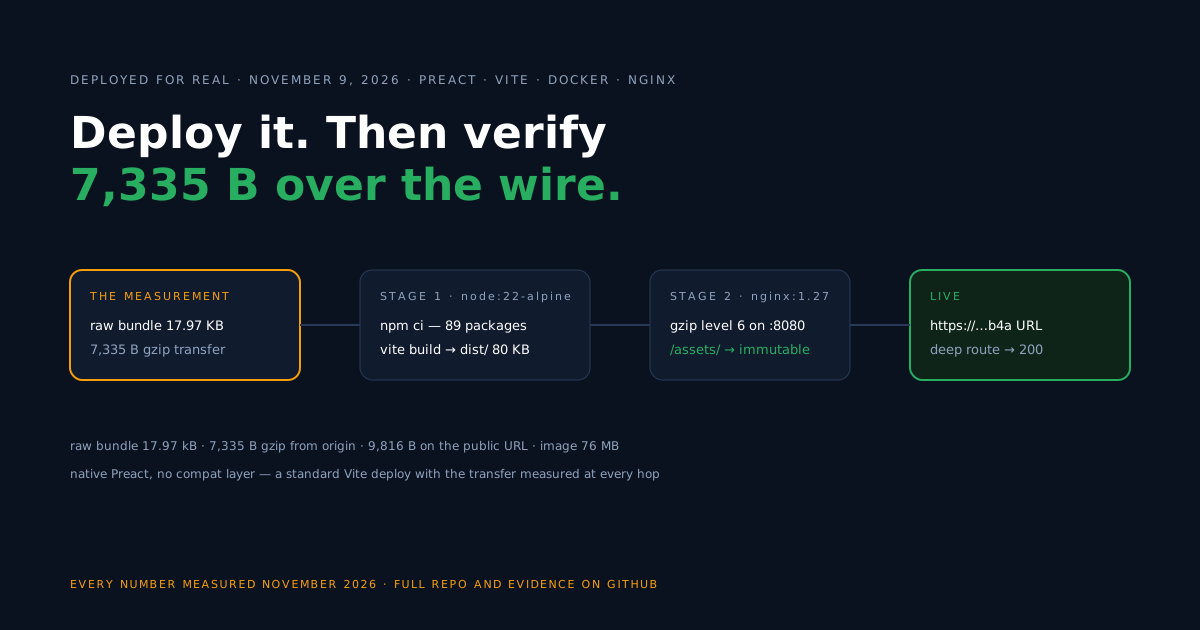
You chose Preact; this page gets it deployed. The flow is the standard one for a static Vite app — a two-stage Docker image, nginx serving the build — and because transfer size is usually why Preact is in the room, this guide measures the payload at every hop instead of asserting it.
What we deploy is the native Preact app from the official Vite template, live on Back4app Containers; dates, commit, and all figures are gathered in the measurements section, and the setup is reproducible from the companion repo.
One scoping note up front: preact/compat, the React-aliasing layer, is real and officially documented, but the companion repo does not demonstrate it, so this guide will not pretend to.
Scaffold the Preact app
The companion repo began life as the official template, and nothing framework-specific was added before deploying it.
npm create vite@latest preact-container-starter -- --template preactThat pinned preact ^11.1.1, vite ^8.3.6, and @preact/preset-vite ^2.10.6 in our run.
Before Docker can build it, commit a lockfile: our fresh scaffold had none, so we ran npm install once and checked in the package-lock.json it wrote — npm ci inside the image depends on it.
Build the Docker image
The Dockerfile is the standard split — a Node stage that exists only to produce dist/, and an nginx stage that is the actual shipped container.
# Build stage
FROM node:22-alpine AS build
WORKDIR /app
COPY package.json package-lock.json ./
RUN npm ci
COPY . .
RUN npm run build

# Serve stage
FROM nginx:1.27-alpine
COPY nginx.conf /etc/nginx/conf.d/default.conf
COPY --from=build /app/dist /usr/share/nginx/html
EXPOSE 8080
A distinction worth keeping straight: the image is almost entirely the nginx base and never crosses the network to your users; what they download is the build output, governed by the nginx config below. Both sizes are in the measurements section, as separate facts.
server {
    listen 8080;
    server_name _;
    root /usr/share/nginx/html;
    index index.html;

    gzip on;
    gzip_proxied any;
    gzip_vary on;
    gzip_comp_level 6;
    gzip_min_length 1024;
    gzip_types text/css application/javascript application/json image/svg+xml text/plain;

    # Vite writes content-hashed files to /assets/ — cache them forever
    location /assets/ {
        add_header Cache-Control "public, max-age=31536000, immutable";
        try_files $uri =404;
    }

    # SPA refresh fix: unknown paths fall back to index.html
    location / {
        try_files $uri $uri/ /index.html;
    }
}
Three lines carry the transfer behavior: compression (gzip_comp_level 6 against nginx’s default of 1 — measured difference in the table), immutable caching scoped to the content-hashed /assets/ files (verified served with Cache-Control: public, max-age=31536000, immutable), and the try_files fallback that keeps deep links alive.
Deploy on Back4app
A plan fact to weigh before you choose one: a free-plan app gets a public URL that shuts down 60 minutes after the app is created, redeploys included — enough runway for every check in this guide, not for serving users. Permanent URLs come with the paid plans.
- Push everything (app,
Dockerfile,nginx.conf, lockfile) to GitHub and open a New Web Deployment pointed at the repo.
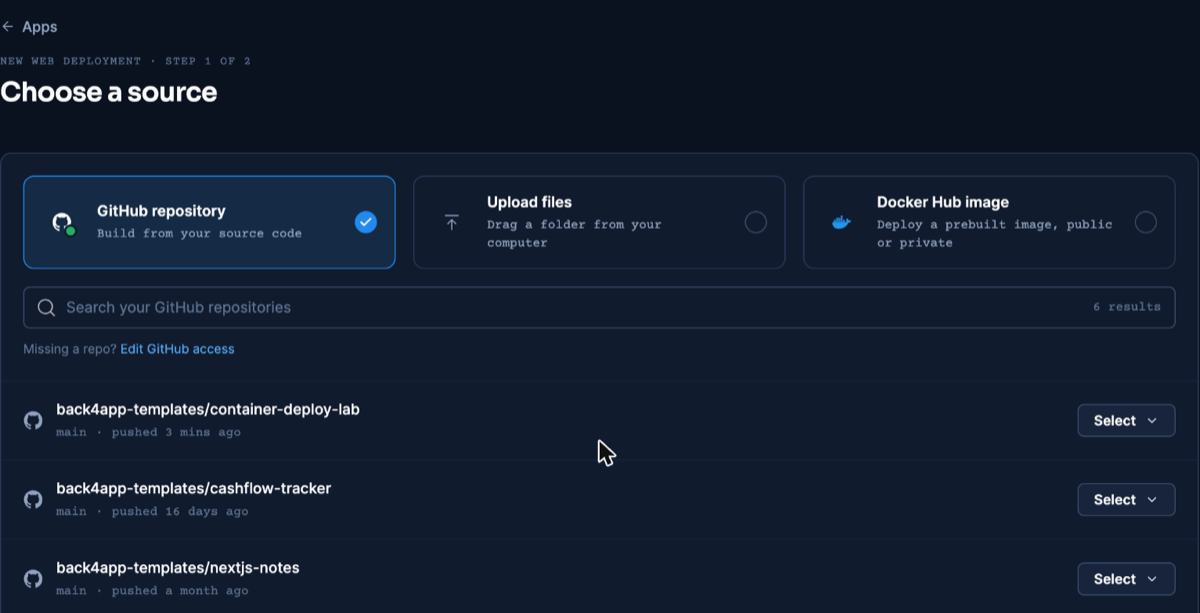
Source selection is the same screen series-wide — captured during our React deploy, dashboard as of November 2026.
- Dockerfile detection is automatic; the port is your job. Set 8080 explicitly — the auto setting does not inherit
EXPOSE, a known trip-up whose exact failure message the React article reproduces.
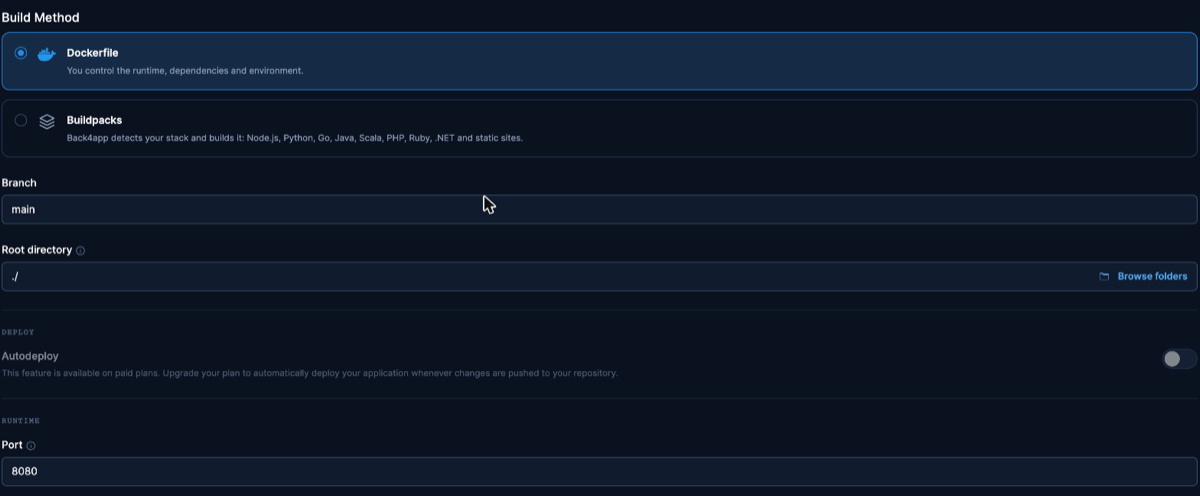
Settings step reused from the React deploy where it is identical. Dashboard as of November 2026.
- Create the app and wait out a short build — the READY timestamp from our run is in the measurements section.
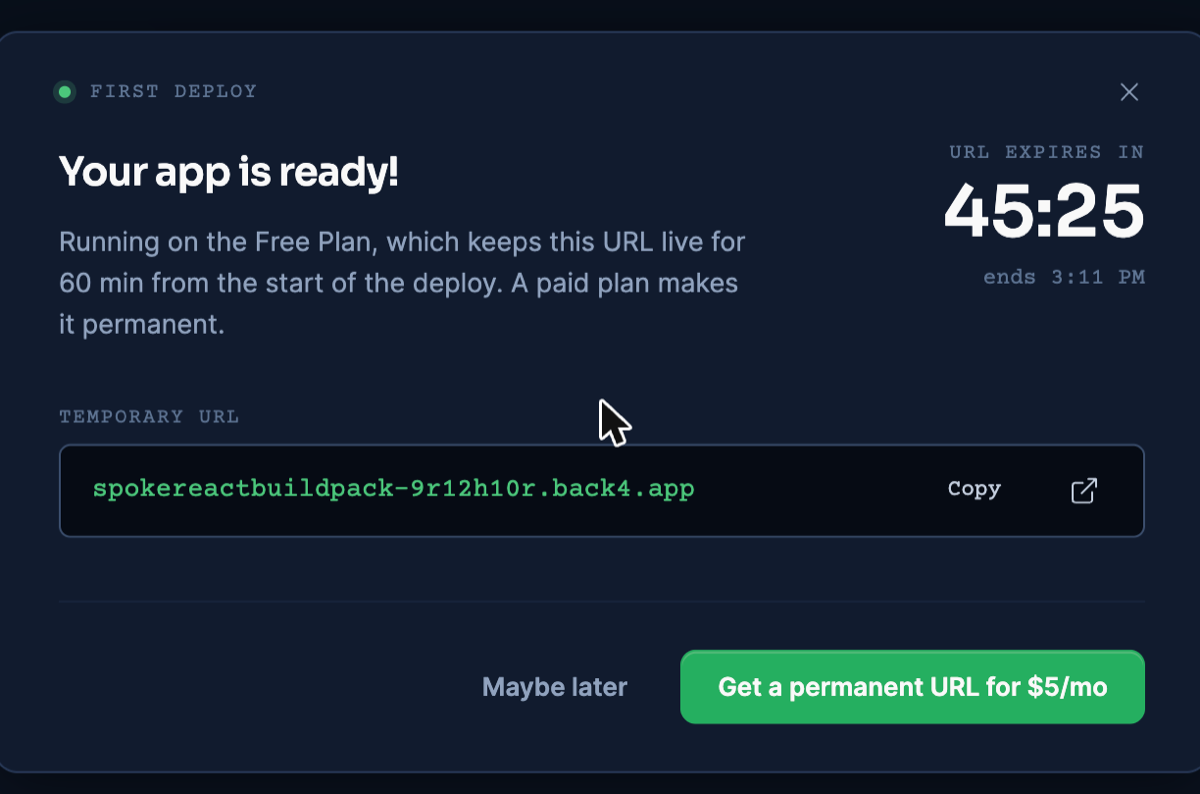
The free-URL dialog, from the React deploy — the step does not differ. Dashboard as of November 2026.
- Now verify the live URL: fetch the referenced script with
Accept-Encoding: gzipand count the bytes it transfers, and request a deep path — ours returned 200, the fallback at work in production.
Deploy from an AI assistant with MCP
With Back4app’s remote MCP server connected, an AI assistant can upload this folder and deploy it for you. MCP only operates the deploy; the build is still the Dockerfile above. Setup per client: official MCP page.
The general MCP flow, including why the buildpack path failed for this app, is in the MCP deploy guide.
On November 10, 2026 (Claude, custom connector, signed in) the assistant ran create_upload, the returned npx @back4app/cli upload command, and create_web_app with port 8080. The app was created with builder: DOCKERFILE and was READY about 18 seconds later; / and an unknown deep path both returned 200.
Keep the Dockerfile on this path. We repeated the deploy asking for the buildpack instead (builder: BUILDPACK), and it failed: the build passed, then the deployment stopped with “Your app was built successfully, but it has no start process”.
Through MCP, the buildpack did not treat this Vite app as a static site. A static build needs something to serve it — which is what the nginx stage of the Dockerfile is. Both runs, with the full error text: MCP evidence file.
What we measured
Local figures are from November 6, 2026; the live deploy on November 9, 2026 ran the repo at commit 521c9af (deployed lab commit and raw commands in the repo’s evidence files).
On-disk sizes and observed transfers get separate tables.
Local build and on-disk sizes (November 6, 2026):
| What | Value |
|---|---|
| npm ci (89 packages, warm npm cache) | 1.38 s |
| npm run build | 2.41 s wall (Vite: built in 473 ms) |
| dist/ on disk | 80 KB |
| docker build, base images already present | 10.00 s |
| Docker image | 76 MB (arm64; the app is a rounding error of it) |
| First-load JS, raw file size | 17.97 KB (one file) |
Observed transfers and timing:
| What | Value | Where |
|---|---|---|
| First-load JS from our nginx, gzip level 6 | 7,335 B | local container, November 6, 2026 |
| Same file at nginx’s default gzip level 1 | 7,941 B | local container |
| First-load JS on the public URL | 9,816 B before gzip_proxied any; · 7,335 B after | live URL, November 9 and 10, 2026 |
| HTML document, gzipped | 473 B | local container |
| Platform build READY | 13:38:35 UTC | live deploy, November 9, 2026 |
| TTFB on / (3 illustrative requests) | 1.650 s · 1.002 s · 1.393 s | live URL |
The two public figures are the same file before and after one config line. Without gzip_proxied any;, nginx did not compress requests relayed by the platform’s CDN, and the edge’s own compression delivered 9,816 B. With the line, the public URL transfers the 7,335 B this config produces (verified November 10, 2026).
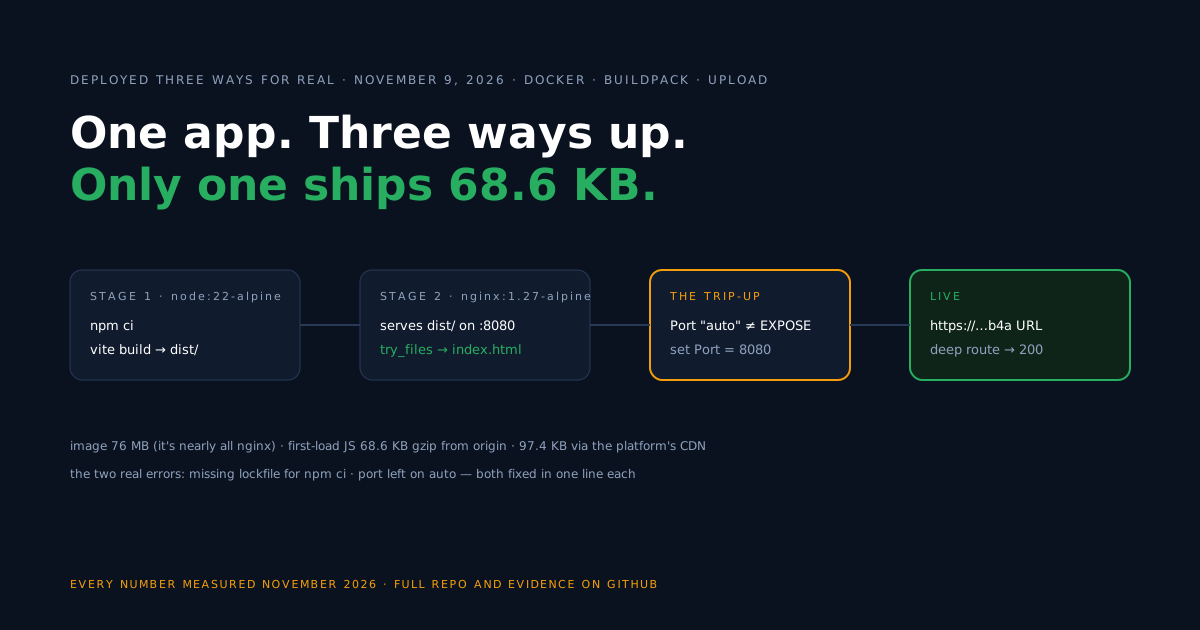
One piece of secondary data, since the question always comes up: at the commits each evidence file records, this Preact scaffold’s origin transfer (7,335 B) sits well under the figure the React deploy guide reports for its starter (68.6 KB) on the same server setup.
The scaffolds differ in demo content and dependencies, so read that as a comparison of these two repos — not as an intrinsic framework ratio, and not as a claim about load time.
Update the deployed app
After the first deploy, updates are a push plus one dashboard action — App actions → Deploy the latest commit — and the same URL serves the new build. We ran that flow on this platform during the November 9, 2026 session; the fully instrumented version of the test, with its caveats, is in the React article.
Paid plans skip the click via auto-deploy. Avoid re-creating the app to update it: that path changes the URL.
Troubleshooting
The npm ci command can only install with an existing package-lock.json — no lockfile is committed. npm install once, commit the file, rebuild.
Please mention a port in settings to expose — the Port field stayed on auto, which never consults the Dockerfile. Set 8080 in Build & deploy.
A route URL 404s on reload — the try_files fallback is missing or an edited nginx.conf is not the one the image copies. The config above returned 200 on our live deep path.
The transfer is bigger than you expected — check you are measuring with Accept-Encoding: gzip, that your file types are listed in gzip_types, and — behind a CDN or any proxy — that gzip_proxied any; is set, because nginx otherwise answers proxied requests uncompressed.
Limitations of this flow
The setup is small on purpose, and these are its actual boundaries.
- Static files only. Any server-side rendering or per-request logic is a different artifact needing a Node runtime container, not this nginx image.
- compat is out of scope here. If your app needs
preact/compat, validate that build against the official guide — this repo’s evidence covers native Preact only. - Bytes are not milliseconds. We measured transfer sizes and TTFB separately; a smaller payload is not by itself a load-time claim for your users.
- Free-plan URLs expire. An hour per app is a test bench, not a host; serving users needs a paid plan.
- No backend included. Accounts and shared data are a next step when you need them — options include a managed backend or an API service of your own.
What’s next?
Run your own app through the same flow: build it with the companion repo’s two files, deploy free, and measure the live transfer yourself (Containers docs for the dashboard details).
When features arrive that want accounts or shared state, one way to keep the bundle lean is calling a managed backend over REST or GraphQL instead of growing the client.