There are two things called an agent in the Back4app dashboard, and nothing on screen tells you they are different products. One sits in the top navigation. The other appears inside every individual app, tagged NEW.
Pick the wrong one and you lose an afternoon: the first will happily build you a brand-new application when what you wanted was a class added to the backend you already have, and the second will ask for an API key you were not expecting to supply.
This post sorts them out — what each one is for, where each one lives, and who pays for the tokens. Checked against the dashboard on 23 September 2026.
Watch it instead
The original walkthrough of the app-level agent: creating a class, filling it with records, writing Cloud Code and calling it, all from chat.

Which agent does what?
One builds software; the other operates it. That is the whole distinction, and everything else — where it lives, who pays, what it can touch — follows from it.
| AI Agent | Backend Agent | |
|---|---|---|
| Where | Top navigation, account-wide | Inside one app’s sidebar |
| Scope | Creates new applications | Acts on that app’s backend |
| Output | Front end, database, hosting | Classes, records, Cloud Code |
| Model | Back4app’s, managed | OpenAI or Anthropic, your choice |
| Who pays | 10 free credits a day | You, via your own API key |
If you are starting from nothing, the top-nav agent is the one. If you have a backend with data in it and you want a class added or a Cloud Code function written against what is already there, you want the one inside the app.
What does the account-level agent look like?
It opens on a prompt box and a row of starting points — web app, landing page, internal tool, dashboard, game, prototype — with your existing projects below, each marked draft or published.
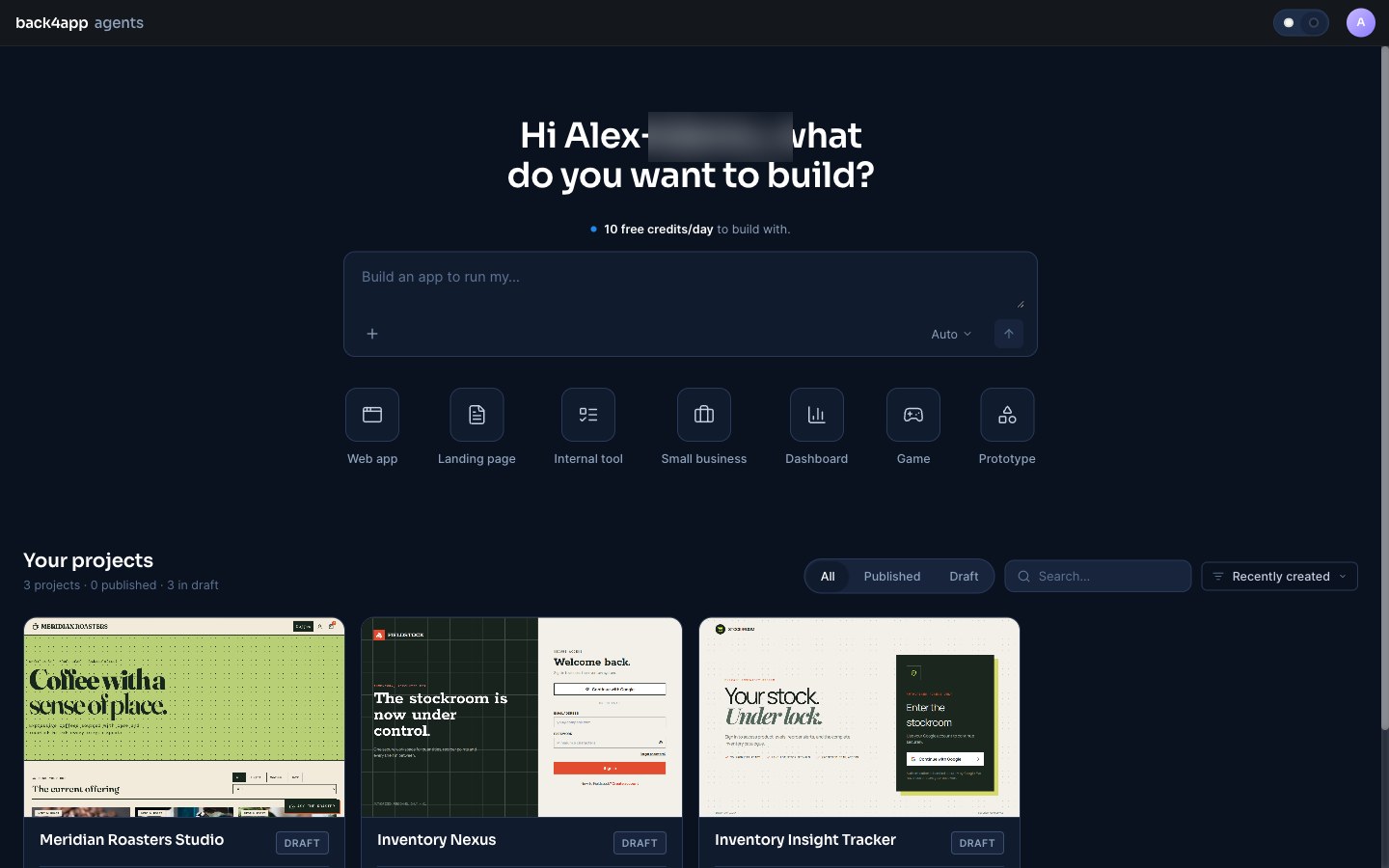
The line under the prompt box is the one to notice: 10 free credits/day to build with. Nothing here asks for a key, because the model is Back4app’s and the credits are the meter.
This is the agent behind the app-building guides on this blog — the one that takes a spreadsheet or a paragraph and returns a running application with a database behind it.
What does the app-level agent look like?
Nothing, at first. Open an app, click Backend Agent in the sidebar, and you get an empty state rather than a chat: “No Backend Agent is set up for this app yet. Create one to start chatting.”
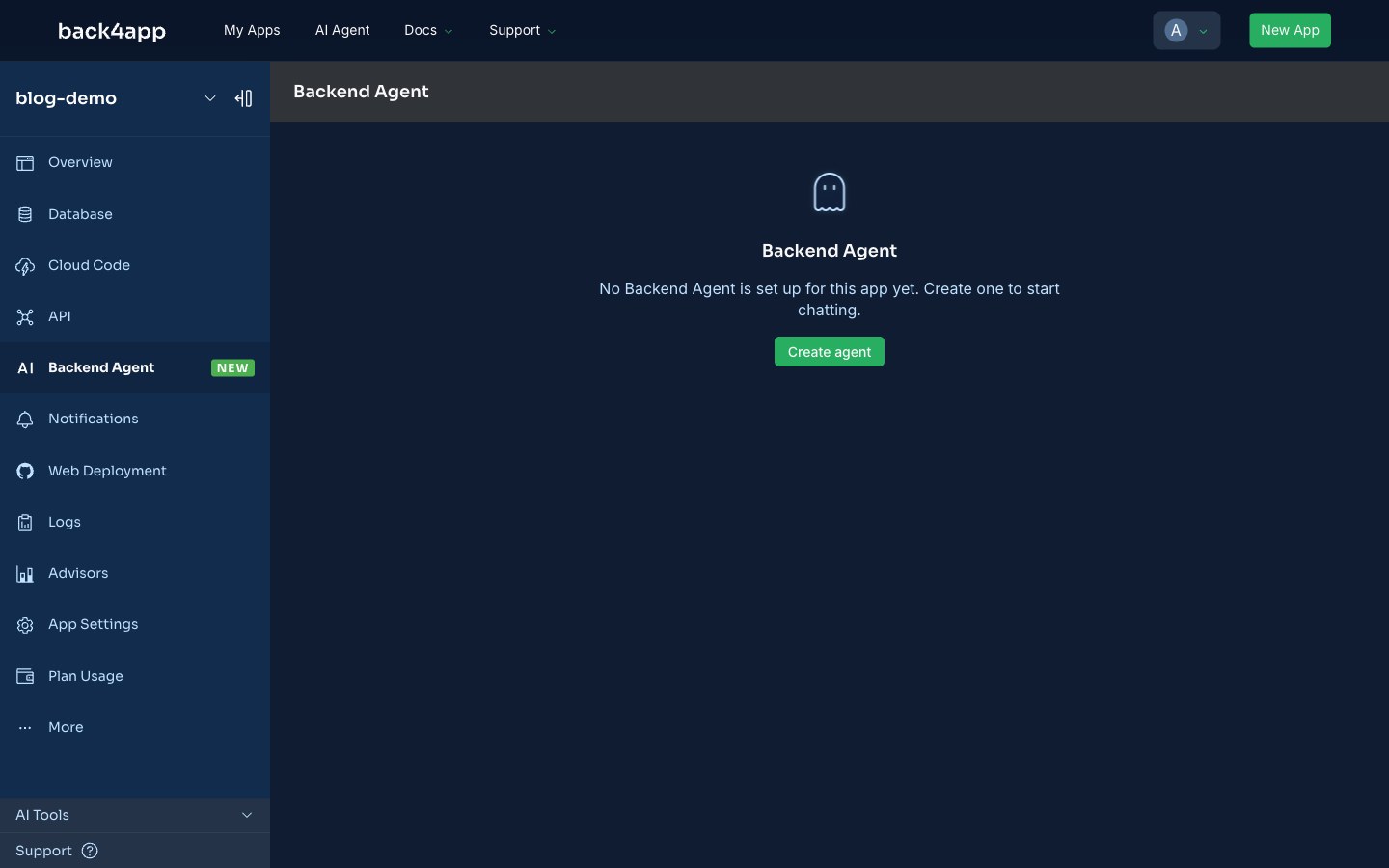
That empty state is itself the headline change. The agent is per app now, so it already knows which backend it is pointed at — where the 2024 walkthrough had to open its prompt by naming the application inside the account, because the agent was account-wide and had to go find it.
Why does it ask for an API key?
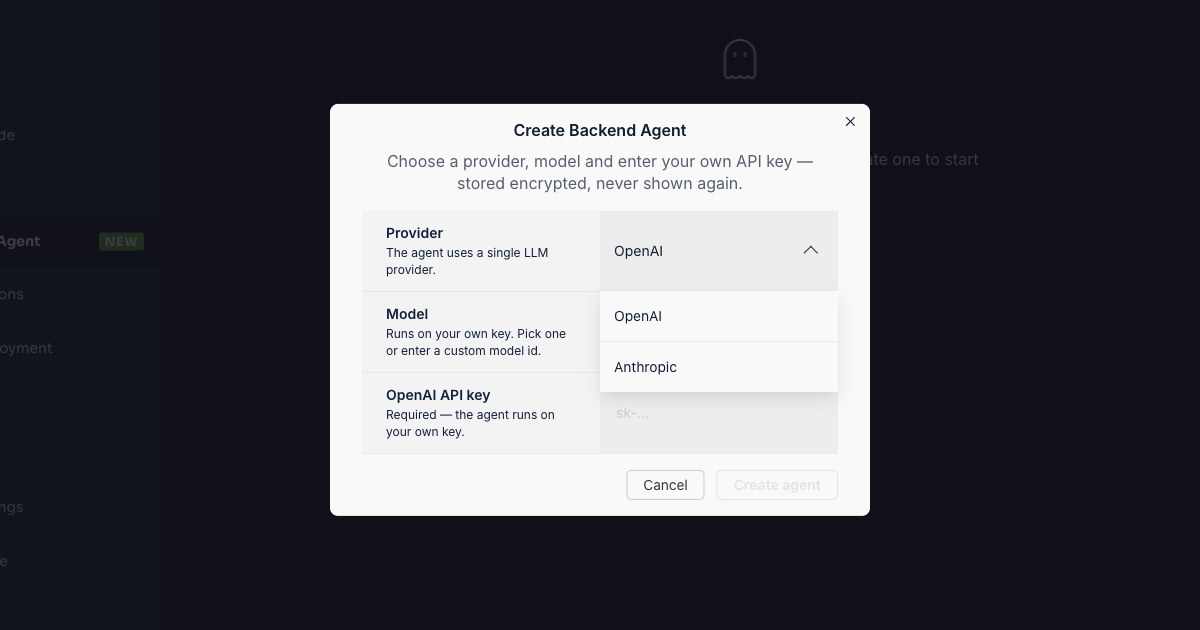
Because you supply the model. Clicking Create agent opens a dialog that says so without hedging: “Choose a provider, model and enter your own API key — stored encrypted, never shown again.”
The provider dropdown offers OpenAI and Anthropic — one or the other, since the dialog notes the agent uses a single LLM provider. Each ships three named models and accepts a custom model id.
| Provider | Models offered |
|---|---|
| OpenAI | gpt-5.3-codex (default), gpt-5.5, gpt-5.6-terra |
| Anthropic | claude-sonnet-5, claude-opus-4-8, claude-sonnet-4-6 |
The key field is required and the Create agent button stays disabled until you fill it. There is no free tier, no trial credits, and no managed option — the tokens this agent spends are billed to you by the provider you chose.
What can the app-level agent actually do?
Operate the three things a Parse backend is made of. The 2024 walkthrough runs the sequence end to end: create a class with typed fields, fill it with sample records, write a Cloud Code function against that class, deploy it, and then call it and print the result.
That capability set is what makes it different from a coding assistant in your editor. An assistant can write a Parse.Query for you; it cannot create the class, deploy the function to your server, and then run it against your data.
How should you choose between them?
Start with what exists. If there is no backend yet, the account-level agent will create one along with everything around it, and the free daily credits mean you can find out whether the idea works before spending anything.
If the backend exists and has data you care about, the app-level agent is the right tool and the key is the price of admission. Budget for it the way you budget for any model usage — by the task, not by the seat.
And whichever you use, keep it away from production. An agent with write access to your schema, your records and your Cloud Code can do a great deal of damage from one badly-read instruction. Run it against a test app, check the result, and move the code across yourself.