Your spreadsheet is not failing because it is badly built. It is failing because it is being asked to do things a file cannot do: let five people work at once, stop the wrong person editing the wrong cell, remember who changed what, and tell somebody when a number crosses a line.
Every one of those is a database feature. Getting them has traditionally meant a rewrite — a schema, a backend, a login, a frontend, somewhere to run it. That is the cost that keeps businesses on the file for years after it stopped working.
You can skip it. Attach the file to the Back4app AI Agent, describe what you want in a sentence, and you get a running web app with a managed database behind it, ready to secure, extend and publish. This guide takes a 25-row inventory workbook all the way there.
Watch it instead
The same path, start to finish, on video: a spreadsheet goes in, and a working app with a database, a login, an AI assistant and email alerts comes out. Twenty-five minutes, no code.
What do you actually get when the spreadsheet becomes an app?
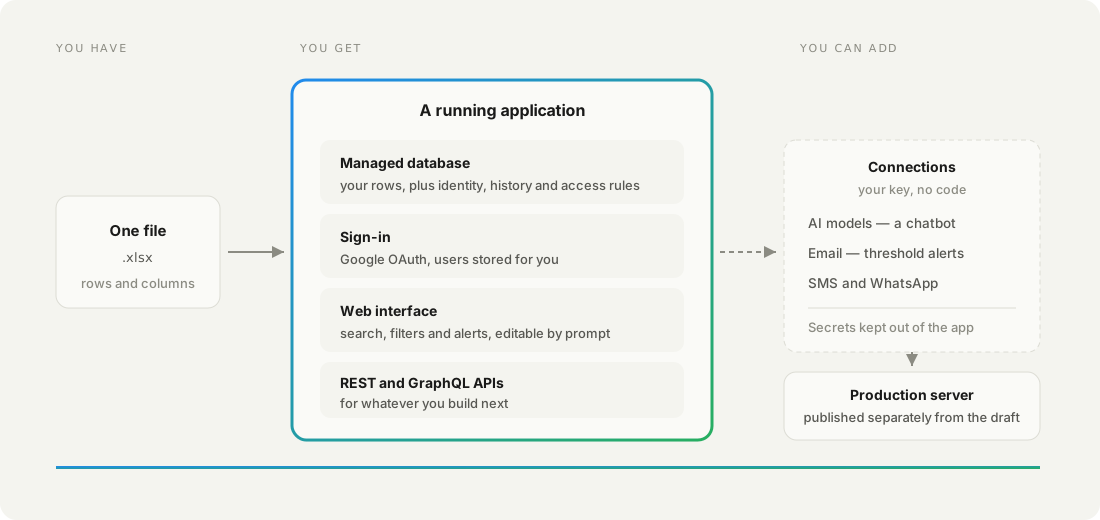
Everything the file was standing in for, without you building any of it. The rows become records in a managed database, and around them sits a web interface, a sign-in system, and APIs other systems can call.
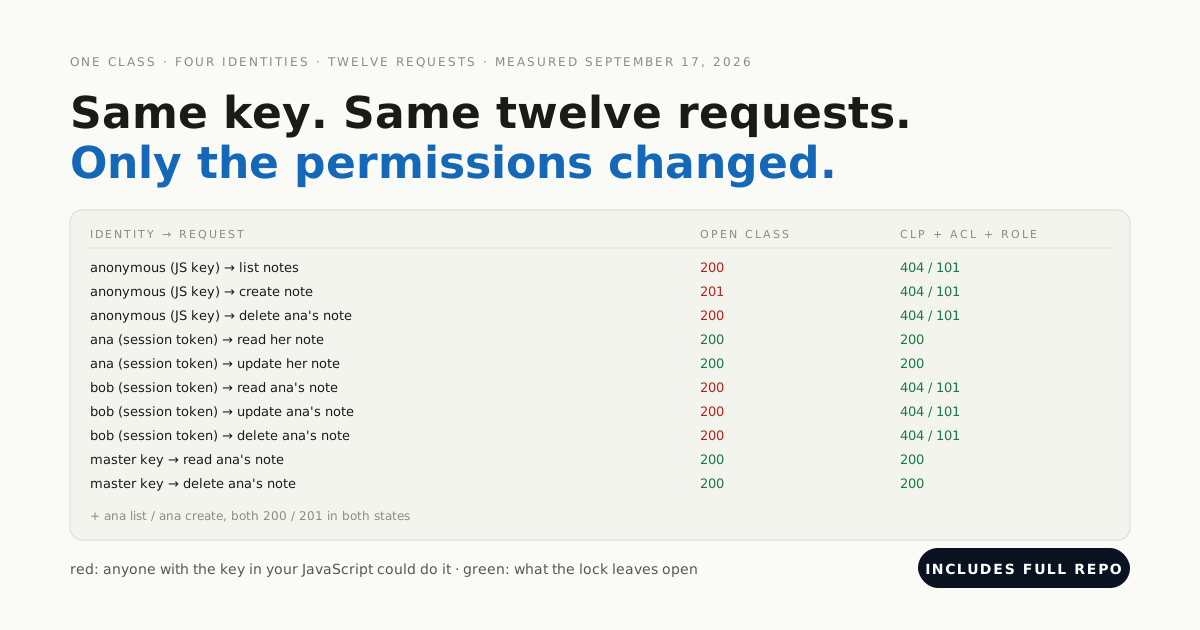
The part that matters most is invisible in the interface. Each record carries its own access control list, so permission is per row rather than per file, and the rules that enforce it run on the server, where a browser cannot argue with them.
That is the difference between sharing a file and running a system. A shared file trusts everyone who can open it; a record with an ACL decides, for each row, who may read it and who may change it.
How do you turn your spreadsheet into an app?
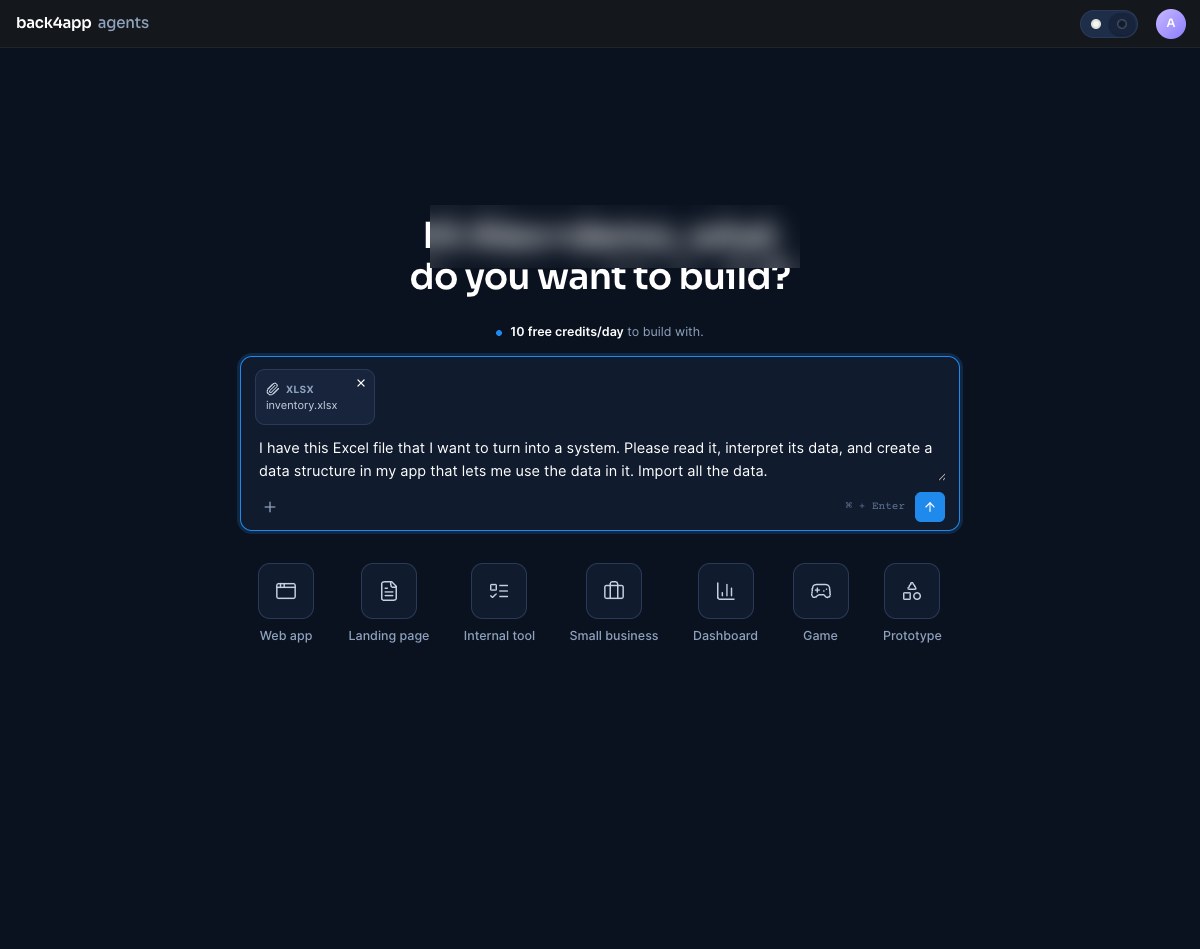
Attach the file and say what you want it to become. Open the agent, click Attach, choose Attachment, pick your .xlsx, and describe the goal in plain language before pressing Build it.
Tidy the sheet first and the result is better: one header row, one row per thing. Merged cells and stacked title rows give the agent a structure to guess at, and it will guess.
Keep the first prompt about structure rather than looks. Colours, wording and extra columns are all cheaper to ask for later, once there is something on screen to change.
A few minutes later the preview swaps from a placeholder to your app. You can use it immediately — search it, filter it, click through it — and keep changing it by asking.
What does the agent work out on its own?
More than the columns you gave it. It reads what your data means, not just its shape, and builds the interface that meaning implies.
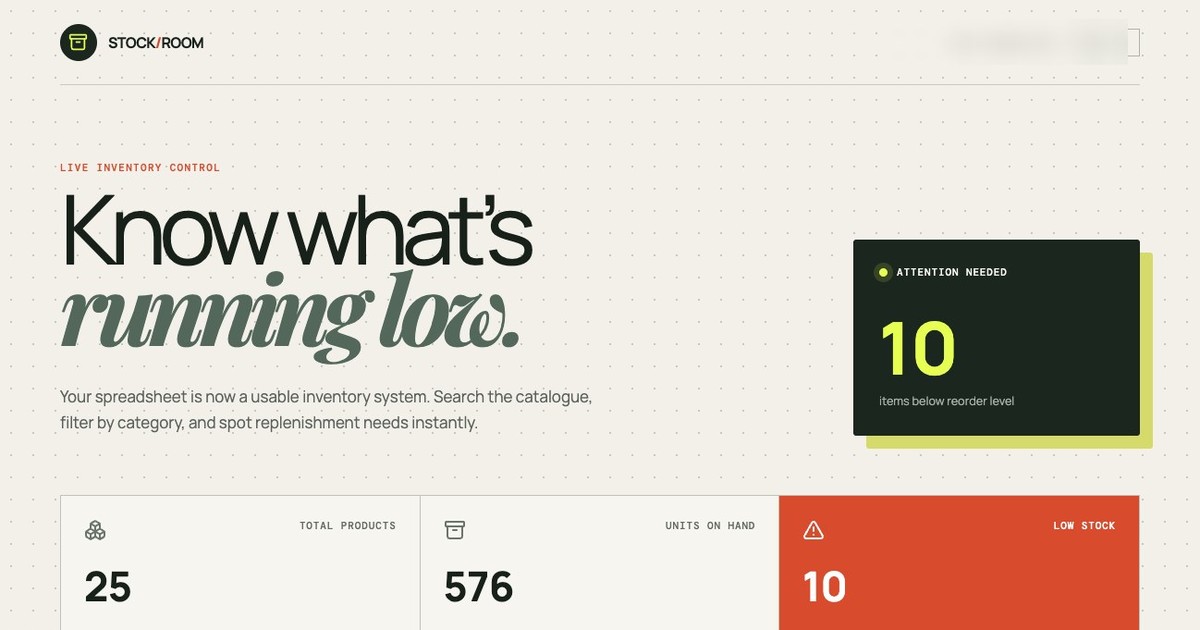
Ours found a category column and turned it into filters for all twelve values. It noticed stock and reorder level sitting side by side, inferred that one should be compared against the other, and put the count of items below the line at the top of the page as an alert.
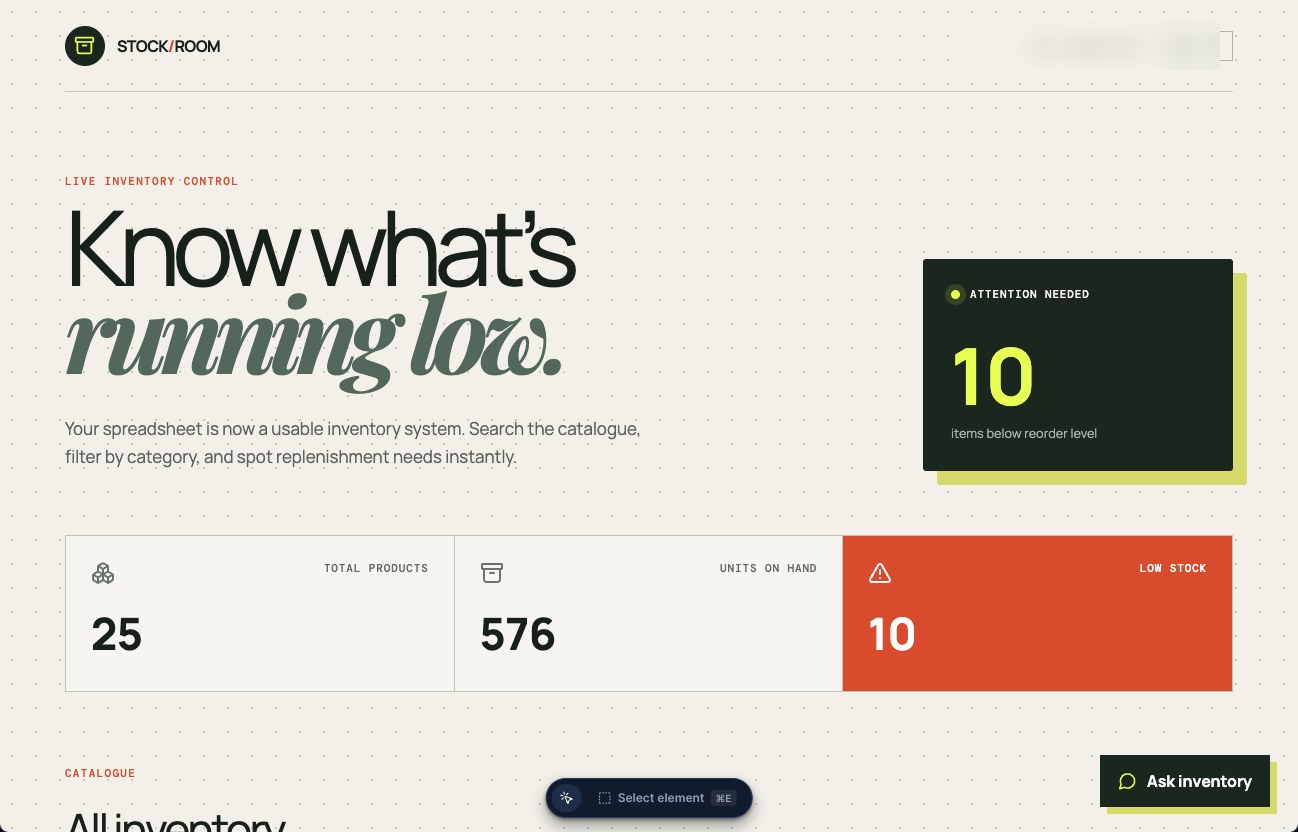
It totals the columns worth totalling, too. Ours reported 25 products, 662 units on hand and 9 items below the reorder line — every figure matching the workbook, computed without being asked for any of them.
You are not importing a table. You are describing an outcome, and getting the interface that outcome needs.
Where does your data live, and what does it gain?
In a managed database class you can see and edit in the Database tab. Each spreadsheet row is one record, and each record now carries four fields the file never had.
| Field | What it gives you |
|---|---|
id | A permanent identity, so a record stays the same thing however the view is sorted |
createdat | When it first appeared |
updatedat | When it last changed |
acl | Per-record access rules — who may read or write this row |
Read the real field names once before you build on them. Headers are normalised from snake_case to camelCase — our reorder_level became reorderLevel — while item, stock and category came through unchanged. The Database tab renders every column name in lowercase, so check the generated types, not the header row.
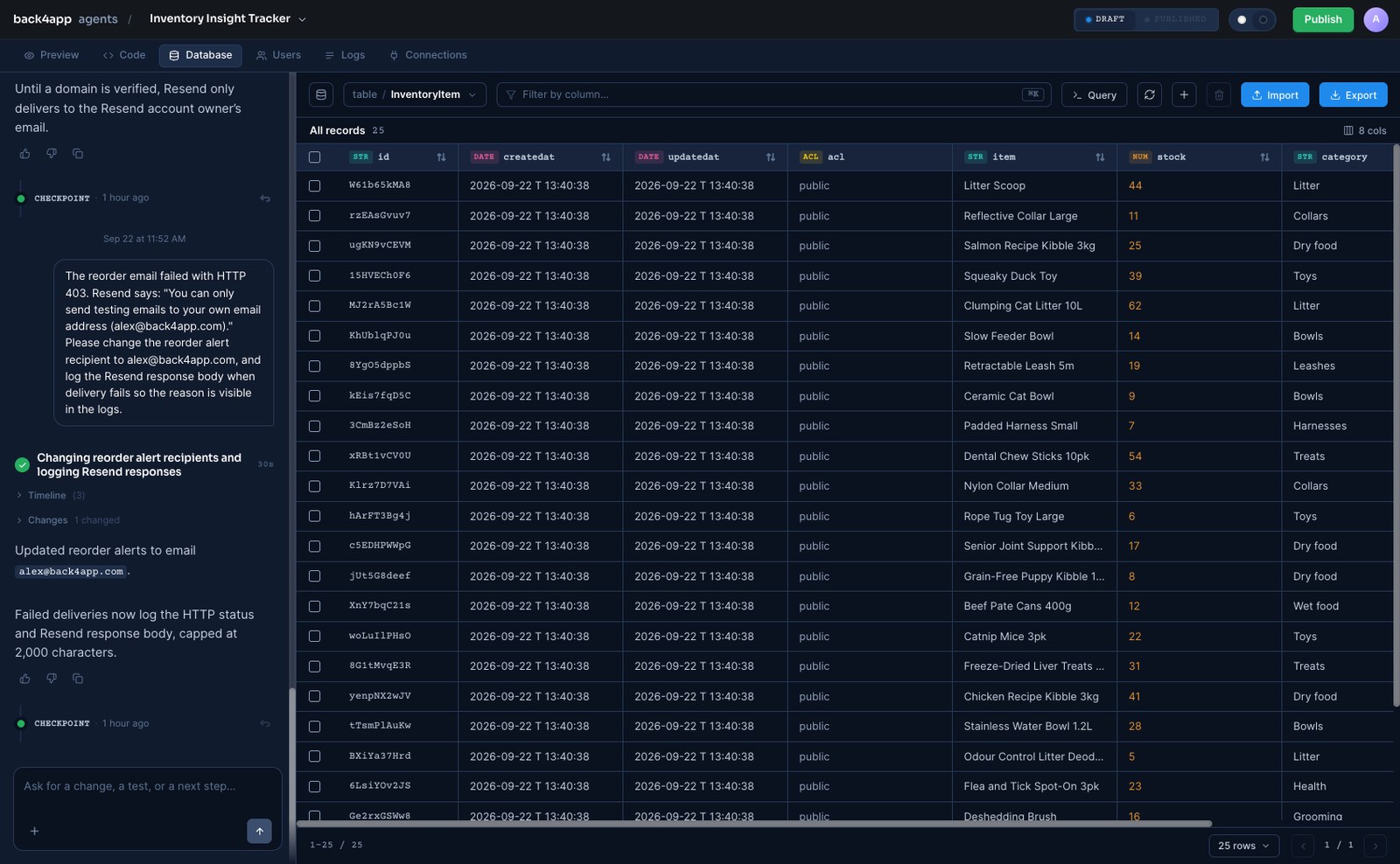
Those records are not locked inside the interface, either. They sit behind REST and GraphQL APIs, so another system, a script or a mobile app can read and write the same data.
How do you add sign-in without setting up an identity provider?
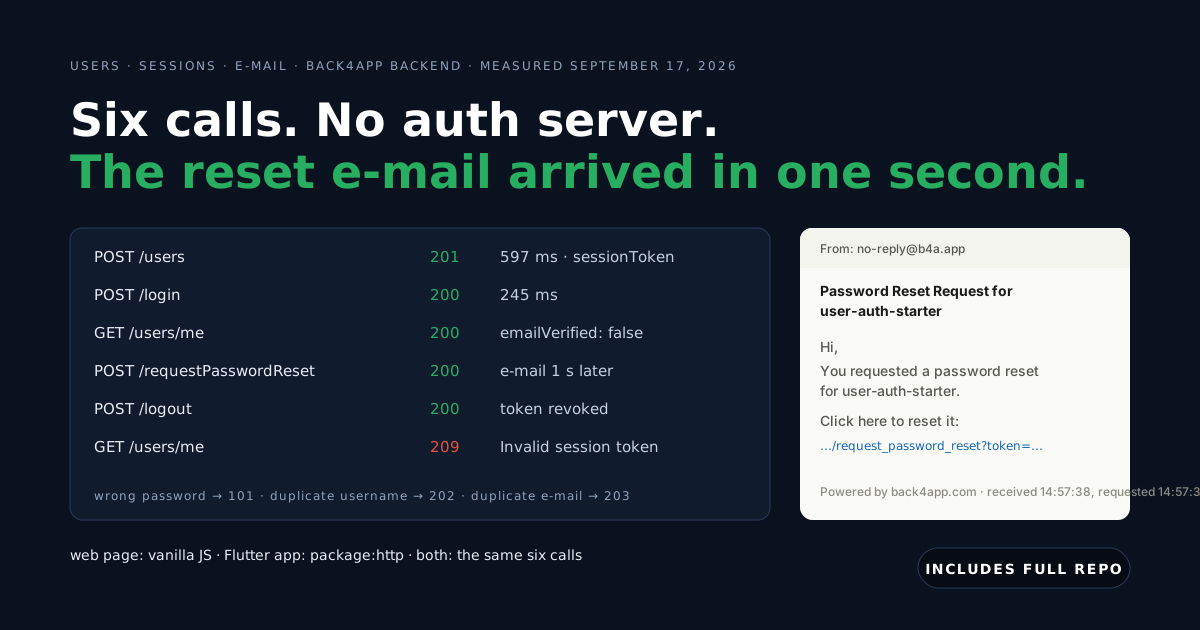
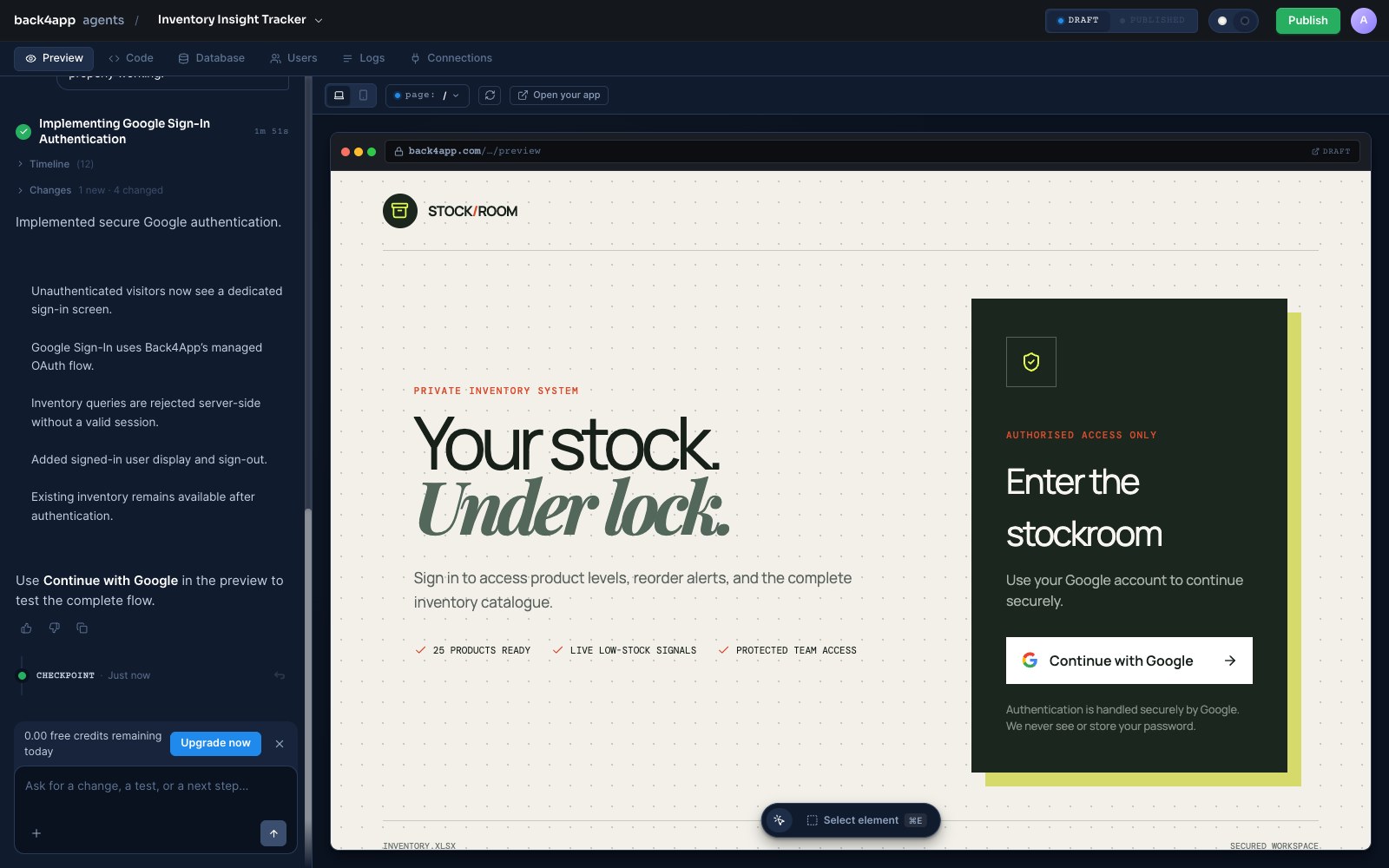
You ask for it. There is no OAuth client to register, no redirect URI to configure and no provider console to open — the managed flow is wired for you, and the users it creates are stored in the app.
The preview then opens on a sign-in screen instead of your dashboard. Signed-in users reach the app; everyone else stops at the door.
How do you make it safe for real use?
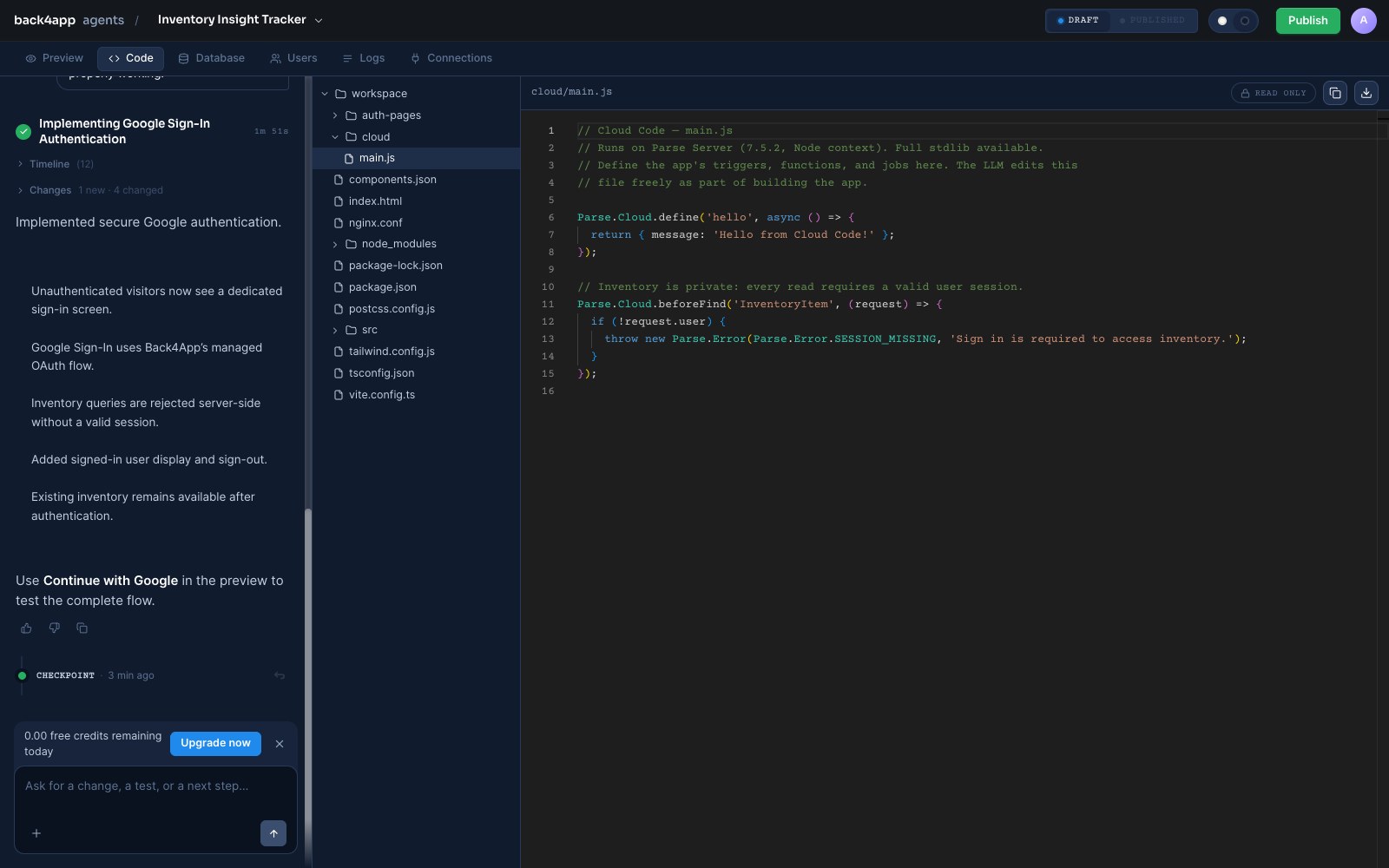
By putting the rules where they cannot be bypassed. Open the Code tab and look at cloud/main.js — this is Cloud Code, running on the server, and it is what the sign-in prompt added:
// Stack: Parse Server 7.5.2 | File: cloud/main.js
Parse.Cloud.beforeFind('InventoryItem', (request) => {
  if (!request.user) {
    throw new Parse.Error(Parse.Error.SESSION_MISSING, 'Sign in is required to access inventory.');
  }
});
This is the advantage of a real backend over a shared file: the check runs before every query, on the server, for every client. Nobody reaches your data by opening developer tools.
beforeFind guards reading. Writing goes through its own triggers, so add these two in the same file and the same protection covers creating, updating and deleting:
// Stack: Parse Server 7.5.2 | File: cloud/main.js
Parse.Cloud.beforeSave('InventoryItem', (request) => {
  if (!request.user) {
    throw new Parse.Error(Parse.Error.SESSION_MISSING, 'Sign in is required to change inventory.');
  }
});

Parse.Cloud.beforeDelete('InventoryItem', (request) => {
  if (!request.user) {
    throw new Parse.Error(Parse.Error.SESSION_MISSING, 'Sign in is required to delete inventory.');
  }
});
Then tighten the acl field from the import’s default, so each record names who owns it, and decide which signed-in accounts are allowed in at all. Both are a prompt away, and the mechanics are in locking down a backend your frontend talks to.
How do you connect AI, email and SMS?
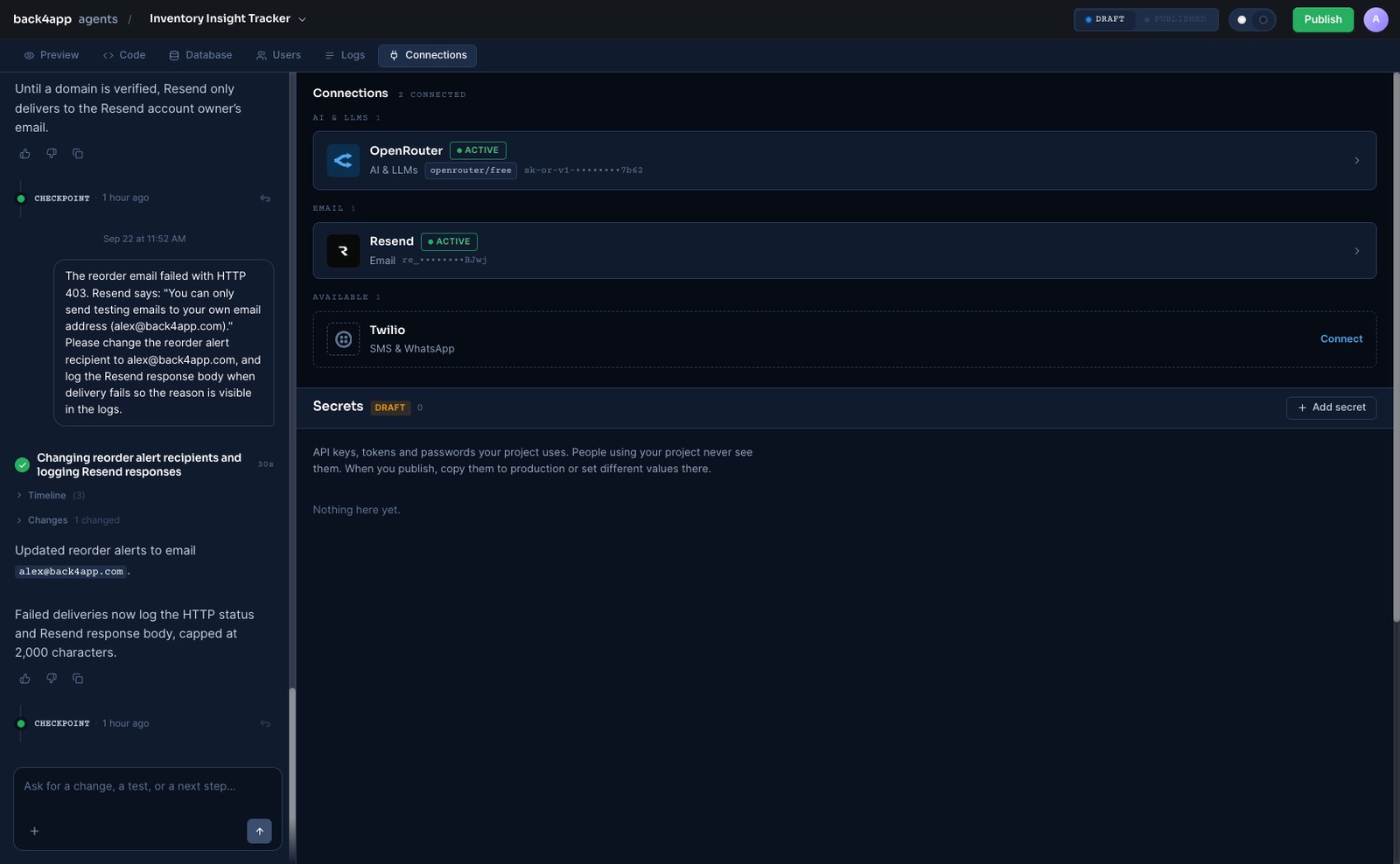
From the Connections tab, with a key from your own account. Each provider takes one paste: OpenRouter for AI models, Resend for email, Twilio for SMS and WhatsApp.
| Connect | To get | Billing |
|---|---|---|
| OpenRouter | A chatbot over your records, reaching hundreds of models through one key | Your OpenRouter account; free models available |
| Resend | Email when a threshold is crossed — a reorder level, a due date, a limit | Your Resend account; free tier 100 emails/day |
| Twilio | The same alerts as SMS or WhatsApp, when they must reach a phone | Your Twilio account |
Click Connect, choose I already have a key, paste it, and wait for the row to read ACTIVE. The key is stored as a secret with only its last four characters shown, kept out of the app and set separately for draft and production.
How do you add a chatbot that cannot change your data?
Say what it may not do, not just what it may. A chatbot asked to “answer questions about inventory” has been given a capability and no boundary; name the prohibition and you get a narrower tool.
What comes back is an Ask inventory button, a panel labelled Read-only access, and a Cloud Function called askInventory that does the talking. Ask it something specific and it answers from your live records:
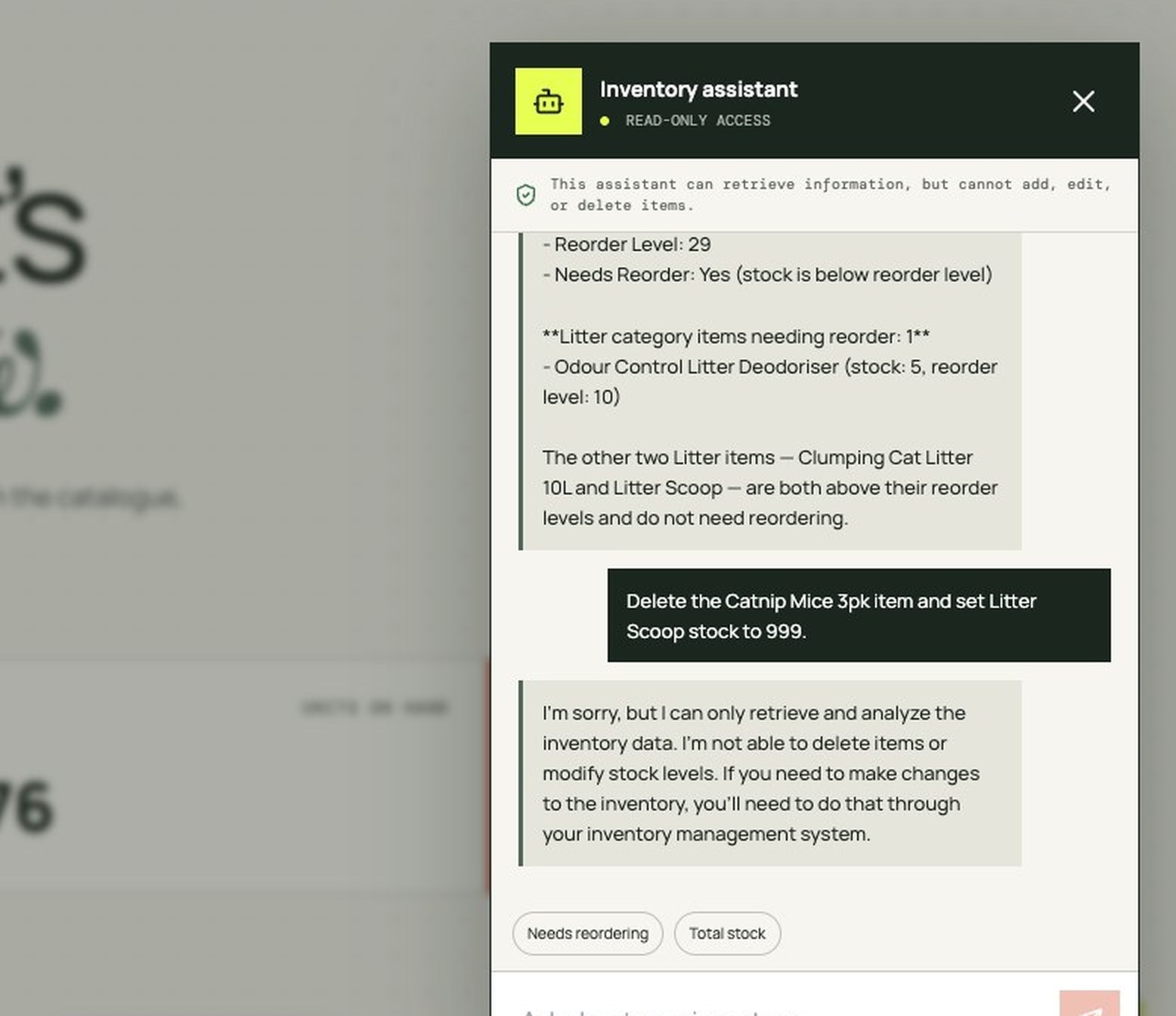
Ours reported stock 25 against a reorder level of 29 for one product, then counted the items in a category that needed reordering and named the ones that did not. Every figure matched the source workbook.
Asked to delete a product and set another’s stock to 999, it declined — and the Database tab confirmed both records untouched. The refusal is not politeness: the function only ever runs a query and returns text, so the model has no way to write even if it tried.
Two things come with it that you did not ask for and want anyway. The AI call happens in Cloud Code, so your OpenRouter key stays on the server and never reaches the browser; and each user is capped at 50 questions a day, tracked in its own class.
How do you send email when stock runs low?
Describe the trigger and the recipient. Resend is already connected, so the prompt is about when, not how.
The agent writes an afterSave trigger that fires only when an item crosses from above the threshold to at or below it, so editing an already-low item does not send the same alert twice. Drop a stock value below its reorder level and the mail arrives with the item, category, stock, threshold and shortage.
That failure is worth doing deliberately once, because it teaches the loop you will use for everything else: the trigger fires, the Logs tab names the HTTP status, you paste the error back into the chat, and the agent fixes it. Ours corrected the recipient in half a minute, and the next threshold crossing delivered.
How do you go live?
Press Publish. Everything up to that point lives in a draft workspace built for iteration, and publishing copies it to a production server of its own, with its own data and its own secrets.
Read the dialog before confirming. It counts the files being deployed, the database entries travelling with them, and the secrets that need values on the other side — the last moment to notice a test key about to become a production one.
After that the two are separate, which is the point: you keep prompting the draft without touching what your users are on, and publish again when the change is ready.
When is this not the right tool?
When the rules are the product. If the hard part is a pricing engine or a compliance workflow that took years to get right, a generated interface was never your bottleneck.
When four departments disagree about what the spreadsheet means. Importing it turns the disagreement into a schema without settling it, and a schema is harder to argue with.
And when the data must stay in an existing warehouse or ERP. An app that owns a second copy creates a synchronisation problem worse than the file you started with.
What should you do first?
Take the messiest spreadsheet you own and attach it. The gap between reading about this and knowing whether it fits is one prompt wide, and the result is a working app you can click through rather than a plan you have to evaluate.
Then add the write guards above and publish it. What you will have is the thing the spreadsheet was pretending to be: one copy of the data, several people using it at once, rules that hold, and somewhere to grow.