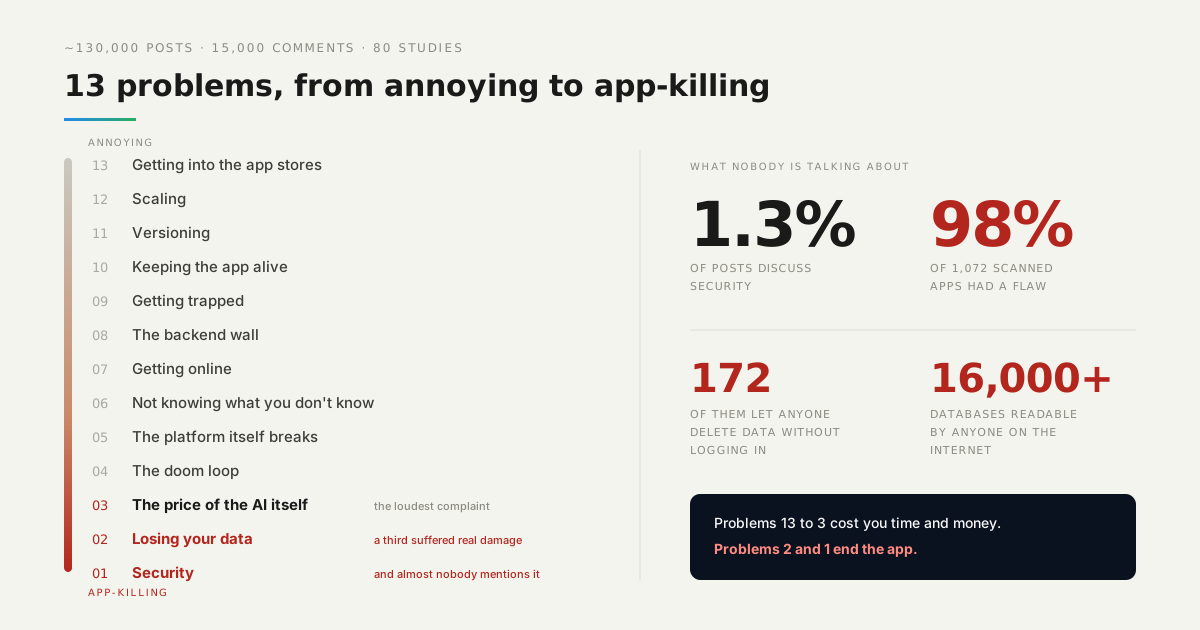
For people who do not write code, this is the biggest problem there is — bigger than deployment, bigger than bugs. Nearly half of what they struggle with is this one thing, and it has an awkward shape: you cannot search for the name of a problem nobody has told you about.
An assistant will not interrupt itself to mention that your app has no concept of permissions. It was not asked. And you did not ask, because asking requires already knowing the word.
So the useful thing is not advice. It is a list of names, and a way to check each one against the app you actually have.
Watch it instead
Not knowing what you don’t know is number 6 in our countdown of what actually goes wrong for people building with AI.

What did the questions come back with?
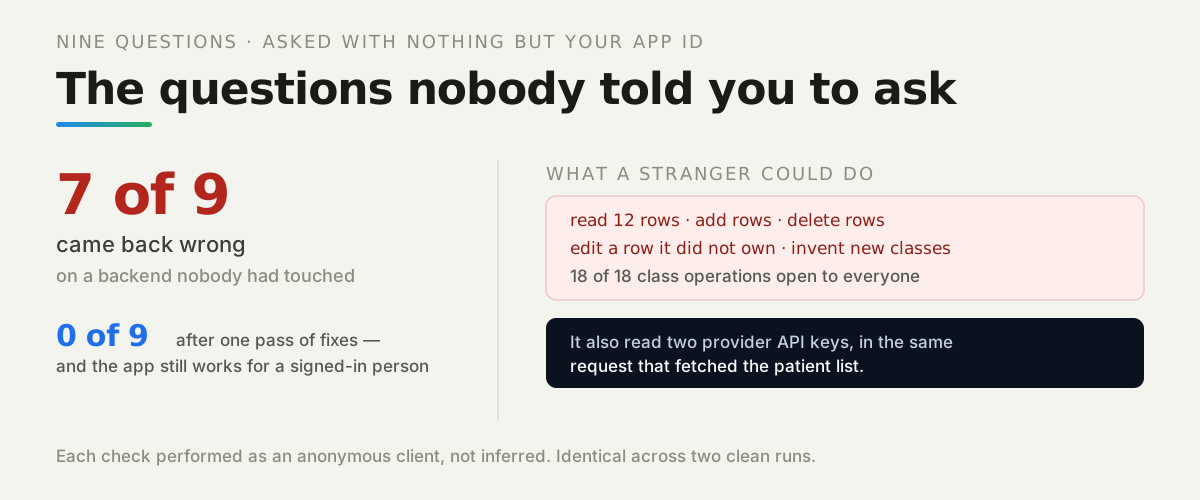
Seven answers nobody wants, on a backend nobody had touched:
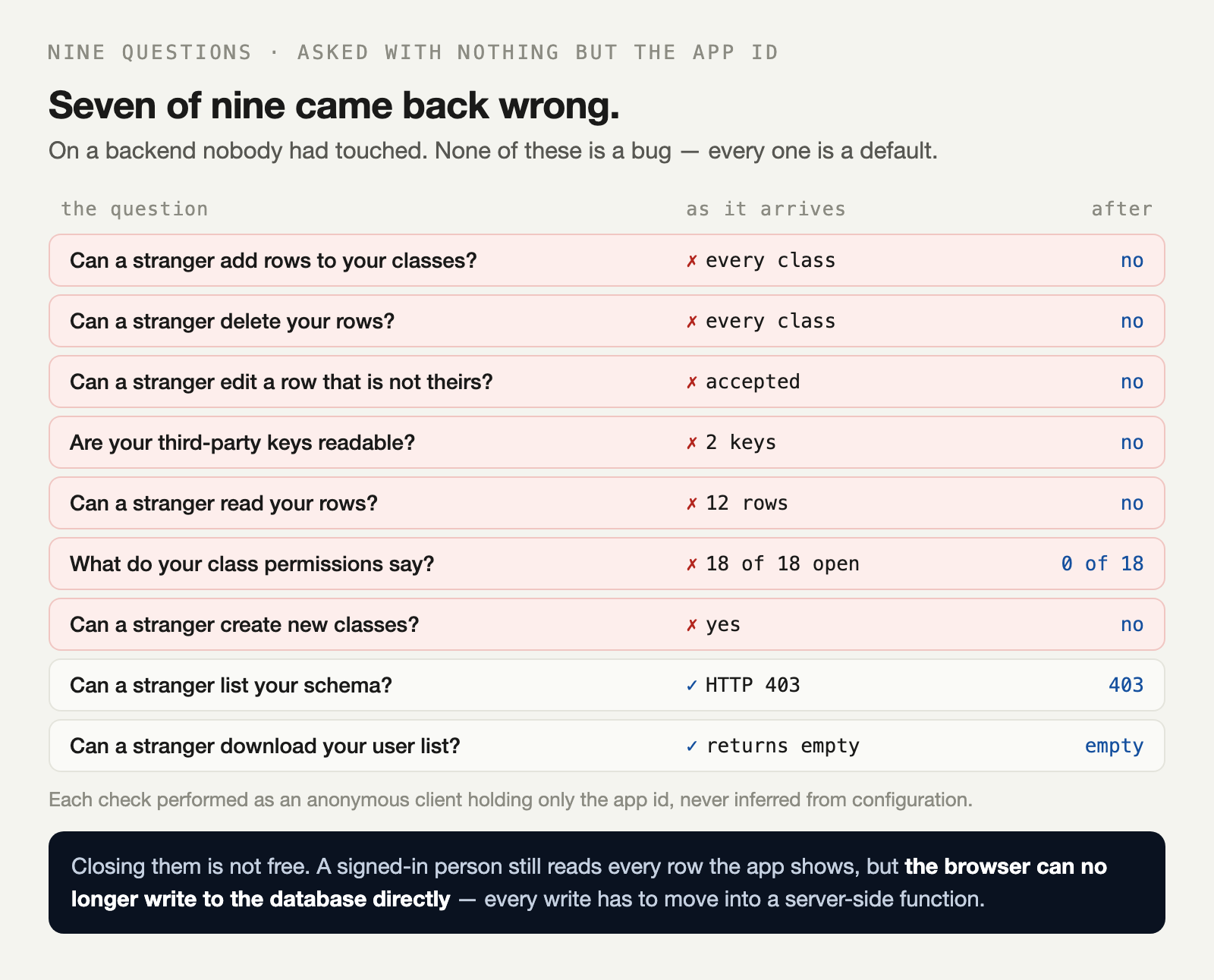
The auditor holds nothing but the app id. That is worth sitting with for a second, because the app id is not a secret — it is in every front-end bundle, visible to anyone who opens the network tab.
Nobody writes a post about the vulnerability they do not know they shipped. That is exactly why it stays shipped.
Nothing here was a bug. Every one of these is a default, chosen so the first tutorial works without anyone configuring anything.
What could a stranger actually do?
All four of the things you would least like. The audit does not read settings and infer; it makes the request and reports what came back:
 1. [CRITICAL] Can a stranger add rows to your classes?
      yes — created a row in Patient, Appointment, Settings
 2. [CRITICAL] Can a stranger delete your rows?
      yes — deleted from Patient, Appointment, Settings
 3. [CRITICAL] Can a stranger edit someone else's row?
      yes — the backend accepted a write to Patient.name
 4. [CRITICAL] Are any of your third-party keys readable by a stranger?
      yes — Settings.value (STRIPE_SECRET_KEY), Settings.value (SENDGRID_API_KEY)
The fourth one deserves its own sentence. Those keys came back in the same request that fetched the patient list, because somebody once asked an assistant to “store the API key” and a row is where rows go.
Where were the permissions, and what did they say?
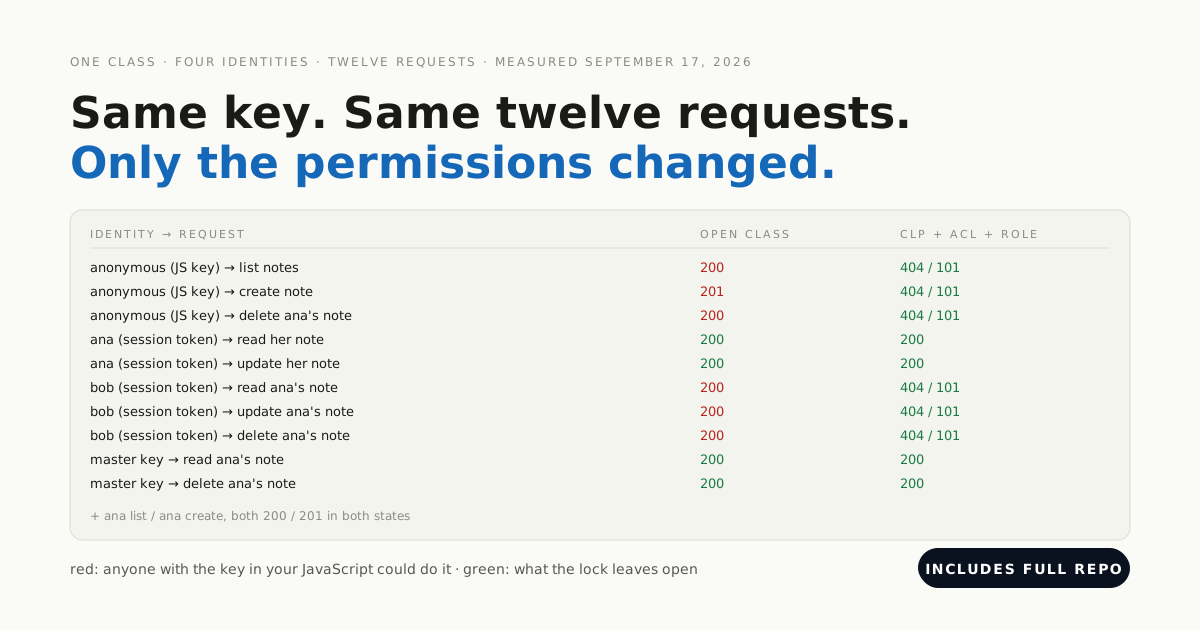
In a screen most people never open, saying “everyone” eighteen times:
 5. [HIGH] Can a stranger read your data?
      Patient: 5 rows, Appointment: 5 rows, Settings: 2 rows
 6. [HIGH] What do your class permissions actually say?
      18 of 18 operations are open to everyone
Three classes, six operations each — find, get, count, create, update, delete — and every one of them public. This is the single most useful thing to look at, because it is one place that explains all four criticals above.
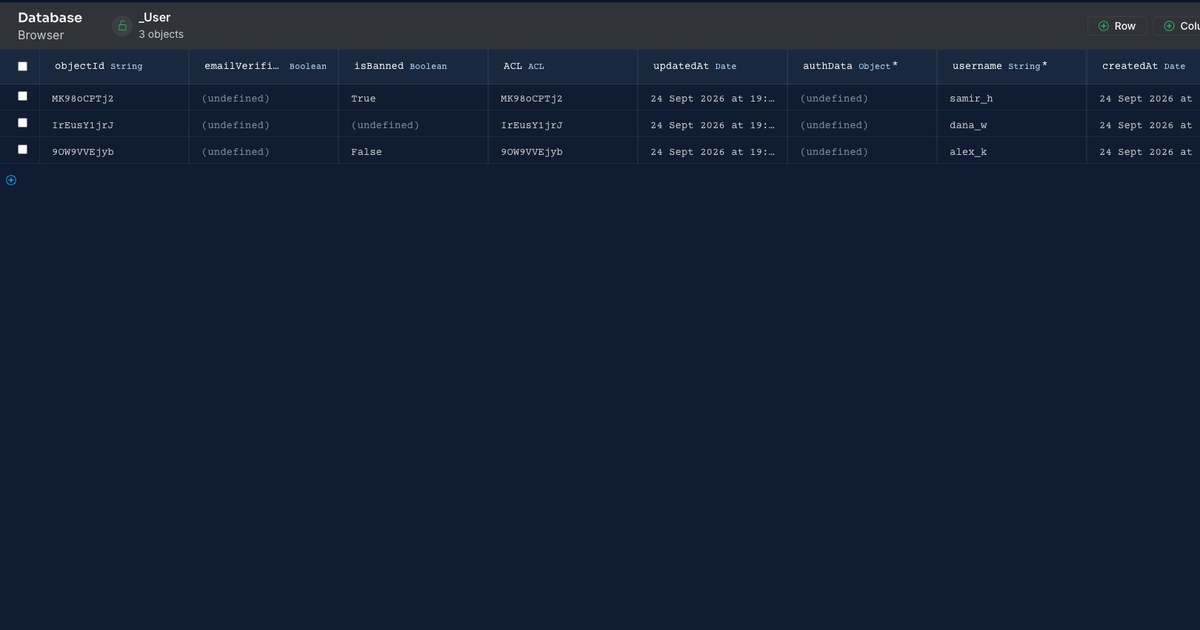
Two questions did come back clean, and they are worth naming so the list is honest. The schema is not readable without the master key, and user rows are hidden from an anonymous query — the query is allowed, but it returns nothing.
What does fixing it cost?
Something real, and you should know what before you start. We closed the permissions, moved the keys out of the database and turned off client class creation, then asked the same nine questions again:
0 thing(s) nobody asked aboutThen we checked the app still worked, because zero findings is also what a completely broken app reports:
ana logs in:                        yes
ana reads patients:                 5 rows
a stranger reads patients:          refused
ana writes an appointment directly: no — Permission denied for action create
Read those four lines together. A signed-in person still sees everything the app displays. What stopped is the browser writing to the database directly — so every write in your app has to move into a server-side function.
That is the honest price. It is an afternoon of moving code, not a checkbox, and it is why the default is what it is.
What makes this findable at all?
Being able to open the thing. Every answer above came from an ordinary HTTP request against a documented API, which is the only reason a script could ask on your behalf.
That is the real distinction worth caring about when you pick a tool. Not “did it generate something” but “can I inspect what it generated” — the data model, the permissions, the server functions, each one separately, afterwards.
What should you do first?
Open your front-end bundle and find your app id — it is in there, and finding it yourself is the fastest way to internalise that it is not a secret.
Then make one request with it and nothing else: ask for every row of your most sensitive class. Whatever comes back is what a stranger gets, and that single result will tell you whether the rest of this list applies to you.
The lab is in the repo — point client.mjs at your own backend and the nine questions run against it. It only deletes rows it created itself.