If you run a small business, invoices go out, bills come in, and the question on Monday morning is always the same: what is due this week, and who still owes me? A spreadsheet answers it until the third person edits it. Invoicing services answer it for a monthly fee and keep your data on their side.
This post is the third option: an app that is yours, on hosting you pay US$10 a month for, set up using only your browser. You fork a repository, create a container with a database switched on, open the URL and start. No terminal, no code editor, no installing anything on your computer.
Try it, deploy it, read it: the live demo is at firmbookenvtest-07gb19sd.b4a.run — sign in with [email protected] / acme-demo-2026, read only, fictitious data. The template is at github.com/templates-back4app/firmbook.
Everything below was done on October 9–12, 2026, on the Back4app Containers platform, and every number comes from those runs. The logs are in the repository under docs/notes/ and docs/evidence/.
Who this is for, and what the app does
The reader we had in mind runs a shop, a studio or a practice, issues a few dozen invoices a month, and can follow instructions on a web page. The app is deliberately small so that it can be understood in an afternoon:
- Contacts — customers and suppliers in one list, with the address printed on invoices.
- Invoices — line items, quantity, unit price, a tax rate that is either added to prices or extracted from them, sequential numbers per year (
INV-2026-0001), a printable page and a share link. - Payments — money received, applied to one invoice or kept as credit; partial payments, overpayments and refunds handled honestly (more on that below).
- Bills — what you owe, with due dates, categories and payments.
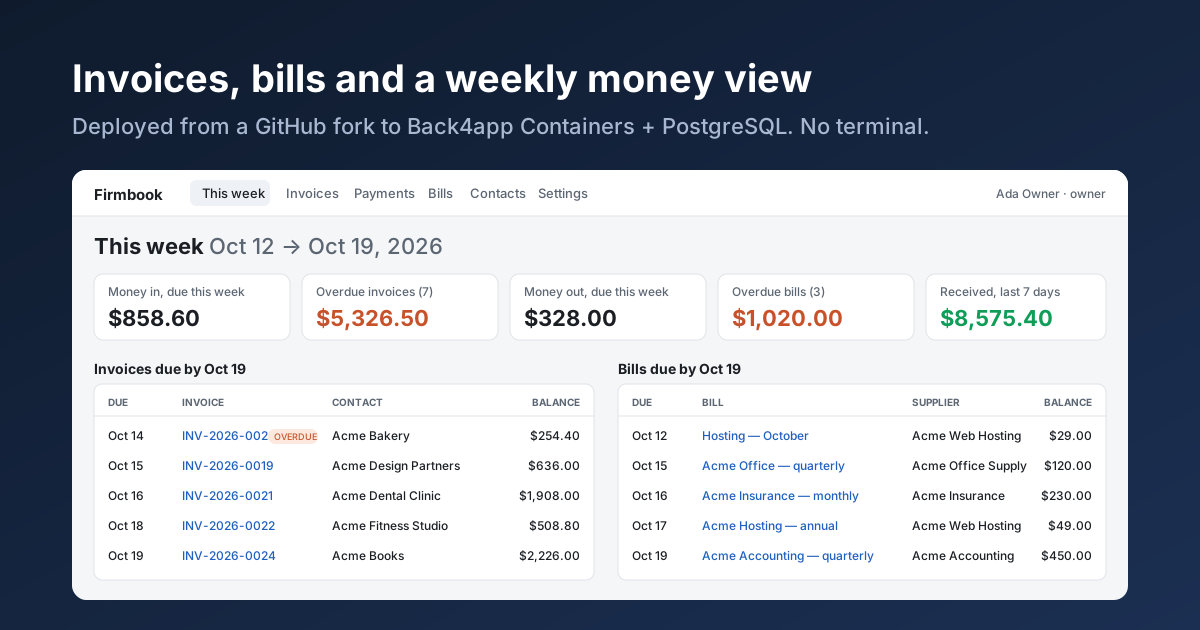
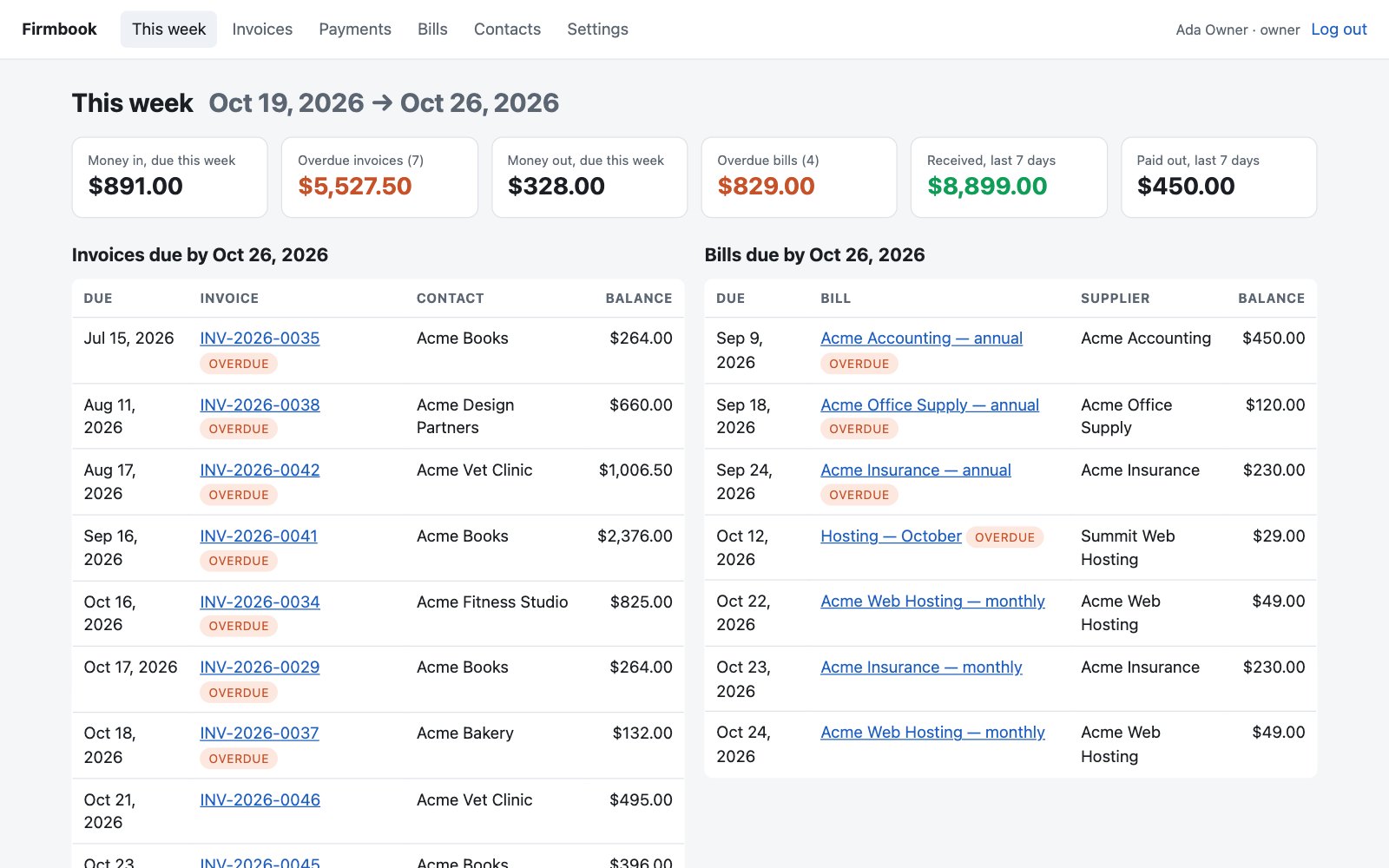
- This week — money due in and out in the next seven days, what is overdue, what came in and went out in the last seven.
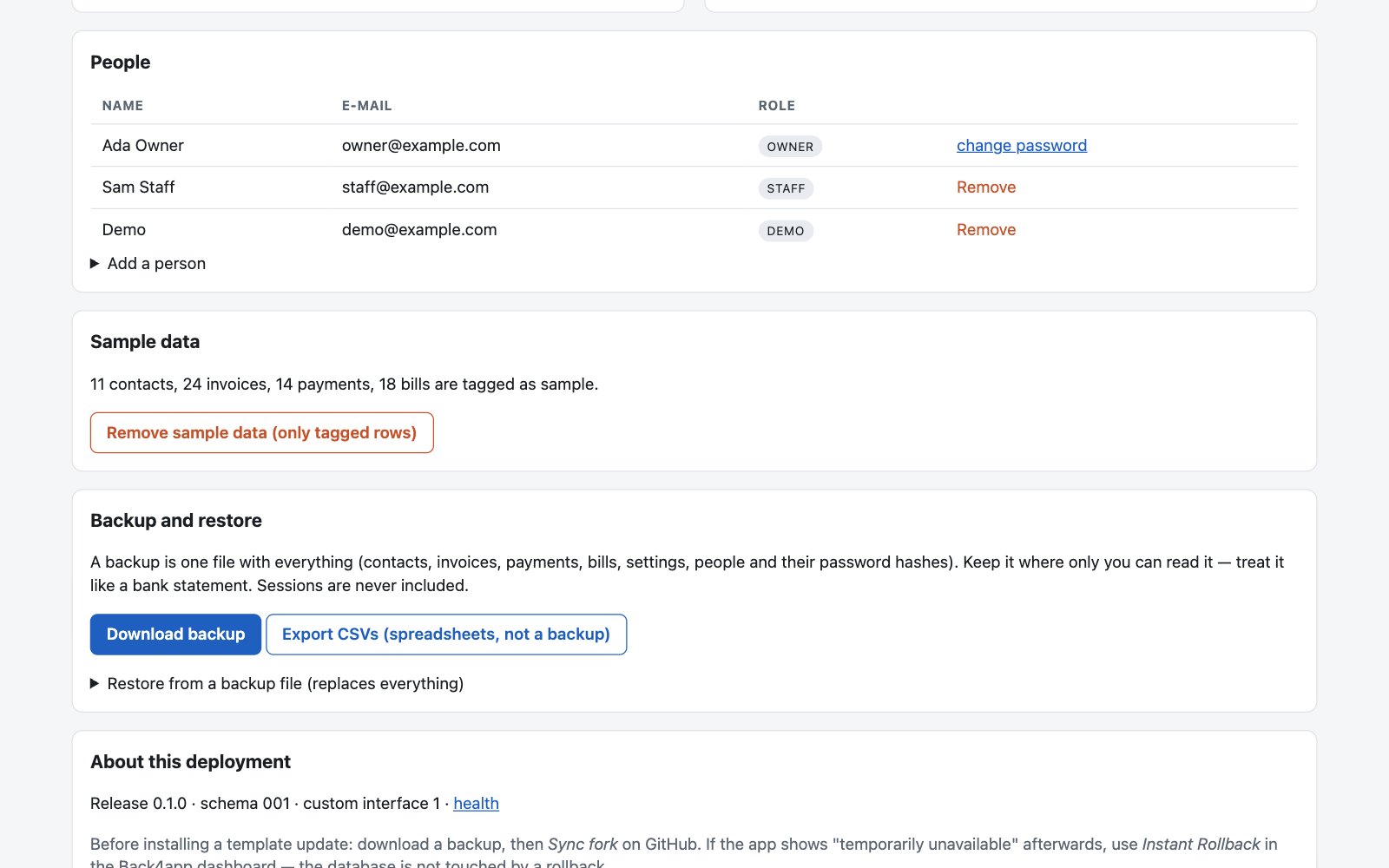
- Settings — company details, tax, people (owner, staff, read-only demo), sample data, backup, restore, CSV export, and a log of who did what.
It is not accounting software. There is one currency, no double-entry ledger, no bank feed, no tax filing. When you outgrow it, the data leaves in one file.
The stack, and why it is this one
For a reader who will never open the code, we wanted the fewest moving parts that still survive real use: one Node.js process (Express, server-rendered pages, no JavaScript framework to build), one PostgreSQL database (the add-on Back4app Containers offers in the create form), and a GitHub repository the reader owns.
Back4app builds it with the Node.js Buildpack — the dashboard reads package.json, sees "engines": { "node": ">=22" } and the start script, and builds the image. There is no Dockerfile in the repository, and nothing to configure under Build & run.
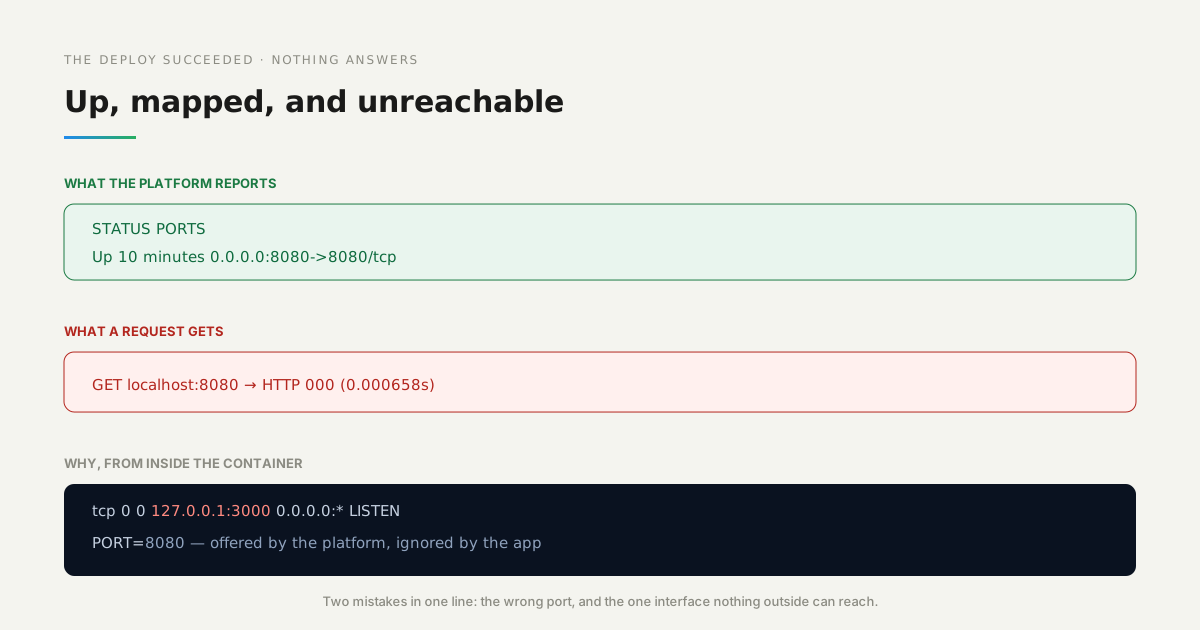
Two platform details decided the design, and both are worth knowing before you click:
Deploying it, click by click
1. Fork the template. On github.com/templates-back4app/firmbook click Fork. Not Use this template: a fork keeps a link to the original, which is what lets GitHub’s Sync fork button bring you updates later.
A fork of a public repository is public. The repository holds no business data, and the table further down says where every private thing lives.
2. Create the app. In the Back4app dashboard open Containers → Deploy a web app, choose GitHub repository and select your fork. The form detects Node.js Buildpack · Node.js >=22, port 8080 and the start command; the health check is /healthz.
3. Switch on the database and type the passphrase. In the same form, under Database, switch on PostgreSQL · 1 GB; the plan changes to Starter because the free plan cannot have a database. Under Environment variables add SETUP_SECRET with a passphrase of at least five unrelated words you make up, or a value from your password manager. Click Create app.
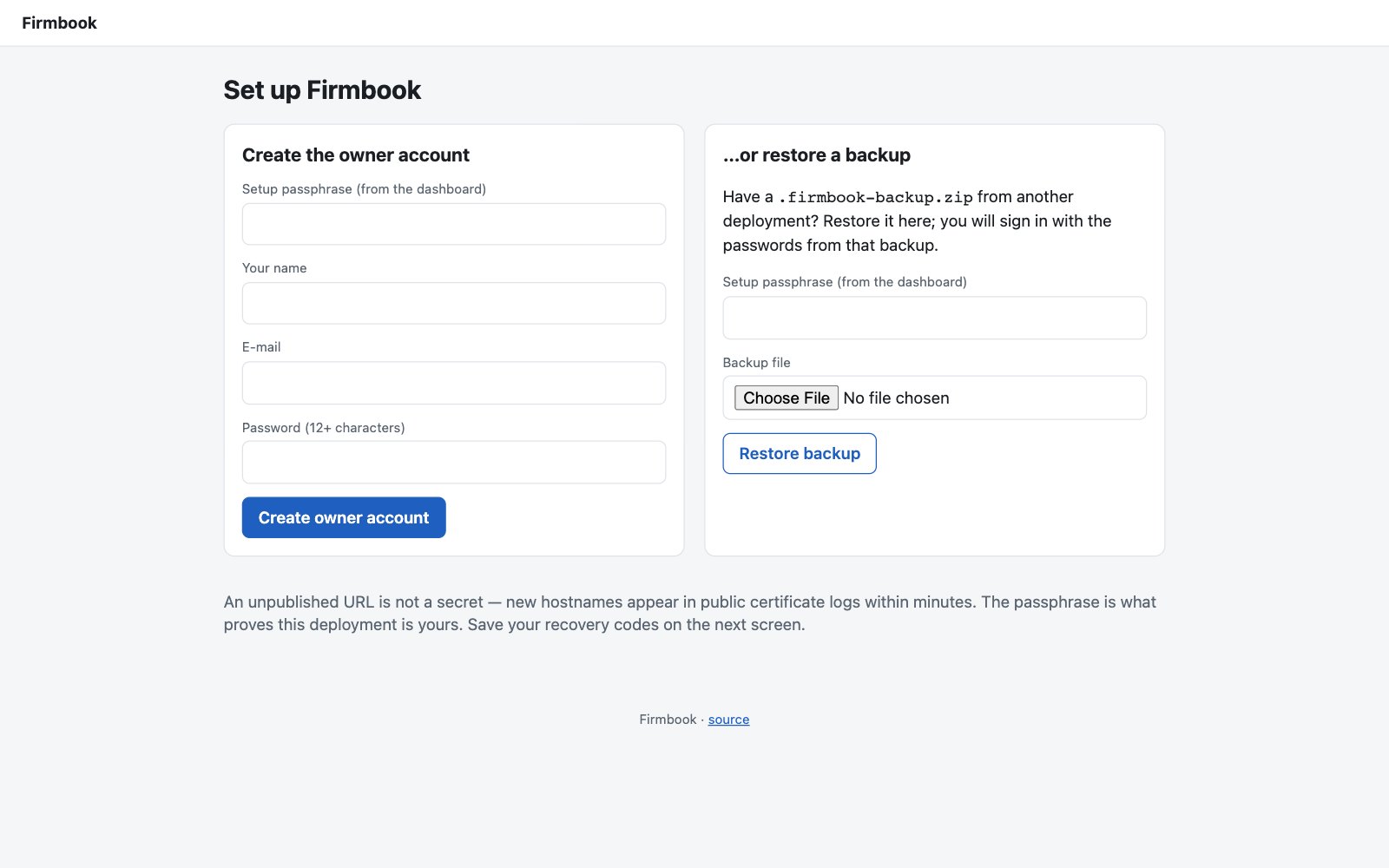
4. Open the URL as soon as it is green. The first build took 147 seconds in our run (there is no cache yet). The app’s first-run page asks for the passphrase and creates the owner account — or restores a backup from another deployment. It shows eight one-time recovery codes: save them.
5. Settings, then sample data. Fill in company name, address, tax label and rate, and whether the prices you type include tax. Click Add sample data to see the app with 24 invoices, payments and bills; click Remove sample data when you start for real — it deletes only the rows it tagged, and refuses if any real record points at a sample one.
Why the passphrase at all? Because an unpublished URL is not a secret: new hostnames appear in public certificate logs within minutes, and the first visitor to an empty app would otherwise become its owner. The passphrase is consumed in the same database transaction that creates the owner, so two simultaneous attempts cannot both succeed — we fired ten at once and got one owner and nine refusals.
Everyday use: an invoice, a payment, a share link
Create a contact, then an invoice: description, quantity, unit price per line, due date (blank means 14 days after issue). Prices are tax-exclusive by default; with the prices include tax setting the app stores net = round(gross ÷ (1 + rate)) per line, so the customer’s total is exactly what you typed. Three lines at $19.99 including 10 % tax come to $59.97 with $5.46 of tax.
Issue freezes the invoice: it gets the next number of the year inside the same transaction (ten invoices issued simultaneously got ten consecutive numbers), and a snapshot of the contact’s name and address, so later edits to the contact never change an issued invoice. An issued invoice is never edited; it is voided and a new one issued.
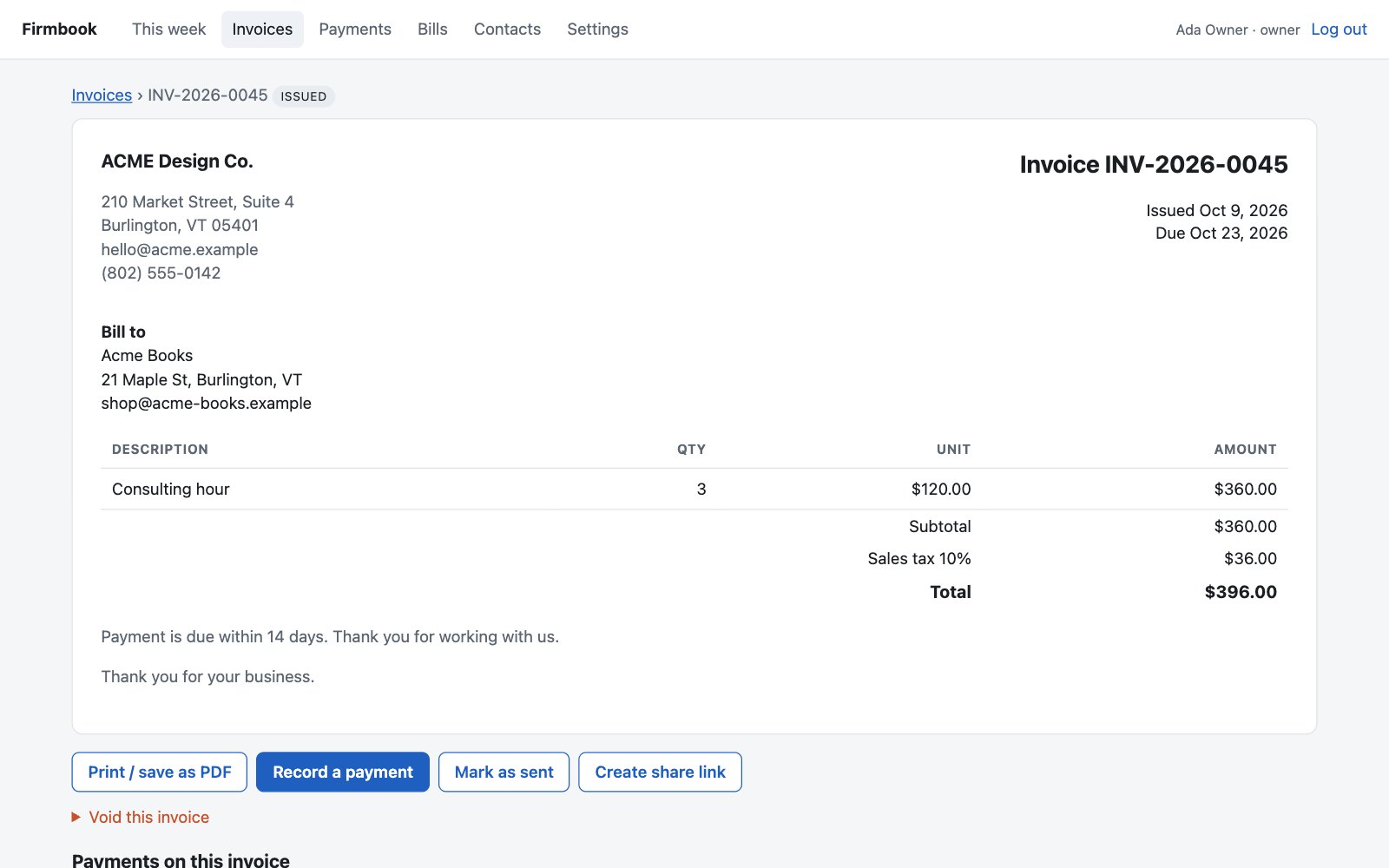
Record a payment from the invoice page. A payment is a cash movement; what links it to invoices is a separate allocation. That distinction is what keeps the numbers honest: a $120 payment on a $100 invoice marks the invoice paid and leaves $20 of credit on the customer.
Applying that credit to the next invoice creates no new cash, and the Payments list still says $120 received. Voiding an invoice that has payments moves those allocations to the replacement or to credit — the money never disappears from a report.
Every form carries a one-time key, so a double click or a retried submit records nothing twice (five simultaneous submits of one payment form produced one payment).
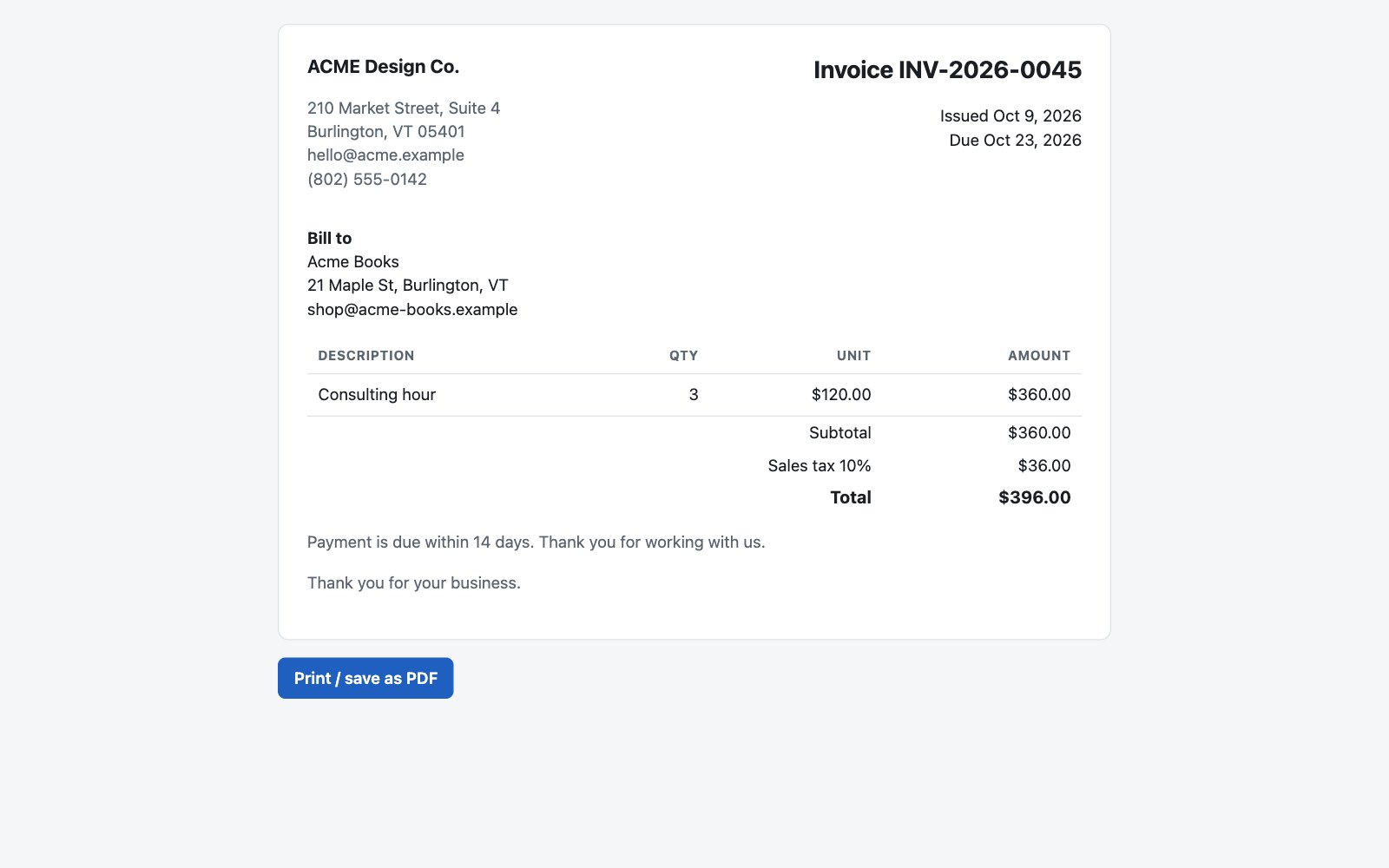
Share link. Each issued invoice can get a link with a 32-byte random token. The page shows the invoice and a print button, nothing else; it sends X-Robots-Tag: noindex, Referrer-Policy: no-referrer and Cache-Control: no-store, loads no third-party assets, and dies when you revoke it.
There is no e-mail sending in this release: you paste the link or print to PDF, then click Mark as sent.
What you own, and where it lives
Everything the business depends on is either in your fork or in your database, and both leave with you: the fork by cloning, the database as one backup file or a CSV export. The table says where each thing lives and who can read it.
| What | Where | Who can read it |
|---|---|---|
| Your fork of the code | GitHub, public | everyone — it holds no business data |
| Company details, tax, invoice footer | the app’s database (Settings) | people you add to the app |
| Logo, colors, labels | custom/ in your fork, public | everyone |
| Contacts, invoices, payments, bills | PostgreSQL on Back4app | the app; the dashboard’s table browser; your backup file |
| Passwords | hashed (scrypt) in the database | nobody — a reset needs a recovery code or the dashboard |
| Sessions, one-time keys | the database, never exported | the app |
The dashboard’s Database page is a real table browser: tables, columns, indexes, a SQL console and a CSV export of the page you are looking at. What it does not have, as of October 2026, is a backup or snapshot button for the add-on. Your recovery path is the app’s own backup file.
Backup and restore, timed
Settings → Download backup produces one zip with every table as JSON, taken in a single repeatable-read transaction (we took one while eight payments were being recorded in parallel; every allocation in the file pointed at a payment in the same file). Sessions, one-time keys and reset tokens are never included. Treat the file like a bank statement.
Restore lives in two places: on the first-run page of an empty deployment, and under Settings for the owner, where it replaces everything and signs everyone out. A backup made by a newer release than the app you restore into is refused, with the release to install first.
On the live app: a backup with 1,024 invoices, 3,072 lines and 2,024 payments was 155,388 bytes and took 2.2 s; restoring the 248-row file from before that run took 714 ms.
Updates, and what “back” means
Updating is Settings → Download backup, then Sync fork → Update branch on your fork’s GitHub page, then waiting for the automatic deploy (68 s from push to a new version answering, in our runs — switch Autodeploy on under Build & deploy; an app created on the free plan has it off).
Your customizations live in custom/ — logo, theme, labels — a folder a release never touches, so they cannot conflict with an update. If you edited any other file, GitHub may report a conflict and offer its web editor; beyond simple cases that is a developer’s job, and the article says so rather than pretending otherwise.
If the new release fails to start, the app shows a plain temporarily unavailable page — no error text, no logs — and writes the reason to the runtime log you read in the dashboard. All of a release’s migrations run in one transaction, so a failed one leaves the database exactly as it was.
Instant Rollback in the dashboard then starts the previous image again; the dialog says, in its own words, that the database is not rolled back. We measured 7 s to roll back and 3 s to roll forward.
Lost password, lost everything
A recovery code resets the owner’s password and signs out every other session. If the codes are lost too, the login page’s Lost everything? screen shows a fresh random code and asks you to paste it into the dashboard as OWNER_RESET_TOKEN and deploy.
The app accepts only a code that arrives through the environment, once, within 30 minutes of that deploy. Knowing the owner’s e-mail is worthless on its own — that is a test in the repository, not a promise.
One caveat follows from the finding above: this flow depends on a variable added after creation reaching the container, which failed on one of our two apps. Until that is resolved on the platform side, the recovery codes are the path to rely on.
Scale, latency and size
We filled the live app through its own forms — 1,000 invoices with three lines each and 2,000 payments, six in parallel — in 605 seconds with zero failures. Then we measured page latency from a single client outside the US, 100 sequential requests per page after five warm-ups, signed in as the demo user:
The lists were the one thing that did not survive the dataset as first written: the invoices page rendered all 1,024 rows at once and took 1.27 s. Release 0.1.1 paginates at 100 rows, and the number above is from the second run. Storage is not the limit a small business hits: about 3 KB per invoice with its lines and two payments means the 1 GB pack holds on the order of 300,000 invoices.
The connection limit is. The add-on’s database role accepted 15 extra connections on top of the one the app held and then answered too many connections for role — about 16 per app. The template’s pool is capped at 5; a pool sized for a bigger database would make this app fall over.
What we found while building it
- Autodeploy is off on an app created on the free plan, and upgrading does not switch it on. Build & deploy → Autodeploy → Save, and the dialog offers to deploy at once.
- A plan change redeploys the app, and the edge answered bad gateway for about a minute while the new container came up. The reactivated database came back in place, with its data.
- A canceled plan blocks the database rather than deleting it: the Database page says the data is kept for seven days and comes back on the next deploy when the plan is reactivated. We saw it after a payment hiccup.
- The dashboard read our
.env.example: a Finish your setup dialog listedSETUP_SECRETand the start command it had detected, and asked for the value. A good place to type it — on the app where variables worked. - Lists need pagination before 1,000 rows, see above.
- GitHub’s secret-scanning push protection is off on a public repository by default and a fork does not inherit it. We turned it on for the template; your fork is yours to switch on, and the rule stands regardless: nothing that is a password or a customer’s detail goes into a file.
When not to use this
Use QuickBooks, Wave or Xero when you need payroll, bank feeds, tax filing or an accountant with their own login. Use a spreadsheet when you issue a handful of invoices a year.
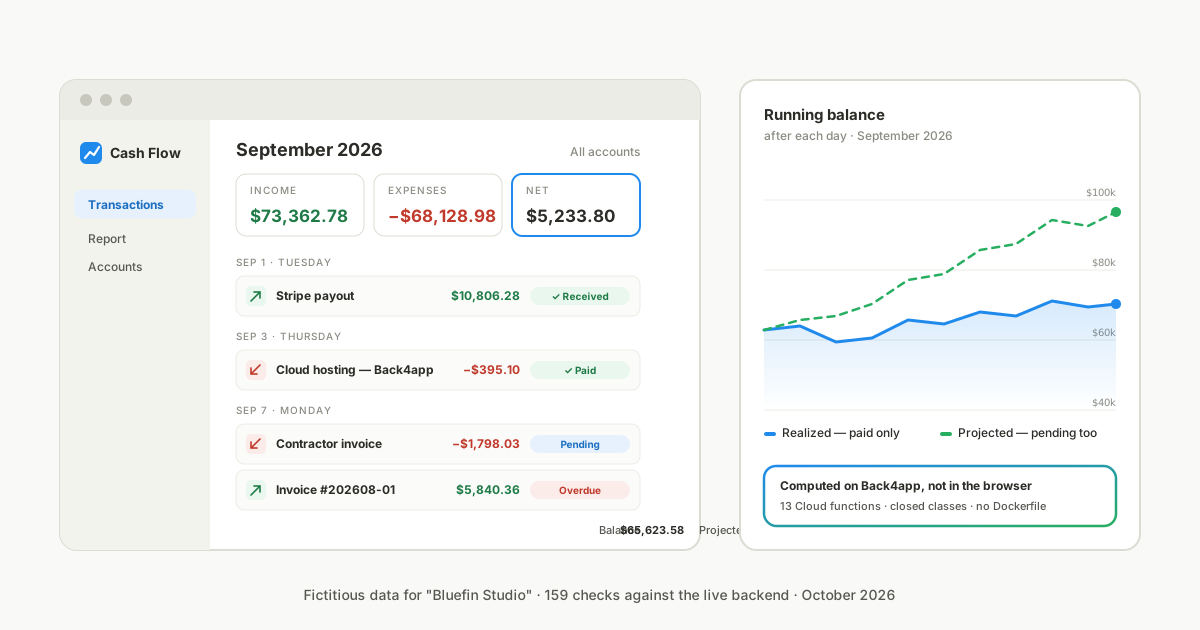
Use a developer-facing starter — our cash flow tracker is one — when you want a backend-as-a-service with class permissions and Cloud functions rather than one process and one database.
And note what this post did not test: a non-technical person following only this text, from fork to restore. The step timings are the platform’s; the human part is not timed yet. When we run that test, this paragraph gets replaced by its result.
The repository
github.com/templates-back4app/firmbook — MIT. README.md is the deploy guide; docs/guides/ has backup and restore, updates, what to do when something breaks, safe customization with an AI assistant (a prompt that is allowed to touch only custom/), and attaching your own domain.
test/run-all.sh runs the 84 local checks — invoice math, roles, session replay, concurrent setup, concurrent issuing, double submits, consistent backup under writes, restore into a fresh app, a release whose second migration fails — and test/live-check.mjs the 18 we ran against the deployed app. docs/notes/gate-1-platform.md is the platform diary behind every number here.