N:N Relationship
Many to Many Relationship on Flutter
Introduction
In the previous guide, we learned how to use one-to-many relations and we will continue with our project. In this guide, we will focus on the most common relation: many-to-many. There are three ways to create a many-to-many relation in Parse.
- The first is using the Parse Relations, which is the fastest in creation and query time. We will use this in this guide.
- The second is usingArrays of Pointers which can lead to slow query times depending on their size.
- The third is usingJoinTable where the idea from classical database. When there is a many-to-many relation, we combine every objectId or Pointer from both sides together to build a new separate table in which the relationship is tracked.
In this guide you will implement a many-to-many relationship on a Flutter Book Registration App using the Parse Relations. You will learn how to create and query many-to-many data relations and how to perform queries returning data from related objects, using Back4App and the Flutter SDK.
Prerequisites
- Note: The Flutter app created in previous guide
- Complete the previous guide so you can have a better understanding of the one-to-may relationship class
- A device (or virtual device) running Android or iOS.
1 - Run the Book App Template
If you have not completed the previous guide you can clone and run the complete Book Flutter App project from our repository. You can also take a look at the previous guide to better understand the App template. Below you can find a visual representation of Book Registration data model.
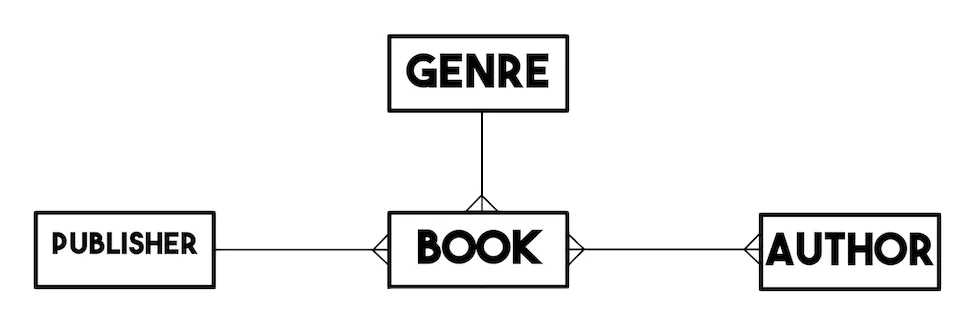
2 - Save a Book object and its Author’s
Open the Flutter project from the previous guide One to many Relationship on Flutter. Search for the function doSaveBook in file main.dart, and replace with the code below inside the Future<void> doSaveBook() function below. This function will create a new Book in Back4app data store with relations.
1       final book = ParseObject('Book')
2         ..set('title', controllerTitle.text.trim())
3         ..set('year', int.parse(controllerYear.text.trim()))
4         //the objectId will be converted to a Pointer on the save() method
5         ..set('genre', ParseObject('Genre')..objectId = genre.objectId)
6         //you can also convert to a Pointer object before the saving using the .toPointer() method
7         ..set('publisher',
8             (ParseObject('Publisher')..objectId = publisher.objectId).toPointer())
9         //Saving a List of Authors for the Book
10        ..addRelation(
11            'authors',
12            authors
13                .map((o) => ParseObject('Author')..objectId = o.objectId)
14                .toList());
15
16      await book.save();
To build this function, follow these steps:
- 1. Create a new instance of the ParseBook class with the command ParseObject('Book').
- 2. Use the set function to set the fields for this object.
- 2.1.titleis a text attributes that receive value from the text controller.
- 2.2.genre receives the value by defining a ParseObject with the objectId of the selected Genre. (Parse will convert to pointer on save)
- 2.3.publisher receives the value by defining a ParseObject with the objectId of the selected Publisher. (Note that we can specify for Parse that we want to save as a pointer using the toPointer() method)
- 2.4.authors. We call the addRelation method of ParseObject, sending a list of ParseObject with the objectId of the selected Authors.
- 3. Call thesave function in ParseObject, which will effectively register the object to your database in the Back4app Dashboard.
Run the App and test the new doSaveBook() function
- First, access the dashboard and delete the books that were previously registered in the previous guide.
- Click on the Add Book button.
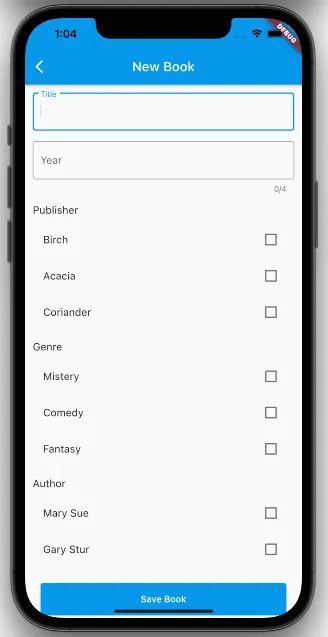
- Fill book information with Authors.
- Click on Save Book button
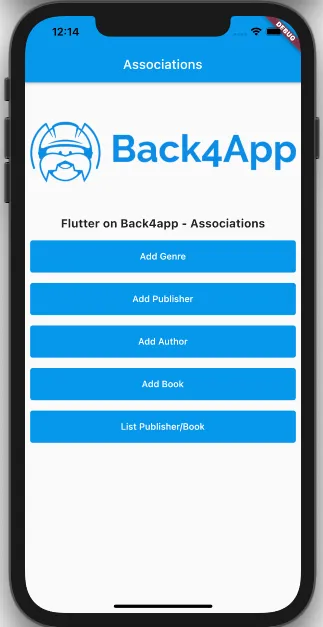
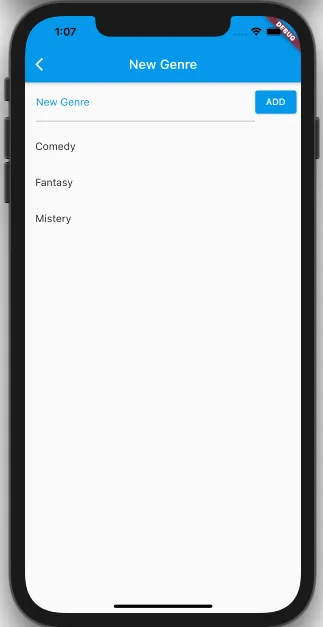
To confirm that the new object is save in the database with relations, you can access the Back4app Dashboard and access Book class.
Clicking on the object pointer/relation value in your dashboard will take you to the referenced object entry. It may seem like a harmless feature, but this makes debugging and error tracing much quicker than searching for it manually.
3 - Query the Book Details with Relations
This function will query Book Details in Back4app database, returning relationship data. In some situations, you want to return multiple types of related objects in one query. You can do this with the includeObject method. In our example, we want to return the books, with information from Genre and Publishers.
Search for the function getBookDetail in the file main.dart, then replace the code below inside getBookDetail(ParseObject book) function:
1       QueryBuilder<ParseObject> queryBook =
2           QueryBuilder<ParseObject>(ParseObject('Book'))
3             ..whereEqualTo('objectId', book.objectId)
4             ..includeObject(['publisher', 'genre']);
5
6       final ParseResponse responseBook = await queryBook.query();
7
8       if (responseBook.success && responseBook.results != null) {
9         final book = (responseBook.results.first) as ParseObject;
10        bookTitle = book.get<String>('title');
11        bookYear = book.get<int>('year');
12        bookGenre = book.get<ParseObject>('genre').get<String>('name');
13        bookPublisher = book.get<ParseObject>('publisher').get<String>('name');
14        loadedData = true;
15      }
16
17      QueryBuilder<ParseObject> queryAuthors =
18          QueryBuilder<ParseObject>(ParseObject('Author'))
19            ..whereRelatedTo('authors', 'Book', book.objectId);
20
21      final ParseResponse responseAuthors = await queryAuthors.query();
22
23      if (responseAuthors.success && responseAuthors.results != null) {
24        bookAuthors = responseAuthors.results
25            .map((e) => (e as ParseObject).get<String>('name'))
26            .toList();
27      }
To build this function, follow these steps:
- Create an instance ofParseQuery object for Book class. Insert a condition in the query, to search Books where objectId field is equal objectId of the selected book.
- We use the includeObject method, informing the fields of the pointers that we want to return the data in the same query: Genre and Publisher. You can also do multi level includeObject using dot notation. Exemple : `..includeObject([‘post’, ‘post.authors’]);
- Do a Query’s search method using query() method.
- If the operations succeed, object in Book will be returned.
- We use the get method to retrieve the data. For fields that are pointers, we will first need to retrieve the pointer, then obtain its data. Example:bookGenre = book.get<ParseObject>('genre').get<String>('name');
In the second stage of processing, we need to recover the Authors associated with the Book.
To build this function, follow these steps:
- Create an instance ofParseQuery object for Authors class. Insert a condition in the query, using whereRelatedTo operator to search Authors relationship with Book, where Book is equal objectId of the selected book.
- Do a Query’s search method using query() method.
- If the operations succeed, object in Book will be returned.
- We use the get method to retrieve the data.
Run the App and test the new Query.
First, click on the List Publisher/Book button.
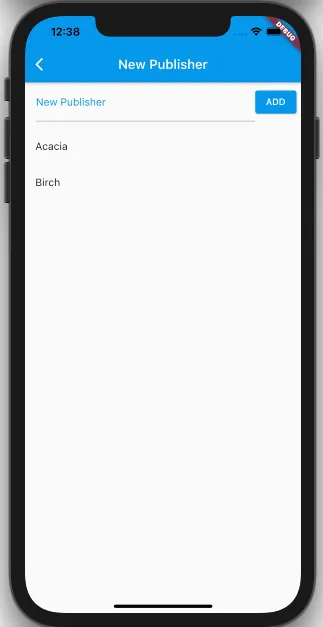
Select a book from the list. The next screen will display the data for the books and their relationships.
It’s done!
At this point, you learned how to create and query many-to-many relations and how to perform queries returning data from related objects in Parse on Flutter.