Relational Queries
Relational Queries on Android
Introduction
In this guide, you will perform relational queries in Parse and implement an Android app using these queries. You will learn how to set up and query realistic data using Back4App and Android.
This tutorial uses an app created in Android Studio Arctic Fox -2020.3.1 with compileSdk = 30 , minSdk = 23 and targetSdk = 30
At any time, you can access the complete Android Project built with this tutorial at our Github repositories
Goal
Our goal is query data stored on Back4App from an Android app.
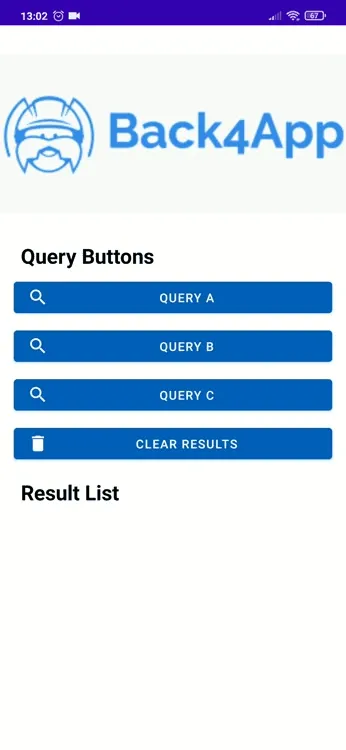
Here is a preview of what we are gonna achieve:
Prerequisites
To complete this tutorial, we need:
- An app created on Back4App.
- An android app connected to Back4App.
- Note: Follow the Install Parse SDK tutorial to create an Android Studio Project connected to Back4App.
Let’s get started!
Before next steps, we need to connect Back4App to our application. You should save the appId and clientKey from the Back4App to string.xml file and then init Parse in our App.java or App.kt file. Follow the New Parse App tutorial if you don’t know how to init Parse to your app.
Or you can download the projects we shared the github links above and edit only the appId and clientKey parts according to you.
At any time, you can access the complete Android Project built with this tutorial at our Github repositories
1 - Save some data on Back4App
In this step, we will create a Class with the JS Console and Javascript codes provided by Parse and we will create queries for this Class.
Let’s create an assortment of classes, which will be the target of our queries in this guide. The classes are: Author, Book, Publisher and BookStore, in which Book has a 1:N relation with Publisher and N:N with Author, and BookStore has an N:N relation with Book.
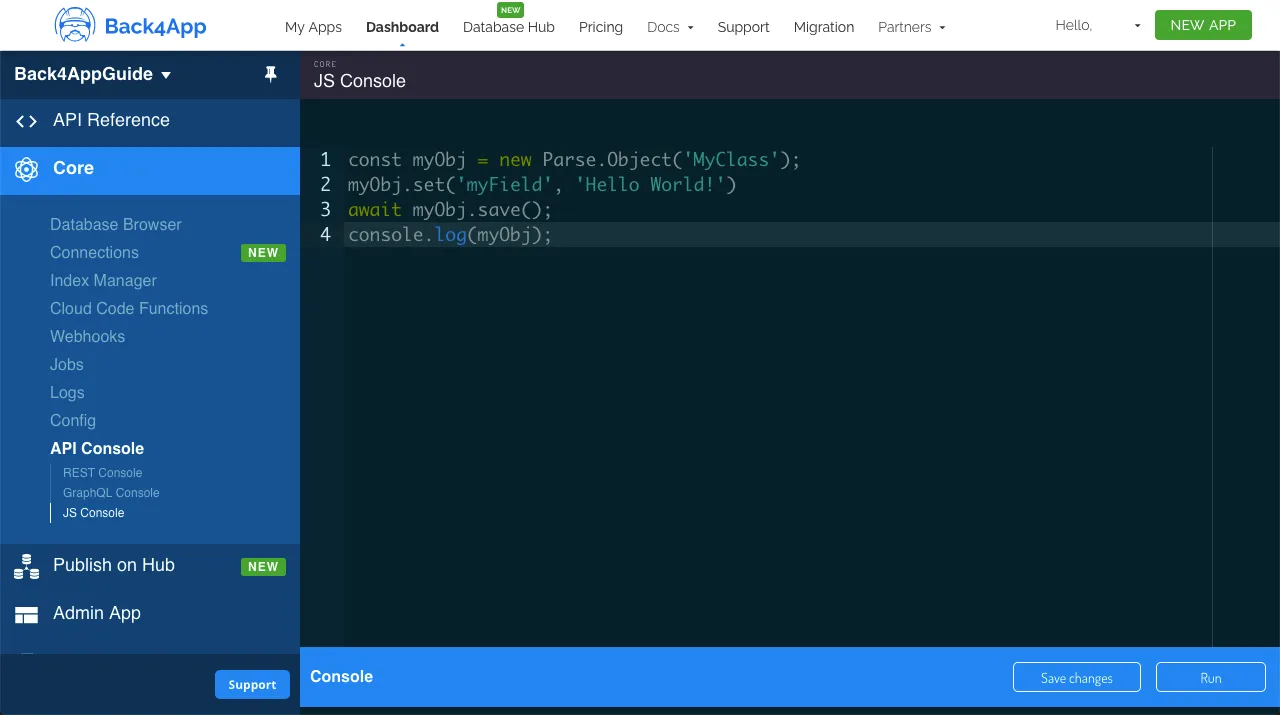
On Parse JS Console is possible to run JavaScript code directly, querying and updating your application database contents using the JS SDK commands. Run the code below from your JS Console and insert the data on Back4App. Here is how the JS console looks like in your dashboard:
Go ahead and create the classes with the following example content:
1   // Add objects and create tables
2   // Authors
3   const AuthorA = new Parse.Object('Author');
4   AuthorA.set('name', 'Aaron Writer');
5   await AuthorA.save();
6
7   const AuthorB = new Parse.Object('Author');
8   AuthorB.set('name', 'Beatrice Novelist');
9   await AuthorB.save();
10
11  const AuthorC = new Parse.Object('Author');
12  AuthorC.set('name', 'Casey Columnist');
13  await AuthorC.save();
14
15  // Publishers
16  const PublisherA = new Parse.Object('Publisher');
17  PublisherA.set('name', 'Acacia Publishings');
18  await PublisherA.save();
19
20  const PublisherB = new Parse.Object('Publisher');
21  PublisherB.set('name', 'Birch Distributions');
22  await PublisherB.save();
23
24  // Books
25  const BookA = new Parse.Object('Book');
26  BookA.set('title', 'A Love Story');
27  BookA.set('publisher', PublisherA);
28  BookA.set('publishingDate', new Date('05/07/1998'));
29  const BookARelation = BookA.relation("authors");
30  BookARelation.add(AuthorA);
31  await BookA.save();
32
33  const BookB = new Parse.Object('Book');
34  BookB.set('title', 'Benevolent Elves');
35  BookB.set('publisher', PublisherB);
36  BookB.set('publishingDate', new Date('11/31/2008'));
37  const BookBRelation = BookB.relation("authors");
38  BookBRelation.add(AuthorB);
39  await BookB.save();
40
41  const BookC = new Parse.Object('Book');
42  BookC.set('title', 'Can You Believe It?');
43  BookC.set('publisher', PublisherB);
44  BookC.set('publishingDate', new Date('08/21/2018'));
45  const BookCRelation = BookC.relation("authors");
46  BookCRelation.add(AuthorA);
47  BookCRelation.add(AuthorC);
48  await BookC.save();
49
50  // BookStore
51  const BookStoreA = new Parse.Object('BookStore');
52  BookStoreA.set('name', 'Books of Love');
53  const BookStoreARelation = BookStoreA.relation("books");
54  BookStoreARelation.add(BookA);
55  await BookStoreA.save();
56
57  const BookStoreB = new Parse.Object('BookStore');
58  BookStoreB.set('name', 'Fantasy Books');
59  const BookStoreBRelation = BookStoreB.relation("books");
60  BookStoreBRelation.add(BookB);
61  await BookStoreB.save();
62
63  const BookStoreC = new Parse.Object('BookStore');
64  BookStoreC.set('name', 'General Books');
65  const BookStoreCRelation = BookStoreC.relation("books");
66  BookStoreCRelation.add(BookA);
67  BookStoreCRelation.add(BookC);
68  await BookStoreC.save();
69
70  console.log('Success');
2 - Query the data from Android app
Now that you have populated all the classes, we can now perform some relational queries in it. Let’s begin by filtering Book results by the publisher, searching for the ones that belong to the Publisher “Acacia Publishings” (or “Publisher A”) using the basic ParseQuery.equalTo method:
1       progressDialog.show();
2       ParseQuery<ParseObject> publisherQuery = new ParseQuery<>("Publisher");
3       publisherQuery.whereEqualTo("name", "Acacia Publishings");
4       try {
5           ParseObject publisher = publisherQuery.getFirst();
6           ParseQuery<ParseObject> bookQuery = new ParseQuery<ParseObject>("Book");
7           bookQuery.whereEqualTo("publisher", publisher);
8           bookQuery.findInBackground((objects, e) -> {
9               progressDialog.hide();
10              if (e == null) {
11                  initData(objects);
12              } else {
13                  Toast.makeText(this, e.getLocalizedMessage(), Toast.LENGTH_SHORT).show();
14              }
15          });
16      } catch (ParseException e) {
17          progressDialog.hide();
18          e.printStackTrace();
19      }
Let’s now query which BookStore objects contain Book objects with publishing date greater than 01/01/2010, using an inner query with the ParseQuery.whereGreaterThan method and then the ParseQuery.whereMatchesQuery method:
1       progressDialog.show();
2       ParseQuery<ParseObject> bookQuery = new ParseQuery<>("Book");
3
4       Calendar calendar = Calendar.getInstance();
5       calendar.set(2010,1,1,59,59,59);
6       Date date = calendar.getTime();
7
8       bookQuery.whereGreaterThan("publishingDate", date);
9
10      ParseQuery<ParseObject> bookStoreQuery = new ParseQuery<>("BookStore");
11      bookStoreQuery.whereMatchesQuery("books",bookQuery);
12      bookStoreQuery.findInBackground((objects, e) -> {
13          progressDialog.hide();
14          if (e==null){
15              initData(objects);
16          } else {
17              Toast.makeText(this, e.getLocalizedMessage(), Toast.LENGTH_SHORT).show();
18          }
19      });
Now lets create a more complex relational query, looking for BookStore objects that have at least one Book written by Author “Aaron Writer” (or “AuthorA”), using whereEqualTo and whereMatchesQuery:
1       progressDialog.show();
2       ParseQuery<ParseObject> authorQuery = new ParseQuery<>("Author");
3       authorQuery.whereEqualTo("name","Aaron Writer");
4       try {
5           ParseObject authorA = authorQuery.getFirst();
6           ParseQuery<ParseObject> bookQuery = new ParseQuery<>("Book");
7           bookQuery.whereEqualTo("authors",authorA);
8
9           ParseQuery<ParseObject> bookStoreQuery = new ParseQuery<>("BookStore");
10          bookStoreQuery.whereMatchesQuery("books",bookQuery);
11
12          bookStoreQuery.findInBackground((objects, e) -> {
13             progressDialog.hide();
14             if (e==null){
15                  initData(objects);
16             } else {
17                 Toast.makeText(this, e.getLocalizedMessage(), Toast.LENGTH_SHORT).show();
18             }
19         });
20
21
22     } catch (ParseException e) {
23         progressDialog.hide();
24         e.printStackTrace();
25     }
It’s done!
At the end of this guide, you learned how relational queries work on Parse and how to perform them on Back4App from an Android App.