Current User
Get Current User using Relay for a React Native App
Introduction
After implementing user registration and login to your React Native App using Relay, you need to retrieve the currently logged user data to perform different actions and requests. In this guide we’re going to follow the Get User Logged GraphQL Cookbook guide and the Query Renderer to retrieve information about the current user.
The query as GraphQL is represented as:
1	query Me {
2	  viewer {
3	    user{
4	      id
5	      createdAt
6	      updatedAt
7	      username
8	    }
9	    sessionToken
10	  }
11	}
At any time, you can access this project via our GitHub repositories to checkout the styles and complete code.
Goal
Create a component to get information about the current user.
Prerequisites
- An app created at Back4App using the Parse Server Version 3.10 or above.
- For this tutorial we are going to use the Expo as a React Native framework;
- For this tutorial we are going to use Javascript as our default implementation language;
At any time, you can access this project via our GitHub repositories to checkout the styles and complete code.
1 - Creating the User Logged component
On SignIn component folder create a new file and name it UserLoggedRenderer.js.
Inside of UserLoggedRenderer.js, let’s create a component very similar to the Query Renderer tutorial, but in this case, just the query renderer is needed. With a valid session token into the application, the component will be called and will get the current user info.
The Query Renderer component will look like the following:
1	return (
2	  <QueryRenderer
3	    environment={environment}
4	    query={// @todo implement the query necessary}
5	    variables={null}
6	    render={({error, props}) => {
7	      if (error) {
8	        return (
9	          <View>
10	            <Text>{error.message}</Text>
11	          </View>
12	        );
13	      } else if (props) {
14	        // @todo implement a funcion to render the viewer
15	      }
16	      return (
17	        <View>
18	          <Text>loading</Text>
19	        </View>
20	      );
21	    }}
22	  />
23	);
The first @todo is should be implemented with the query to retrieve the info from the user logged. The Query used for this operation is decribed in Get User Logged GraphQL Cookbook guide.
1	graphql`
2	  query UserLoggedRendererQuery {
3	    viewer {
4	      user {
5	        id
6	        createdAt
7	        updatedAt
8	        username
9	      }
10	      sessionToken
11	    }
12	  }
13
The second @todo should be implemented with a function that will render the info about the user only if exists. If there is no error we are going to return therenderContentfunction described below. The function will render the current user info(email and username) in a secure way.
1	const renderContent = (viewer) => {
2	  if (!viewer?.user) {
3	    return null;
4	  }
5
6	  const {user} = viewer;
7
8	  return (
9	    <View style={ {marginTop: 15, alignItems: 'center'} }>
10	      <Text>User {user?.username || user?.email} logged</Text>
11	    </View>
12	  );
13	};
You should implement the function before the QueryRenderer component. The final result of the component should look like this:
1	import React from 'react';
2	import {graphql, QueryRenderer} from 'react-relay';
3	import environment from '../../relay/environment';
4	import {Text, View} from 'react-native';
5
6	const UserLoggedRenderer = () => {
7	  const renderContent = (viewer) => {
8	    if (!viewer?.user) {
9	      return null;
10	    }
11
12	    const {user} = viewer;
13
14	    return (
15	      <View style={ {marginTop: 15, alignItems: 'center'} }>
16	        <Text>User {user?.username || user?.email} logged</Text>
17	      </View>
18	    );
19	  };
20
21	  return (
22	    <QueryRenderer
23	      environment={environment}
24	      query={graphql`
25	        query UserLoggedRendererQuery {
26	          viewer {
27	            user {
28	              id
29	              createdAt
30	              updatedAt
31	              username
32	            }
33	            sessionToken
34	          }
35	        }
36	      `}
37	      variables={null}
38	      render={({error, props}) => {
39	        if (error) {
40	          return (
41	            <View>
42	              <Text>{error.message}</Text>
43	            </View>
44	          );
45	        } else if (props) {
46	          return renderContent(props.viewer);
47	        }
48	        return (
49	          <View>
50	            <Text>loading</Text>
51	          </View>
52	        );
53	      }}
54	    />
55	  );
56	};
57
58	export default UserLoggedRenderer;
2 - Importing the UserLoggedRenderer into SignIn component
Back into the FormSignIn component, replace the code which returns the current user info with the new User Logged component.
From
1	  if (sessionToken) {
2	     console.warn(sessionToken);
3	     return (
4	       <View style={ { marginTop: 15, alignItems: 'center' } }>
5	         <Text>User logged</Text>
6	       </View>
7	     );
8	   }
To
1   if (sessionToken) {
2     return <UserLoggedRenderer />;
3   }
Don’t forget to import theUserLoggedRenderer:
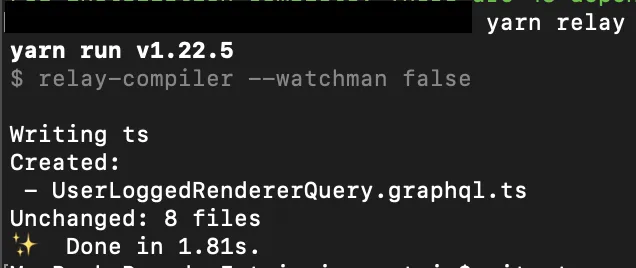
1 import UserLoggedRenderer from './UserLoggedRenderer';Now run yarn relay command to update with the new query:
yarn relay
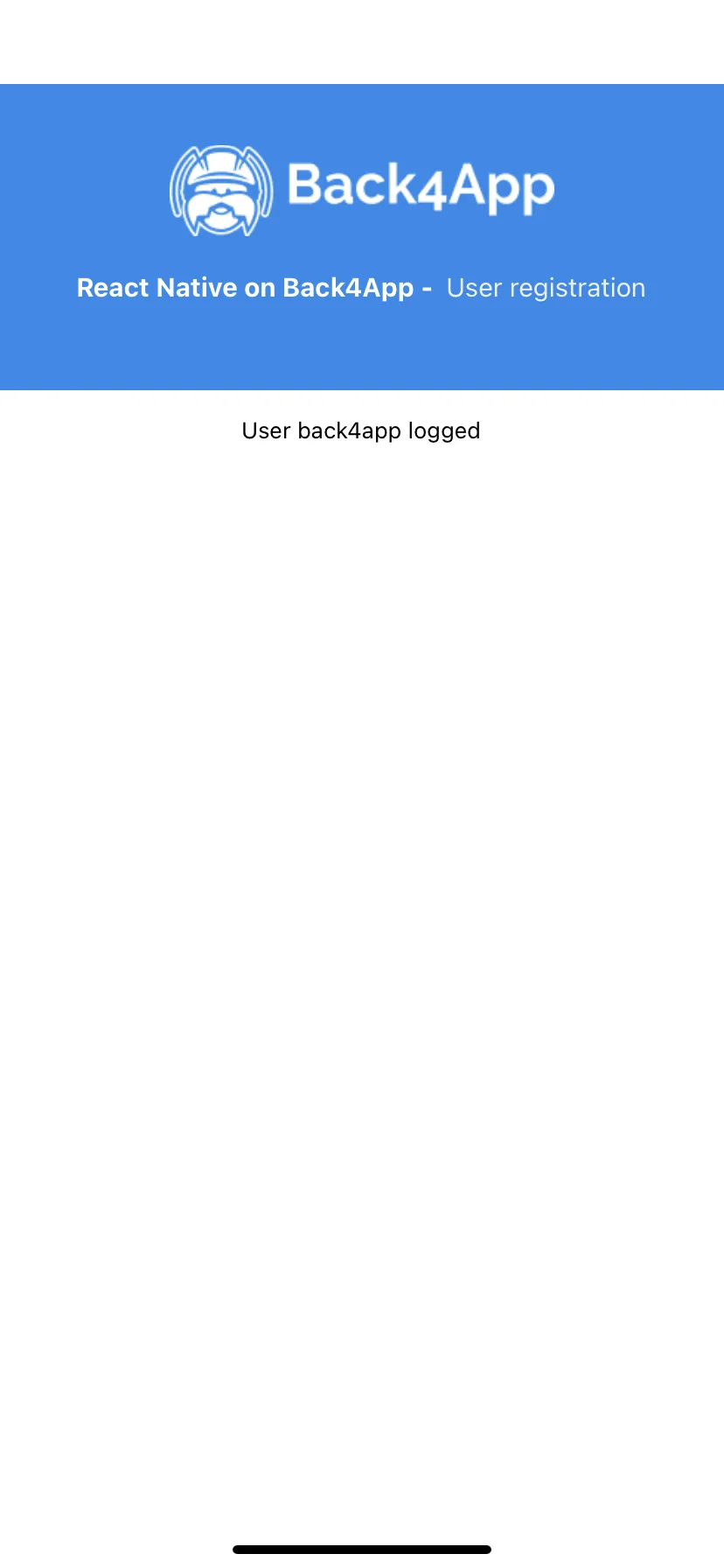
Now, will be displayed the username or email with a valid session token. Otherwise, the component should not render and, the login will run.
Also, the useState userLogged can be removed from the code that not makes sense anymore.
Don’t forget to remove it from the onCompleted function into LogIn mutation.
Conclusion
The final result of this step should be the same as the last one. The info about it will be displayed but now followed by a username or email.
In the next doc, let’s create a button to do the log out of this user and clean the session, returning the app for login or sign-up flow.