Sign Up With Instagram
Instagram OAuth Tutorial
Introduction
Instagram OAuth enables users to sign in to Apps using their Instagram account through OAuth.
Prerequisites
To complete this tutorial, you will need:
- An app created at Back4App
- Set up a Subdomain for your Back4app app
1 - Create a New Back4App App
First of all, it’s necessary to make sure that you have an existing app created at Back4App. However, if you are a new user, you can check this tutorial to learn how to create one.
2 - Create a new Instagram App Client
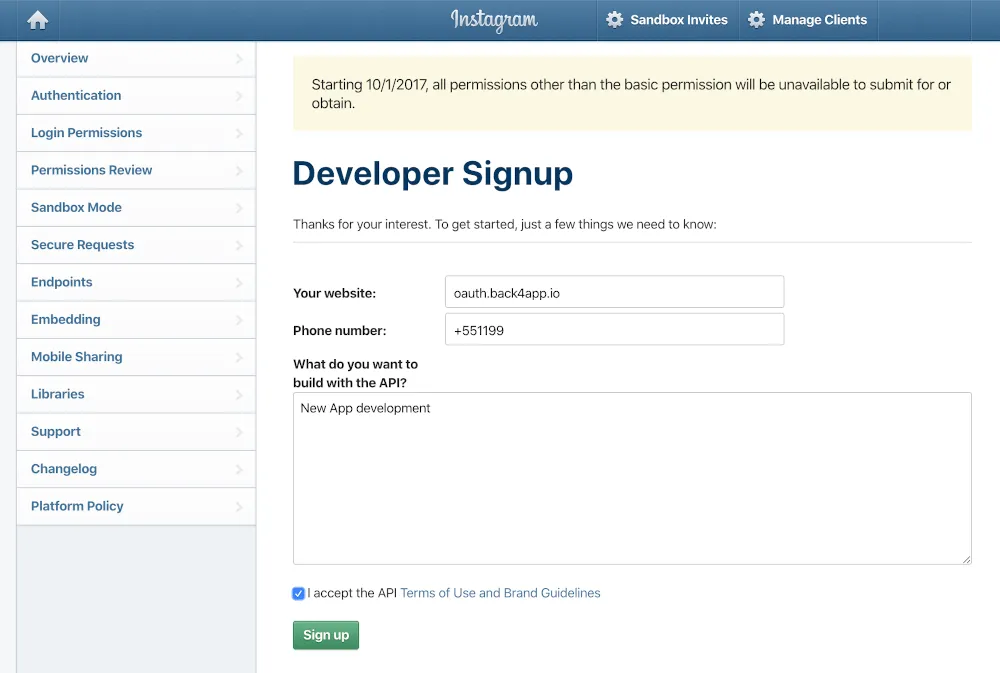
Log into your Instagram Developer account and sign up as a Developer. Enter your website, telephone, and a description for your App. Accept the terms to proceed.
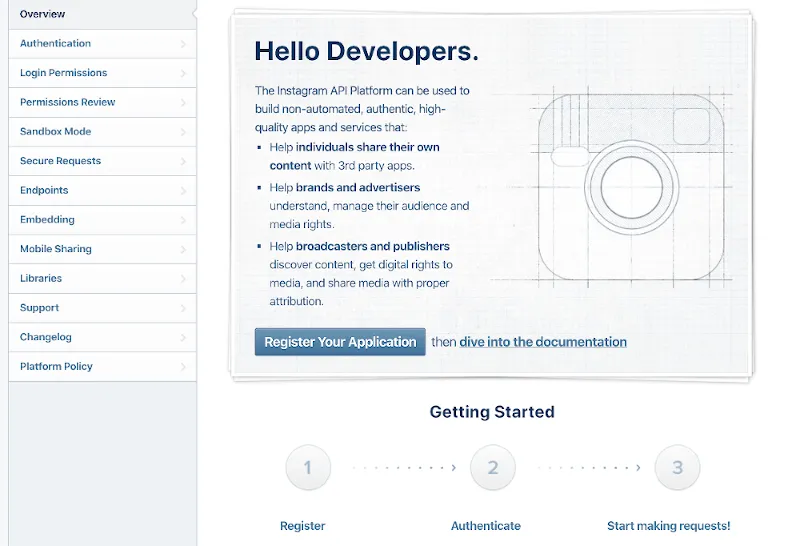
Go to Overview. Click on Register Your Application
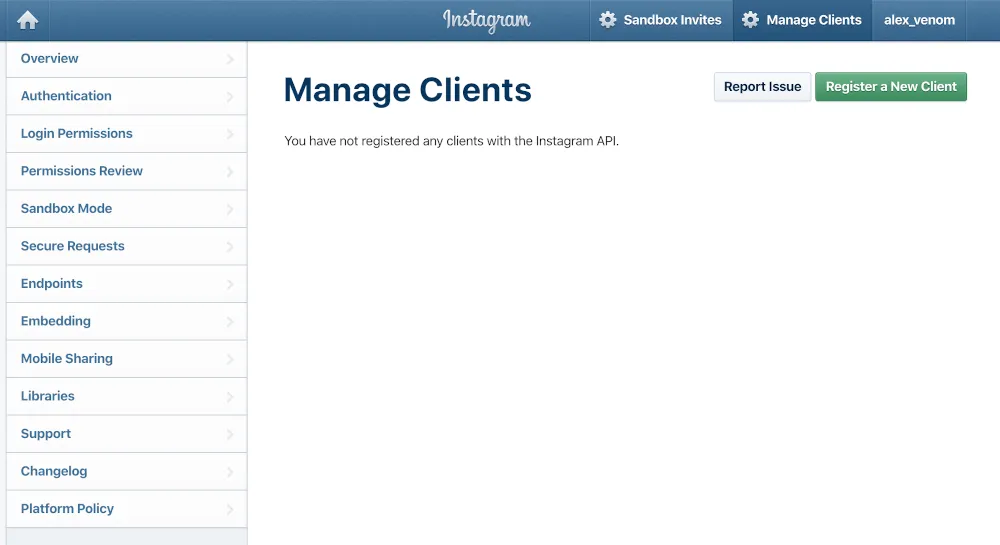
Click on Register a New Client
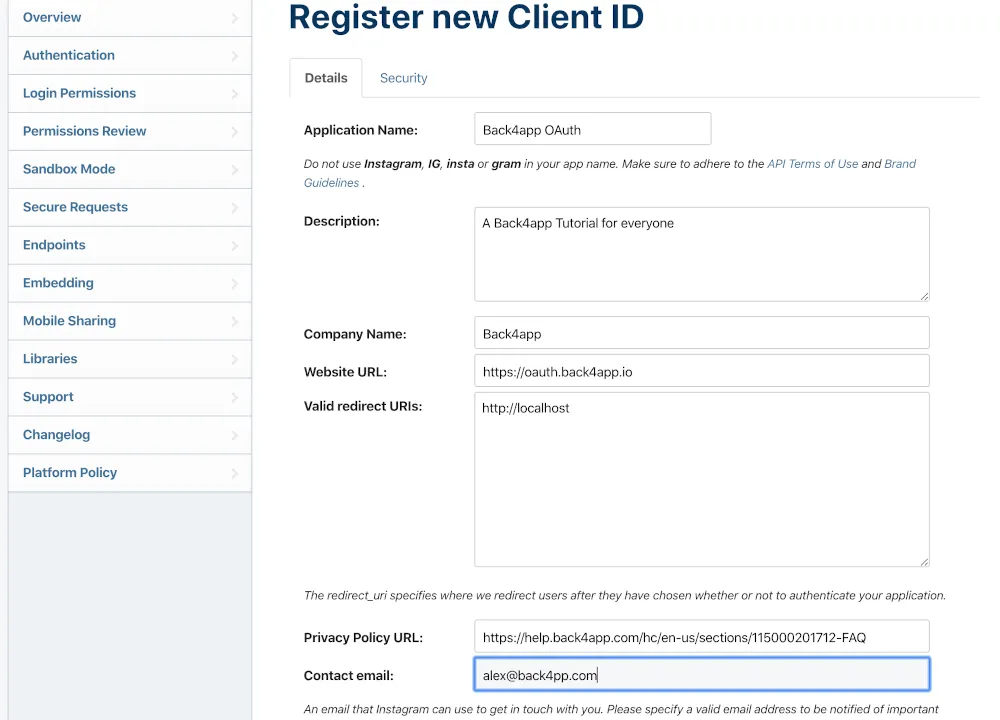
Fill up the Application Name, Description, Company Name, Website URL, Redirect URIs, Privacy Policy URL, and Contact email.
For the Valid redirect URIs, if you are only trying to retrieve your access token, you can leave it as
Otherwise, you should use the production URI for redirection
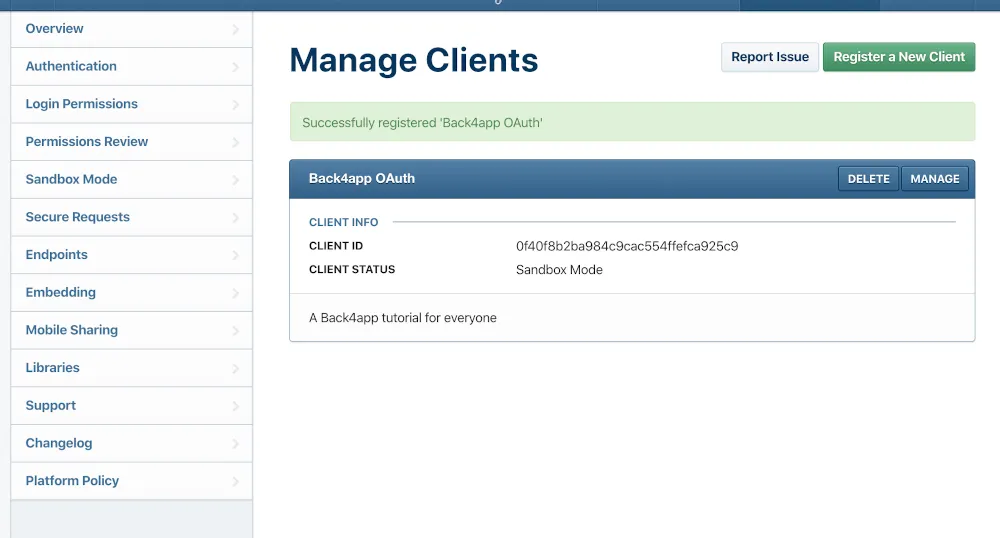
At this point, you should have a Client like the image below
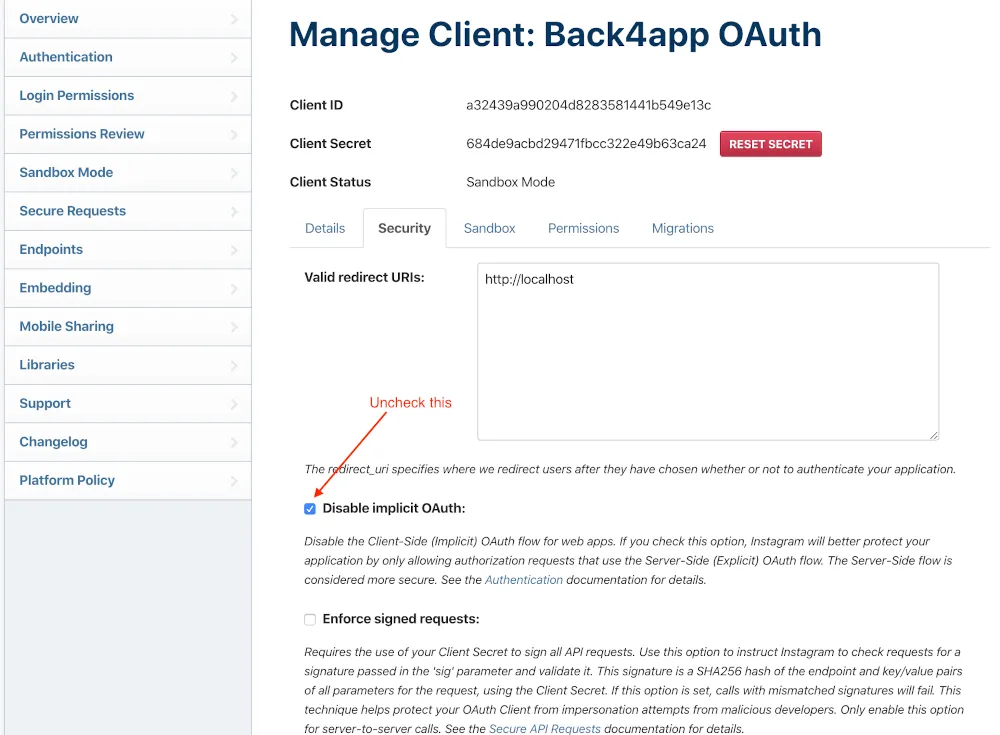
Click on Manage and under the Security tab, uncheck the Disable Implicit OAuth
3 - Retrieve your Token
If you left your Redirect URIs as localhost, there are two ways you can retrieve your token. The first one is using your Browser of choice, and going to the following URL:
just change the CLIENT-ID and REDIRECT-URI using the values you got from your newly created Client. This will redirect you to an invalid page, but show you the access token in the URL:

The other way to retrieve such a token is to run the following CURL command, replacing the CLIENT-ID, CLIENT-SECRET, and REDIRECT-URI for your values:
1   curl \-F 'client_id=CLIENT-ID' \
2       -F 'client_secret=CLIENT-SECRET' \
3       -F 'grant_type=authorization_code' \
4       -F 'redirect_uri=REDIRECT-URI' \
5       -F 'code=CODE' \
6       https://api.instagram.com/oauth/access_token
That command will also output your Access Token.
4 - Start the development
Now that the Sign In with Instagram is configured, you can start the development process passing the Access Token you retrieved for authentication. The format for AUTHDATA is:
1   {
2     "instagram": {
3       "id": "user's Instagram id (string)",
4       "access_token": "an authorized Instagram access token for the user"
5     }
6   }
Here is the method for the iOS SDK:
1   PFUser.logInWithAuthType(inBackground: "instagram", authData: ["access_token":tokenString, "id": user]).continueWith { task -> Any? in
2
3   }
And here for the Android SDK:
1   Map<string, string> authData = new HashMap<string, string>();
2   authData.put("access_token", tokenString);
3   authData.put("id", user);
4   ParseUser.logInWithInBackground("instagram", authData){
5
6   }