Flutter Parse 서버 현재 세션 사용자 구현 가이드
현재 세션의 사용자 가져오기
소개
사용자가 앱을 열 때마다 로그인해야 한다면 즐겁지 않을 것입니다. 현재 ParseUser 객체를 캐시하여 이를 피할 수 있습니다. 회원가입 또는 로그인 메서드를 사용할 때마다 사용자가 로컬에 캐시됩니다. 이 캐시를 세션으로 관리하고 사용자가 자동으로 로그인했다고 가정할 수 있습니다. 이 가이드에서는 Flutter 앱을 위해 ParseUser 클래스를 사용하여 현재 세션의 사용자를 가져오는 방법을 배우게 됩니다.Parse Server용 Flutter 플러그인을 사용하여 현재 세션의 사용자를 가져오는 방법.
목표
Flutter 앱을 위해 Parse를 사용하여 현재 세션의 사용자를 가져옵니다.
전제 조건
이 튜토리얼을 완료하려면 다음이 필요합니다:
- Back4App에 연결된 Flutter 앱.
- 이전 가이드를 완료하여 ParseUser 클래스에 대한 이해를 높이세요.
- Android 또는 iOS에서 실행되는 장치(시뮬레이터 아님).
현재 사용자 앱 이해하기
현재 사용자 세션 프로세스를 더 잘 이해하기 위해, 사용자를 가입시키고, 로그인하고, 로그아웃하는 앱을 만들 것입니다. 이 애플리케이션은 이전 가이드와 유사하며, 가입, 로그인 및 로그아웃을 수행합니다. 다음 가이드에서 동일한 프로젝트를 사용할 것이므로, 아직 사용 가능한 기능이 없을 수 있습니다. 이 가이드의 주요 초점은 Flutter와 Parse를 사용하는 것이므로 Flutter 애플리케이션 코드는 설명하지 않겠습니다. 다음 단계에 따라 Back4App 데이터베이스에서 로그인 및 로그아웃 앱을 구축할 것입니다.
시작해봅시다!
다음 단계에서 현재 사용자를 가져오는 앱을 구축할 수 있습니다.
1 - 로그인/로그아웃 앱 템플릿 만들기
이전 가이드에서 Flutter 프로젝트를 엽니다 Parse Server용 Flutter 플러그인. main.dart 파일로 가서 모든 코드를 정리하고 다음으로 교체합니다:
1 import 'package:flutter/material.dart';
2 import 'package:parse_server_sdk_flutter/parse_server_sdk.dart';
3
4 void main() async {
5 WidgetsFlutterBinding.ensureInitialized();
6
7 final keyApplicationId = 'YOUR_APP_ID_HERE';
8 final keyClientKey = 'YOUR_CLIENT_KEY_HERE';
9 final keyParseServerUrl = 'https://parseapi.back4app.com';
10
11 await Parse().initialize(keyApplicationId, keyParseServerUrl,
12 clientKey: keyClientKey,
13 debug: true);
14
15 runApp(MyApp());
16 }
17
18 class MyApp extends StatelessWidget {
19 Future<bool> hasUserLogged() async {
20 return Future.value(false);
21 }
22
23 @override
24 Widget build(BuildContext context) {
25 return MaterialApp(
26 title: 'Flutter - Parse Server',
27 theme: ThemeData(
28 primarySwatch: Colors.blue,
29 visualDensity: VisualDensity.adaptivePlatformDensity,
30 ),
31 home: FutureBuilder<bool>(
32 future: hasUserLogged(),
33 builder: (context, snapshot) {
34 switch (snapshot.connectionState) {
35 case ConnectionState.none:
36 case ConnectionState.waiting:
37 return Scaffold(
38 body: Center(
39 child: Container(
40 width: 100,
41 height: 100,
42 child: CircularProgressIndicator()),
43 ),
44 );
45 default:
46 if (snapshot.hasData && snapshot.data!) {
47 return UserPage();
48 } else {
49 return LoginPage();
50 }
51 }
52 }),
53 );
54 }
55 }
56
57 class LoginPage extends StatefulWidget {
58 @override
59 _LoginPageState createState() => _LoginPageState();
60 }
61
62 class _LoginPageState extends State<LoginPage> {
63 final controllerUsername = TextEditingController();
64 final controllerPassword = TextEditingController();
65 bool isLoggedIn = false;
66
67 @override
68 Widget build(BuildContext context) {
69 return Scaffold(
70 appBar: AppBar(
71 title: const Text('Flutter - Parse Server'),
72 ),
73 body: Center(
74 child: SingleChildScrollView(
75 padding: const EdgeInsets.all(8),
76 child: Column(
77 crossAxisAlignment: CrossAxisAlignment.stretch,
78 children: [
79 Container(
80 height: 200,
81 child: Image.network(
82 'https://blog.back4app.com/wp-content/uploads/2017/11/logo-b4a-1-768x175-1.png'),
83 ),
84 Center(
85 child: const Text('Flutter on Back4App',
86 style:
87 TextStyle(fontSize: 18, fontWeight: FontWeight.bold)),
88 ),
89 SizedBox(
90 height: 16,
91 ),
92 TextField(
93 controller: controllerUsername,
94 enabled: !isLoggedIn,
95 keyboardType: TextInputType.text,
96 textCapitalization: TextCapitalization.none,
97 autocorrect: false,
98 decoration: InputDecoration(
99 border: OutlineInputBorder(
100 borderSide: BorderSide(color: Colors.black)),
101 labelText: 'Username'),
102 ),
103 SizedBox(
104 height: 8,
105 ),
106 TextField(
107 controller: controllerPassword,
108 enabled: !isLoggedIn,
109 obscureText: true,
110 keyboardType: TextInputType.text,
111 textCapitalization: TextCapitalization.none,
112 autocorrect: false,
113 decoration: InputDecoration(
114 border: OutlineInputBorder(
115 borderSide: BorderSide(color: Colors.black)),
116 labelText: 'Password'),
117 ),
118 SizedBox(
119 height: 16,
120 ),
121 Container(
122 height: 50,
123 child: ElevatedButton(
124 child: const Text('Login'),
125 onPressed: isLoggedIn ? null : () => doUserLogin(),
126 ),
127 ),
128 SizedBox(
129 height: 16,
130 ),
131 Container(
132 height: 50,
133 child: ElevatedButton(
134 child: const Text('Sign Up'),
135 onPressed: () => navigateToSignUp(),
136 ),
137 ),
138 SizedBox(
139 height: 16,
140 ),
141 Container(
142 height: 50,
143 child: ElevatedButton(
144 child: const Text('Reset Password'),
145 onPressed: () => navigateToResetPassword(),
146 ),
147 )
148 ),
149 ),
150 ),
151 ));
152 }
153
154 void doUserLogin() async {
155 final username = controllerUsername.text.trim();
156 final password = controllerPassword.text.trim();
157
158 final user = ParseUser(username, password, null);
159
160 var response = await user.login();
161
162 if (response.success) {
163 navigateToUser();
164 } else {
165 Message.showError(context: context, message: response.error!.message);
166 }
167 }
168
169 void navigateToUser() {
170 Navigator.pushAndRemoveUntil(
171 context,
172 MaterialPageRoute(builder: (context) => UserPage()),
173 (Route<dynamic> route) => false,
174 );
175 }
176
177 void navigateToSignUp() {
178 Navigator.push(
179 context,
180 MaterialPageRoute(builder: (context) => SignUpPage()),
181 );
182 }
183
184 void navigateToResetPassword() {
185 Navigator.push(
186 context,
187 MaterialPageRoute(builder: (context) => ResetPasswordPage()),
188 );
189 }
190 }
191
192 class SignUpPage extends StatefulWidget {
193 @override
194 _SignUpPageState createState() => _SignUpPageState();
195 }
196
197 class _SignUpPageState extends State<SignUpPage> {
198 final controllerUsername = TextEditingController();
199 final controllerPassword = TextEditingController();
200 final controllerEmail = TextEditingController();
201
202 @override
203 Widget build(BuildContext context) {
204 return Scaffold(
205 appBar: AppBar(
206 title: const Text('Flutter Sign Up'),
207 ),
208 body: Center(
209 child: SingleChildScrollView(
210 padding: const EdgeInsets.all(8),
211 child: Column(
212 crossAxisAlignment: CrossAxisAlignment.stretch,
213 children: [
214 Container(
215 height: 200,
216 child: Image.network(
217 'https://blog.back4app.com/wp-content/uploads/2017/11/logo-b4a-1-768x175-1.png'),
218 ),
219 Center(
220 child: const Text('Flutter on Back4App',
221 style:
222 TextStyle(fontSize: 18, fontWeight: FontWeight.bold)),
223 ),
224 SizedBox(
225 height: 16,
226 ),
227 Center(
228 child: const Text('User registration',
229 style: TextStyle(fontSize: 16)),
230 ),
231 SizedBox(
232 height: 16,
233 ),
234 TextField(
235 controller: controllerUsername,
236 keyboardType: TextInputType.text,
237 textCapitalization: TextCapitalization.none,
238 autocorrect: false,
239 decoration: InputDecoration(
240 border: OutlineInputBorder(
241 borderSide: BorderSide(color: Colors.black)),
242 labelText: 'Username'),
243 ),
244 SizedBox(
245 height: 8,
246 ),
247 TextField(
248 controller: controllerEmail,
249 keyboardType: TextInputType.emailAddress,
250 textCapitalization: TextCapitalization.none,
251 autocorrect: false,
252 decoration: InputDecoration(
253 border: OutlineInputBorder(
254 borderSide: BorderSide(color: Colors.black)),
255 labelText: 'E-mail'),
256 ),
257 SizedBox(
258 height: 8,
259 ),
260 TextField(
261 controller: controllerPassword,
262 obscureText: true,
263 keyboardType: TextInputType.text,
264 textCapitalization: TextCapitalization.none,
265 autocorrect: false,
266 decoration: InputDecoration(
267 border: OutlineInputBorder(
268 borderSide: BorderSide(color: Colors.black)),
269 labelText: 'Password'),
270 ),
271 SizedBox(
272 height: 8,
273 ),
274 Container(
275 height: 50,
276 child: ElevatedButton(
277 child: const Text('Sign Up'),
278 onPressed: () => doUserRegistration(),
279 ),
280 )
281 ],
282 ),
283 ),
284 ));
285 }
286
287 void doUserRegistration() async {
288 final username = controllerUsername.text.trim();
289 final email = controllerEmail.text.trim();
290 final password = controllerPassword.text.trim();
291
292 final user = ParseUser.createUser(username, password, email);
293
294 var response = await user.signUp();
295
296 if (response.success) {
297 Message.showSuccess(
298 context: context,
299 message: 'User was successfully created!',
300 onPressed: () async {
301 Navigator.pushAndRemoveUntil(
302 context,
303 MaterialPageRoute(builder: (context) => UserPage()),
304 (Route<dynamic> route) => false,
305 );
306 });
307 } else {
308 Message.showError(context: context, message: response.error!.message);
309 }
310 }
311 }
312
313 class UserPage extends StatelessWidget {
314 ParseUser? currentUser;
315
316 Future<ParseUser?> getUser() async {
317 }
318
319 @override
320 Widget build(BuildContext context) {
321 void doUserLogout() async {
322 var response = await currentUser!.logout();
323 if (response.success) {
324 Message.showSuccess(
325 context: context,
326 message: 'User was successfully logout!',
327 onPressed: () {
328 Navigator.pushAndRemoveUntil(
329 context,
330 MaterialPageRoute(builder: (context) => LoginPage()),
331 (Route<dynamic> route) => false,
332 );
333 });
334 } else {
335 Message.showError(context: context, message: response.error!.message);
336 }
337 }
338
339 return Scaffold(
340 appBar: AppBar(
341 title: Text('User logged in - Current User'),
342 ),
343 body: FutureBuilder<ParseUser?>(
344 future: getUser(),
345 builder: (context, snapshot) {
346 switch (snapshot.connectionState) {
347 case ConnectionState.none:
348 case ConnectionState.waiting:
349 return Center(
350 child: Container(
351 width: 100,
352 height: 100,
353 child: CircularProgressIndicator()),
354 );
355 default:
356 return Padding(
357 padding: const EdgeInsets.all(8.0),
358 child: Column(
359 crossAxisAlignment: CrossAxisAlignment.stretch,
360 mainAxisAlignment: MainAxisAlignment.center,
361 children: [
362 Center(
363 child: Text('Hello, ${snapshot.data!.username}')),
364 SizedBox(
365 height: 16,
366 ),
367 Container(
368 height: 50,
369 child: ElevatedButton(
370 child: const Text('Logout'),
371 onPressed: () => doUserLogout(),
372 ),
373 ),
374 ],
375 ),
376 );
377 }
378 }));
379 }
380 }
381
382 class ResetPasswordPage extends StatefulWidget {
383 @override
384 _ResetPasswordPageState createState() => _ResetPasswordPageState();
385 }
386
387 class _ResetPasswordPageState extends State<ResetPasswordPage> {
388 final controllerEmail = TextEditingController();
389
390 @override
391 Widget build(BuildContext context) {
392 return Scaffold(
393 appBar: AppBar(
394 title: Text('Reset Password'),
395 ),
396 body: SingleChildScrollView(
397 padding: const EdgeInsets.all(8),
398 child: Column(
399 crossAxisAlignment: CrossAxisAlignment.stretch,
400 children: [
401 TextField(
402 controller: controllerEmail,
403 keyboardType: TextInputType.emailAddress,
404 textCapitalization: TextCapitalization.none,
405 autocorrect: false,
406 decoration: InputDecoration(
407 border: OutlineInputBorder(
408 borderSide: BorderSide(color: Colors.black)),
409 labelText: 'E-mail'),
410 ),
411 SizedBox(
412 height: 8,
413 ),
414 Container(
415 height: 50,
416 child: ElevatedButton(
417 child: const Text('Reset Password'),
418 onPressed: () => doUserResetPassword(),
419 ),
420 )
421 ],
422 ),
423 ));
424 }
425
426 void doUserResetPassword() async {}
427 }
428
429 class Message {
430 static void showSuccess(
431 {required BuildContext context,
432 required String message,
433 VoidCallback? onPressed}) {
434 showDialog(
435 context: context,
436 builder: (BuildContext context) {
437 return AlertDialog(
438 title: const Text("Success!"),
439 content: Text(message),
440 actions: <Widget>[
441 new ElevatedButton(
442 child: const Text("OK"),
443 onPressed: () {
444 Navigator.of(context).pop();
445 if (onPressed != null) {
446 onPressed();
447 }
448 },
449 ),
450 ],
451 );
452 },
453 );
454 }
455
456 static void showError(
457 {required BuildContext context,
458 required String message,
459 VoidCallback? onPressed}) {
460 showDialog(
461 context: context,
462 builder: (BuildContext context) {
463 return AlertDialog(
464 title: const Text("Error!"),
465 content: Text(message),
466 actions: <Widget>[
467 new ElevatedButton(
468 child: const Text("OK"),
469 onPressed: () {
470 Navigator.of(context).pop();
471 if (onPressed != null) {
472 onPressed();
473 }
474 },
475 ),
476 ],
477 );
478 },
479 );
480 }
481 }
482함수 debug의 매개변수 Parse().initialize가 true, Parse API 호출을 콘솔에 표시할 수 있습니다. 이 설정은 코드를 디버깅하는 데 도움이 될 수 있습니다. 릴리스 버전에서는 디버그를 비활성화하는 것이 바람직합니다.
2 - 템플릿을 Back4app 프로젝트에 연결하기
앱 대시보드에서 Back4App 웹사이트로 이동하여 애플리케이션 ID 및 클라이언트 키 자격 증명을 찾으세요.
코드를 업데이트하세요 main.dart에 Back4app의 프로젝트의 ApplicationId와 ClientKey 값을 사용하세요.
- keyApplicationId = 앱 ID
- keyClientKey = 클라이언트 키
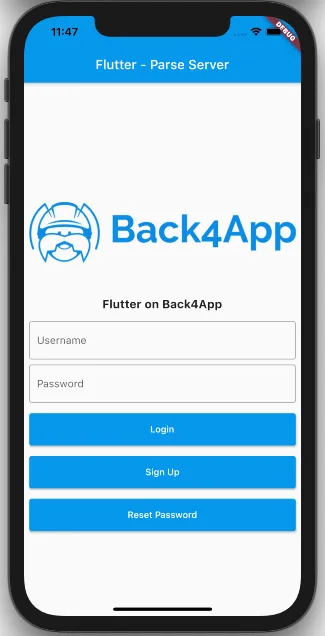
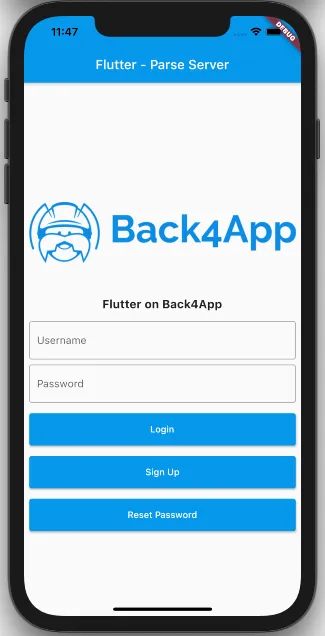
프로젝트를 실행하면 앱이 이미지와 같이 로드됩니다.
3 - 세션에서 현재 사용자 가져오기 위한 코드
사용자 로그인 또는 가입 기능은 세션 객체를 생성하여 사용자가 로그인된 상태를 가리키고, 유효한 사용자 세션을 로컬 저장소에 저장합니다.
메서드 호출 currentUser는 당신의 ParseUser 데이터와 sessionToken을 성공적으로 가져옵니다 Session 객체.
파일 hasUserLogged에서 함수 main.dart을 검색하세요.
코드를 hasUserLogged 안에 있는 코드로 교체하세요:
1       ParseUser? currentUser = await ParseUser.currentUser() as ParseUser?;
2       if (currentUser == null) {
3         return false;
4       }
5       //Checks whether the user's session token is valid
6       final ParseResponse? parseResponse =
7           await ParseUser.getCurrentUserFromServer(currentUser.sessionToken!);
8
9       if (parseResponse?.success == null || !parseResponse!.success) {
10        //Invalid session. Logout
11        await currentUser.logout();
12        return false;
13      } else {
14        return true;
15      }
이 기능을 구축하려면 다음 단계를 따르세요:
- 다음의 ParseUser.currentUser() 함수를 호출하여, 로컬 저장소에서 ParseUser 객체를 반환받습니다.
- 만약ParseUser가 null이라면, 우리는 앱에서 활성 세션을 가진 사용자가 없습니다.
- 만약ParseUser가 null이 아니라면, 우리는 앱에서 활성 세션을 가진 사용자가 있습니다.
- 사용자의 세션은 Parse 서버에서 유효성을 검사해야 하며, 세션에는 수명이 있습니다.
- 토큰이 유효하지 않으면, 현재 세션을 지우기 위해 로그아웃 함수를 호출해야 하며 사용자는 다시 로그인해야 합니다.
완전한 함수는 다음과 같아야 합니다:
1     Future<bool> hasUserLogged() async {
2       ParseUser? currentUser = await ParseUser.currentUser() as ParseUser?;
3       if (currentUser == null) {
4         return false;
5       }
6       //Checks whether the user's session token is valid
7       final ParseResponse? parseResponse =
8           await ParseUser.getCurrentUserFromServer(currentUser.sessionToken!);
9
10      if (parseResponse?.success == null || !parseResponse!.success) {
11        //Invalid session. Logout
12        await currentUser.logout();
13        return false;
14      } else {
15        return true;
16      }
17    }
파일에서 함수 getUser를 찾으세요 main.dart.
코드를 getUser로 교체하세요:
1    currentUser = await ParseUser.currentUser() as ParseUser?;
2    return currentUser;
이 함수를 만들기 위해 다음 단계를 따르세요:
- 다음의 ParseUser.currentUser() 함수를 호출하면, 로컬 저장소에서 ParseUser 객체를 반환합니다.
완전한 함수는 다음과 같아야 합니다:
1     Future<ParseUser> getUser() async {
2       currentUser = await ParseUser.currentUser() as ParseUser?;
3       return currentUser;
4     }
테스트하려면, Android Studio/VSCode에서 Run 버튼을 클릭하세요.
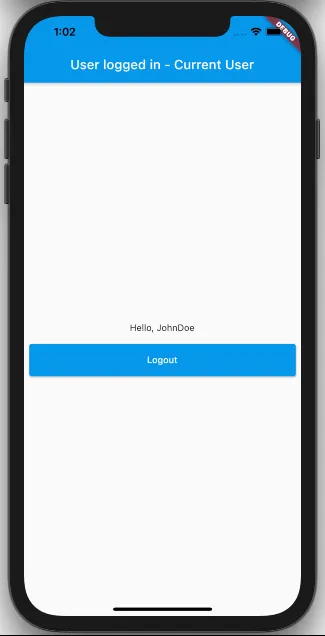
회원가입 또는 로그인하면 다음 화면에 로그인한 사용자의 사용자 이름이 표시됩니다.
애플리케이션을 종료하고 다시 실행하세요.
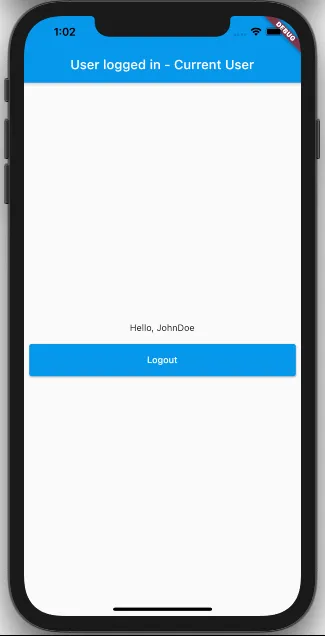
유효한 사용자 세션이 확인되면, 사용자의 사용자 이름이 표시된 화면이 나타납니다.
완료되었습니다!
이 가이드의 끝에서, Back4App을 통해 Parse Server의 핵심 기능을 사용하여 앱의 세션에서 현재 사용자를 가져올 수 있습니다!